
If you use Telegram for groups, work chats, communities, or public channels, your phone number is one of the first privacy settings worth checking. This guide explains how to hide phone number Telegram settings in 2026, what each option actually does, and how to avoid common mistakes that still expose your identity.
Telegram accounts are still tied to a phone number for sign-up and login, even if you use a username for public contact. That means hiding your number is not about removing it from Telegram completely; it is about controlling who can see it and who can use it to find you.
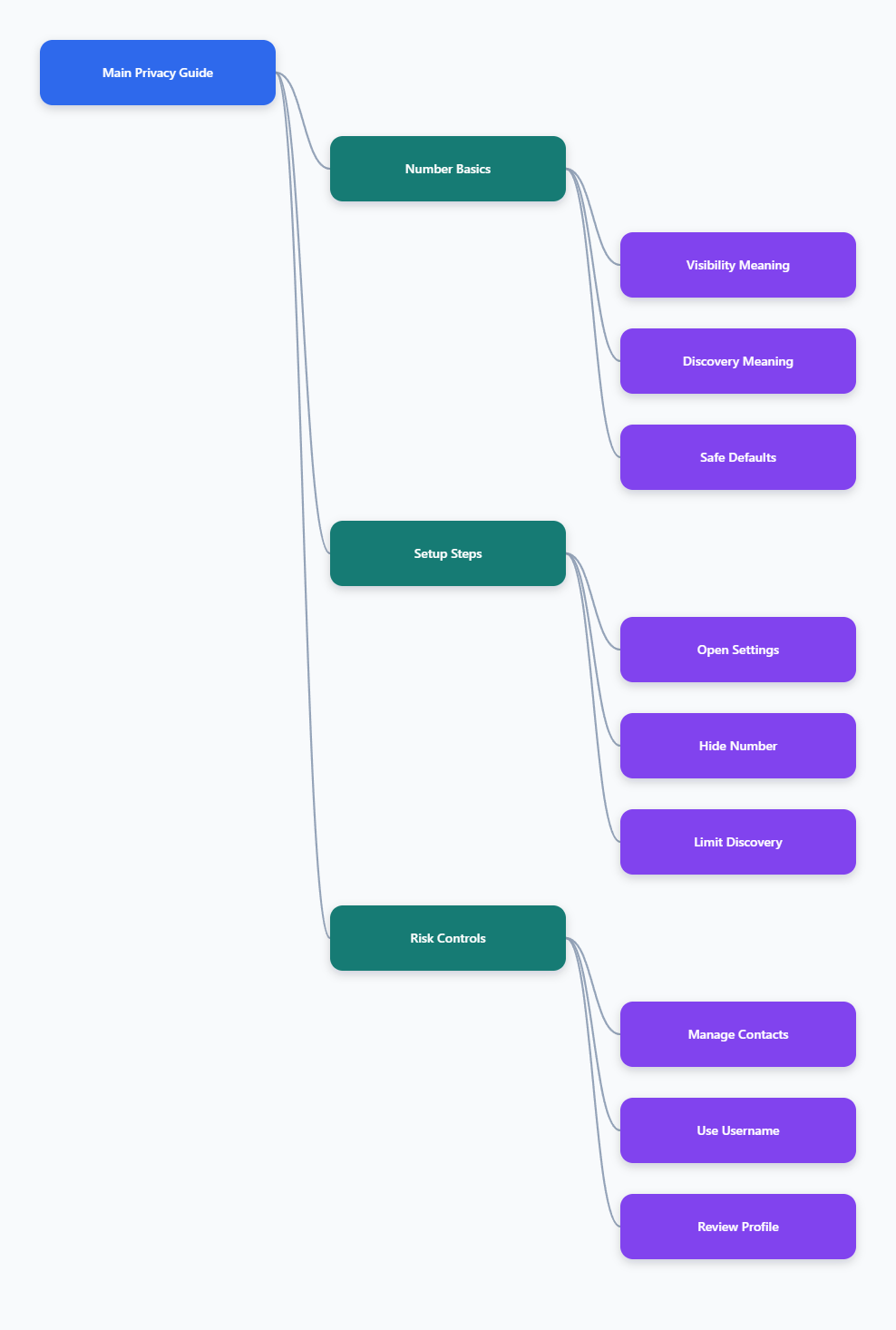
What Hiding Your Telegram Phone Number Really Means
Before changing settings, it helps to understand the difference between visibility and discoverability. These are separate privacy controls in Telegram, and confusing them is the main reason people think their number is hidden when it is not.
Phone number visibility controls who can open your Telegram profile and see your actual digits. Phone number discoverability controls who can type your number into Telegram and find your account.
For most users, the safest everyday setup is simple:
- Set Who can see my phone number to Nobody.
- Set Who can find me by my number to My Contacts.
- Disable contact syncing if you do not want Telegram uploading new address book entries.
- Delete synced contacts if old phone contacts should no longer connect to your account.
- Use a username or invite link instead of sharing your number.
This setup does not make Telegram anonymous. It does reduce casual exposure in groups, chats, and search.
How to Hide Phone Number Telegram Settings in 2026
The exact screen layout can vary slightly by Android, iPhone, desktop, and app version. The privacy path is consistent enough for most users: open Telegram settings, go to Privacy and Security, then open Phone Number.
Use the steps below as your baseline. If your app looks different, update Telegram first and check the same menu names.
Step 1: Open Telegram Privacy Settings
On iPhone, tap Settings in the bottom bar. On Android, open the menu button, then tap Settings.
Next, choose Privacy and Security. This is where Telegram keeps controls for phone number visibility, last seen status, profile photos, calls, forwarded messages, groups, and contacts.
Tap Phone Number. You should now see two important sections: who can see your number and who can find you by your number.
Step 2: Set Who Can See Your Number
Under Who can see my phone number, Telegram usually offers three options: Everybody, My Contacts, and Nobody. Choose based on how private you want your account to be.
For most privacy-focused users, choose Nobody. This prevents other Telegram users from viewing your phone number on your profile unless you add a specific exception.
Use My Contacts only if you are comfortable with people saved in your Telegram contacts seeing your number. Avoid Everybody unless the account is intentionally public and the number is safe to share.
Step 3: Set Who Can Find You by Number
After choosing Nobody for number visibility, Telegram shows or emphasizes another setting: Who can find me by my number. This setting matters because someone may already know your number from work, a marketplace, an old contact list, or a leaked address book.
Set it to My Contacts if you do not want strangers to discover your Telegram account just by entering your number. This allows only people you have saved as contacts to connect the number to your account.
Telegram may not offer a complete “Nobody” option for this discoverability control in every context. So the practical privacy move is to limit it to My Contacts and then carefully manage what counts as your contacts.
Telegram Phone Number Options Compared
The table below explains what each setting is best for. Use it before choosing exceptions, especially if you use Telegram for public communities or business networking.
| Setting | What It Does | Best For | Privacy Risk |
|---|---|---|---|
| Everybody | Lets all users see or connect with your number depending on the control. | Public business numbers only. | High exposure. |
| My Contacts | Limits access to people saved in your Telegram contacts. | Friends, family, small teams. | Depends on contact list hygiene. |
| Nobody | Hides the visible phone number from other users. | Groups, communities, privacy-conscious users. | Low, but not full anonymity. |
| Exceptions | Overrides the default rule for selected people. | Trusted contacts only. | Easy to forget later. |
The safest default is not always the most convenient one. If you rely on Telegram for customer service or local business, you may choose a public business number, but your personal number should usually stay hidden.
Manage Contact Syncing After You Hide Your Number
Hiding your number is only half the job. Telegram contact syncing can still connect your account with people in your phone address book, and old synced contacts may remain available inside Telegram until you remove them.
This is especially important if your address book contains clients, temporary contacts, old coworkers, delivery numbers, or people you do not want linked to your messaging account.
Turn Off Sync Contacts
Open Settings, then Privacy and Security. Look for a contacts or data settings section, depending on your device.
Disable Sync Contacts if you do not want Telegram to keep uploading new address book entries. This helps prevent future contacts from being matched automatically.
On some devices, contact controls may appear under a separate contact management area. The key goal is the same: stop automatic syncing if you want tighter privacy.
Delete Synced Contacts
Turning off syncing does not always remove contacts that were already uploaded. To clean up old matches, use Delete Synced Contacts inside Telegram’s privacy or contact settings.
This action is commonly recommended when users want to stop old phonebook entries from finding or appearing in Telegram. It should not delete your actual phone contacts from your device, but you should still read the app confirmation carefully before tapping.
After deleting synced contacts, keep sync disabled. If you turn it back on, Telegram may upload the current phonebook again.
Review Contacts Before Adding New People
Be careful when adding someone as a Telegram contact. Some flows may include an option to share your phone number with that person.
Before saving a new Telegram contact, check for any box or prompt that says you are sharing your number. If privacy matters, leave that option off unless you intentionally want that person to have your digits.
This small habit prevents exceptions from becoming a privacy leak over time.
Use a Username Instead of Sharing Your Phone Number
A Telegram username lets people contact you without needing your phone number. This is one of the simplest ways to keep conversations open while reducing personal exposure.
To set one, open Settings and look for Username. Choose a name that is easy to share but does not reveal sensitive personal details.
Good username practices include:
- Use a professional handle for business or creator accounts.
- Avoid including your birth year, full legal name, or workplace if privacy is the goal.
- Use different usernames for personal and public-facing identities when possible.
- Share your username or invite link instead of your number.
- Change the username if it attracts spam or unwanted contact.
A username is not a complete shield. People can still message you if they find the username, and public activity may still connect your identity across groups.
Privacy Settings That Support Phone Number Protection
If your goal is to hide phone number Telegram exposure, do not stop at the Phone Number screen. Other settings can reveal identity clues even when your digits are hidden.
Review these controls after changing your number settings. They help reduce the chance that strangers can connect your Telegram profile to your real-world identity.
Profile Photos and Bio
Your profile photo can identify you faster than a phone number. A clear face photo, company logo, school badge, or family image may reveal who you are in public groups.
Set profile photo visibility to My Contacts if you join large communities. If your risk level is higher, consider using a neutral image for public interaction.
Check your bio as well. Do not place email addresses, workplace names, private links, or location details in a profile that strangers can view.
Last Seen, Online Status, and Date Details
Last seen and online status can create behavior patterns. For most users this is only annoying, but for activists, journalists, creators, or people dealing with harassment, timing data can become sensitive.
Set Last Seen & Online to My Contacts or Nobody. Also review any date of birth or similar profile fields if your app version includes them.
The principle is simple: if a detail does not help trusted people contact you, it probably does not need to be public.
Groups, Calls, and Forwarded Messages
Group privacy matters because public groups are where many unwanted contacts begin. Limit who can add you to groups and channels, especially if strangers regularly find your account.
Call settings also deserve attention. Some privacy guides recommend limiting peer-to-peer call connections because direct call routing can expose network information in some scenarios.
Forwarded message settings can also reduce profile discovery. If your forwarded messages link back to your account, strangers may find you through content shared outside the original chat.
What Telegram Privacy Does Not Guarantee
Telegram is useful, but it should not be described as private in every situation. Standard cloud chats are not the same as Secret Chats, and not every type of metadata disappears because your phone number is hidden.
Telegram’s own FAQ explains that the service works across devices and stores cloud chats so they can sync. Secret Chats are different because they are device-specific and designed for end-to-end encrypted conversations.
Keep these limits in mind:
- Your account still requires a phone number for registration or access recovery.
- People who already know your number may still have historical links or saved contact data.
- Public usernames can make you reachable without exposing your number.
- Group participation can reveal your display name, profile photo, and activity.
- Hiding your number does not erase screenshots, forwarded content, or other users’ address books.
If you face serious safety risks, consider whether Telegram is appropriate for that conversation. Use Secret Chats where suitable, keep sensitive data out of public groups, and do not rely on one setting as your entire privacy plan.
Common Mistakes When Hiding a Telegram Number
Most exposure problems come from small configuration gaps, not from complicated hacking. The settings are available, but users often leave one side of the system open.
Avoid these mistakes:
- Setting visibility to Nobody but leaving discoverability too broad.
- Keeping contact sync enabled with a messy address book.
- Adding exceptions and forgetting who can see the number.
- Using a username that reveals the same identity you are trying to protect.
- Joining public groups with a personal photo, full name, and visible bio.
- Assuming Telegram hides everything automatically by default.
Do a privacy check after major app updates, after changing phones, and after importing contacts. Settings can be easy to forget once the account feels normal.
Quick Checklist: Best Telegram Number Privacy Setup for 2026
If you want a practical setup without overthinking every menu, use this checklist. It balances privacy with normal Telegram usability.
- Phone Number: set visibility to Nobody.
- Find by Number: set discoverability to My Contacts.
- Contacts: disable Sync Contacts if you do not need it.
- Old Matches: use Delete Synced Contacts if you previously uploaded your address book.
- Public Contact: create a username instead of sharing your number.
- Profile: limit photo, bio, and last seen visibility.
- Groups: restrict who can add you to groups and channels.
- Exceptions: review Always Allow and Never Allow lists regularly.
This setup works well for community members, freelancers, travelers, students, and anyone who wants Telegram access without broadcasting a personal number.
FAQ About Hiding Your Number on Telegram
Can I use Telegram without a phone number?
Telegram accounts are tied to a phone number for sign-up and access. Some users use secondary numbers or alternative number services, but you should be careful because losing access to the number can create account recovery problems.
For most people, the safer approach is to keep control of the number, hide it from other users, and use a username for sharing.
Will people in groups see my phone number?
Not if your phone number visibility is set to Nobody and you have not made an exception for them. Group members may still see your display name, username, profile photo, and other visible profile details.
That is why group privacy should include both number settings and profile settings.
Can someone find me if they already have my number?
It depends on your Who can find me by my number setting and whether they are in your contacts. Set this to My Contacts and clean up synced contacts if you want to reduce unwanted discovery.
If both people have each other saved or synced in some way, Telegram contact matching may still behave differently than a simple public search.
Does hiding my number delete it from Telegram?
No. Hiding your number controls what other users can see or use for discovery. Telegram still uses a phone number as part of the account system.
Think of this as privacy control, not account removal.
Final Thoughts
The best way to hide phone number Telegram exposure in 2026 is to combine three actions: hide number visibility, limit number-based discovery, and clean up contact syncing. Any one of those steps helps, but all three together are much stronger.