
Telegram is no longer just a broadcast channel for announcements. In 2026, it is a customer conversation layer, a booking desk, a support inbox, and a lightweight sales funnel for many service businesses.
That shift creates a common problem: users are ready to book, but the path from message to confirmed appointment is still too manual.
If you run a Telegram channel, group, or business account, learning how to add appointment booking button in Telegram business bot can remove friction from the exact moment when intent is highest.
This guide breaks down the practical options, the technical limits, the button types, the booking flow, and the operating details that matter in 2026.
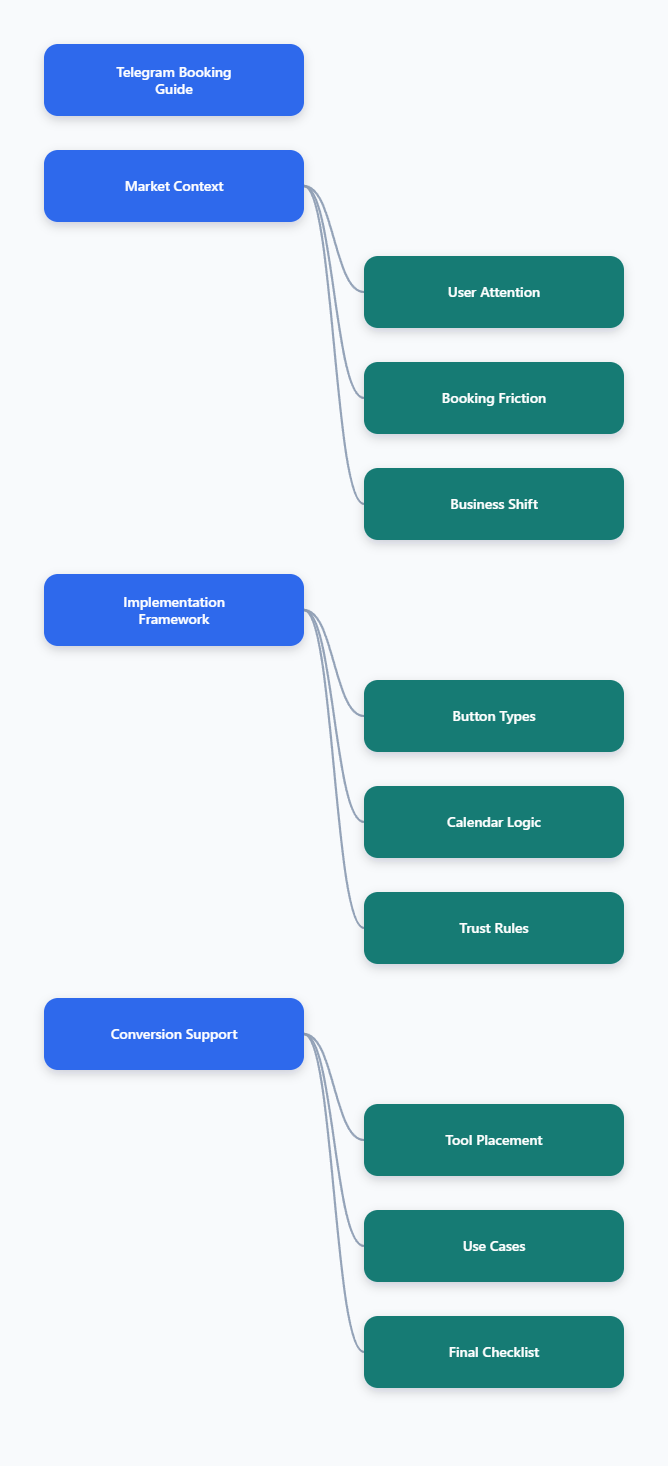
Why Appointment Booking Inside Telegram Matters in 2026
Telegram passed 1 billion monthly active users in 2025, according to Telegram and multiple technology reports. Pavel Durov also stated that users open Telegram 21 times daily on average and spend about 41 minutes per day in the app.
For marketers, that matters because appointment booking works best where attention already exists. Every extra browser tab, form field, email confirmation, or login screen adds drop-off.
Telegram booking buttons are useful for:
- Consultants booking discovery calls from a content channel.
- Agencies qualifying leads before a sales meeting.
- Clinics, salons, tutors, and coaches managing recurring appointments.
- Community operators turning member interest into scheduled sessions.
- SaaS teams routing demo requests from Telegram campaigns.
The real value is not the button itself. The value is a shorter journey from curiosity to confirmation.
What Does an Appointment Booking Button Actually Do?
An appointment booking button is usually an inline button, reply keyboard button, menu button, Mini App entry point, or external scheduling link that helps a user choose a service, time, or next step.
In a basic setup, the button opens a Calendly, Google Calendar, TidyCal, or custom booking page. In a more advanced setup, the bot collects service type, date, time zone, contact details, and booking status inside Telegram.
The best flow depends on your business model. A solo coach may only need one booking link. A multi-location clinic needs availability checks, cancellations, reminders, and human handoff.
How to Add Appointment Booking Button in Telegram Business Bot: The Core Options
There is no single universal button type for every Telegram context. Telegram has official bot features such as inline keyboards, reply keyboards, Mini Apps, bot menu buttons, and Business account automation.
Before building, decide where the user will click the button and what should happen after the click.
| Button Option | Best Use Case | Strength | Important Limit |
|---|---|---|---|
| Inline URL Button | Send users to Calendly or a booking page | Fastest to launch | Click tracking is limited unless handled by your link system |
| Inline Callback Button | Let users select service, date, or action | Keeps interaction in chat | Requires bot logic and callback handling |
| Reply Keyboard | Persistent menu for booking, rescheduling, support | Easy for repeat users | Can feel intrusive if overused |
| Telegram Mini App | Rich booking interface inside Telegram | Supports app-like flows | Needs web development and hosting |
| Bot Menu Button | Always-available booking entry point | Good for business profiles | Less visible than message buttons |
For most marketers, the practical starting point is an inline URL button or callback button. Build a simple flow first, then add calendar sync and reminders once demand is proven.
Step-by-Step: Build a Reliable Booking Button Flow
1. Define the Appointment Type
Do not start with the bot. Start with the offer. A vague button like Book Now often performs worse than a specific one.
Examples of clearer appointment actions:
- Book a 15-minute audit
- Schedule a product demo
- Reserve a consultation slot
- Choose a tutor session
- Confirm a clinic visit
Each appointment type should have a duration, availability window, cancellation rule, and confirmation message.
2. Choose the Booking Destination
If you already use Calendly, Google Calendar, or another scheduler, connect the button to that page first. This is the lowest-risk path because calendar availability, time zones, and reminders are already handled.
If you want users to stay inside Telegram, use callback buttons or a Mini App. This requires more work, but it gives you better control over the user experience.
3. Create the Bot with BotFather
Use Telegram BotFather to create the bot, set the bot name, get the bot token, and configure basic settings. Keep the username easy to remember because it may appear in links, menus, and onboarding messages.
For a business workflow, also prepare:
- A short welcome message.
- A booking button label.
- A fallback support contact.
- A privacy note for collected data.
- A test calendar or sandbox booking link.
4. Add an Inline Button
In a simple bot, you can send a message with an inline keyboard. The button may open a booking URL or trigger a callback query that your bot handles.
Use URL buttons when you want to send users to an external scheduler. Use callback buttons when the bot must react inside the conversation, such as showing available services or asking for a time zone.
5. Connect Calendar and Confirmation Logic
A booking flow is incomplete until confirmation is reliable. Users should receive a clear message with the date, time, time zone, location or video link, cancellation option, and next step.
For operational reliability, store booking records in a system your team actually checks. This may be Google Calendar, Google Sheets, a CRM, Airtable, Notion database, or your own backend.
6. Test the Flow Like a Customer
Test the button on mobile and desktop. Check whether the booking link opens correctly, the time zone is clear, reminders fire as expected, and the support handoff works when a user cannot find a suitable slot.
Also test edge cases:
- User clicks the button twice.
- User cancels after confirmation.
- User changes time zone.
- Calendar slot is already taken.
- Payment is required before booking.
What Are the Common Mistakes When Adding Booking Buttons?
The biggest mistake is treating Telegram like a landing page. Telegram is a conversation environment. Users expect speed, context, and minimal typing.
A strong booking button flow should avoid these problems:
- Too many steps before showing availability.
- Generic button copy with no appointment context.
- No confirmation message after the booking.
- No cancellation or rescheduling option.
- No human fallback for complex requests.
- No consent notice when collecting personal data.
Another common issue is using a Mini App or web app button in a context where Telegram does not support that exact behavior. Official Telegram documentation notes multiple Mini App launch methods, but not every button type works identically in channels, groups, and private chats.
When in doubt, test the same button from a private chat, group, channel post, and business profile before publishing it to your audience.
Where OnlyTG Echo@EchoOnBot Fits in a Booking Workflow
After you understand the booking path, tools can help reduce manual repetition. OnlyTG Echo@EchoOnBot can be introduced at this point as a practical helper for Telegram operators who need faster response loops around booking-related messages.
Based on the typical official onboarding flow for Telegram bots, start by opening OnlyTG Echo@EchoOnBot in Telegram, pressing Start, and following the guided prompts. Use it to prepare reusable booking responses, route common appointment questions, and keep booking instructions consistent across active conversations.
A simple operating pattern is:
- Prepare a short booking instruction message.
- Include the correct appointment button or booking link.
- Use the bot workflow to echo or deliver that response when the relevant trigger appears.
- Review the conversation and hand off manually when the request is complex.
Practical Use Cases
Agency lead qualification: A Telegram channel posts a case study. Interested users ask for pricing in private messages. The operator uses OnlyTG Echo@EchoOnBot to send a consistent reply with a 15-minute audit booking button and a short qualification question.
Coach session booking: A coach receives repeated messages asking about availability. OnlyTG Echo@EchoOnBot helps keep the booking reply consistent, including session length, calendar link, and cancellation rule.
Community office hours: A paid group runs weekly expert sessions. When members ask when office hours happen, OnlyTG Echo@EchoOnBot can support a reusable response pointing to the current appointment button and rules.
Additional functions may support day-to-day Telegram operations, such as repeating standard instructions, reducing copy-paste work, and keeping message wording consistent. Keep the setup focused; the booking experience should still feel human.
How to Add Appointment Booking Button in Telegram Business Bot Without Hurting Trust
Automation works when it respects user intent. A person who clicks a booking button should not be pushed into unrelated promotions, long forms, or unclear data collection.
Use these trust rules:
- Tell users what happens after they click.
- Show appointment duration before confirmation.
- Use the user’s local time zone where possible.
- Give a visible cancellation option.
- Confirm whether the session is free or paid.
- Do not send repeated reminders without consent.
If payment is required, separate the booking confirmation from the payment confirmation. Telegram supports bot payments, including digital goods through Telegram Stars, but your flow must be clear about what the user is buying.
2026 Telegram Booking Trends Marketers Should Watch
Telegram’s 2026 direction is clear: bots, Business features, Mini Apps, AI assistants, and integrated workflows are becoming more important. That creates opportunities, but also raises user expectations.
Three trends matter most for booking flows.
AI-Assisted Triage
Users increasingly expect bots to understand natural language. Instead of forcing every user through menus, advanced booking bots can identify intent such as demo request, support call, pricing discussion, or reschedule request.
Still, human review remains important for high-value leads, medical services, legal advice, financial products, and other sensitive categories.
Mini App Booking Interfaces
Telegram Mini Apps can create smoother appointment selection than plain chat messages. Official Telegram documentation describes multiple launch paths, including profile buttons, keyboard buttons, inline buttons, menu buttons, direct links, inline mode, and attachment menu entry points.
Use Mini Apps when the booking journey needs visual calendars, service categories, staff selection, or account dashboards.
Business Account Automation
Telegram Business features include opening hours, location, quick replies, automated messages, start pages, and chatbot support. These features help service businesses present a more structured experience without moving users away from Telegram.
The opportunity is to combine business profile clarity with bot-driven booking actions.
Operational Checklist for Better Booking Results
Use this checklist before launching your appointment button to a real audience.
- Write one clear booking promise, such as Book a 20-minute onboarding call.
- Place the button after useful context, not before trust is built.
- Test private chat, group, channel, and business profile behavior separately.
- Connect bookings to a calendar your team actively monitors.
- Send confirmation immediately after the user completes the booking.
- Add reschedule and cancellation instructions to reduce manual support.
- Use UTM parameters if the button opens an external booking page.
- Review missed bookings weekly and improve the confusing step.
FAQ: Appointment Booking Buttons in Telegram Business Bots
How do I add appointment booking button in Telegram business bot quickly?
The fastest method is to create a bot with BotFather, prepare a booking link from Calendly or another scheduler, and send an inline URL button that opens that link. Test it in private chat before using it in campaigns.
Can a Telegram bot book appointments directly inside chat?
Yes, if the bot is built to handle callback buttons, user inputs, availability checks, and confirmation messages. For real calendar availability, connect the bot to Google Calendar, a booking platform, or your own scheduling backend.
Can I use a Telegram Mini App for appointment booking?
Yes. Telegram Mini Apps are suitable for richer booking interfaces such as calendars, service selection, staff selection, and dashboards. They require web development, hosting, and careful testing across Telegram clients.
What is the best button type for a simple booking flow?
An inline URL button is usually best for a simple flow because it can open an existing booking page. A callback button is better when users need to choose options inside Telegram.
Does Telegram Business replace a booking bot?
No. Telegram Business features improve the account experience with tools like opening hours, quick replies, and automated messages. A booking bot still handles structured scheduling, confirmations, integrations, and reminders.
Conclusion
Learning how to add appointment booking button in Telegram business bot is less about one technical trick and more about designing a clean customer path.
Start with a specific appointment offer, choose the right button type, connect a reliable booking destination, and confirm every action clearly. Once the flow works, tools like OnlyTG Echo@EchoOnBot can support repetitive booking communication without becoming the center of the experience.