
Telegram has become too large for manual community operations. With the platform passing 1 billion monthly active users in 2025, marketers now face a familiar problem: audiences are growing faster than response teams, content calendars, and support workflows.
This guide breaks down the real operational pain points, the button types that matter, the safest no-code workflow, and where tools such as OnlyTG Echo@EchoOnBot can fit naturally into a Telegram business setup.
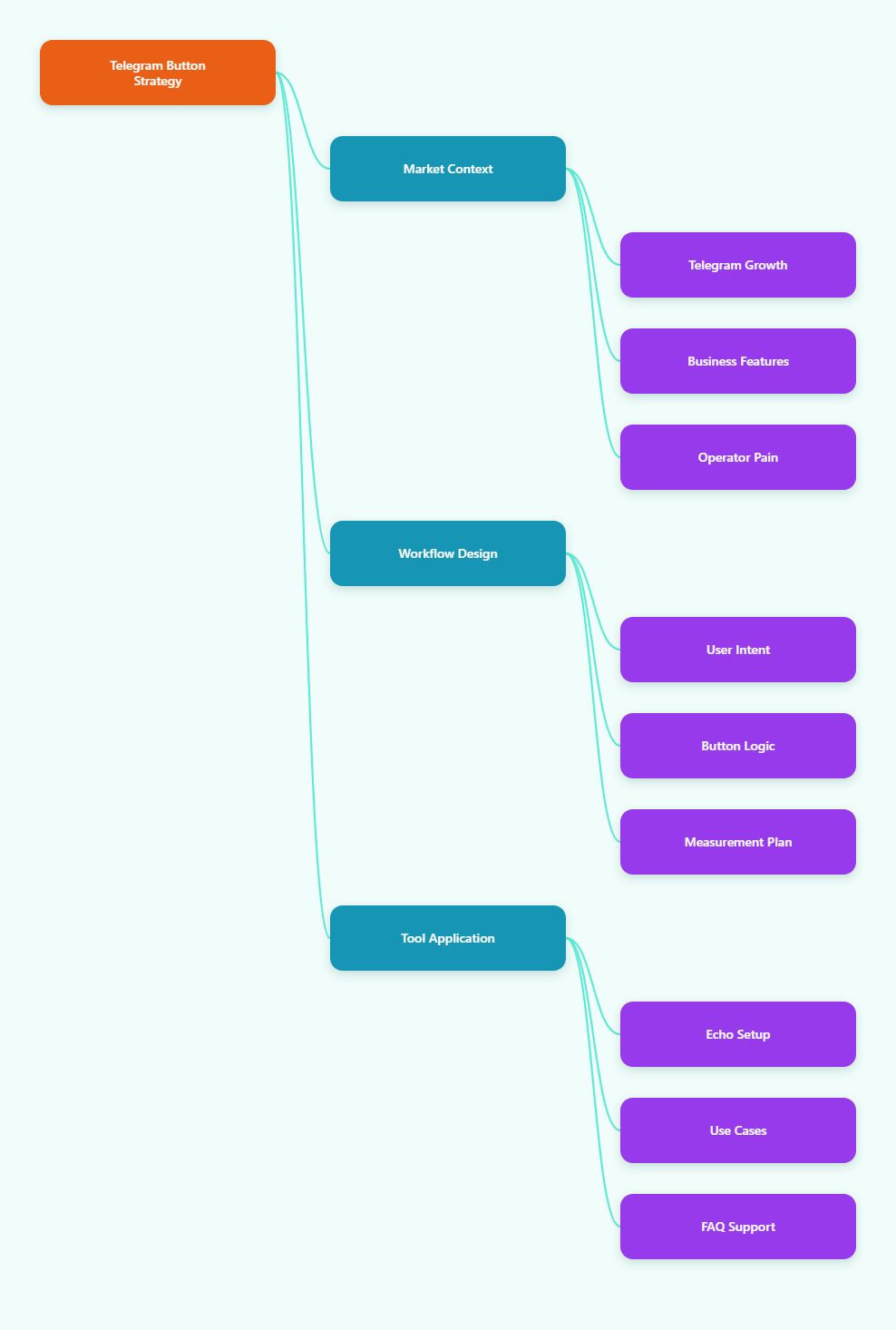
Why Telegram Business Buttons Matter More in 2026
Telegram is no longer only a broadcast channel for crypto projects, media communities, or private groups. Brands now use channels, groups, bots, mini apps, and Telegram Business features together.
Telegram Business, introduced officially in 2024, added features such as opening hours, location, quick replies, greeting messages, away messages, chat tags, custom start pages, and chatbot support for business accounts.
For marketers, this changes the operating model. A channel can create demand, a group can build trust, and a bot or button workflow can move users toward the next action.
The challenge is that most teams still handle Telegram like a social feed. They post updates, answer repeated questions manually, and lose high-intent users because the next step is unclear.
What Is a No API Skill Solution to Build Interactive Telegram Business Buttons?
A no API skill solution to build interactive Telegram business buttons is a workflow that lets non-developers create tappable Telegram actions without writing Bot API code.
In practical terms, this usually means operators can:
- Create menu buttons for support, pricing, downloads, or onboarding.
- Guide users through short decision paths.
- Route common questions to prepared replies.
- Send users to a group, channel, website, checkout page, or human agent.
- Test button copy and structure without redeploying code.
Telegram itself supports bot buttons and inline keyboards through its Bot API. Developers can use commands, reply keyboards, inline buttons, callback queries, web app buttons, and payment-related flows.
However, the average channel owner does not want to think about callback data limits, webhook hosting, bot tokens, or permission scopes. They want a clean interface that maps user intent to a useful next step.
The Core Pain Points Telegram Operators Face
Most Telegram business problems are not technical at first. They are operational. Buttons simply make those problems visible.
1. Repeated Questions Drain Team Time
Every growing channel gets the same messages. Users ask about pricing, delivery, refunds, access links, account setup, collaboration terms, or event details.
If your team answers these manually, response quality drops during peak hours. If you ignore them, conversion drops. Interactive buttons solve this by pushing common intent into clear paths.
2. Telegram Channels Are Strong at Reach, Weak at Direction
Channels are built for broadcast. They are excellent for announcements, market commentary, product updates, and content distribution.
But a channel post often leaves users asking, “What should I do next?” A button flow can turn passive reading into an action: join, claim, book, download, ask, or buy.
3. Groups Create Trust but Also Noise
Groups help communities feel alive. They also create repetitive threads, off-topic questions, spam risk, and support confusion.
A button-based entry flow can filter users before they enter the group. For example, a new user can choose “Customer,” “Partner,” “Support,” or “Media” before reaching the right destination.
4. Bot Builders Often Feel Too Generic
Many no-code chatbot tools support multiple platforms. That can be useful, but Telegram has specific interaction patterns: inline keyboards, reply keyboards, bot commands, channels, groups, mini apps, and Business connections.
A generic chatbot interface may hide these details. For Telegram operators, the best setup exposes Telegram-native actions clearly while keeping the API layer out of sight.
Channels, Groups, Bots, and Buttons: What Should You Use?
Before building buttons, decide which part of Telegram carries each job. This prevents bloated bots and confusing menus.
| Telegram Asset | Best Use | Main Limitation | Button Opportunity |
|---|---|---|---|
| Channel | Broadcasting updates, offers, research, announcements | Low two-way qualification | Add “Get guide,” “Join waitlist,” or “Talk to support” actions |
| Group | Community discussion, peer support, live feedback | Noise, moderation, repeated questions | Use entry buttons to route topics and reduce clutter |
| Bot | Automation, lead capture, FAQ, routing, service flows | Can become complex without planning | Build structured menus and guided journeys |
| Mini App | Forms, catalogs, bookings, payments, richer interfaces | Needs more product and UX planning | Launch from a button when the user needs a full interface |
| Telegram Business | Customer-facing business identity and messaging | Requires thoughtful permissions and handoff rules | Connect quick replies, greeting messages, and bot-assisted routing |
How Do Interactive Telegram Business Buttons Improve Conversion?
Buttons reduce hesitation. They turn an open-ended chat into a guided choice. That matters because users inside messaging apps often want speed, not a long landing page.
A good button flow should answer three questions quickly:
- What can I do here?
- Which option matches my situation?
- What happens after I tap?
For example, instead of sending a new subscriber a long welcome message, send four choices: “Start here,” “See pricing,” “Join community,” and “Ask support.”
Each button should lead to one outcome. Avoid menus with ten choices. Telegram is fast, but too many options slow users down.
Best Practices for a No API Skill Solution to Build Interactive Telegram Business Buttons
The best no-code setup starts with a simple map, not a tool. Draw the user journey before building the buttons.
Start With High-Intent Questions
Review the last 100 user messages in your Telegram inbox, group, or support chat. Tag repeated questions by intent.
Common categories include:
- Pricing and plan comparison.
- Product access or account setup.
- Refunds, shipping, or delivery status.
- Partnership and advertising requests.
- Technical support.
- Community rules and onboarding.
Build buttons only for the questions that repeat. Do not automate edge cases too early.
Keep Every Flow Under Three Taps
A practical Telegram support flow should reach the useful answer in three taps or fewer. This matches how people use chat: they expect quick progress.
Example:
- User taps “Support.”
- User taps “Billing,” “Login,” or “Technical issue.”
- User receives the answer, form link, or human handoff instruction.
If a flow needs more than three taps, it may belong in a mini app or web form instead of a button menu.
Write Button Labels Like Actions
Use verbs. “Get pricing” is clearer than “Pricing.” “Track order” is stronger than “Orders.” “Talk to human” is more reassuring than “Agent.”
Short labels also work better on mobile. Aim for two to four words per button.
Where OnlyTG Echo@EchoOnBot Fits Into the Workflow
When a team wants a no API skill solution to build interactive Telegram business buttons, a tool layer can save setup time. OnlyTG Echo@EchoOnBot can be introduced at this point as a practical option for operators who want to configure button-driven Telegram interactions without managing code directly.
A simple usage flow is:
- Open OnlyTG Echo@EchoOnBot in Telegram.
- Follow the in-bot prompts to create or configure an interactive message.
- Add button labels based on user intent, such as “Get pricing,” “Join group,” or “Contact support.”
- Assign each button to the appropriate response or destination.
- Test the flow from a normal user account before publishing it to a channel, group, or customer journey.
This fits common Telegram pain points because the operator can turn repeated replies into structured choices. The important rule is to keep the flow narrow and test every button before sending traffic.
Practical Use Cases
Use case one: a paid research channel can use OnlyTG Echo@EchoOnBot to place “View plans,” “Sample report,” and “Ask sales” buttons under a welcome message. The operator can reduce repetitive pricing questions while still leaving space for human sales conversations.
Use case two: a cross-border e-commerce seller can create “Track order,” “Refund policy,” and “Talk to support” buttons. Customers who only need status information do not have to wait for a human reply.
Use case three: a community manager running a Telegram group can use OnlyTG Echo@EchoOnBot to guide newcomers toward rules, event links, and topic channels before they start posting in the main group.
Depending on the current in-bot menu, OnlyTG Echo@EchoOnBot may also offer adjacent options for managing message-style interactions or simplifying repeated Telegram operations. Check the live bot interface before planning any advanced workflow.
What Should You Avoid When Building Telegram Button Flows?
Bad button flows usually fail for one of four reasons: too many choices, vague labels, no human fallback, or no measurement.
Avoid these mistakes:
- Do not copy your website navigation into Telegram.
- Do not hide support behind five layers of buttons.
- Do not make every button open an external link.
- Do not use labels that sound clever but unclear.
- Do not automate sensitive issues without a human handoff.
For support, always include a path to a real person. Automation should reduce friction, not make users feel trapped.
How to Measure Whether Your Buttons Work
Buttons are not decoration. They should move users toward a measurable action.
Track these metrics weekly:
- Button tap rate from the message or welcome flow.
- Completion rate for each button path.
- Drop-off point inside multi-step flows.
- Human handoff volume by issue type.
- Conversion rate from button tap to signup, payment, booking, or group join.
- Support time saved on repeated questions.
If one button gets high taps but low completion, the promise may be stronger than the destination. If a button gets almost no taps, rename it or remove it.
Telegram Business Button Strategy for Different Teams
For Solo Creators
Creators should use buttons to protect attention. A simple menu can route sponsorship requests, paid community access, course questions, and free resources.
The goal is not full automation. The goal is to stop answering the same basic questions every day.
For Agencies
Agencies can use Telegram buttons to qualify leads. A channel post can lead to “Book audit,” “See case studies,” or “Request pricing.”
Each button should match a clear stage in the funnel. Cold users need proof. Warm users need a next step. Existing clients need support routing.
For E-commerce and SaaS
E-commerce and SaaS teams should prioritize support and onboarding. “Track order,” “Reset access,” “Upgrade plan,” and “Contact billing” are practical actions.
Keep policy answers short. If the explanation is long, send a short summary plus a link to the full policy page.
Implementation Checklist
Use this checklist before launching a no-code Telegram button workflow:
- Choose one primary goal: support, lead capture, onboarding, sales, or community routing.
- List the top 10 repeated user questions.
- Turn the top five questions into button labels.
- Keep the first menu to three to five buttons.
- Make every button lead to a clear answer or next action.
- Add a human handoff option for complex cases.
- Test the flow on mobile before publishing.
- Review tap and completion data every week.
FAQ: No API Skill Solution to Build Interactive Telegram Business Buttons
What is the easiest no API skill solution to build interactive Telegram business buttons?
The easiest option is a no-code or in-Telegram tool that lets you create button labels, assign replies or destinations, and test the flow without writing Bot API code. The best choice depends on whether you need support routing, lead capture, or channel conversion.
Do I need Telegram Business to use interactive buttons?
Not always. Bots can use buttons through Telegram’s bot features. Telegram Business adds business-facing features such as quick replies, greeting messages, opening hours, and chatbot support, which can improve customer communication.
Are inline buttons better than reply keyboards?
Inline buttons are usually better for message-specific actions because they appear under a message and can trigger structured callbacks or links. Reply keyboards are useful for persistent simple choices, but they can feel less contextual.
Can buttons replace human support on Telegram?
No. Buttons can handle repeated questions and guide users faster, but sensitive billing issues, complaints, enterprise sales, and unusual technical problems still need human review.
How many buttons should a Telegram business menu have?
Start with three to five buttons. If users cannot decide quickly, the menu is too broad. Add deeper options only after the user chooses a category.
Can I use OnlyTG Echo@EchoOnBot for customer support routing?
OnlyTG Echo@EchoOnBot can be considered when you want to configure Telegram button-style interactions without API work. For support routing, keep flows simple, test all buttons, and confirm the current bot interface supports the exact actions you need.
What is the biggest mistake in Telegram button automation?
The biggest mistake is automating before understanding user intent. Review real questions first, then build buttons around repeated needs instead of guessing from your website menu.
Final Takeaway
In 2026, Telegram growth is less about posting more and more about building clearer paths. Channels create reach, groups create trust, and buttons create movement.
A no API skill solution to build interactive Telegram business buttons helps marketers turn repeated questions into guided actions without becoming developers. Start with the smallest useful flow, measure user behavior, and improve it weekly.