
Telegram Search Ads have become one of the most discussed additions to Telegram’s advertising ecosystem. For brands, creators, bot owners, and channel operators, they offer a way to appear when users are actively searching inside the app. That makes them different from standard placements that rely mainly on channel-based context.
This guide explains what Telegram Search Ads are, how they work, what targeting options are available, how pricing usually works, and what you should prepare before launching a campaign in 2026.
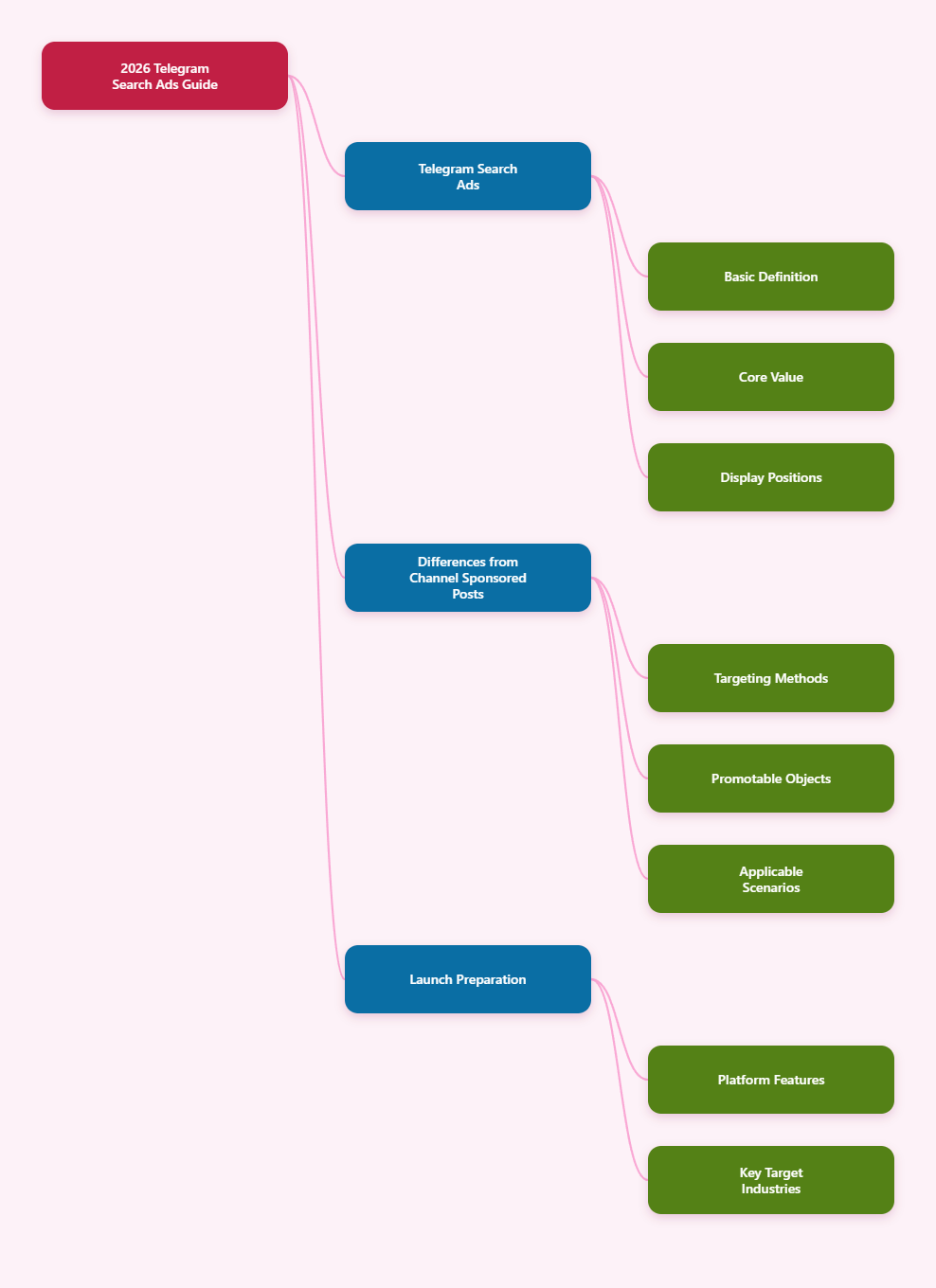
What Are Telegram Search Ads?
Telegram’s official ad platform is available at ads.telegram.org. Telegram describes its advertising system as a platform for placing sponsored messages across Telegram inventory, with contextual placement rather than behavioral tracking based on personal data.
Historically, Telegram Ads were best known for Sponsored Messages in public one-to-many channels. In more recent industry references, Telegram search placement is described as an inventory type where an advertiser can promote a channel or bot inside Telegram search results when users enter relevant keywords.
In simple terms:
- A user searches for a topic, brand name, or relevant keyword inside Telegram.
- A sponsored result can appear prominently in those search results.
- The ad usually leads to a Telegram destination such as a public channel or a bot.
This makes search placement especially interesting for advertisers who want to reach users with clear intent.
Why Telegram Search Ads Matter
Search traffic is valuable because the user is already looking for something. Compared with broad awareness campaigns, search placement can be more aligned with immediate interest.
That matters on Telegram because discovery is often difficult. Users can find channels, bots, and communities through Telegram’s search bar, but strong competition exists in popular niches such as:
- Crypto
- Finance
- Education
- Media
- E-commerce
- Utilities and bots
Appearing near the top of relevant search results can improve visibility for advertisers that need:
- More subscribers for a public channel
- More users for a Telegram bot
- Faster discovery for branded Telegram assets
- A direct response path inside the Telegram app
Where Search Ads Appear
Based on the reference material, Telegram search advertising appears in the app’s search environment rather than only inside broadcast channels.
Third-party guides consistently describe the format as:
- Shown when users type keywords into Telegram search
- Displayed above or among organic search results
- Designed to promote channels or bots
Telegram’s own public materials do not yet provide a long, consumer-facing explainer dedicated only to search ads in the source list, so the safest conclusion is this:
- Search ads are part of the broader Telegram Ads ecosystem
- They are intended for intent-based discovery inside Telegram
- Availability and options may depend on account type, market, and current platform rollout
How Telegram Search Ads Differ From Sponsored Messages in Channels
Many advertisers confuse these formats. They are related, but they are not the same placement.
Standard Sponsored Messages
- Appear in public one-to-many channels
- Placement is contextual to selected channels or topics
- Best for audience reach and interest alignment
Search Ads
- Appear when users perform a search
- Can capture active intent
- Best for discovery of channels or bots tied to specific keywords
If your goal is brand awareness in a broad niche, channel placements may be enough. If your goal is to intercept users searching for a solution, topic, or brand, search placement is often the more relevant option.
How Targeting Works in Telegram Search Ads
One important shift in recent references is that Telegram Ads targeting is now often described through separate targeting modes rather than a single universal setup.
Industry sources mention targeting categories such as:
- Target Search
- Target Bots
- Target Users
- Target Channels
For search advertising specifically, keyword-based intent appears to be the core mechanism. According to reference material, advertisers can specify keywords that users type in Telegram search so that their promoted result may appear.
Depending on account access and geography, additional controls mentioned in third-party references may include:
- Country or city targeting
- Interface language
- Device or OS targeting in some account types
However, not every option is confirmed as universally available for every advertiser. Telegram’s ad platform evolves quickly, and feature availability can differ by cabinet type and market.
The safest practical advice is:
- Start with tightly matched keywords
- Keep the landing destination highly relevant
- Use geographic and language filters only when clearly available in your account
What You Can Promote
Based on the references, Telegram ads generally point to Telegram-native destinations. Common examples include:
- Public channels
- Bots
- Specific channel posts
Several sources specifically describe search ads as a way to make your channel or bot appear in search results. That means search campaigns are especially useful for:
- New channels that need discoverability
- Support bots
- Lead qualification bots
- Utility bots
- News and content channels
- Niche communities with clear keyword demand
If you are trying to promote an asset that is not public, not properly configured, or weakly branded, performance will usually suffer even if the ad receives impressions.
Ad Format Basics
Telegram’s official advertising format has long been known for short copy. Multiple references note a 160-character limit for Sponsored Messages. In practice, advertisers should assume brevity remains essential across official Telegram ad placements.
That means your copy must do three things quickly:
- State the value
- Clarify the destination
- Give the user a reason to tap
Good examples of message structure include:
- Clear outcome: “Track crypto prices in real time”
- Specific audience: “For remote designers and freelancers”
- Strong use case: “Find AI tools reviewed daily”
Weak ads usually fail because they are vague, generic, or mismatched with the keyword.
How Much Do Telegram Search Ads Cost in 2026?
Pricing is one of the most confusing parts of Telegram advertising because public references describe several account models, currencies, and access routes.
What is broadly consistent across the source material:
- Official Telegram Ads use a CPM model
- CPM means you pay per 1,000 impressions
- Several 2025–2026 references cite a minimum bid floor around 0.1 TON in some setups
- Real CPMs are often higher than the theoretical minimum
Some references also mention Euro-based accounts, Stars-based funding, and agency or reseller access with different entry thresholds. Third-party sources report that practical campaign CPMs can vary widely by:
- Country
- Niche competitiveness
- Keyword demand
- Targeting precision
- Account type
Because Telegram does not present a single universal public pricing page for every search scenario in the provided references, the most accurate way to state it is:
- Search ads are generally auction-based within Telegram’s ad system
- You should expect CPM pricing, not classic search-engine CPC as the default official model
- Actual costs can exceed the minimum floor substantially in competitive niches
For planning purposes, a test budget should be large enough to gather meaningful impression and click data rather than only a handful of placements.
Minimum Budget and Entry Requirements
There is no single number that applies to every advertiser globally. The references show that access can depend on whether you use:
- A self-serve account
- A TON-funded account
- A Euro-based account
- A reseller or agency
- A Stars-funded route where available
Third-party sources mention very different thresholds, from a few hundred euros through agencies up to much higher business-account requirements for some advanced formats.
So the practical takeaway is simple:
- The minimum platform bid is not the same as the minimum useful testing budget
- Your true starting budget depends on account access method and market
- A realistic test budget is usually more important than chasing the smallest possible deposit
How to Set Up Telegram Search Ads
While interfaces can change, the setup flow described across references is broadly consistent.
1. Create or access a Telegram Ads account
Go to the official platform at ads.telegram.org. Log in and confirm what account type and funding options are available to you.
2. Prepare your destination
Your channel or bot should be ready before launch.
- Use a clear name and username
- Write a strong description
- Make sure the destination matches the ad promise
- Post enough content so the destination looks active and trustworthy
3. Choose the correct campaign type or targeting mode
If your account supports search inventory, select the search-related targeting or placement option.
References suggest that modern Telegram Ads cabinets may separate targeting by search, users, channels, or bots, so choose the mode that fits your objective.
4. Add keywords
This is the foundation of search performance.
- Use high-intent terms
- Avoid overly broad words at first
- Match the keyword to the exact destination
For example, if you promote a bot for flight alerts, targeted travel-intent keywords are usually stronger than generic words like “travel”.
5. Write concise ad copy
Keep it direct. Short copy works best when it communicates:
- What it is
- Who it is for
- Why it is useful now
6. Set bid and budget
Use a testing mindset.
- Start with a manageable but meaningful budget
- Monitor whether impressions are actually being delivered
- Adjust bids if delivery is too limited
7. Submit for moderation
Telegram reviews ads against its policies and guidelines. Approval is not only about the text itself. The destination also matters.
8. Measure performance and refine
After launch, refine:
- Keywords
- Copy
- Destination quality
- Geographic filters if available
Moderation Rules You Should Not Ignore
Telegram publishes official Ad Policies and Guidelines, along with broader Terms of Service. Advertisers are responsible for complying with these rules.
The source material clearly indicates that Telegram prohibits or restricts content involving areas such as:
- Illegal goods and services
- Fraud, scams, and misleading claims
- Violence and terrorism promotion
- Illegal pornographic content
- Spam-like behavior
Several industry references also note practical rejection reasons such as:
- Destination and ad message mismatch
- Poor-quality or empty channels
- Questionable health, financial, or income claims
- Profanity or aggressive wording
- Lack of required documentation for restricted categories
Important point: even if the ad text looks acceptable, your channel or bot can still trigger rejection if the destination contains prohibited or misleading material.
Best Practices for Higher-Quality Search Campaigns
Match search intent closely
The closer your keyword, ad message, and destination are to each other, the better your campaign is likely to perform.
Promote a real asset, not an empty shell
If your channel has little content, weak branding, or no clear value, search visibility alone will not solve the problem.
Use narrow keyword groups first
Broad targeting can waste impressions. Start with terms that signal clear interest.
Make the destination understandable in seconds
When users tap your ad, they should instantly understand:
- What this channel or bot does
- Why they should stay
- What action to take next
Test multiple copy angles
Even within short character limits, different value propositions can change results.
- Feature-led angle
- Benefit-led angle
- Problem-solution angle
- Audience-specific angle
Watch relevance more than vanity metrics
Impressions alone do not mean success. Focus on whether the campaign drives qualified subscribers, bot starts, or meaningful downstream actions.
Common Mistakes
- Using keywords that are too broad
- Sending traffic to a weak or inactive channel
- Writing generic ad copy with no specific benefit
- Ignoring Telegram policy requirements
- Testing with a budget too small to produce useful data
- Assuming all targeting options are available in every account
Who Should Use Telegram Search Ads?
Telegram Search Ads are especially well suited to advertisers with clear in-app destinations and strong keyword intent.
They can work well for:
- Telegram bot developers
- Channel publishers
- Media projects
- Education products
- Crypto and fintech communities, where compliant
- Service brands building Telegram-based funnels
They may be less suitable if:
- You do not have a strong Telegram-native destination
- Your offer depends on long-form explanation before conversion
- Your niche is highly restricted by policy
Final Thoughts
Telegram Search Ads in 2026 are best understood as intent-based placement inside Telegram’s broader ad platform. They give advertisers a way to reach users at the moment of discovery, especially for public channels and bots.
The biggest advantages are relevance and visibility during active search. The biggest challenges are limited creative space, evolving platform access, and the need for very strong alignment between keyword, copy, and destination.