
Telegram bots can deliver information in several message formats, but most everyday bot interactions are built around three essentials: text, media, and buttons.
This guide explains the practical differences between these message types, where each one works best, and the key platform rules you should keep in mind in 2026.
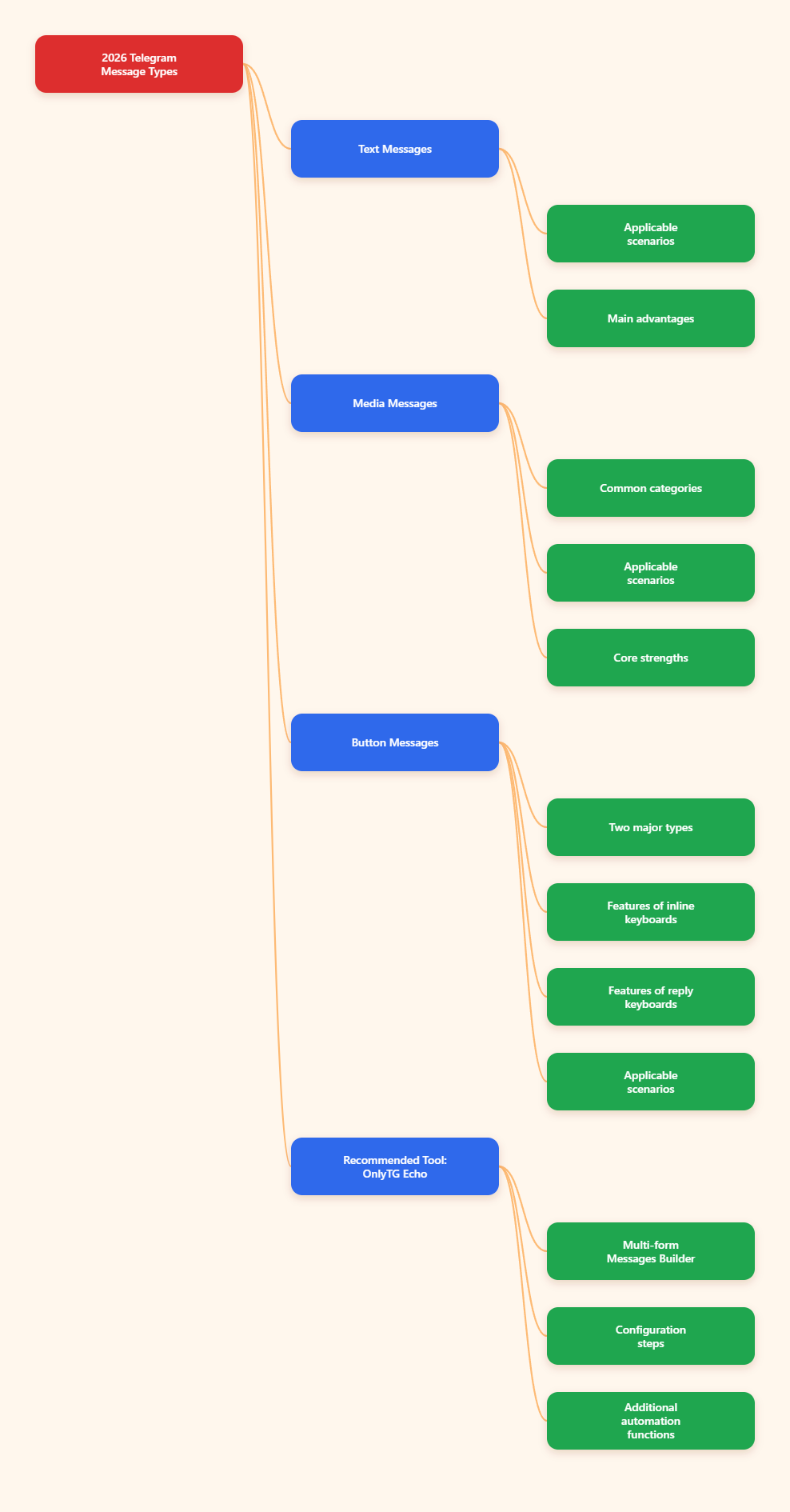
Why message type matters on Telegram
On Telegram, the format of a message changes how users read, tap, and respond.
- Text messages are best for instructions, updates, alerts, and long-form content.
- Media messages are useful when an image, video, animation, audio clip, or document improves understanding.
- Buttons reduce friction by letting users tap instead of typing commands manually.
A well-designed bot usually combines all three. For example, a product bot may send a photo, add a short caption, and place an inline button below it for the next step. A support bot may begin with a text message and a custom keyboard to guide user choices. A publishing bot may send albums for visuals and use follow-up text when the caption limit is too short.
1) Text messages on Telegram
Text is the most flexible message type supported by Telegram bots. It is simple to send, easy to edit in many workflows, and suitable for both direct conversations and channel posts.
What text messages are best for
- Welcome messages and onboarding flows
- Help menus and FAQs
- Status updates and notifications
- Instructions for forms, commands, or payments
- Longer explanations that do not fit well in media captions
Important text message facts
- Telegram bot text messages can be up to 4096 UTF-8 characters.
- Bots can format text using supported entity styles through HTML or MarkdownV2, or by sending structured entities directly.
- Supported formatting includes styles such as bold, italic, underline, strikethrough, spoiler text, inline links, and preformatted code, depending on the parse mode and entity support documented by Telegram.
This makes plain text the safest choice when your content is longer than a media caption allows.
When text is better than media
Use text first when clarity matters more than visual presentation. For example:
- If you need to explain multiple steps
- If the message includes several links
- If you expect users to copy part of the content
- If your content would exceed the media caption limit
Telegram media captions are much shorter than regular text messages, so many bots send an image first and then a full text message after it.
Common formatting caution
Formatting must match Telegram’s supported syntax. HTML-style and MarkdownV2-style formatting are both supported, but malformed formatting may cause failed sends or broken rendering. In production bots, many developers prefer carefully escaped HTML or direct message entities for predictable results.
2) Media messages on Telegram
Media messages let a bot send content that is more visual or interactive than plain text. Telegram Bot API supports sending photos, videos, animations, audio, documents, and more.
Main media types commonly used by bots
- Photo — ideal for banners, product images, screenshots, and simple visual posts
- Video — useful for demos, previews, tutorials, and announcements
- Animation — often used for GIF-like motion content
- Audio — suitable for music, clips, or voice-based content
- Document — useful for PDFs, files, reports, and downloadable assets
Telegram also supports media groups, often called albums, where bots can send multiple photos or videos together in one grouped post.
Media caption limits
- Captions for photos, videos, animations, documents, audio, and voice messages are limited to 0–1024 characters after entities parsing.
- Regular text messages allow much more content than captions, which is why long descriptions are often better sent as a separate message.
This is one of the most important practical differences between text and media on Telegram.
How media groups work
Telegram supports sending media as a group with 2 to 10 items in an album. This is useful for galleries, multi-image tutorials, and grouped announcements.
There is an important detail: in common Bot API usage, the visible caption for an album is typically attached to the first item. Because of that, bots that need more explanation usually send the album first and then add a text message below it.
When to choose media
- To increase attention in channels or groups
- To show products, interfaces, or step-by-step visuals
- To make tutorials easier to follow
- To improve click-through with a cleaner visual layout
Practical limitation to remember
If your message depends on detailed wording, legal text, or many instructions, media alone is usually not enough. The caption limit is strict, so avoid forcing too much information into a photo or video caption.
3) Button-based messages on Telegram
Buttons are one of the most effective ways to improve Telegram bot usability. Instead of asking users to remember commands or type exact words, bots can present clear actions directly in the chat.
Telegram bots mainly use two button systems:
- Inline keyboards
- Reply keyboards
Inline keyboards
An inline keyboard appears attached to a specific message. Each row contains one or more buttons, and each button can trigger a different action.
Common inline button actions include:
- callback_data — sends a callback query back to the bot when tapped
- url — opens an HTTP or tg:// link
- web_app — launches a Telegram Mini App in supported contexts
- switch_inline_query options — help users open inline mode with prefilled queries
Inline keyboards are ideal when the button should stay connected to one specific message, such as:
- Confirm / Cancel
- Next page / Previous page
- View details
- Open website
- Choose a category
Reply keyboards
A reply keyboard is different. It appears in place of the user’s typing area and provides preset reply options. When the user taps one of the buttons, the button text is sent as a normal message.
Reply keyboards work well for:
- Main menus
- Quick option pickers
- Simple guided conversations
- Bots used by beginners who may not know commands
Reply keyboards are generally more suitable for broad navigation, while inline keyboards are better for message-specific actions.
Important button facts
- Inline keyboard buttons are part of a message’s reply_markup.
- callback_data is limited to 1–64 bytes.
- A button must use one primary action field such as URL, callback data, or web app.
- URL buttons open links but do not notify the bot that the user clicked them.
- Callback buttons can be handled by the bot because they generate callback queries.
That last point matters a lot. If you need to track a user choice inside the bot flow, use callback buttons instead of plain URL buttons whenever possible.
Practical Tool Recommendation: Configure Telegram Message Content More Efficiently
OnlyTG Echo (@EchoOnBot) is a practical tool for configuring multiple message formats for Telegram bot scenarios such as auto reply and start messages. This feature is named Multi-form Messages Builder in OnlyTG Echo, it supports building message outputs with text, media, and button elements, which makes it useful for creators and operators who want a more visual way to manage common Telegram bot interactions without writing everything manually each time.
- Open Telegram and search for OnlyTG Echo (@EchoOnBot), then start the bot.
- Enter the management or configuration flow shown by the bot’s menu.
- Choose the feature you want to set up, such as start message or auto reply.
- Add the message content step by step: first text, then media if needed, then buttons if your scenario requires user actions.
- For buttons, follow the bot’s guided setup to define button text and the corresponding destination or action.
- Save the configuration and run a test from a real user account to confirm the message layout displays correctly in Telegram.
- If the content is too long for a caption, split it into a media message plus a separate text message.
Beyond basic auto replies, OnlyTG Echo can also be useful for improving message consistency and reducing repetitive setup work. In practical Telegram operations, tools like this are especially helpful when you need to standardize onboarding replies, prepare richer start messages, organize button-based navigation, and test different combinations of text, visuals, and clickable actions before using them in a live bot workflow.
Common mistakes to avoid
1. Putting too much text in captions
Captions are limited. If your explanation is long, send a normal text message instead of forcing everything into a photo or video caption.
2. Using URL buttons when callbacks are needed
URL buttons open links, but they do not report the click back to your bot. If you need in-bot interaction data, callback buttons are the better choice.
3. Confusing reply keyboards with inline keyboards
They solve different problems. Reply keyboards replace the typing area and send text as user input. Inline keyboards stay attached to a specific message and can trigger callback queries or open links.
4. Overloading the interface with too many buttons
Even though Telegram supports rich button layouts, compact keyboards usually perform better. Too many rows can make the chat feel cluttered and harder to scan.
5. Ignoring formatting rules
Telegram supports message formatting, but unsupported or badly escaped markup can break the message. Test all formatted text carefully before using it in production.
Final takeaway
The three most important Telegram message types are still text, media, and buttons. Each serves a different purpose:
- Text gives you flexibility and message length
- Media gives you visual impact
- Buttons give you better interaction design
For most Telegram bots, the goal is not choosing just one. It is combining them in the right order.