
Telegram Mini Apps have become an important way to build interactive experiences inside Telegram. Instead of sending users to a separate website or asking them to install a native app, developers can open a web app directly in the Telegram interface.
This guide explains what Telegram Mini Apps are, how they work, what features they support, where they fit best, and what limitations you should understand in 2026.
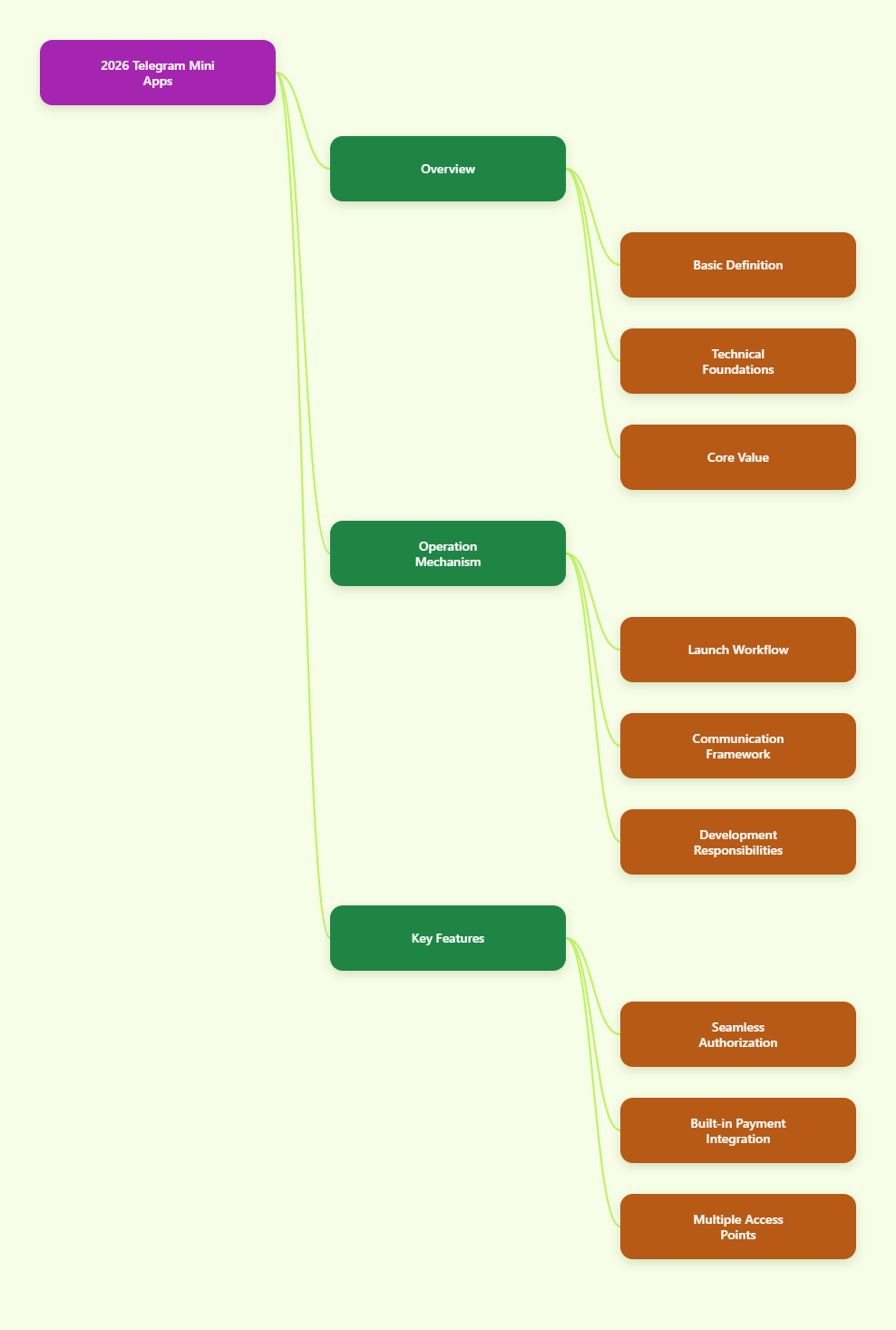
What Are Telegram Mini Apps?
Telegram Mini Apps are web applications that run inside Telegram. They are usually connected to bots and can be launched from different entry points such as a bot menu, inline button, keyboard button, direct link, attachment menu, or a bot profile’s main app button.
Technically, they are HTML5 web apps loaded from a developer-hosted URL. Telegram does not host the app itself. The developer is responsible for the frontend, backend, storage, and infrastructure.
- Frontend: standard web technologies like HTML, CSS, and JavaScript
- Hosting: your own HTTPS web server
- Integration: Telegram’s Mini Apps JavaScript bridge and bot platform
- User context: launch data, theming, and Telegram-aware UI behavior
Official Telegram documentation describes Mini Apps as interactive web apps that can support flexible interfaces, seamless authorization, payments, and more.
Why Telegram Mini Apps Matter
The biggest advantage is distribution inside an existing messaging platform. Telegram users can open an app from a conversation, a button, or a shared link without leaving the ecosystem.
That creates a smoother flow for actions such as:
- Browsing products
- Booking services
- Playing games
- Managing subscriptions
- Using productivity tools
- Accessing community utilities
- Completing digital purchases
Telegram also stated that more than 400 million users interact with bots and mini apps every month when it introduced Telegram Stars for digital goods in 2024. That figure helps explain why the format has attracted so much attention from developers and businesses.
How Telegram Mini Apps Work
At a high level, the flow is straightforward:
- A user opens a Mini App from Telegram.
- Telegram loads the app from a secure HTTPS URL.
- The app receives launch parameters and Telegram-specific context.
- The frontend communicates with Telegram through the Mini Apps JavaScript API.
- The backend can verify user data using Telegram init data validation.
This means a Mini App feels embedded, but it is still a web app under the hood.
Important practical detail: Telegram requires a URL for the app, and developers must handle storage and deployment themselves. Documentation from the Telegram Mini Apps ecosystem also notes that HTTPS is required.
Core Features of Telegram Mini Apps
Telegram Mini Apps are more capable than a basic embedded browser page. Over time, Telegram has added features that make them more app-like.
1. Seamless authorization
One of the most useful features is built-in user context. A Mini App can receive initialization data from Telegram, allowing the backend to verify that the request came from Telegram and identify the user securely.
In practice, this can reduce signup friction because the app does not need to start with a traditional email-password flow.
However, the security model depends on proper server-side validation. Telegram Mini Apps documentation explains that developers should validate init data by recalculating the signature and checking expiration.
2. Integrated payments
Telegram Mini Apps support payments through Telegram’s payment ecosystem.
According to Telegram’s official documentation:
- Mini Apps can support third-party payment providers
- Google Pay and Apple Pay are supported out of the box in relevant flows
- Digital goods and services can be sold using Telegram Stars
- Paid subscriptions can be offered through Telegram Stars
This makes Mini Apps especially useful for:
- Digital content
- Subscriptions
- In-app upgrades
- Game items
- Service credits
3. Multiple launch methods
One strength of the platform is flexibility in discovery and access. Telegram Mini Apps can be launched in several ways, including:
- Bot menu button
- Inline button
- Keyboard button
- Direct link
- Inline mode
- Attachment menu
- Main Mini App entry on a bot profile
This allows one app to support different user journeys. For example, a shopping app can be opened from a profile button for browsing, while a product-specific action can open from an inline message button.
4. Theming and native feel
Telegram provides theming data so Mini Apps can match the Telegram client’s appearance. This helps apps feel more consistent with Telegram’s interface on both light and dark themes.
Developers can also use community tooling such as Telegram UI component libraries, but those libraries are optional. The core point is that Mini Apps are expected to adapt to Telegram’s visual environment.
5. Expanded device and app capabilities
Telegram has gradually expanded what Mini Apps can do. Official updates and documentation mention features such as:
- Full-screen mode
- Home screen shortcuts/icons
- Geolocation access
- Motion tracking
- Biometric-related methods
- Media sharing
- Document creation support in some flows
- Subscription plans
Not every feature will apply to every project, and support may depend on Telegram client version and platform behavior. Still, the overall direction is clear: Mini Apps are becoming closer to lightweight platform apps than simple embedded pages.
Common Use Cases
Telegram Mini Apps work best when speed, convenience, and in-chat distribution matter.
E-commerce inside chat
One practical example is storefront browsing and checkout within Telegram. WooCommerce’s Telegram Mini Apps documentation describes shopping-related flows like browsing products, managing a cart, and completing checkout inside Telegram.
This model can work well for:
- Community-led commerce
- Flash sales
- Niche stores
- Fan merch
- Digital product sales
Games and interactive entertainment
Telegram has long been a home for bots and lightweight interactive experiences. Mini Apps make it easier to build richer game interfaces with custom UI, payments, subscriptions, and reward systems.
Utilities and productivity tools
Mini Apps can support tools such as:
- Booking systems
- Calculators
- Task tools
- Dashboards
- Event registration
- Support portals
These products benefit from quick access and built-in user context.
Community and creator services
Communities can use Mini Apps for memberships, gated content, onboarding, loyalty programs, or event participation. Because these services live next to chat activity, they can feel more immediate than standalone sites.
Telegram Mini Apps and Monetization
Monetization is one of the strongest reasons businesses explore this format.
As of current official Telegram materials, the most established options include:
- Telegram Stars for digital goods and services
- Telegram Stars for subscriptions
- Standard payment flows for supported purchases
Telegram’s Stars documentation explains that Stars are virtual items used to pay for digital goods and services in bots and mini apps. Telegram’s 2024 platform update also introduced subscription plans powered by Stars.
For product teams, that means a direct path to monetize digital access without building a separate native billing framework from scratch inside Telegram.
That said, the right model depends on what you sell:
- Digital content: Stars are highly relevant
- Subscriptions: supported through Stars
- Physical goods: payment flows exist, but fulfillment remains your responsibility
- Services: useful for bookings, paid access, and usage-based tools
Security Basics You Should Not Ignore
The user experience can feel seamless, but backend security still matters.
The main rule is simple: do not trust client data without validation.
Telegram Mini Apps documentation around init data makes this clear. A secure implementation should:
- Receive init data from Telegram
- Extract the provided hash
- Recompute the HMAC-SHA256 signature using the bot token flow defined by Telegram
- Compare the calculated hash to the received one
- Check the auth timestamp or expiration window
This protects against forged identity data and replay risk.
Additional practical precautions include:
- Serve the app only over HTTPS
- Keep bot tokens off the client
- Validate every sensitive backend request
- Use standard web security practices for sessions, CSRF, and input handling
- Test behavior across Telegram clients and versions
Key Advantages of Telegram Mini Apps
For the right project, Mini Apps offer several clear benefits.
- Low friction access: users open the experience inside Telegram
- No separate installation: easier than asking users to download a standalone app
- Flexible UI: much richer than a text-only bot workflow
- Built-in context: authorization and launch parameters reduce onboarding steps
- Payment support: useful for monetization
- Shareability: bots, links, and buttons help distribution
- Faster iteration: web app deployment is often faster than app store release cycles
For startups and lean teams, the last point is especially valuable. A Mini App can often validate a product idea faster than building and shipping full native apps.
Limitations and Trade-Offs
Mini Apps are useful, but they are not a universal replacement for native apps or traditional websites.
They are still web apps
Even with deep Telegram integration, Mini Apps remain web-based. That means they are affected by browser-like constraints, performance differences, and client-specific behavior.
Platform dependence
Your distribution and user experience are tied to Telegram. If your audience is not already there, the format may be less valuable than a normal website or mobile app.
Feature variation by client and version
Some capabilities depend on Telegram app version, platform support, or specific implementation details. You need to test on iOS, Android, desktop, and relevant Telegram versions.
Infrastructure is your responsibility
Telegram does not host your app. You still need to manage:
- Hosting
- Scaling
- Storage
- API security
- Monitoring
- Release management
Complex products may outgrow the format
If your product needs deep device integration, heavy offline support, advanced native interactions, or broad platform independence, a standalone app may still be the better long-term choice.
Best Practices for Building a Better Telegram Mini App
If you are planning a Mini App, these practical guidelines are supported by the platform’s design and technical direction.
- Keep the first screen focused. Users often open Mini Apps from chat context and expect quick action.
- Design for short sessions. Flows like buy, book, vote, claim, join, and track work especially well.
- Use Telegram theming. Matching the host app improves trust and usability.
- Validate init data on the server. This is essential, not optional.
- Support direct links and contextual launches. Different entry points fit different use cases.
- Optimize performance. Fast loading matters because users compare the experience to native app interactions.
- Be clear about permissions. If requesting location or other sensitive access, explain why.
Who Should Use Telegram Mini Apps in 2026?
Telegram Mini Apps make the most sense for teams that already have, or want to build, user activity inside Telegram.
They are a strong fit for:
- Telegram-first communities
- Digital product sellers
- Bot-based services
- Game builders
- Creators with paid content
- Merchants selling through chat audiences
- Startups validating a lightweight in-messenger product
They may be a weaker fit for products that depend heavily on native mobile hardware access, deep offline workflows, or audiences that do not use Telegram regularly.
Final Thoughts
Telegram Mini Apps in 2026 are no longer just an experimental add-on for bots. They are a practical app layer inside Telegram, combining web technology with built-in access to identity, payments, launch flows, and Telegram-native user journeys.