
If you want to create Telegram account in 2026, the process is still simple, but the details matter more than most guides admit. Telegram is fast, cross-platform, and widely used for personal chats, communities, channels, and business communication, yet account setup depends on one critical requirement: a number that Telegram can verify.
This guide explains what works today, what does not work, and how to protect the account after signup. It is written for real users who want fewer login problems, better privacy, and a setup that will not break the next time they switch phones.
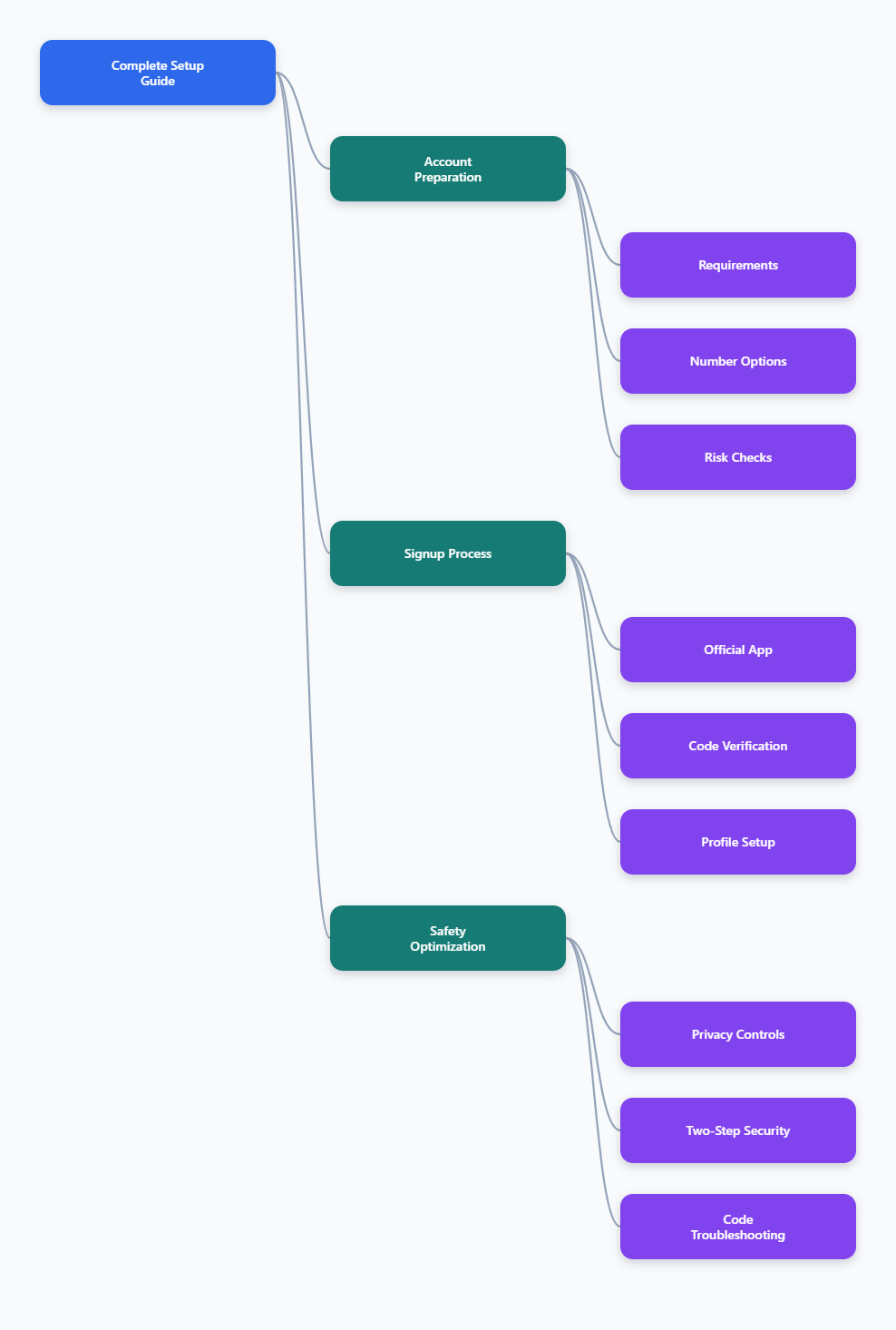
What You Need Before You Create Telegram Account
Telegram uses phone numbers as account identifiers. Its privacy policy says users provide a mobile number and basic account data to create an account, and its FAQ explains that usernames can be used later so people do not need to know your phone number to contact you.
That means the honest answer is: you cannot create a normal Telegram account with only an email address. You need a number or an official Telegram-supported anonymous number option.
Basic Requirements
Before you start, prepare the setup so you do not get stuck during verification. A clean setup also reduces the chance that Telegram flags the login attempt as suspicious.
- A smartphone with the official Telegram app installed
- A phone number, secondary SIM, eSIM, or Telegram-supported anonymous number
- Stable mobile data or Wi-Fi
- Access to SMS, calls, another logged-in Telegram session, or Fragment code delivery
- A recovery email for two-step verification
Use the official Telegram app whenever possible. Telegram lists official apps for Android, iPhone and iPad, Windows, macOS, Linux, and web access, and its app pages note that Telegram apps are open source and support reproducible builds.
Account Options in 2026
There are three realistic ways to sign up. Each has different privacy, cost, and reliability trade-offs.
| Option | Best For | Pros | Limits |
|---|---|---|---|
| Personal mobile number | Everyday users | Reliable verification and recovery | Requires privacy settings to hide number |
| Secondary SIM or eSIM | Work separation | Keeps personal number separate | You must keep access to the number |
| Fragment anonymous number | Privacy-focused users | Official no-SIM Telegram signup path | Requires Fragment access and TON wallet ownership |
Be careful with cheap public virtual numbers. They may already be used, blocked, recycled, or unable to receive the verification method Telegram expects.
How to Create Telegram Account Step by Step
The safest process is to start on mobile, not desktop. Telegram support discussions show that creating a new account or receiving an SMS code from desktop or macOS may not work as users expect; mobile login is the normal route for fresh signup.
Step 1: Download the Official App
Install Telegram from a trusted source. On iPhone, use the App Store. On Android, use Google Play or Telegram’s official Android download page if that version is available in your region.
For desktop, download Telegram from the official Telegram apps page after your mobile account is active. Desktop is excellent for daily use, but it is not the best starting point for a first account.
- Android: official Telegram Android app or Google Play listing
- iPhone and iPad: Telegram Messenger from the App Store
- Computer: Telegram Desktop for Windows, macOS, or Linux
- Browser: Telegram Web after your account exists
Step 2: Enter Your Number
Open Telegram and tap the option to start messaging. Choose your country code carefully, then enter the number you want attached to the account.
Double-check the number before continuing. A wrong country code or missing digit is one of the easiest ways to create a verification problem that looks like a Telegram issue but is actually input error.
If you use a secondary SIM or eSIM, keep it active. If you lose access to the number and are logged out everywhere, recovery becomes much harder.
Step 3: Verify the Code
Telegram may send the code by SMS, phone call, or to another Telegram session that is already logged in. If the number was used before, always check your other phone, tablet, desktop app, or web session before waiting for SMS.
Enter the code only inside the official Telegram app or official web interface. Never share Telegram login codes with anyone, even if the message claims to be from support.
If you are using a Fragment anonymous number, the number does not receive normal SMS or calls. The login code is provided through the Fragment flow tied to the wallet that owns the number.
Step 4: Add Name, Photo, and Username
After verification, Telegram asks for basic profile details. Your display name, profile photo, and username can help people recognize you, so choose them intentionally.
A username is useful because people can contact you without knowing your phone number. Telegram’s FAQ explains that users can type a username into search instead of needing the phone number.
- Use a display name people can recognize
- Add a profile photo only if it fits your privacy needs
- Create a username for easier contact and channel attribution
- Avoid putting private information in your bio
How to Create Telegram Account Without Exposing Your Personal Number
Many users search for create Telegram account without phone number, but the precise wording matters. Telegram still requires a number-like identifier for signup, yet you can avoid exposing your everyday personal number.
There are two practical routes: use a separate number you control, or use Telegram’s official anonymous number system through Fragment.
Use a Secondary SIM or eSIM
A secondary SIM or eSIM is the most practical choice for most people. It separates work, community, or travel messaging from your personal mobile number while still giving you reliable access to verification.
This is especially useful for freelancers, community managers, shop owners, and creators who need a Telegram presence but do not want their personal number tied to public activity.
The key rule is simple: do not discard the number immediately after signup. You may need it later for login, recovery, or account changes.
Use Fragment Anonymous Numbers
Telegram announced no-SIM signup using anonymous numbers available through Fragment. These are blockchain-based collectible numbers designed for Telegram accounts, not regular phone numbers for receiving normal calls or SMS.
This method is real, but it is not the easiest option for everyone. It involves Fragment, ownership through a TON wallet, and a login flow where codes are available through the anonymous number system rather than your mobile carrier.
Consider this route if privacy is more important than convenience. If you just want a simple, stable account, a secondary SIM or eSIM is usually easier.
Avoid Risky Number Shortcuts
Temporary public numbers look attractive because they are cheap or free. In practice, they can create serious problems.
- The number may already be linked to another Telegram account
- Someone else may receive the same future recovery code
- The provider may recycle the number without warning
- Telegram may reject numbers associated with abuse
- You may lose the account if you cannot verify again
If the account matters, use a number you control long term. Privacy should not come at the cost of permanent account loss.
Privacy Settings to Change Right After Signup
Creating the account is only the first step. The next step is making sure people see only what you intend to share.
Open Telegram and go to Settings > Privacy and Security. Review each setting instead of accepting defaults blindly.
Hide or Limit Your Phone Number
Telegram lets you control who can see your phone number and who can find you by it. For a privacy-focused setup, set phone number visibility to Nobody or My Contacts, depending on how discoverable you want to be.
Then review the option for who can find you by your number. If you are using Telegram for public groups, business channels, or customer conversations, stricter settings are safer.
- Phone number visibility: Nobody for maximum privacy
- Find by number: My Contacts for tighter control
- Username: use this for public contact instead
Control Profile Photo and Last Seen
Your profile photo and activity status can reveal more than you expect. Limit them if you join large public groups or talk to people you do not know personally.
A common balanced setup is to show profile photos only to contacts and set last seen to My Contacts or Nobody. You can add exceptions for trusted people.
These settings are not only about privacy. They also reduce social pressure and unwanted follow-ups from strangers.
Limit Groups, Calls, and Forwards
Telegram communities are powerful, but open settings can invite spam. Change who can add you to groups and channels, who can call you, and whether forwarded messages link back to your account.
- Groups and channels: My Contacts
- Calls: My Contacts or Nobody
- Forwarded messages: hide account link if needed
- Voice messages and profile details: review based on account purpose
This is especially important for anyone using Telegram for business, creator work, trading communities, or public support groups.
Security Setup: Do This Before You Start Using Telegram Daily
A Telegram login code is not enough protection by itself. If someone gets access to your SIM, intercepts a code, or tricks you into sharing it, they may try to access your account.
Telegram offers two-step verification, active session controls, and device management. Set them up before the account becomes valuable.
Enable Two-Step Verification
Two-step verification adds a password requirement after the login code. Telegram’s technical documentation confirms that accounts with 2FA require password verification during login.
Go to Settings > Privacy and Security > Two-Step Verification. Create a strong password, add a password hint that does not reveal the answer, and connect a recovery email you actually control.
Use a unique password. Do not reuse your email, banking, or social media password.
Review Active Sessions
Telegram works across phones, tablets, desktops, and web apps. That is convenient, but it also means old sessions can remain active if you forget them.
Open Settings > Devices or the active sessions area, depending on your app version. Remove devices you no longer use or do not recognize.
If you see a suspicious session, terminate it immediately and change your two-step verification password.
Protect Recovery Access
Your Telegram account security depends on more than Telegram. Your phone number, email, device lock, and cloud backups all matter.
- Keep the SIM or eSIM active
- Protect your recovery email with strong 2FA
- Use a screen lock on every Telegram device
- Do not install unofficial modified Telegram clients
- Ignore anyone asking for login codes
Most account takeovers begin with a simple mistake, not a sophisticated hack.
Troubleshooting Verification Code Problems
If you cannot receive a code, do not keep retrying blindly. Repeated attempts can trigger delays and make the process more frustrating.
Work through the likely causes in order.
Check Other Logged-In Devices First
If the number was previously used with Telegram, the code may be sent to an existing Telegram session instead of SMS. Check all phones, tablets, desktops, and Telegram Web sessions where the account may still be logged in.
This is one of the most common reasons users think Telegram is not sending a code. The code may have arrived, just not through the channel they expected.
Fix Basic SMS and Network Issues
If there is no active session, check the simple items before assuming Telegram blocked the number.
- Confirm the country code and number are correct
- Turn airplane mode on and off
- Check mobile signal and roaming status
- Make sure SMS filtering is not blocking messages
- Restart the phone and try again after a short wait
If Telegram offers a call option, use it. Some carriers delay international SMS or filter automated messages.
Know When to Change Strategy
If a VoIP, recycled, or temporary number never receives a code, the practical fix may be a more reliable number. Telegram account creation depends on successful verification, and not every number provider handles that well.
Do not buy multiple random numbers quickly or switch devices repeatedly. That pattern can look suspicious and may make verification harder.
Use an official app, a stable connection, and a number you control. Those three choices solve most signup problems before they start.
Final Checklist Before You Use the Account Publicly
Before joining groups, creating channels, or using Telegram for customers, run through a final setup checklist. It takes less than ten minutes and prevents most beginner mistakes.
- Account verified through official Telegram app
- Username created for public contact
- Phone number visibility reviewed
- Two-step verification enabled
- Recovery email secured
- Old or unknown sessions removed
- Group, call, and forward privacy adjusted
If you plan to use Telegram for a brand, keep the account clean. Use a recognizable name, avoid spammy outreach, and create a channel or group only after your security settings are finished.
Conclusion
To create Telegram account safely in 2026, start with the official mobile app, use a number you can keep, verify the code carefully, and lock down privacy before you become active. The process is easy, but the best setup is intentional.
For most users, a personal number with strict privacy settings or a secondary SIM is the most reliable path. For privacy-first users, Fragment anonymous numbers provide an official no-SIM option, though they require more technical comfort.