
If you want to create telegram account without phone number, the first thing to know is simple: Telegram still requires a number during sign-up. What you can do in 2026 is avoid using your personal SIM number by choosing a safer alternative, such as a Telegram-supported anonymous number, a second mobile line, or a private SMS-capable eSIM.
This guide explains what works, what fails, and what can put your account at risk. It is written for normal users, creators, community managers, and privacy-conscious people who want Telegram access without exposing their main phone number.
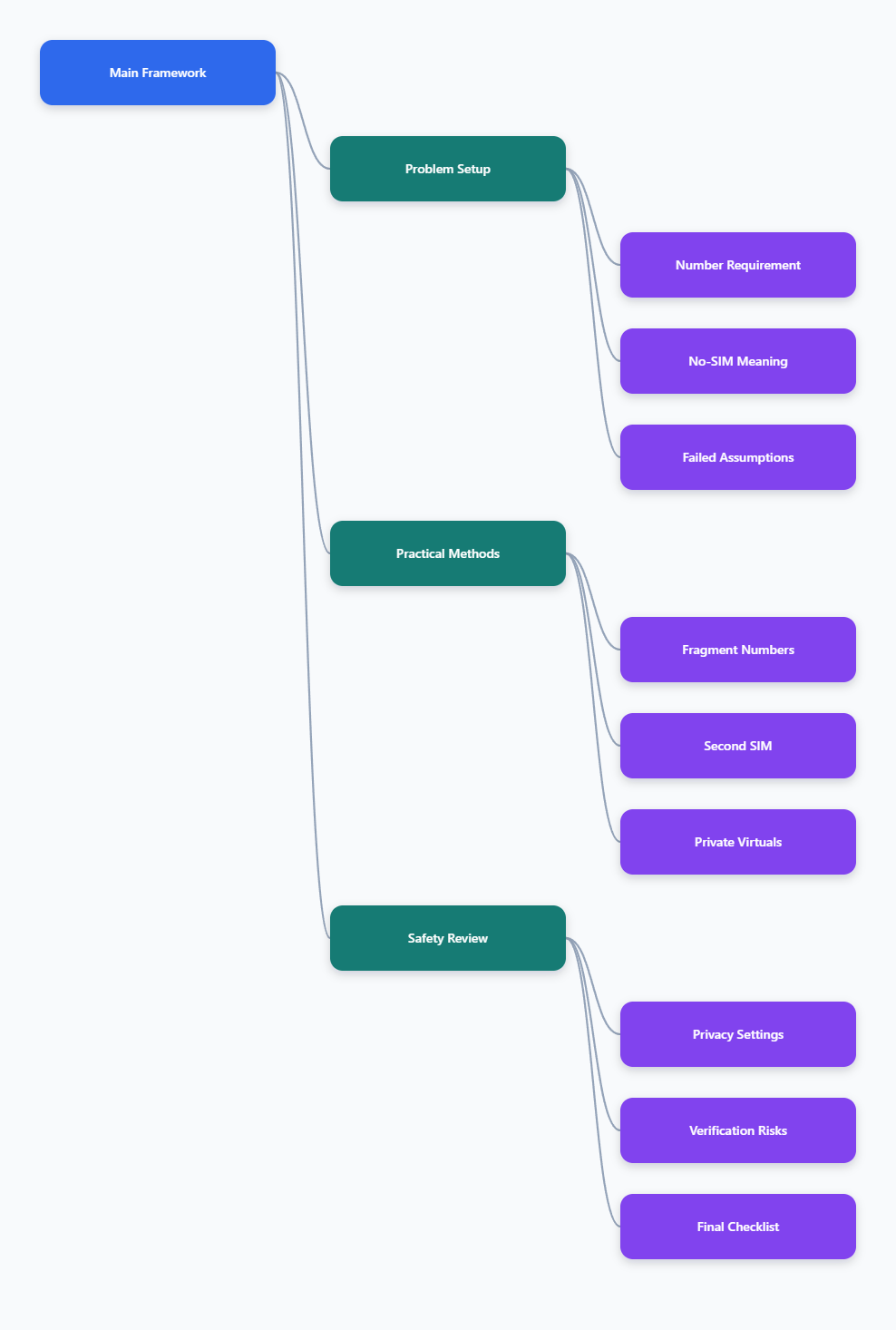
Can You Create Telegram Account Without Phone Number in 2026?
Yes, but only in a specific sense. You can create a Telegram account without using your personal carrier phone number, but Telegram registration still needs a phone-number-style identifier.
Telegram’s official sign-up flow asks for a number, sends a login code, and uses that number as the account’s primary identifier. Telegram’s own FAQ also tells users to enter a phone number in international format when registering or logging in.
That means there are three realistic approaches:
- Use a Telegram-supported anonymous number from Fragment.
- Use a second mobile number from a real SIM or SMS-capable eSIM.
- Use a private virtual number that can reliably receive Telegram verification codes.
The important distinction is ownership. A number you control long term is much safer than a public, shared, or one-time number.
What Telegram Means by “No-SIM Signup”
Telegram introduced No-SIM signups in 2022. The feature lets users register with blockchain-powered anonymous numbers available through Fragment, instead of a traditional SIM card.
These numbers usually start with the +888 code and are designed for Telegram. They are not normal phone numbers for everyday calling or SMS outside Telegram.
With this method, the verification code appears through Fragment after you connect the wallet that owns the number. This is the closest thing to an official way to use Telegram without a personal phone number.
What Does Not Work Reliably
Email-only registration does not work for Telegram account creation. Telegram may use email in some security flows, but it does not replace the number requirement at sign-up.
Free public SMS websites are also risky. Anyone viewing the same public inbox may see incoming codes, and many of these numbers are reused, blocked, or already linked to abused accounts.
VoIP numbers such as app-based calling numbers may work in some cases, but they are often rejected or fail to receive codes. If your account matters, do not build it on a number you may lose tomorrow.
Best Ways to Use Telegram Without Your Personal Number
The best option depends on your privacy goal, budget, country, and how long you plan to keep the account. A temporary test account has different needs from a business channel, paid community, or long-term personal account.
Use the table below to compare the practical choices before signing up.
| Method | Best For | Main Benefit | Main Risk |
|---|---|---|---|
| Fragment anonymous number | Maximum separation from personal SIM | Official Telegram-supported No-SIM route | Requires TON wallet and number ownership |
| Second physical SIM | Stable long-term account | Reliable SMS and recovery access | Still tied to carrier registration rules |
| SMS-capable eSIM | Travelers and dual-line users | No physical SIM card needed | Many travel eSIMs are data-only |
| Private virtual number | Short-term privacy or testing | Easy to buy and activate | May fail if classified as VoIP |
| Free public SMS inbox | Low-value experiments only | No cost | Poor privacy and weak recovery |
Option 1: Use Fragment Anonymous Numbers
Fragment is the method most closely aligned with Telegram’s own No-SIM signup feature. Telegram’s 2022 privacy update says users can have an account without a SIM card by using anonymous numbers available through Fragment.
This option is useful if your main goal is to separate your Telegram identity from your personal mobile number. It also avoids the common problem of SMS delivery failing on cheap virtual number services.
The basic process is:
- Create or connect a compatible TON wallet.
- Acquire a collectible anonymous number on Fragment.
- Open Telegram and enter that number during sign-up.
- Return to Fragment to receive the login code.
- Complete the Telegram setup and secure the account.
The downside is complexity. You need to understand wallet access, number ownership, and recovery, because losing access to the wallet can make account recovery harder.
Option 2: Use a Second SIM or SMS eSIM
A second mobile number is often the most practical choice for people who want a stable account. It can be a prepaid SIM, a secondary line, or an eSIM plan that includes real SMS service.
Be careful with travel eSIMs. Many travel eSIM plans are data-only, which means they provide internet access but no phone number for SMS verification.
Before buying, confirm three things:
- The plan includes a real phone number.
- The number can receive SMS or voice verification.
- You can keep the number active for future logins.
This is not as anonymous as Fragment, but it is usually easier to manage. It also gives you a dependable recovery path if Telegram asks for a login code later.
Option 3: Use a Private Virtual Number Carefully
A private virtual number can work when it is dedicated to you and can receive Telegram codes. However, not all virtual numbers are equal.
Numbers classified as VoIP, shared, recycled, or public are more likely to fail. Some users report that Telegram simply does not send the code, while others see a banned or invalid number message.
If you choose this route, look for these signals:
- The number is private, not public.
- The provider supports Telegram verification specifically.
- You can rent or keep the number long enough for future login codes.
- The number is not openly shared in a public SMS inbox.
This method is better for low-risk use than for accounts connected to business, paid communities, or important contacts.
Step-by-Step Setup: Create Telegram Account Without Phone Number Exposure
The safest setup is not just about getting the first code. It is about making sure you can still access your account months later.
Follow this process if you want to create telegram account without phone number exposure while reducing lockout and privacy risks.
Step 1: Choose the Right Number Type
Start by deciding how important the account is. If it is a long-term personal or business account, avoid free public SMS sites.
Choose Fragment if you want the strongest separation from a personal SIM and are comfortable with wallet-based ownership. Choose a second SIM or SMS-capable eSIM if you want the most straightforward recovery path.
Use this quick rule:
- Highest privacy: Fragment anonymous number.
- Best reliability: real second SIM or SMS eSIM.
- Lowest commitment: private virtual number.
- Highest risk: free public temporary number.
Step 2: Register in Telegram
Install the official Telegram app from a trusted app store or use the official desktop app after mobile setup. Enter the selected number in international format, including the country or number code.
If you use Fragment, check Fragment for the login code. If you use a SIM, eSIM, or private virtual number, check the SMS inbox or voice-call option if available.
Do not keep requesting codes repeatedly. Too many attempts can trigger temporary delays, and switching between multiple numbers too quickly may create more verification problems.
Step 3: Secure the Account Immediately
Once the account is active, open Telegram settings and improve privacy before joining groups or messaging strangers. This prevents accidental exposure of your number and reduces account takeover risk.
Set these basics first:
- Go to Privacy and Security.
- Set phone number visibility to Nobody or My Contacts.
- Control who can find you by phone number.
- Add a username so people can contact you without your number.
- Enable two-step verification with a strong password.
Telegram lets users communicate through usernames, groups, and channels without showing phone numbers in many normal situations. Still, your settings matter, especially if you sync contacts or message people who already saved your number.
Privacy Settings You Should Change After Sign-Up
Creating the account is only half the job. If you leave default settings unchanged, you may still reveal more than you intended.
Telegram gives you several controls under Privacy and Security. Use them before you start promoting your username, joining public groups, or managing a channel.
Hide Your Phone Number
Open Settings, then Privacy and Security, then Phone Number. Set “Who can see my phone number” to Nobody if your goal is maximum privacy.
Then review “Who can find me by my number.” If you do not want people to discover your Telegram account by uploading their address book, limit this setting as much as possible.
This matters because Telegram privacy is partly contact-based. If someone already has your number saved, visibility can behave differently than it does with complete strangers.
Use a Username Instead
A username lets others contact you without needing your number. For creators, sellers, moderators, and community owners, this is usually the cleanest public identity layer.
Choose a username that does not reveal your legal name, primary email, birth year, or other personal identifiers. Keep it consistent enough for people to recognize, but not so personal that it defeats the purpose of using a separate number.
If you manage a brand, use a brand-safe username and connect it to your official channel, group, or support workflow.
Turn On Two-Step Verification
Two-step verification adds a password on top of the login code. This is important because anyone who controls your number or receives your Telegram code may try to access your account.
Use a unique password and store it in a password manager. Add a recovery email only if you can secure that email account properly.
This step is especially important if you used a virtual number, second SIM, or eSIM that could expire if you stop paying for it.
Common Mistakes That Cause Failed Telegram Verification
Most failed attempts come from choosing the wrong number or rushing the process. Telegram’s systems are designed to reduce spam, abuse, and automated account creation, so low-quality numbers often fail first.
Here are the mistakes to avoid.
Using Free Public SMS Numbers
Public SMS inboxes are visible to other users. That makes them poor choices for private accounts because login codes can be exposed.
They are also heavily reused. A number may already be banned, rate-limited, connected to another Telegram account, or blocked from receiving new codes.
If you only need to test the interface, a public number may seem tempting. For anything personal or commercial, it is not worth the risk.
Buying a Data-Only eSIM
Many people assume every eSIM includes a phone number. That is not true.
A data-only eSIM can provide mobile internet but cannot receive SMS verification codes. Before purchasing, check whether the plan includes voice, SMS, or a real assigned number.
If the product page does not clearly say it supports SMS, assume it may not work for Telegram sign-up.
Losing Access to the Number
Telegram may ask for a code again when you log in on a new device. If you no longer control the number, account recovery becomes difficult.
This is why one-time numbers are dangerous. They may get you through the first sign-up and then fail when you need them most.
For long-term accounts, keep the number active or use Fragment with secure wallet access. Also enable two-step verification as soon as possible.
Which Method Should You Choose?
If your priority is official No-SIM registration, choose Fragment. It is built around Telegram’s anonymous number feature and does not depend on receiving a normal SMS.
If your priority is simplicity and recovery, use a second SIM or SMS-capable eSIM. This gives you a real number you can maintain and use for future login codes.
If your priority is quick separation from your personal number, a private virtual number may be enough, but only if you understand the risk. Avoid free public numbers for any account you care about.
For most users, the best 2026 recommendation is clear: use a number you control long term. Privacy is not just hiding your main phone number today; it is keeping safe access to your account tomorrow.
Final Checklist Before You Sign Up
Before you register, run through this checklist. It can save you from failed verification, account loss, and accidental number exposure.
- Confirm Telegram still requires a number-style identifier for sign-up.
- Pick Fragment, a real second SIM, or an SMS-capable eSIM for serious accounts.
- Avoid public SMS inboxes for anything private or long term.
- Make sure the number can receive future login codes.
- Set phone number visibility to Nobody or My Contacts.
- Create a username for public communication.
- Enable two-step verification immediately.
So, can you create telegram account without phone number in 2026? You can create one without exposing your personal phone number, but you still need a reliable number or anonymous Telegram-compatible number to complete sign-up and protect future access.