
Keeping a Telegram channel active sounds simple until you have to do it every week, across time zones, with zero missed posts. That is where most teams start looking for a way to schedule recurring posts Telegram users will actually see, instead of scrambling to publish manually at the last minute.
Telegram’s built-in scheduler is useful, but it is designed for one-time posts. If you want a dependable recurring system in 2026, you need a posting workflow, a content calendar, and a clean way to handle replies when subscribers respond. This guide breaks down the real operational problem, the best setup options, and where a bot layer can save time without turning your channel into a spam machine.
Why recurring posts matter more in 2026
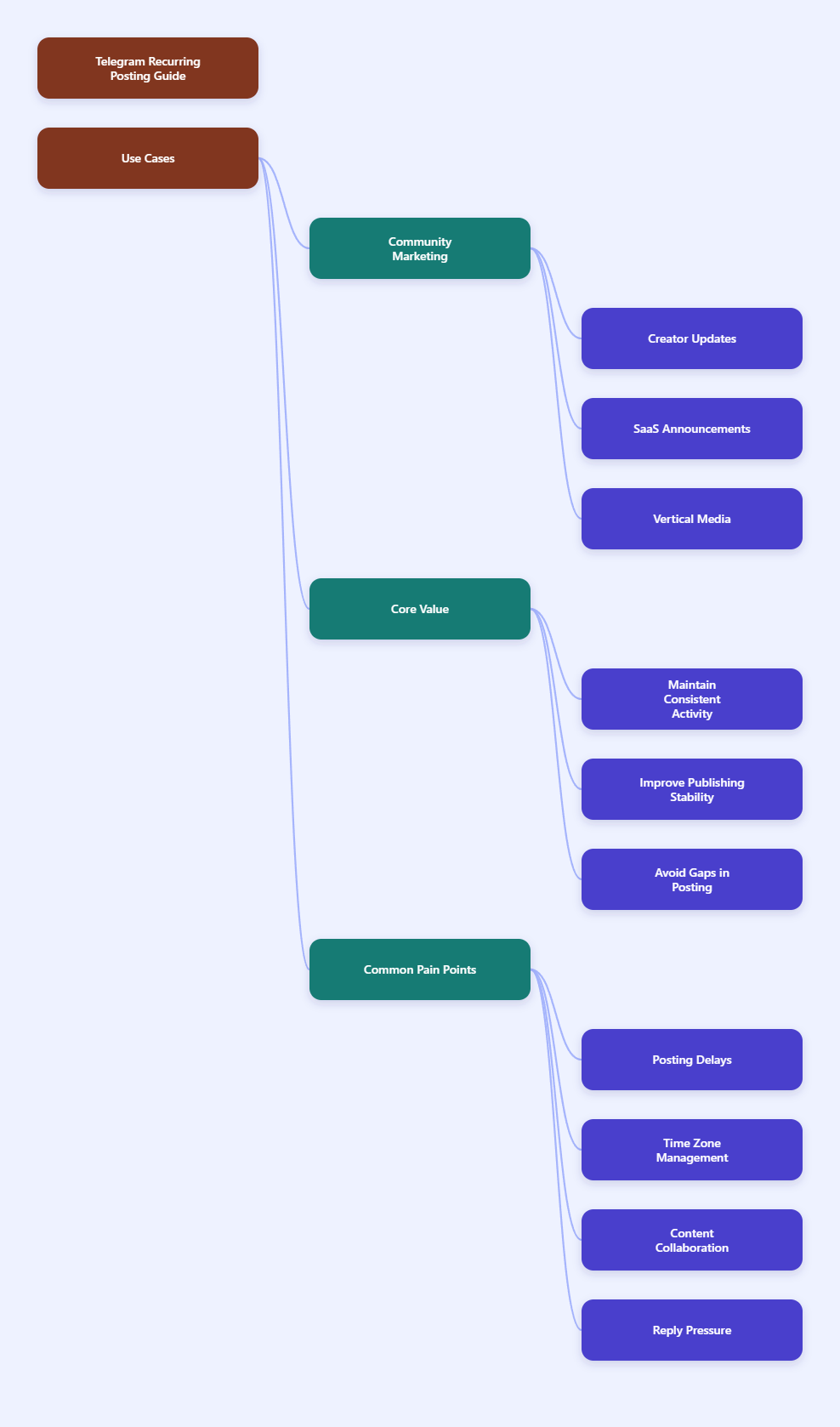
Telegram is still one of the most important messaging platforms for community-led marketing, creator updates, crypto alerts, SaaS announcements, and niche media. Unlike algorithmic feeds, channel posts are delivered in chronological order, so timing and consistency matter far more than “lucky reach.”
That is exactly why recurring posts are so valuable. They keep your channel predictable. They also reduce the risk of silence gaps, which can make a channel feel abandoned even when the business is active behind the scenes.
The main pain points teams keep hitting
- Posts are published late because someone forgot the reminder.
- Time zone differences make “best time to post” hard to manage.
- Multiple editors reuse the same content with different formats.
- Promotions crowd out educational content when there is no calendar.
- Subscribers ask the same questions after every recurring announcement.
These problems are usually not about writing quality. They are about operations. A recurring post system should solve repetition, reduce handoff errors, and keep the channel active even when the team is offline.
Native Telegram scheduling vs recurring automation
Telegram does have a built-in scheduling option. On mobile and desktop, you can compose a message, open the send menu, choose Schedule Message, and pick a time. You can also use the same scheduling flow in Saved Messages as a reminder system.
That feature is excellent for one-off posts. It is not a full recurring calendar. If your channel needs a weekly digest, a daily tip, or a Monday reminder that repeats on a pattern, you will need automation outside the native scheduler.
| Method | Best for | Strengths | Limitations |
|---|---|---|---|
| Native Telegram scheduler | One-time channel posts and reminders | Built in, fast to use, server-side delivery | No true recurring posting pattern |
| Recurring bot or scheduler | Weekly, daily, or interval-based posts | Automates repetition, supports content calendars | Needs setup and review |
| Manual posting | Small channels with low volume | Full control, no extra tool | Easy to miss, hard to scale |
If you run a channel for growth, support, or lead generation, the real question is not whether Telegram can send later. The real question is how to make repeated publishing sustainable.
What a strong recurring-post workflow looks like
The best recurring-post setup is not just a timer. It is a small operating system. You need a repeatable content structure, clear publishing rules, and a backup path when a post needs editing or postponing.
1. Separate recurring posts by purpose
Not every recurring post should look the same. Break them into buckets such as onboarding, education, community reminders, product updates, and event prompts. That makes the calendar easier to maintain and helps readers recognize the value of each post type.
2. Match timing to audience behavior
For most Telegram audiences, the best posting windows usually align with when they are checking messages, not when your team is available. If your subscribers are spread across regions, pick one main time zone and then adjust around it. Do not post every item at random hours just because the queue is full.
3. Keep spacing realistic
Recurring posts work best when they support the channel instead of flooding it. If you are posting several items per day, leave enough breathing room so each post can earn attention before the next one lands.
4. Build templates before you automate
Templates make recurring publishing much safer. Create a version for a weekly digest, a reminder, a checklist, and a short announcement. That way, the team is not rewriting each message from scratch every week.
How to handle the response layer after recurring posts
Recurring publishing solves consistency. It does not solve the flood of replies, keyword questions, and onboarding requests that often follow a useful post. That is where a bot layer becomes helpful.
One practical option is OnlyTG Echo@EchoOnBot. It is not a replacement for your scheduler. Instead, it helps you organize the post-response side of the workflow so your channel feels responsive even when the publishing side is automated elsewhere.
How to use OnlyTG Echo@EchoOnBot without overcomplicating the flow
- Create your own bot in BotFather and save the token.
- Bind that bot to OnlyTG Echo@EchoOnBot.
- Set a Start Message so first-time users get a clear welcome and next step.
- Use Auto-Reply or Keyword Reply for repeated questions tied to your recurring posts.
- Set up Quick Reply so your team can answer common questions faster from inside Telegram.
- Use Broadcast when you need to push a coordinated update to your audience.
This workflow is useful because recurring content usually creates repeated questions. If you post the same weekly update every Monday, people will also ask the same Monday questions every week. A fast reply layer keeps those conversations manageable.
Real-world use case 1: Weekly digest channel
A media or research channel can schedule a weekly roundup every Friday and use OnlyTG Echo@EchoOnBot to handle common follow-ups like “send me the source list” or “where is the full report.” The channel stays consistent, and the support flow stays organized.
Real-world use case 2: Community rules reminder
A large Telegram group can publish a recurring rules reminder every Monday. New members who type a keyword like rules can receive the right reply instantly, while the Start Message points them to the group’s main menu or help page.
Real-world use case 3: Product or feature update stream
A SaaS or crypto project can use a recurring post to announce updates, then use Quick Reply to handle predictable questions about access, pricing, or onboarding. That keeps the team from manually answering the same message dozens of times.
OnlyTG Echo@EchoOnBot also fits neatly into channels where the goal is not just publishing, but reducing friction after the post goes live. The extra features are best treated as operational support: start messages, auto-replies, quick replies, menus, and broadcast-style messaging.
Practical rules for better recurring posts
- Keep recurring posts short, useful, and predictable.
- Use one clear purpose per post.
- Review scheduled content before it goes live.
- Leave room for timely or breaking updates.
- Track which recurring formats earn replies and views.
- Refresh templates regularly so the channel does not feel repetitive.
If your channel mixes educational content with promotions, keep the recurring promotional posts limited. Too much repetition makes subscribers mute notifications, which defeats the purpose of consistent publishing.
It also helps to review your calendar weekly. A recurring system should feel stable, but it should never become stale. The best operators use automation to remove repetition, not to remove judgment.
FAQ: Schedule recurring posts Telegram
Can Telegram schedule recurring posts natively?
Telegram’s built-in scheduler is designed for one-time scheduled messages. For true recurring posting, you need a bot or scheduling tool.
Can I use Telegram’s schedule feature for reminders?
Yes. Telegram’s scheduling flow also works in Saved Messages, which makes it useful for personal reminders and task follow-ups.
What is the best posting frequency for a Telegram channel?
There is no universal number, but most channels perform better with consistent, useful posting than with aggressive volume. The key is staying relevant and predictable.
Should I automate every post?
No. Automate recurring updates, evergreen tips, and standard reminders. Keep room for timely posts, announcements, and human commentary.
How do I reduce repetitive replies after recurring posts?
Use keyword replies, quick replies, and a clear welcome flow. That is where a tool like OnlyTG Echo@EchoOnBot can help organize the response layer.
Is a bot better than manual posting?
For small one-off needs, manual posting is fine. For weekly or daily content, a bot-based workflow is usually more reliable and easier to maintain.
Can I edit scheduled messages before they go out?
Yes, scheduled messages can be reviewed and adjusted before delivery, which is one reason Telegram’s native scheduling is still useful for one-time posts.
Final take
If you want to schedule recurring posts Telegram readers will notice, the winning setup in 2026 is simple: use a scheduler for delivery, a calendar for consistency, and a bot layer for the conversation that follows.
That combination keeps your channel active without turning it into a manual workload. If you already have the publishing side under control and need a cleaner way to handle replies, onboarding, and quick responses, OnlyTG Echo@EchoOnBot is worth a look as a lightweight operational upgrade.
Structure Summary
1. Problem Setup
- Timing Friction
- Manual Bottlenecks
- Growth Pressure
2. Workflow Fix
- Native Scheduling
- Recurring Automation
- Echo Setup
3. Execution Wrap
- Publishing Checklist
- FAQ Answers
- Soft CTA