
For brands, affiliates, and cross-border teams, Telegram is still one of the fastest places to build direct reach, community trust, and repeat traffic. The problem in 2026 is not whether Telegram works. The problem is how to run more than one account without turning your operation into a messy, expensive, or risky setup.
This guide focuses on practical business use. You will see how to keep setup costs low, how to organize accounts for different functions, how to reduce spam and restriction risk, and when to spend a little more for stability. The goal is simple: a Telegram stack that scales with your funnel instead of fighting against it.
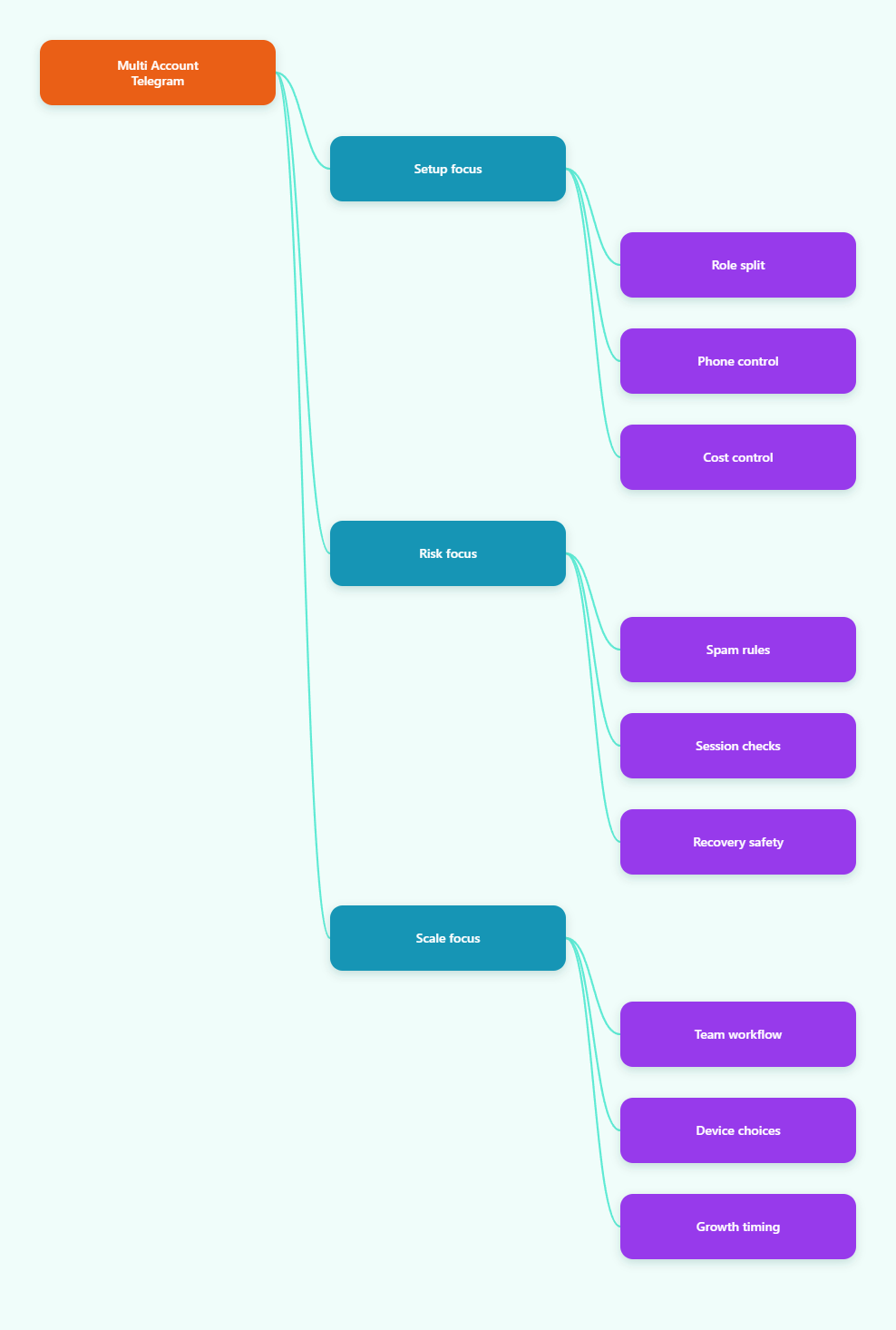
What A Low Cost Multi Account Telegram Solution Really Means
In practice, the cheapest reliable model is usually built on Telegram’s native account switching, not on complicated workarounds. Telegram supports multiple accounts in the official app, and each account needs its own phone number. For most small teams, that already solves the biggest operational pain point: separating business roles without maintaining a pile of devices.
The real savings come from design. A sales account does not need to do customer support. A community account does not need to send promotions. A founder account does not need to be used for daily outreach. When each role has its own inbox, you reduce confusion, avoid accidental replies, and make it easier to hand work off between team members.
This is also where many businesses overspend. They buy too many tools before they define the workflow. In most cases, the lower-cost path is to start with the native app, add one premium seat only if you need the fourth account, and keep the rest of the system simple. That gives you a clean base without locking you into unnecessary subscriptions.
- Use native account switching for the first layer of scale.
- Assign one role per account so messages stay organized.
- Keep ownership clear so recovery is easy if a login fails.
- Spend on process first before buying extra software.
For commercial use, the low-cost angle should never mean fragile. A cheap setup that breaks after one team change is expensive in disguise. A better approach is to treat account structure like part of your operating system.
Build The Cheapest Account Stack That Still Scales
The most efficient starting point is usually one device, multiple official accounts, and a documented purpose for each account. Telegram’s official clients support several accounts on the same app, and Premium can expand that limit to a fourth account. That makes it easy to separate outbound outreach, inbound support, and brand community work without paying for a full device farm.
If you are an affiliate team or a seller running multiple offers, use the structure to mirror the funnel. One account can handle public brand presence, one can handle conversations with warm leads, one can manage support, and one can serve as backup or special project coverage. That model is easier to train, easier to audit, and usually cheaper than spreading every task across random logins.
Phone numbers matter here. Telegram requires each account to have its own unique number, so plan that cost into the model from the beginning. The safest approach is to use numbers you can actually retain and access, because losing number access can mean losing account access. Avoid temporary numbers and any setup you would not want to maintain for months.
- Define the job of each account before creating it.
- Match every account to a real business function.
- Store login ownership and recovery access centrally.
- Keep one backup path for urgent access issues.
If your team grows beyond four accounts, the cheapest stable expansion is usually not a clever trick. It is an additional device, a clean role split, or an extra operator. That keeps the system understandable and reduces the chance of one mistake spilling into the rest of the account set.
Protect Sessions, Devices, And Recovery Paths
Low cost only works if the account survives. Telegram’s built-in session tools are a major part of that protection. In Settings, the Devices or Active Sessions area shows where the account is logged in, which is essential if more than one person ever touches the same profile. Use it regularly, not just when something looks wrong.
Two-step verification is another basic safeguard that should be enabled on any business account. It adds a password layer on top of the login code, which helps protect the account if a number or device is exposed. For teams, this is especially important because the real risk is often not platform enforcement; it is access drift, forgotten logins, or a former contractor still holding a live session.
Recovery planning should be boring and documented. Keep the phone number, recovery email, owner notes, and main use case in a secure internal record. If your team rotates operators, this record is what prevents a support account from becoming unrecoverable after a staff change. A clean account is cheaper than a rebuilt account.
| Setup Option | Typical Cost Pressure | Best For | Main Risk |
|---|---|---|---|
| Native multi-account app | Lowest | Small teams, solo operators | Role confusion if unmanaged |
| Native app + Premium fourth slot | Low to moderate | Teams needing one extra profile | Still depends on good process |
| Separate devices for key roles | Moderate | Higher value accounts | More hardware and admin overhead |
| Browser profiles plus official app | Moderate | Desk-based workflows | Session drift if users are careless |
Use the cheapest setup that still gives you clear control. If an account is tied to revenue, support, or a high-trust community, stability matters more than shaving a few dollars off the monthly cost.
Reduce Ban Risk Without Slowing Growth
Telegram’s spam and abuse rules are where most business mistakes happen. The platform is built for messaging and communities, but unsolicited outreach, unwanted group adds, and repetitive promotional behavior can trigger reports or restrictions. That means a low cost multi account Telegram solution must include behavior discipline, not just login structure.
The safest rule is simple: only contact people who reasonably expect contact from you. For affiliate, creator, and B2B use cases, that usually means opt-in lists, warm inbound conversations, existing community members, or explicit prior interest. If you are using usernames to start conversations, keep the message relevant, brief, and clearly connected to the user’s context.
Do not flood a new account with aggressive actions on day one. A gradual workflow is more sustainable. Keep the first messages human, avoid repeated copy-paste blasts, and never treat Telegram like a bulk cold-email engine. If you need scale, build it through content, groups, channel value, and clear call-to-action paths that users choose to enter.
- Do not add strangers to groups unless they clearly opted in.
- Do not repeat the same pitch across dozens of chats.
- Do not rely on temporary numbers for serious business accounts.
- Do review restrictions early if an account starts acting strangely.
If an account gets limited, Telegram’s own reporting and review tools are the first place to look. The point is not to bypass safety systems. The point is to make sure your business workflow never looks like abuse in the first place.
Use A Simple Team Workflow That Stays Cheap
The most efficient Telegram operation is a process, not a pile of apps. Start by mapping each account to one stage of the funnel. One account can publish or host the channel. One can answer qualified inbound questions. One can handle affiliate partners or buyers. One can serve as backup for urgent support during weekends or launch windows.
That structure lowers cost because it reduces duplicate work. It also improves quality because each account has a narrow mission. A support operator does not need to improvise marketing copy. A promotional operator does not need access to every customer conversation. The result is fewer mistakes, faster replies, and easier onboarding for new staff.
Daily discipline matters more than technical cleverness. Check active sessions, confirm the owner of each account, and keep a short log of any unusual login or restriction event. If you are running multiple brands, keep brand names separate inside your documentation so one account does not accidentally get used for the wrong offer.
- Map the account to one commercial role.
- Assign one operator or owner per role.
- Use a shared checklist for login hygiene.
- Review session status on a fixed schedule.
- Escalate unusual activity before it spreads.
This is the part that saves money over time. A disciplined workflow avoids emergency recovery, duplicate subscriptions, and the hidden labor cost of cleaning up account chaos after every campaign.
When To Spend More And When Not To
There is a point where cheap becomes fragile. If an account handles high-value leads, financial discussions, or large communities, spending a little more on ownership clarity, backup access, and device separation is usually worth it. The goal is not to minimize every possible cost. The goal is to minimize total operating cost across the full account lifecycle.
For solo operators, the cheapest path is often enough: official accounts, one device, clean sessions, and a disciplined inbox routine. For a growing team, the next best investment is usually a better process, not a more complex tool stack. Documented ownership and session monitoring often solve the real problem faster than any extra software.
Use more infrastructure only when it creates a real business advantage. If a second device prevents one person from disrupting production work, or a separate account prevents support from missing a customer message, that cost is easy to justify. If the tool only adds complexity, skip it.
- Buy stability for revenue-critical accounts.
- Keep lightweight accounts simple until volume justifies more.
- Review cost against labor because manual cleanup is expensive.
- Scale only after process so new spending has a clear purpose.
The best low-cost multi account Telegram solution is the one that keeps working when campaigns get busy, staff changes, or an account needs recovery. Cheap software does not help if the workflow is fragile.
FAQ
Can I use multiple Telegram accounts on one device?
Yes. Telegram officially supports multiple accounts in the app. Free users can add up to three accounts, and Telegram Premium can add a fourth account. Each account still needs its own unique phone number.
What is the cheapest safe setup for a business?
For most small teams, the cheapest safe setup is one device, official Telegram clients, clear account roles, and proper session management. Add more devices only when a specific workflow needs the separation.
Do I need different phone numbers for every account?
Yes. Telegram uses the phone number as the account identifier, so each account must have its own number. For business use, choose numbers you can keep access to long term.
How do I reduce spam restriction risk?
Only message people who expect contact, avoid repetitive outreach, do not add strangers to groups, and keep promotions relevant. If users did not ask for the message, treat it as high-risk.
Where do I check active logins?
Use Telegram’s Settings area and open Devices or Active Sessions. Review the list regularly so you can remove sessions you do not recognize or no longer need.
Is Telegram Premium required for multi-account use?
No. Multi-account use exists in the free app. Premium is only useful if you need the additional account slot or other paid features. It is a convenience upgrade, not the starting point.
Should I use temporary numbers?
Not for a serious business account. If you lose access to the number, you may lose access to the account. That can create a bigger cost than any money you saved at signup.
Final Takeaway
The best low cost multi account Telegram solution in 2026 is built on simple rules: use official account support, keep each profile tied to a real business role, and protect the account with clean sessions and proper recovery access. That approach is cheaper than constant rescue work and safer than aggressive outreach tactics.