
Telegram polls are one of the simplest built-in tools for collecting feedback, running quick votes, and creating interactive quizzes inside chats. They work in groups and channels, can be forwarded, and can be pinned for better visibility. Telegram has supported built-in polls since 2018, and later expanded them with visible votes, multiple answers, and quiz mode.
If you want to know how to create a poll on Telegram in 2026, this guide covers the practical steps, the available poll types, where polls work best, and the key limits and features you should know before posting.
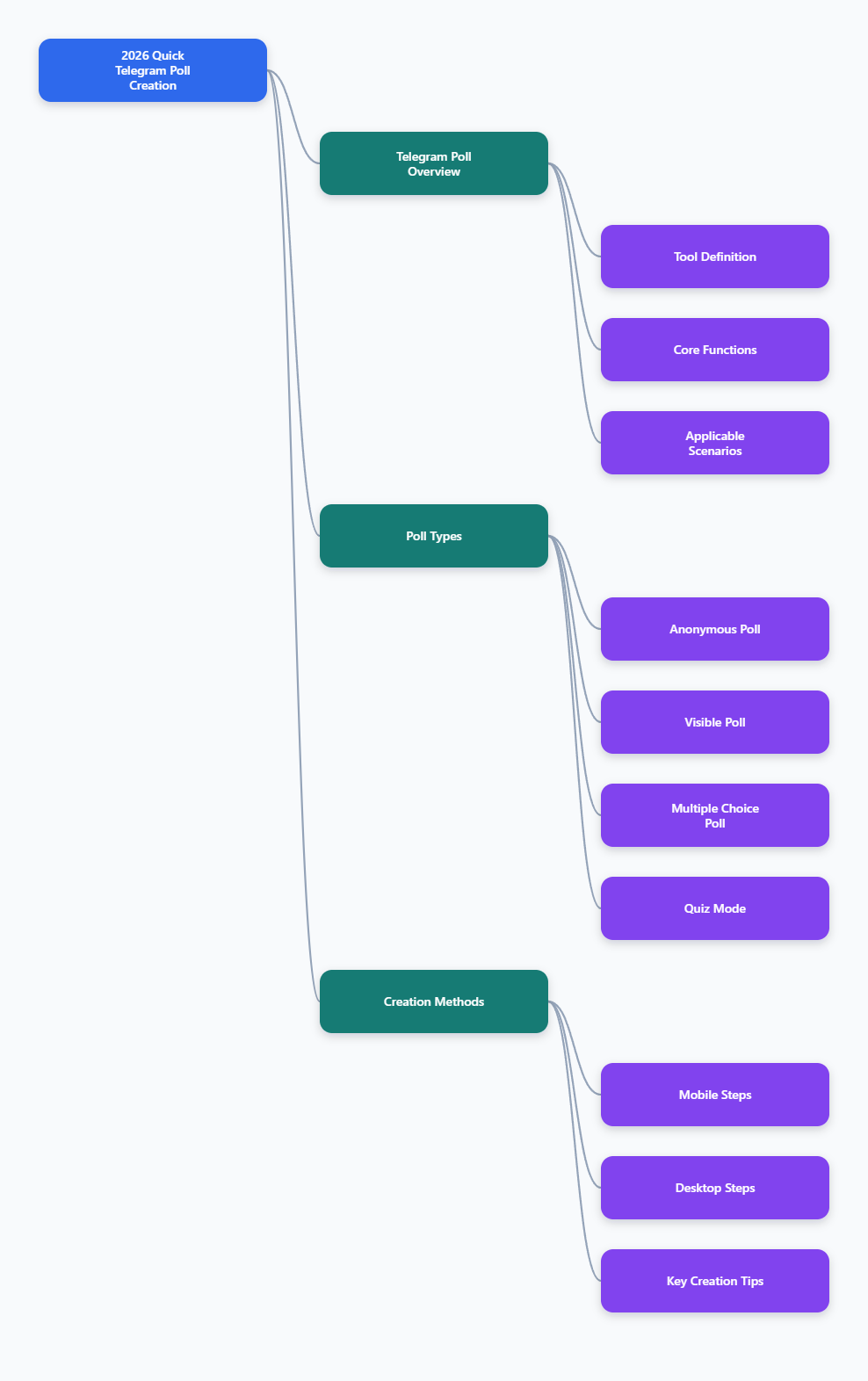
What Are Telegram Polls?
Telegram polls are native voting tools built into the app. Instead of asking members to reply manually, you can create a structured question with answer options and let people vote directly.
Based on Telegram’s official updates and documentation, polls can be used by very large communities and support different voting formats depending on your goal.
- Regular polls for simple voting
- Visible-vote polls when you want people to see who voted for what
- Multiple-answer polls when users need to choose more than one option
- Quiz mode when there is a correct answer
Telegram also provides @QuizBot, an official bot that helps create quizzes step by step.
Where You Can Create Telegram Polls
Telegram polls are commonly used in:
- Groups for team decisions, event planning, and community feedback
- Channels for audience engagement and opinion gathering
- Quiz flows through Telegram’s official Quiz Bot
Official Telegram announcements specifically highlight polls for groups and channels, including large communities.
In practice, polls are useful for:
- Choosing dates for events
- Voting on content topics
- Collecting product or service feedback
- Testing knowledge in study groups
- Running classroom or training quizzes
- Measuring audience preferences quickly
How to Create a Poll on Telegram
The exact layout can vary slightly by device and app version, but the general workflow is consistent across Android, iPhone, desktop, and Telegram Web versions that support polls.
On mobile
- Open the Telegram group or channel where you want to post the poll.
- Tap the attachment icon.
- Select Poll.
- Enter your question.
- Add the answer options.
- Choose the poll settings you want.
- Send the poll.
On desktop
- Open the target chat, group, or channel.
- Click the menu or attachment option used for media and extras.
- Select Poll.
- Type the question and answer options.
- Adjust poll settings.
- Publish the poll.
Third-party tutorials and Telegram feature summaries consistently describe this same flow: open the chat, choose Poll, enter the question and options, set the type, then send.
Telegram Poll Types Explained
Choosing the right poll type matters because each one changes how people interact with your question.
1. Anonymous poll
Anonymous polls hide who voted for each option. This is useful when you want honest responses without social pressure.
Use it for:
- Sensitive feedback
- Team sentiment checks
- Community opinions on controversial topics
Telegram originally launched polls as anonymous by default.
2. Visible votes
Telegram later introduced visible votes, which allow members to see who voted for what. This works well when transparency matters.
Use it for:
- Volunteer sign-ups
- Planning group trips
- Small team decisions
- Public accountability inside communities
This option is especially practical when knowing who picked a date, location, or task changes what happens next.
3. Multiple answers
Multiple-answer polls let users choose more than one option.
Use it for:
- Selecting available meeting times
- Picking preferred features
- Gathering interest across several topics
- Identifying all acceptable choices instead of forcing one
This format is much better than a single-choice poll when people may realistically agree with several options at once.
4. Quiz mode
Quiz mode turns a poll into a question with a correct answer. Telegram introduced this mode to support educational and game-style interactions.
Use it for:
- Study groups
- Training sessions
- Onboarding tests
- Trivia games
According to Telegram’s quiz materials, quiz polls can also include an explanation that appears after a wrong answer, adding useful context for learning.
How to Create a Telegram Quiz with @QuizBot
If you want more structured quiz creation, Telegram’s official @QuizBot is the safest documented option.
Basic steps
- Open @QuizBot in Telegram.
- Tap or click Start.
- Choose to create a new quiz.
- Follow the prompts to add questions and answer options.
- Mark the correct answer.
- Add explanation text if needed.
- Publish or share the quiz.
Telegram’s official quiz page states that Quiz Bot guides users through the process step by step. This makes it useful for people who need more than a one-question poll.
Key Telegram Poll Features You Should Know
Telegram poll functionality has expanded over time, and official Telegram sources in 2026 mention additional capabilities for polls sent by bots. Not every feature is necessarily available in the same way for every posting method, so it is best to separate standard in-app poll behavior from bot-based capabilities.
Core user-facing features confirmed across Telegram updates
- Anonymous voting
- Visible votes
- Multiple answers
- Quiz mode
- Forwarding polls
- Pinning polls for better visibility
Bot API and newer poll capabilities mentioned in 2026 Telegram materials
- Time-limited polls
- Hidden results until the poll closes
- Disabling revoting
- Adding media to polls
- Descriptions for context
- Suggested options in active polls
- Shuffled options
Because Telegram’s interfaces can differ between regular app posting and bot-created polls, use caution before assuming every advanced option is available in the same menu on your device.
Telegram Poll Limits
Reliable references indicate several practical poll limits that are useful when drafting your question.
- Question length: up to 255 characters is widely documented in Telegram-related references
- Option length: up to 100 characters per answer option
- Minimum number of options: 2
- Maximum number of options: up to 10 options is commonly documented in Telegram guides and limits references
These limits are important because long, vague questions reduce response quality. Even when the maximum allows more text, shorter wording usually performs better.
Best Practices for Better Telegram Polls
A poll can be technically correct and still perform badly. Strong polls are clear, quick to answer, and easy to understand at a glance.
Write one clear question
Avoid mixing two ideas into one prompt.
Weak: “Do you like the new update and should we post more tutorials?”
Better: “Should we post more Telegram tutorials next week?”
Keep answer choices distinct
Overlapping options confuse people.
Weak options:
- Morning
- Before lunch
- After breakfast
Better options:
- 8:00–10:00 AM
- 10:00 AM–12:00 PM
- 1:00–3:00 PM
Use multiple answers only when necessary
If you need one clear winner, single-choice is better. If users may truthfully select several options, enable multiple answers.
Choose visible votes carefully
Visible voting improves transparency, but it can reduce honesty in sensitive topics. For feedback on management, pricing, moderation, or policy, anonymous voting is usually safer.
Pin important polls
Telegram’s official poll announcement notes that polls can be pinned. This is one of the easiest ways to increase participation in active groups and channels.
Forward polls for more reach
Telegram also states that polls can be forwarded. If your poll applies to several related groups or communities, forwarding can significantly increase total responses.
Common Telegram Poll Use Cases
Community management
- Vote on upcoming discussion topics
- Ask members what rules need clarification
- Choose event schedules
Content planning
- Pick the next tutorial theme
- Test audience interest in product updates
- Prioritize newsletter topics
Education and training
- Run revision quizzes
- Check understanding after a lesson
- Add explanations to wrong answers in quiz mode
Internal teams
- Choose meeting times
- Decide rollout priorities
- Collect quick anonymous feedback
Can You Edit or Change a Telegram Poll After Posting?
You should assume that a published poll cannot be edited in place. A Telegram post on X specifically notes that polls cannot be edited after publication.
If there is a mistake in the question or options, the practical solution is usually to:
- Delete the poll if appropriate
- Create a corrected version
- Repost it with clearer wording
This is why it is smart to review spelling, dates, and answer order before sending.
Can Users Change Their Vote?
Telegram has indicated that users can retract a vote by tapping the poll and then voting again, depending on the poll setup. This behavior has been discussed in official and community references.
However, newer bot-related poll capabilities in 2026 also mention the option to disable revoting for fixed results. So whether a vote can be changed may depend on how the poll was created and which settings were used.
To stay accurate:
- Many regular polls allow vote changes or retraction
- Some newer poll configurations may disable revoting
How to Close a Telegram Poll
For ordinary users posting directly in the app, available controls can vary by version and interface. For bot-created polls, Telegram’s Bot API clearly supports stopping a poll using the stopPoll method.
This matters mainly for:
- Scheduled campaigns
- Timed quizzes
- Voting that should end at a specific moment
If you run polls programmatically, the official Bot API is the reliable route for managing open and closed poll states.
Telegram Polls vs Telegram Quizzes
People often use these terms interchangeably, but they are not exactly the same.
Use a regular poll when:
- You want opinions
- There is no correct answer
- You need a quick community decision
Use quiz mode when:
- One answer is correct
- You are teaching or testing knowledge
- You want answer explanations
If your goal is learning rather than voting, quiz mode is usually the better choice.
Common Mistakes to Avoid
- Making the question too broad: vague prompts get weak responses
- Using too many options: too much choice lowers completion
- Choosing visible votes for sensitive topics: this may reduce honesty
- Forgetting to pin the poll: members may miss it quickly in active chats
- Posting without context: if the decision affects users, explain why the poll matters
A Simple Telegram Poll Template
If you want a fast structure that works in most groups, use this:
- Question: What should we cover next?
- Option 1: Telegram channels
- Option 2: Telegram bots
- Option 3: Telegram privacy settings
- Option 4: Telegram polls and quizzes
Then choose:
- Anonymous = yes, if you want unbiased feedback
- Multiple answers = no, if you need one winning topic
- Pin = yes, if the group is active
Final Thoughts
Telegram polls remain one of the easiest ways to gather structured feedback inside the app. The core setup is simple: open a group or channel, choose Poll, enter a question, add options, and select the right format.