
Telegram bots are easy to launch, but hard to use well. Many teams still lose users because the first message is unclear, group privacy is misconfigured, or the bot flow feels like a wall of text. If you want a cleaner chat experience in 2026, the answer is not more automation. It is better structure.
This guide shows how to chat via Telegram bot step by step, how to avoid the most common setup mistakes, and how to build a bot conversation that feels fast, clear, and useful. It also explains where lightweight tools can fit into the workflow without turning the article into a product pitch.
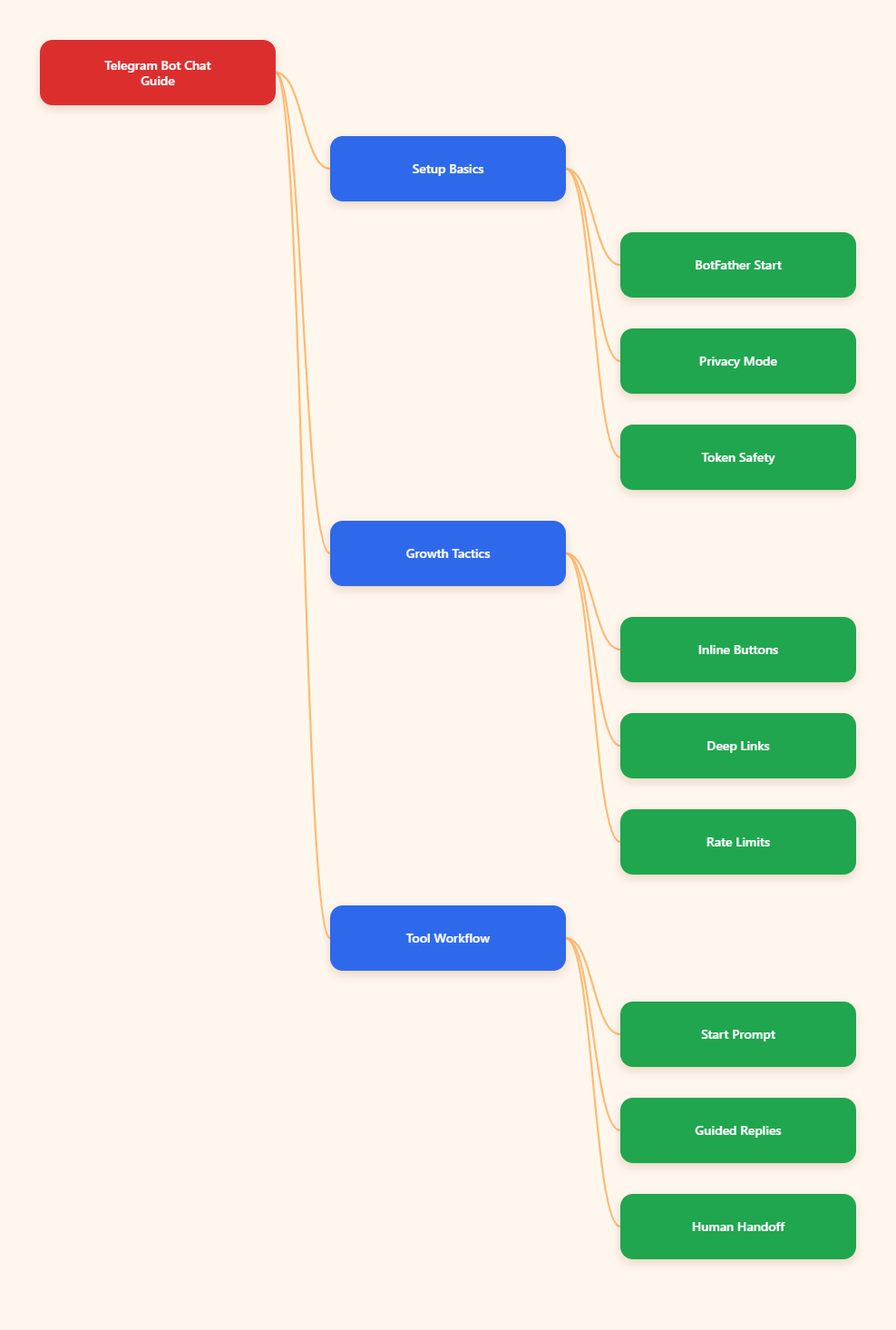
What Telegram Bot Chats Mean in 2026
Telegram bots are small programs that run inside Telegram and connect to a backend through the Bot API. Telegram still recommends starting with BotFather, and that remains the standard way to create and manage bot accounts. In practice, a bot chat can happen in a private chat, a group, a channel workflow, or a business-connected inbox.
What changed by 2026 is the expectation around speed and clarity. Users do not want long command lists. They want one obvious next step, usually through buttons, quick replies, or a short guided flow. Telegram Business also pushed the ecosystem toward more structured conversations, including quick replies, automated messages, and chatbot support.
That matters for marketers and community operators because the bot is often the first touchpoint. If the first touchpoint feels confusing, the rest of the funnel gets weaker. A strong Telegram bot chat should reduce friction, not add another layer of it.
How to Chat Via Telegram Bot Step by Step
If you are asking how to chat via Telegram bot step by step, the process is simpler than most people expect. The key is to treat the bot like a guided interface, not like a normal human DM thread. Good bot chats are built around intent, not improvisation.
Step 1: Open the bot from a clean entry point
Start from a verified username, a t.me link, or a deep link that matches the campaign you are running. If the bot is new to the user, Telegram will usually show a Start button. That first tap matters because it is where the bot receives its startup context.
For campaigns, deep linking is especially useful. Telegram supports start parameters, so the same bot can send different users into different flows. That is a simple but powerful way to separate support, lead capture, and onboarding without asking people to type extra instructions.
Step 2: Read the available commands or buttons
Do not guess your way through a bot. Look for the command list, menu button, or inline keyboard. Telegram supports buttons that sit beside the message, which usually work better than asking users to memorize commands. In real-world usage, buttons cut down on typing errors and make the next action obvious.
If you are building for a broader audience, button-first design is the safer choice. It helps mobile users, reduces abandoned chats, and keeps the interaction from drifting into free-form noise. A bot that forces too much typing usually feels slower than a normal website form.
Step 3: Use one intent per conversation branch
One of the biggest Telegram bot mistakes is trying to make one chat handle everything. A better pattern is to assign one branch to one intent: support, pricing, onboarding, verification, or group admin help. That keeps the flow readable and much easier to maintain.
In 2026, this matters even more because users bounce quickly when the bot response feels generic. A simple branch with three choices is often better than a long paragraph. If a user has to think too hard, the bot is already losing momentum.
Step 4: Handle groups with the right privacy settings
Group chats are where many bot setups break. Telegram enables privacy mode by default for new bots, which means the bot will not receive every group message. If your bot needs to react to regular chat messages, not just commands, you must review that setting in BotFather and test the group again.
This is one of the most common reasons operators think the bot is broken when it is actually just protected by default rules. For communities, onboarding should include a short test message, a mention, and at least one command so you can confirm the bot sees the right events.
Step 5: Keep the outbound pace under control
Bot chats are not only about what users send in. They also depend on how you send replies, reminders, and broadcasts. Telegram bot workflows should respect rate limits, and burst traffic should be queued. If you ignore this, message delivery can become uneven or trigger retry errors.
For operators, the practical fix is simple: slow the send pace during large campaigns, group messages by chat type, and plan a fallback for failures. A stable bot feels boring in the best way. It delivers the same experience every time.
| Setup Choice | Best For | Main Strength | Typical Risk |
|---|---|---|---|
| Manual DMs | Small, high-touch conversations | Human nuance | Slow replies and inconsistent handling |
| Button-based bot flow | Lead capture and onboarding | Clear next steps | Needs careful menu design |
| Group bot automation | Communities and support rooms | Scale and moderation support | Privacy mode and noise control |
This comparison is useful because most Telegram failures are not technical failures. They are flow failures. The wrong setup creates extra work, while the right one removes repetitive questions before they reach a human.
Why Most Telegram Bot Conversations Fail
Most bot chats fail for predictable reasons. The message path is unclear, the entry point is too broad, or the user cannot see what to do next. When that happens, even a technically correct bot feels dead. Good UX is what keeps the bot alive.
- Weak onboarding: Users land in the bot and do not know where to start.
- Too many commands: The bot asks people to remember more than they want to remember.
- Bad group settings: Privacy mode blocks the messages you expected to receive.
- No fallback: If the bot cannot answer, there is no clear human handoff.
- Broadcast overload: Message bursts create delays and messy delivery behavior.
The fix is usually not complicated. Shorten the opening path, replace text-heavy choices with buttons, and make the next step obvious. If the bot is meant for support, always include a way back to a human or a clear escalation route.
That is also why the best Telegram bot strategies in 2026 look more like product design than pure automation. The winner is rarely the bot with the most features. It is the bot that makes one job feel easy.
Why Bot Chats Often Work Better Than Manual DMs
A well-built bot chat is better than manual DM handling when the same question appears again and again. It gives you consistency, faster first response times, and a cleaner audit trail. It also helps teams scale without forcing every operator to answer the same things over and over.
This is especially useful for creators, agencies, and channel owners. A channel post can push people into a bot for qualification, while a group can use a bot for triage and routing. The human only enters after the bot already filtered out the obvious cases.
That said, bots are not a replacement for judgment. If the conversation is sensitive, messy, or high-value, you still need a human layer. The best Telegram workflows use the bot to remove friction, not to hide the team.
FAQ
How do I create a Telegram bot?
Telegram says to start with BotFather, create a bot account there, and connect it to your backend through the Bot API. If you are not technical, you usually need a platform or developer help to make the bot actually work.
Why can my bot not read group messages?
New bots start with privacy mode enabled by default. In that mode, they do not receive every group message. If your use case needs broader visibility, review the privacy setting in BotFather and test the group carefully after the change.
What is the best first message in a bot?
Use a short welcome, one line of context, and one clear next step. A single button is often better than a long paragraph. The goal is to reduce hesitation, not explain every feature at once.
Do Telegram bots need coding?
Telegram’s own documentation says creating a working bot usually requires programming skills or a backend connected to the Bot API. For no-code users, a hosted platform or automation layer is usually the easier path.
How do I avoid rate-limit issues?
Do not send large bursts without queuing. Spread out notifications, retry failed messages carefully, and avoid treating every chat like a broadcast target. Stable pacing is better than trying to send everything at once.
Are Telegram bots safe for business use?
They can be, as long as you protect the token, limit permissions, and keep the flow clear. The biggest risks usually come from poor access control, not from the idea of using a bot itself.
Can bots work with Telegram Business?
Yes. Telegram supports business features such as quick replies, automated messages, chatbot support, and connected business bots. That makes bot-driven workflows more practical for customer-facing teams in 2026.