
When people join a Telegram group or start a conversation with a business bot, they need to know what to do next. Without a clear welcome message, new members may overlook important rules, miss useful resources, or leave before engaging. Manually greeting every newcomer becomes increasingly difficult as a community grows.
Auto welcome on Telegram helps businesses deliver consistent introductions, explain the next steps, and direct users toward relevant resources without requiring an administrator to repeat the same message. This guide explains how to design an effective welcome workflow, where automation adds business value, and how OnlyTG Echo can help put it into practice.
Why Are Businesses Turning to Auto Welcome on Telegram?
A welcome message is more than a polite greeting. It is often the first piece of operational guidance a new community member receives. For a business, that first interaction can determine whether someone understands the community, finds the information they need, and takes a useful next step.
Three pressures make automated greetings particularly valuable.
Growing Communities Create More Repetitive Work
A small Telegram group may be easy to manage manually. An administrator can greet newcomers, share the rules, and answer basic questions as they arise. As membership increases, however, the same tasks recur throughout the day.
The workload is not limited to typing a greeting. Administrators may need to explain how to access resources, where to ask questions, which channel publishes announcements, or how to participate appropriately. Automation can handle the standard introduction while leaving human moderators available for conversations that require judgment.
New Members Expect Clear Instructions
People joining a business community often arrive with a specific purpose. They may want product updates, educational resources, customer support, or access to a professional network.
A greeting that only says “Welcome!” provides little practical direction. A better message explains the community’s purpose, points users toward essential information, and gives them a simple next action.
Consistency Matters as Teams Grow
Different administrators may welcome people in different ways. One may remember to share the rules, while another may forget to include the support link. Automated welcome messages establish a consistent starting point for every eligible newcomer.
Consistency does not mean every message must sound impersonal. Businesses can write greetings in their own brand voice and update them as their community evolves.
What Happens Without Automation?
Manual onboarding can work for a small, low-activity group. Problems tend to emerge when joining activity becomes frequent or administrators have other responsibilities.
Repetitive Work Reduces Administrative Capacity
Answering the same introductory questions consumes time that could be spent moderating discussions, improving resources, or resolving customer issues. Even a short greeting becomes a recurring task when many people join at different times.
Slow or Inconsistent Communication Creates Confusion
An administrator may be busy, asleep, or handling a sensitive issue when a new member arrives. Without a prepared welcome workflow, that person might receive no introduction or get essential information much later.
The result is not necessarily a lost customer, but it can create unnecessary friction at the start of the relationship.
Manual Processes Become Harder to Scale
Adding administrators may help, but it also requires coordination. Team members need to know which information to share, which links are current, and how to answer common questions.
Automation provides a repeatable baseline. It does not eliminate the need for people; it reduces the amount of routine work that depends on their immediate availability.
How Does Auto Welcome on Telegram Work?
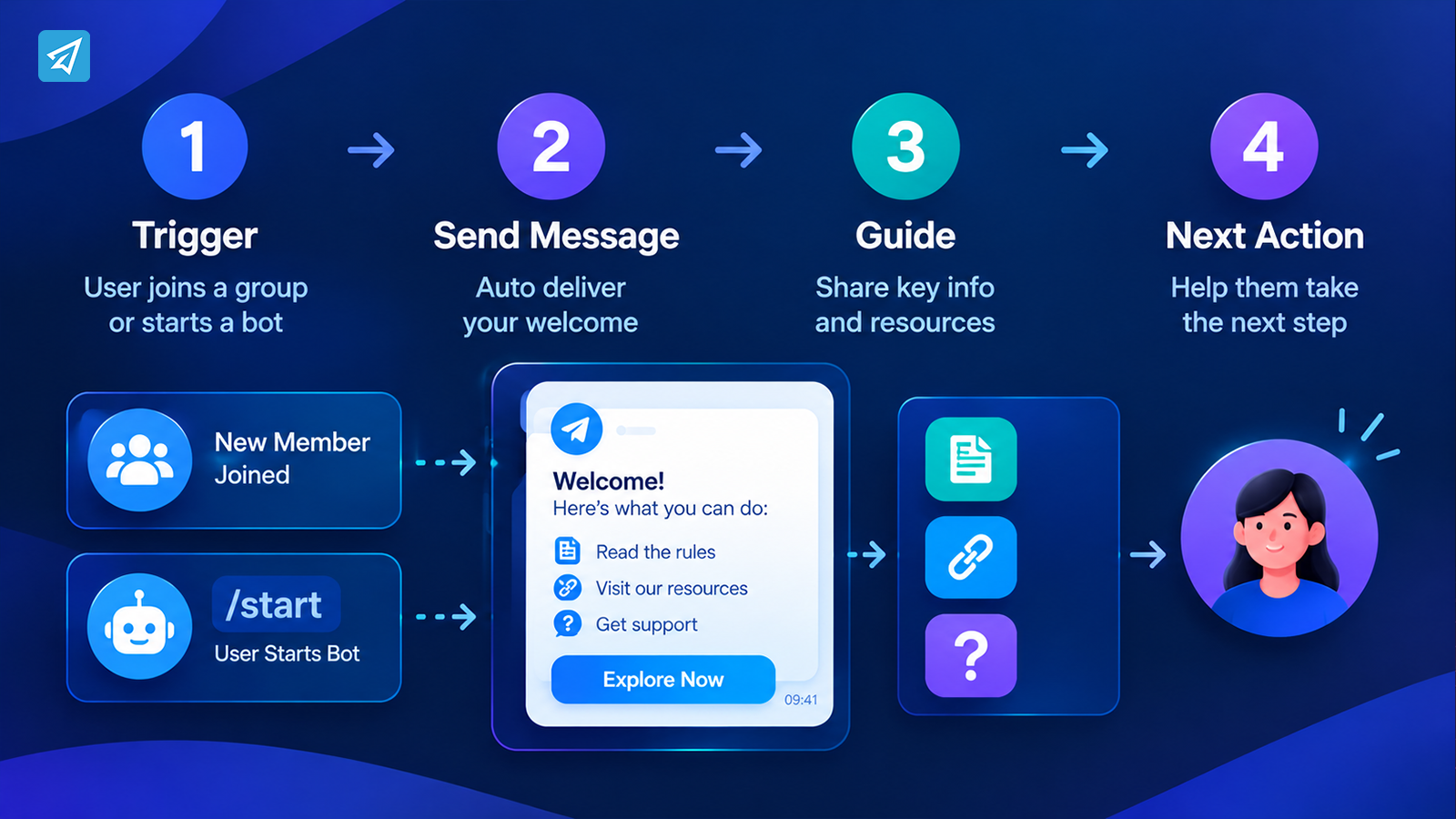
An automated welcome workflow sends a predefined message when a specified Telegram event occurs. The exact trigger depends on the type of welcome you need.
For a Telegram group, a greeting can be configured to appear when a new member joins. For a Telegram bot, a start message can be sent when a user first opens the bot or activates it with the /start command. These are related but distinct workflows.
A useful process follows four stages:
- Trigger: A user joins a group or starts a bot.
- Message delivery: The configured greeting is sent automatically when the relevant conditions are met.
- Guidance: The message explains the community’s purpose, shares important information, or offers useful links.
- Next action: The newcomer knows where to go, what to read, or how to continue.
The key is to design the message around what the recipient needs, not merely around the fact that an automation has fired.
For example, a course community might welcome a new member, link to the course schedule, and explain where to ask questions. A product community might direct users to documentation and support. A creator community might share its content schedule and participation guidelines.
Key Business Use Cases for Automated Telegram Welcome Messages
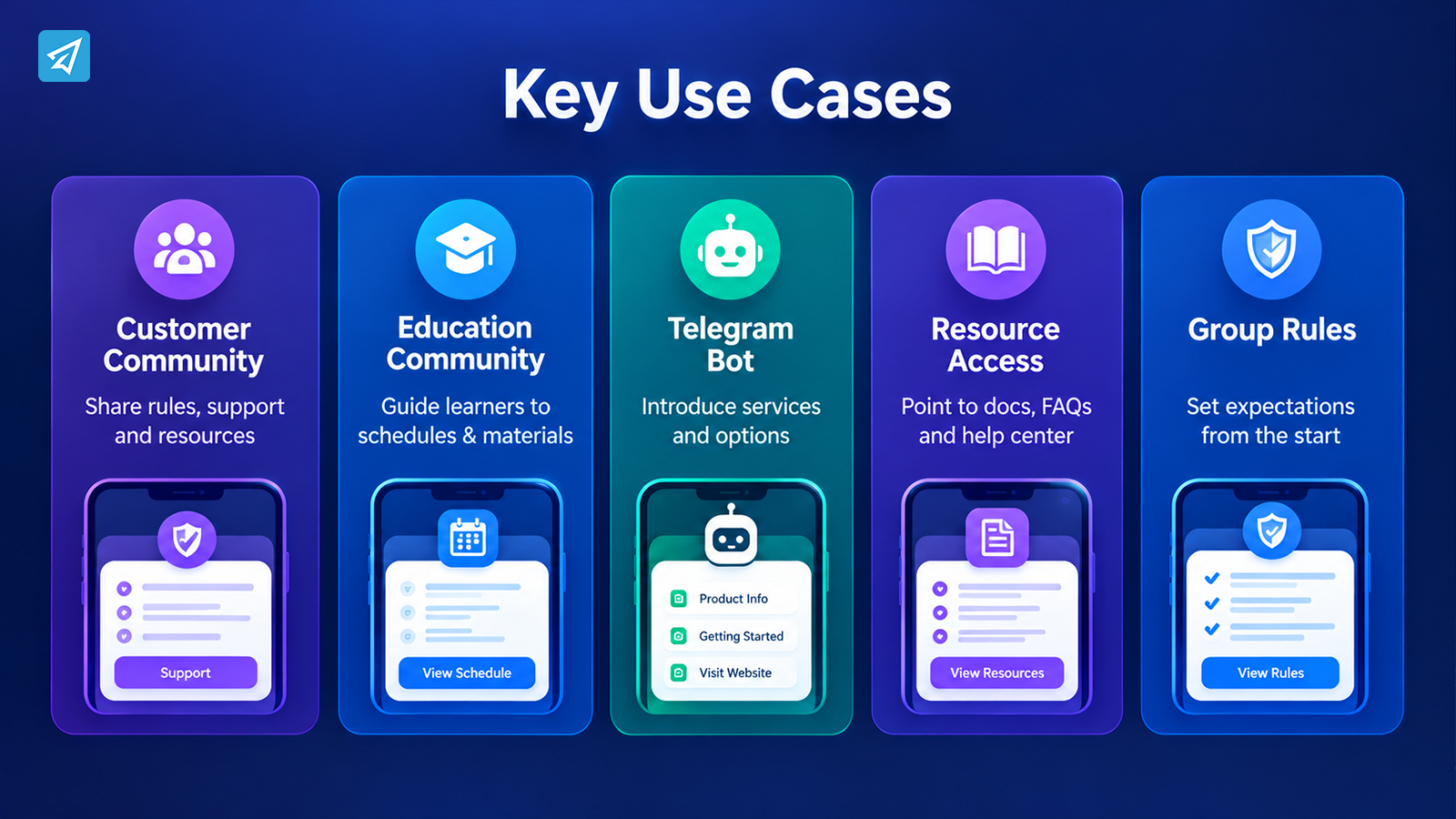
1. Welcome New Members to a Customer Community
Situation: A business runs a Telegram group for existing customers, prospective buyers, or product users.
Problem: New members arrive at different times and may not understand the group’s purpose or where to find assistance.
Automation: Send a group greeting that introduces the community, summarizes its main purpose, and points members toward support resources or group rules.
Business value: Members receive the same essential information without requiring an administrator to repeat the introduction for each newcomer.
Keep the greeting focused. If the group has several resources, prioritize the two or three most important destinations rather than listing every available link.
2. Guide Prospects into a Telegram Bot
Situation: A business uses a Telegram bot as an entry point for product information, service inquiries, or lead communication.
Problem: Users open the bot but do not know what it can do or how to proceed.
Automation: Configure a start message that explains the bot’s purpose and presents relevant links or buttons. For example, a software company might offer options to explore product information, read a getting-started guide, or visit its official website.
Business value: The first interaction becomes more informative and structured. Users can choose an appropriate next step instead of having to figure out the bot on their own.
A bot start message should explain the available options accurately. Do not promise live assistance, instant delivery, or a particular outcome unless the business can actually provide it.
3. Onboard Members into an Educational Community
Situation: A training provider, course creator, or professional community invites people into a Telegram group.
Problem: Newcomers may miss the schedule, learning resources, discussion guidelines, or instructions for asking questions.
Automation: Use the welcome message to link to the course schedule, introduce the appropriate discussion area, and explain how members can participate.
Business value: Learners can find the information they need earlier, while administrators spend less time repeating orientation instructions.
If the community has separate topics or resources for different audiences, make the welcome message a clear starting point rather than attempting to explain the entire learning program in one message.
4. Direct Users to Frequently Needed Resources
Situation: A community repeatedly receives questions about product documentation, account setup, rules, or support channels.
Problem: Important information becomes difficult to find as conversations accumulate.
Automation: Include carefully selected resource links in the greeting. A bot start message can use buttons to make these destinations easier to access.
Business value: The message becomes a navigation tool, reducing the effort required to locate basic information.
Welcome messages should not replace a comprehensive help center. They should point users to reliable resources that remain relevant after the greeting has been delivered.
5. Establish Expectations in a Growing Group
Situation: A public or customer-facing group attracts frequent new members and requires consistent moderation.
Problem: Members may not know the rules on promotions, external links, or acceptable participation.
Automation: Send a group greeting that introduces the rules and explains where members can review them. Where appropriate, combine the greeting workflow with separate group-management settings.
Business value: Members receive expectations at the beginning of their participation, giving moderators a clearer foundation for managing the community.
A greeting alone does not enforce rules. Businesses should configure moderation controls separately when they need automatic enforcement.
What Makes a Welcome Message Effective?
Automation ensures that a message can be delivered consistently. The message itself determines whether the recipient finds it useful.
Explain Where the User Has Arrived
Start with a short introduction to the business, group, or bot. Avoid vague wording that leaves newcomers unsure about the community’s purpose.
Give One Clear Next Step
Choose the action that matters most. It might be reading the rules, visiting a resource page, exploring a product guide, or introducing oneself.
Multiple competing instructions can make the first interaction harder to navigate.
Use Relevant Links and Buttons
When supported by the chosen Telegram workflow, links and buttons make it easier to move from the greeting to a useful destination. Check every link before publishing and update it when resources change.
Keep the Message Easy to Scan
Use short paragraphs and direct language. Add media only when it helps explain the offer, introduce the community, or clarify what a user should do next.
Set Expectations Honestly
Explain when and where people can get help. Do not imply that a human administrator is always available if support is provided only during certain hours.
How to Use OnlyTG Echo
A practical implementation can be kept relatively simple.
Step 1 — Create a Telegram Bot
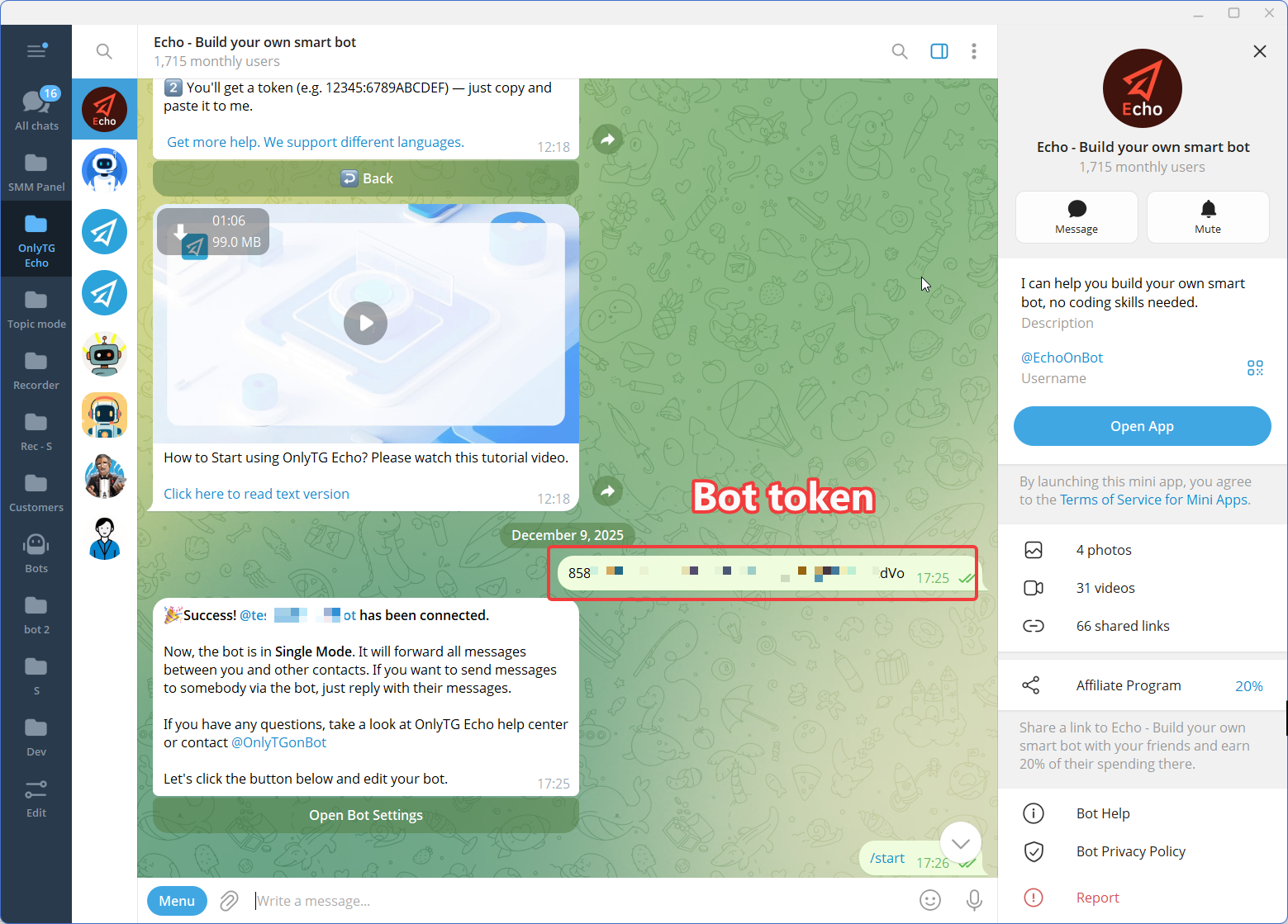
Use Telegram’s BotFather to create a bot and obtain its bot token. The bot becomes the communication interface that users interact with.
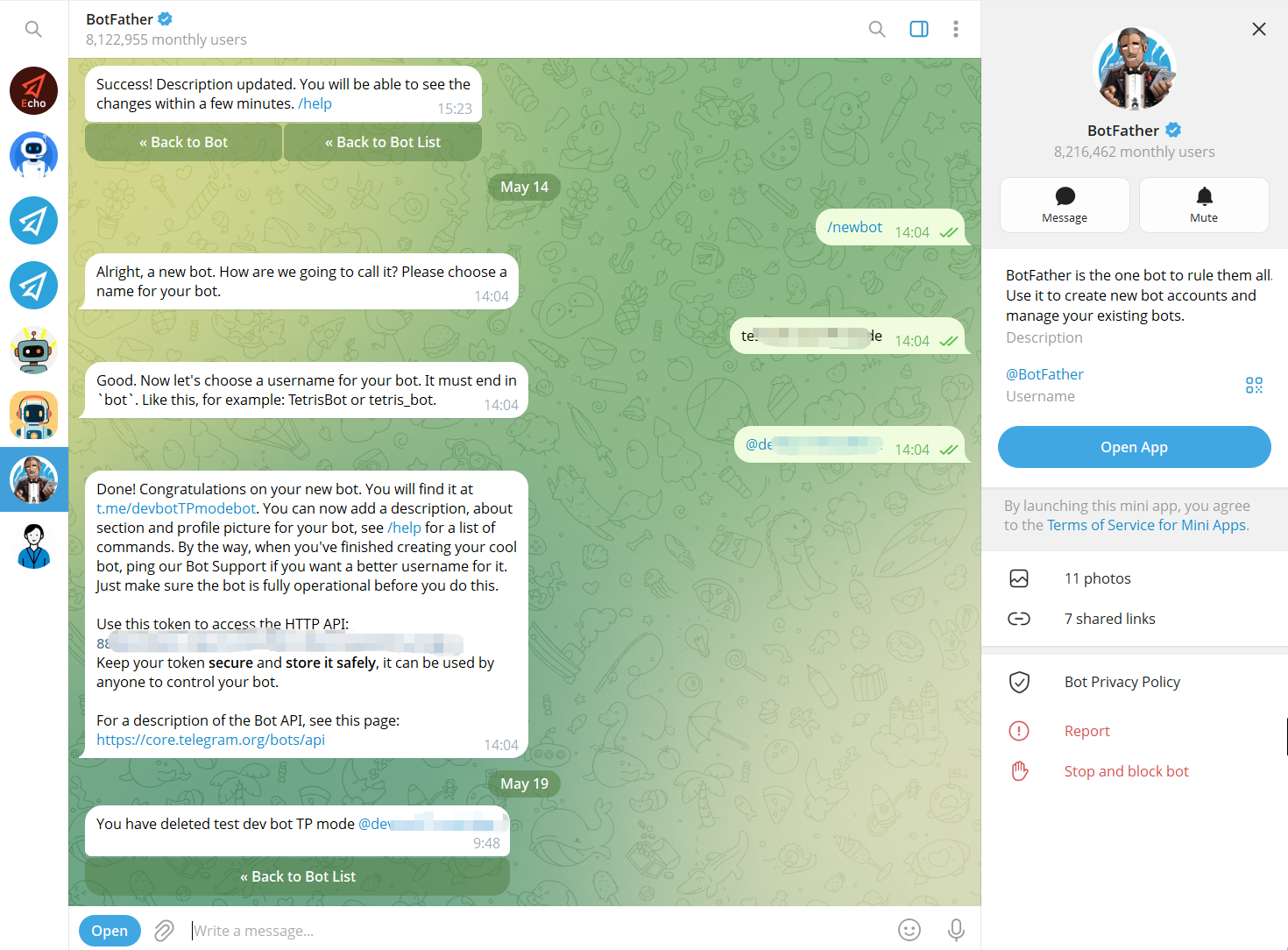
Step 2 — Connect the Bot to OnlyTG Echo
Connect the newly created Telegram bot to OnlyTG Echo using the bot token.
The purpose of this step is to give the business a no-code environment for configuring the bot’s communication behavior rather than requiring a custom automation workflow to be developed from scratch.
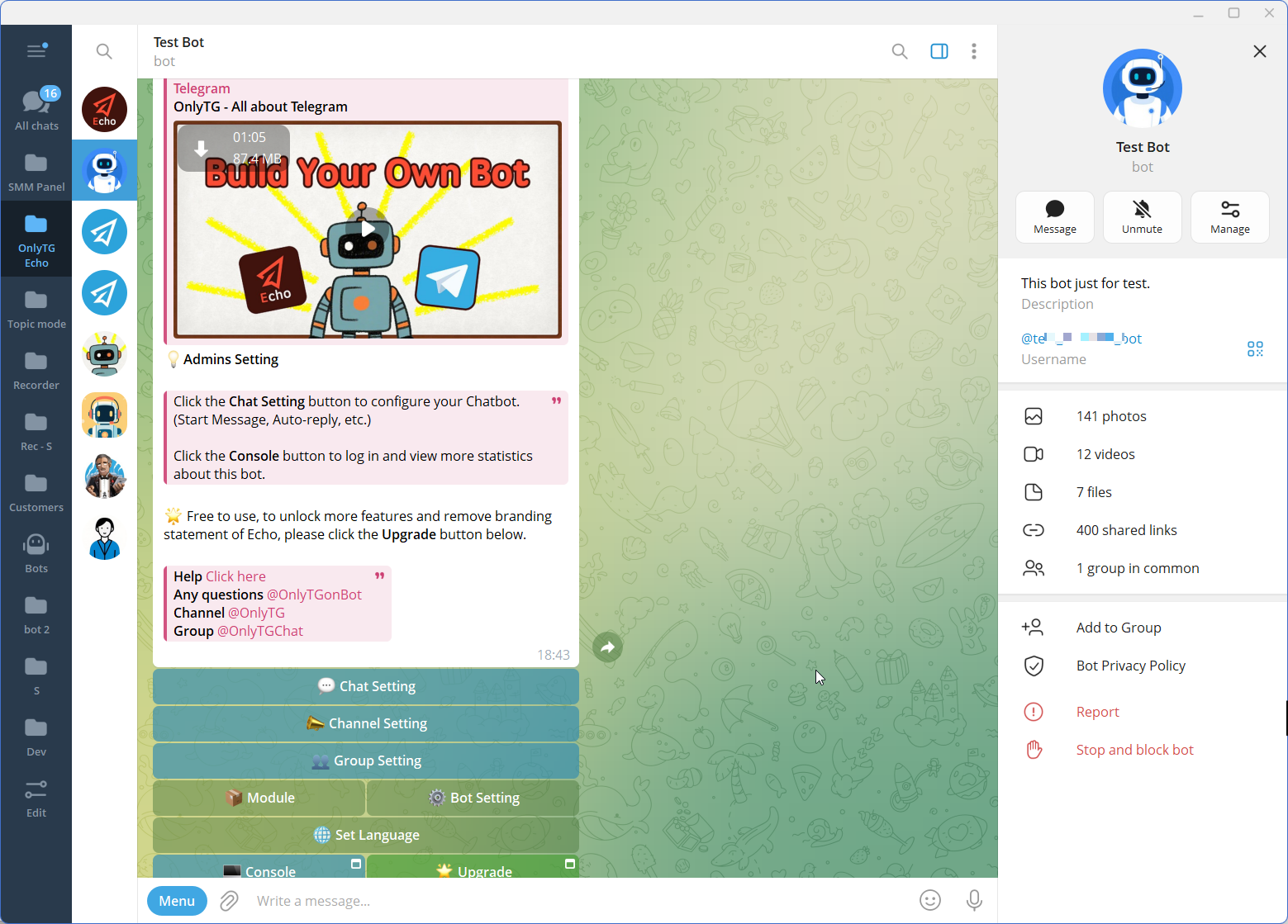
Step 3 — Configure the Features
Manual Welcome Messages vs. Telegram Automation
| Comparison point | Manual approach | Automated approach |
|---|---|---|
| Message delivery | An administrator sends the greeting manually. | A configured greeting is sent when its trigger and conditions are met. |
| Consistency | Depends on the administrator remembering the required information. | Uses predefined content until the configuration is changed. |
| Availability | Depends on an administrator being available to respond. | Can deliver the configured message without an administrator manually sending it at that moment. |
| Personalization | Administrators can adapt each greeting individually. | Uses the configured message and any supported options. |
| Routine workload | Repeated introductions require repeated manual actions. | Handles the standard greeting automatically. |
| Ongoing maintenance | Administrators update their own messages and practices. | The configured content must still be reviewed and updated when information changes. |
| Best fit | Small communities where personal introductions are important. | Communities or businesses that need repeatable onboarding at higher or irregular volumes. |
Automation is not automatically the better choice for every conversation. A small private group may benefit more from personal introductions, while a growing business community may need a consistent automated starting point. Some teams use both: an automatic introduction followed by personal assistance when necessary.
Is Auto Welcome on Telegram Right for Your Business?
Consider automation when the same introductory information needs to reach new members repeatedly, when people frequently ask where to start, or when administrators cannot reliably greet everyone in real time.
It can be particularly useful for:
- Customer communities that need to share group rules and support resources.
- Course creators and educators who need to direct learners to schedules and materials.
- Businesses using Telegram bots to introduce services and organize the first interaction.
- Creators and membership communities that need a consistent welcome experience.
- Community teams that want to reduce repetitive administration without removing human support.
Manual onboarding may remain preferable when membership is small, introductions are highly personal, or each new member requires an individual assessment.
Before choosing a solution, identify the event that should trigger the message, the information recipients need, and the next action you want them to take. Then select the appropriate group greeting or bot start-message workflow.
FAQ
1. How can I set up auto welcome on Telegram?
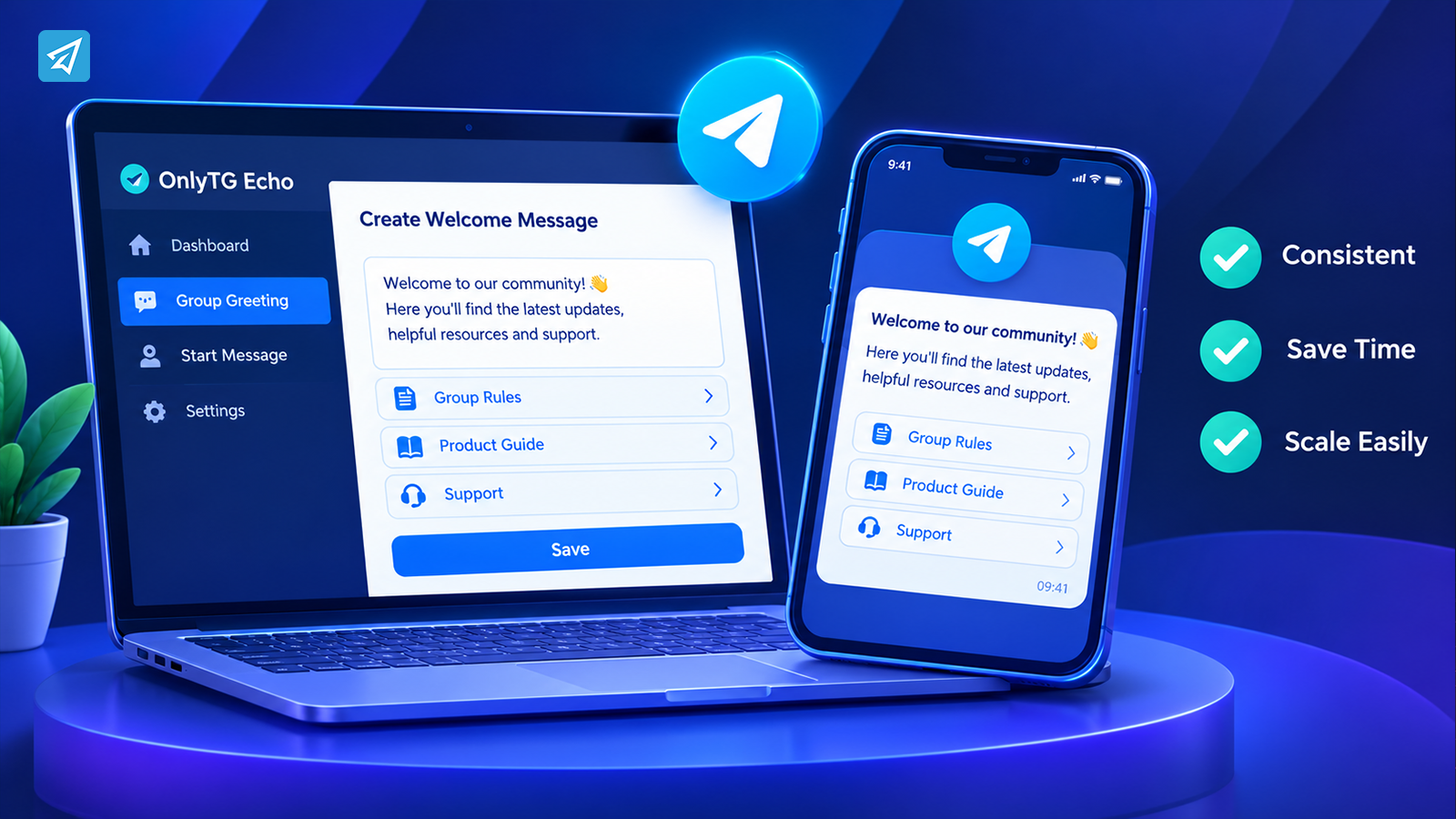
You can use a group greeting workflow to welcome new group members or a bot start message to greet users who activate a bot. OnlyTG Echo supports both Group Greeting and Start Message. Configure the relevant content, test the workflow, and verify that links and buttons work as intended.
2. What should I include in a Telegram group welcome message?
Include a brief introduction, the group’s purpose, essential rules or resources, and one clear next step. Add only the links that newcomers need immediately. Keep the message concise and make sure its information stays current.
3. Can OnlyTG Echo automatically welcome users who start a Telegram bot?
Yes. OnlyTG Echo’s Start Message feature sends configured messages when a user first starts the bot or activates it with /start. The message can include supported text, media, and buttons to help guide users toward the next step.
Conclusion: Make Every Telegram Welcome More Useful
Manual greetings become harder to maintain when a Telegram community or customer-facing bot attracts more users. A well-designed automated welcome workflow provides consistent information, reduces repetitive administrative tasks, and helps newcomers understand what to do next.
The best result comes from combining the right trigger with a concise, useful message. Use Group Greeting for new group members or Start Message for people entering through a bot, then test the experience and keep the information updated.
If you want to build a more repeatable Telegram onboarding process, explore OnlyTG Echo and choose the welcome workflow that fits your community.