

Telegram groups can start with only a few conversations a day and eventually become busy communities with constant questions, promotions, links, and new members. At that point, simply posting a list of Telegram Group Rules is not enough. Someone still needs to welcome members, answer repeated questions, identify rule violations, and keep recurring information visible.
A clear rule system combined with automation can turn these repetitive tasks into predefined workflows. This article explains why Telegram Group Rules matter, where manual management becomes difficult, and how businesses can use automation to create a more consistent and scalable community management process.
Why Are Businesses Turning to Telegram Group Automation?
For businesses, a Telegram group is often more than a chat room. It may support customers, distribute product information, build an audience, collect feedback, or keep an existing community engaged.
As activity increases, several operational pressures appear.
First, communication volume grows. More members naturally create more questions, replies, links, and conversations for administrators to monitor.
Second, members expect quick and consistent communication. New members may need the same basic information that existing members already know, while frequently asked questions can consume significant admin time.
Third, repetitive tasks compete with higher-value work. An administrator who repeatedly explains the same rule or responds to the same keyword is spending time on predictable actions instead of community development.
Finally, scalability becomes an operational issue. A process that works for a small group may become difficult to maintain when the number of members and daily messages increases.
This is why businesses increasingly look at Telegram group automation as a way to handle predictable interactions while keeping human administrators responsible for decisions that require judgment.
What Happens Without Automation?
Repetitive Work
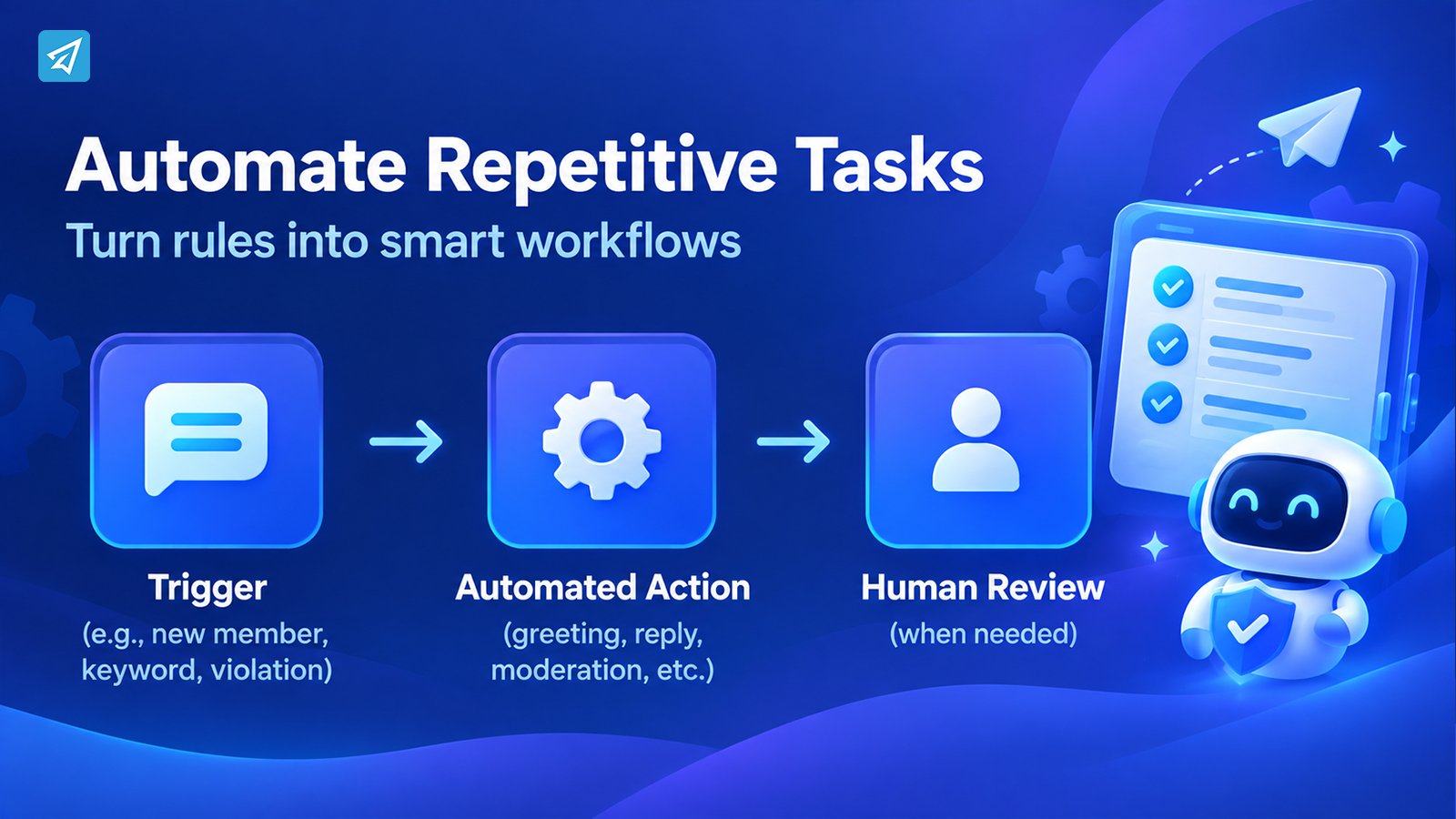
Without automation, administrators often handle the same actions repeatedly: explaining rules, answering common questions, welcoming new members, removing prohibited content, and reminding people where to find information.
Each individual task may seem small. The problem is the cumulative workload.
When the same response has to be delivered dozens of times, the group becomes dependent on administrators performing predictable tasks manually.
Slow or Inconsistent Communication
Manual moderation also introduces inconsistency.
One administrator may respond immediately while another responds later. One person may issue a warning for a violation while another may overlook the same behavior. New members may receive different levels of onboarding depending on who happens to be available.
Clear Telegram Group Rules provide a common standard, but consistent execution is equally important.
Limited Scalability
A growing group creates more events that require attention.
More members mean more onboarding. More messages mean more potential violations. More questions mean more repetitive answers.
Adding administrators can help, but it does not necessarily solve the underlying problem if the workflow itself remains manual. Automation allows predictable actions to be handled according to predefined rules instead.
How Do Telegram Group Rules Solve These Problems?
Effective community management is not simply about writing rules. It is about connecting rules with repeatable actions.
A practical workflow looks like this:
Clear Rule → Trigger → Automated Action → Human Review When Needed
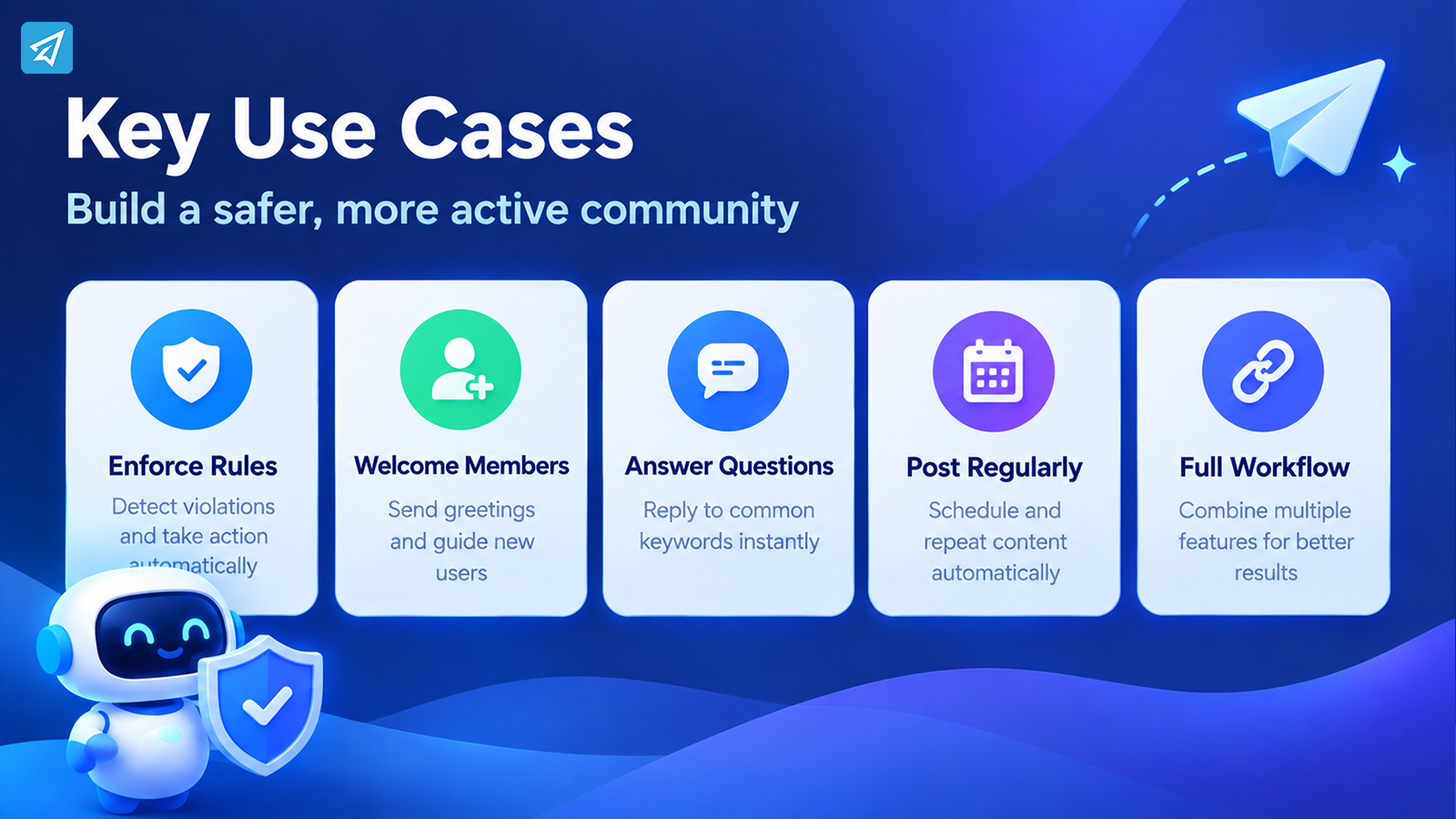
For example, a business might define which types of links are prohibited. Instead of requiring an administrator to watch every message, an automation system can detect relevant violations and apply the configured response.
OnlyTG Echo‘s Group Rules function allows administrators to configure rules for group messages, including prohibited words and Telegram links, with available enforcement actions such as warnings, muting, kicking, or blocking depending on the configured rule.
This changes the role of administrators. Instead of manually handling every predictable event, they can define the rules in advance and focus their attention on situations that actually require human judgment.
The same principle can extend beyond moderation. New members can receive automated greetings, frequently asked questions can trigger predefined replies, and recurring group content can be scheduled instead of published manually each time.
Key Business Use Cases
1. Enforcing Telegram Group Rules Automatically
A business community may prohibit spam, certain words, unwanted links, or other types of content.
The problem is not necessarily defining the rules. It is monitoring the group continuously enough to apply them.
With OnlyTG Echo, administrators can configure Group Rules and specify how violations should be handled. Depending on the rule, the available actions include deleting violating messages and applying penalties such as warning, mute, kick, or block.
Business value: predictable moderation tasks become predefined workflows rather than actions that administrators must repeatedly perform themselves.
2. Welcoming and Onboarding New Members
New members often need the same information: what the group is for, where to find important resources, and what behavior is expected.
An automated greeting creates a consistent starting point.
OnlyTG Echo’s Group Greeting feature can automatically send a configured greeting when a new member joins. The greeting can contain text, media, and buttons, while CAPTCHA can be used before the greeting when that verification feature is enabled.
Business value: every new member receives the same basic onboarding information without requiring an administrator to send it manually.
3. Answering Common Questions
Customer and community groups frequently receive repeated questions about products, links, instructions, events, or resources.
Instead of answering every question manually, administrators can define relevant keywords and associate them with preset responses.
OnlyTG Echo’s Group Keywords Reply feature allows administrators to configure keywords and automated messages. A keyword reply can contain multiple messages and can have a trigger interval to prevent the same response from firing repeatedly within the configured period.
Business value: administrators spend less time repeating standard information while members can receive predefined answers when the relevant keyword appears.
4. Keeping Recurring Information Visible
Businesses may need to publish recurring announcements, reminders, resources, or community content.
Publishing these manually creates another recurring administrative task.
OnlyTG Echo supports group posts with text, media, and buttons, as well as loop posts that can be configured for recurring publication.
Business value: recurring communication can become part of a defined content workflow instead of relying entirely on someone remembering to publish it.
5. Combining Rules With a Broader Community Workflow
The strongest use of automation is not necessarily one isolated feature. It is the connection between several predictable stages.
A business community could use:
CAPTCHA → Group Greeting → Telegram Group Rules → Keyword Replies → Scheduled Group Posts
This creates a more structured member journey. New users can be verified, introduced to the community, guided by clear rules, given answers to common questions, and kept informed through recurring content.
The important point is that automation should support the community strategy rather than replace human management.
What Are the Main Business Benefits?
Save Operational Time
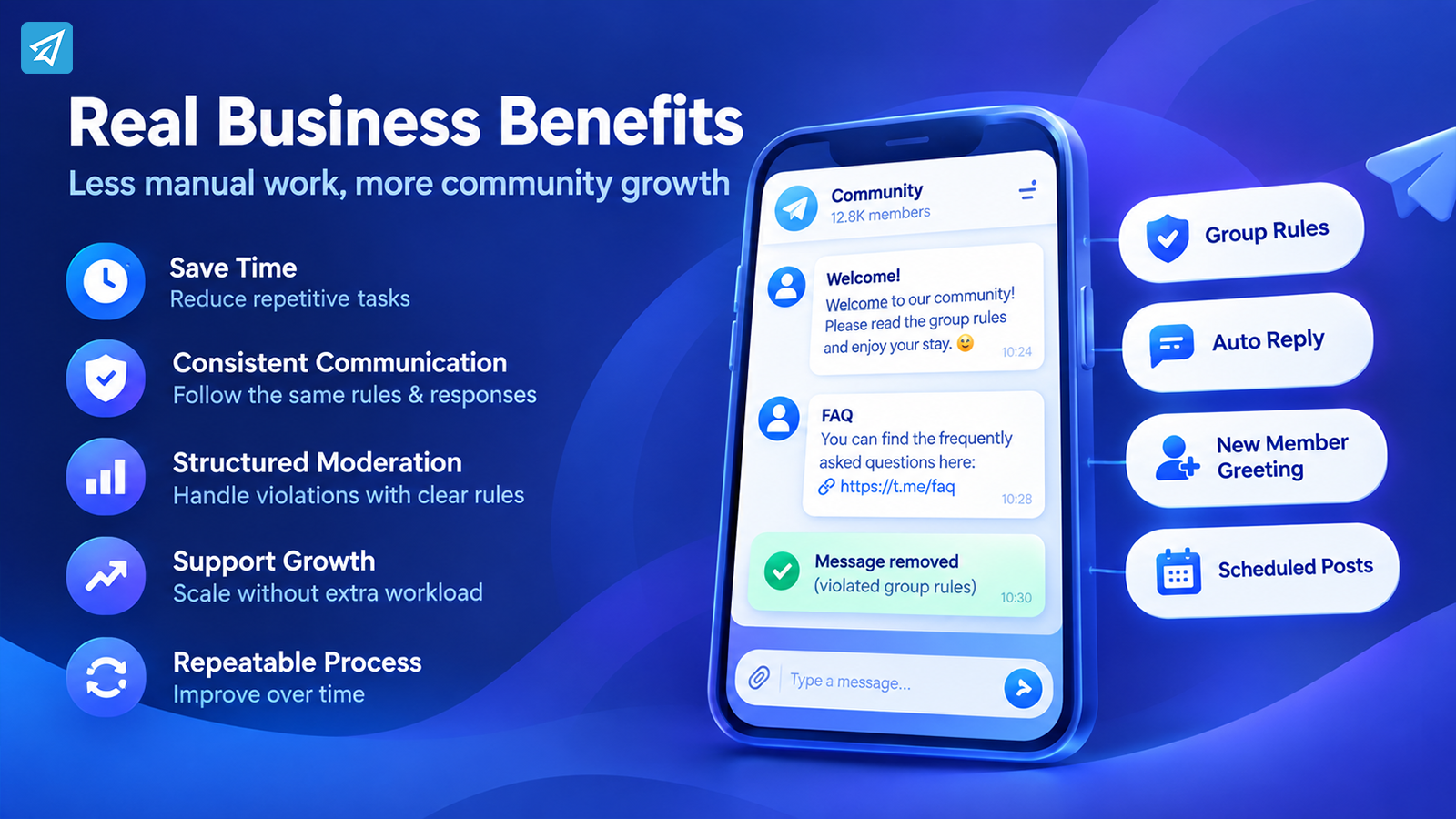
Automating predictable actions reduces the number of repetitive tasks administrators need to perform manually.
Improve Response Consistency
Predefined rules and responses help ensure that similar situations are handled according to the same configured workflow.
Make Moderation More Structured
Instead of relying entirely on individual administrator judgment for recurring violations, businesses can establish rules and corresponding actions in advance.
Support Community Growth
As member and message volume increases, automation can absorb some predictable workload so administrators can focus on conversations, escalations, and community development.
Create a Repeatable Operating Process
The biggest advantage is not simply sending an automated message. It is turning recurring community activities into a process that can be configured, tested, and improved.
How to Use OnlyTG Echo
A practical implementation can be kept relatively simple.
Step 1 — Create a Telegram Bot
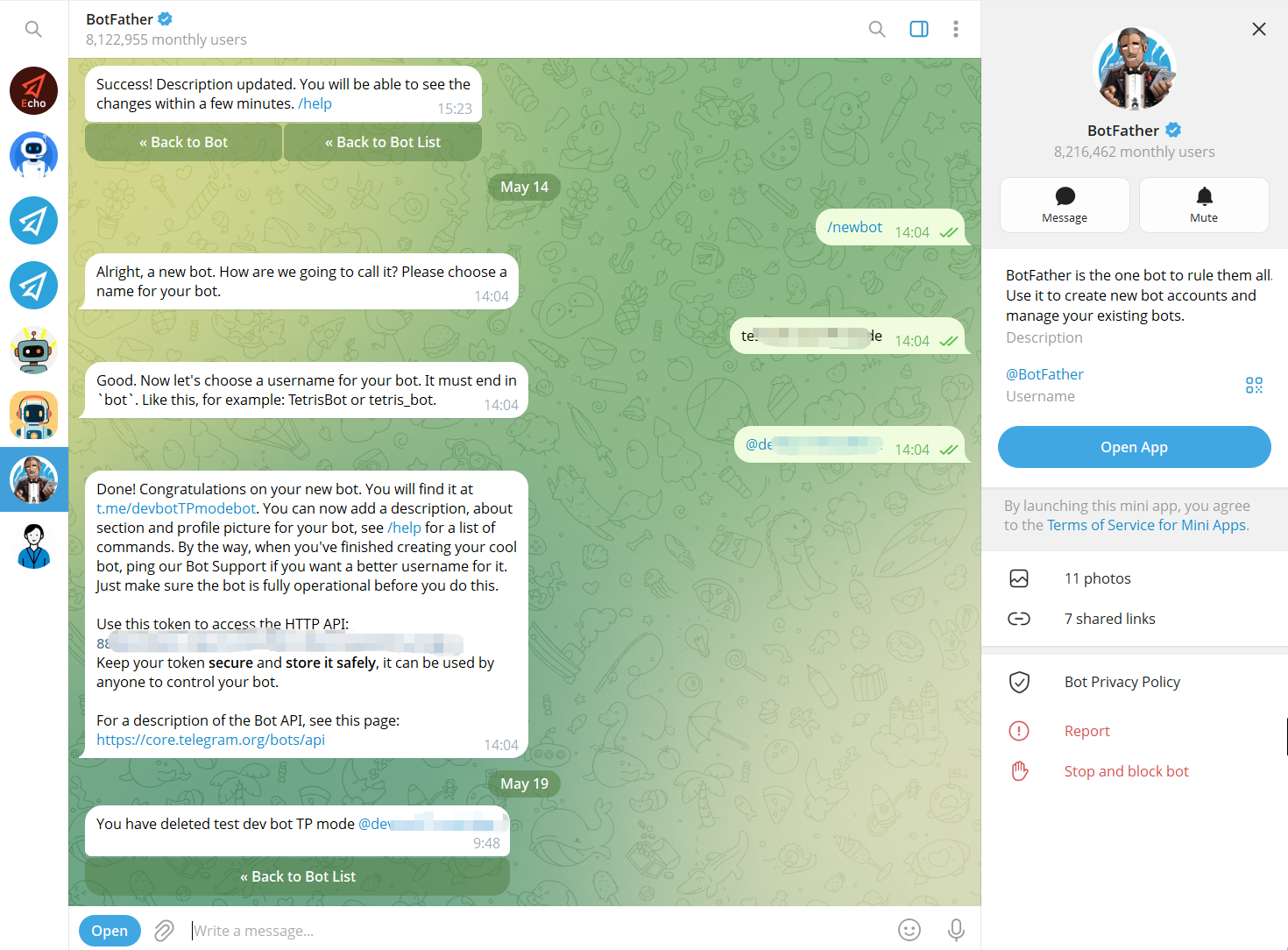
Use Telegram’s BotFather to create a bot and obtain its bot token. The bot becomes the communication interface that users interact with.
Step 2 — Connect the Bot to OnlyTG Echo
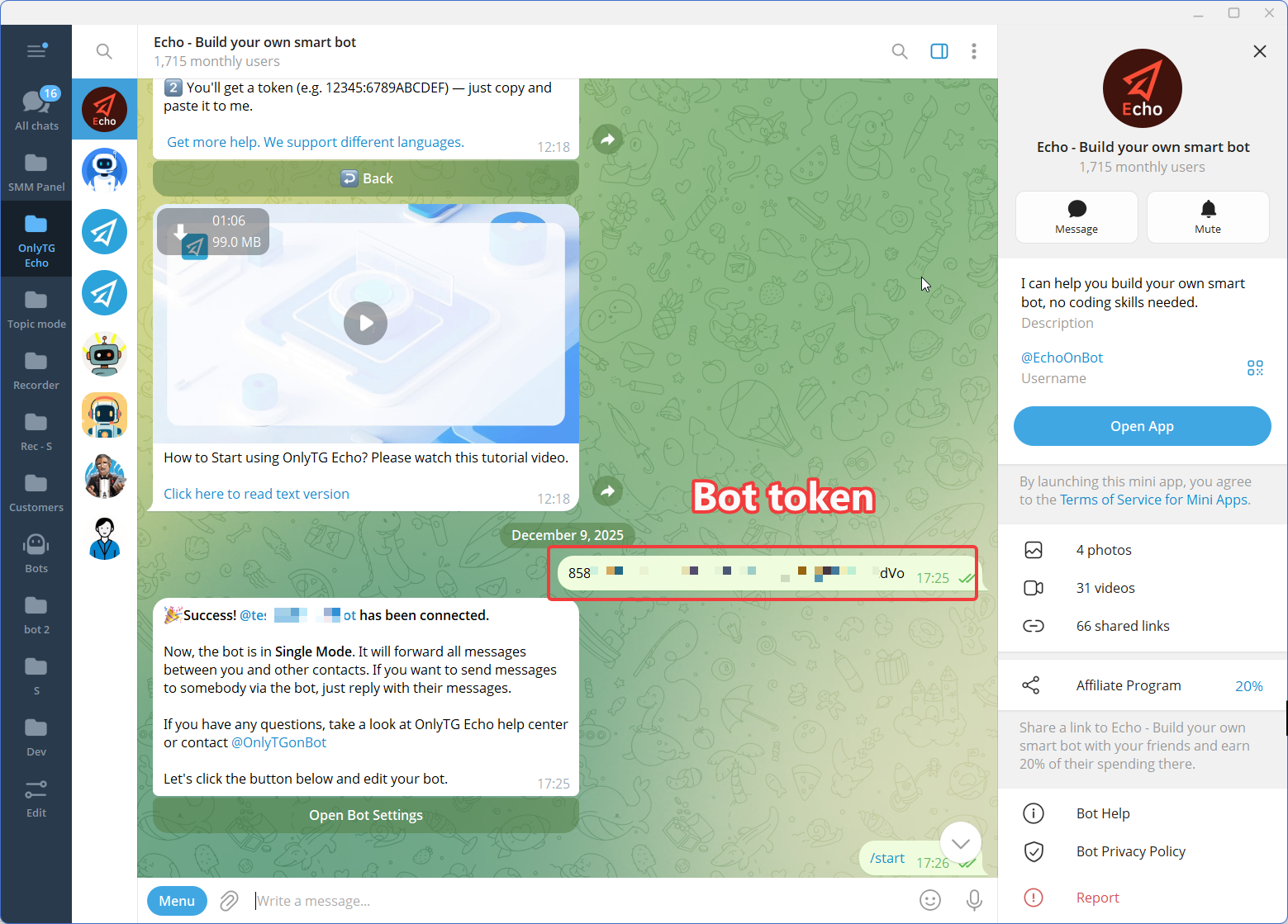
Connect the newly created Telegram bot to OnlyTG Echo using the bot token.
The purpose of this step is to give the business a no-code environment for configuring the bot’s communication behavior rather than requiring a custom automation workflow to be developed from scratch.
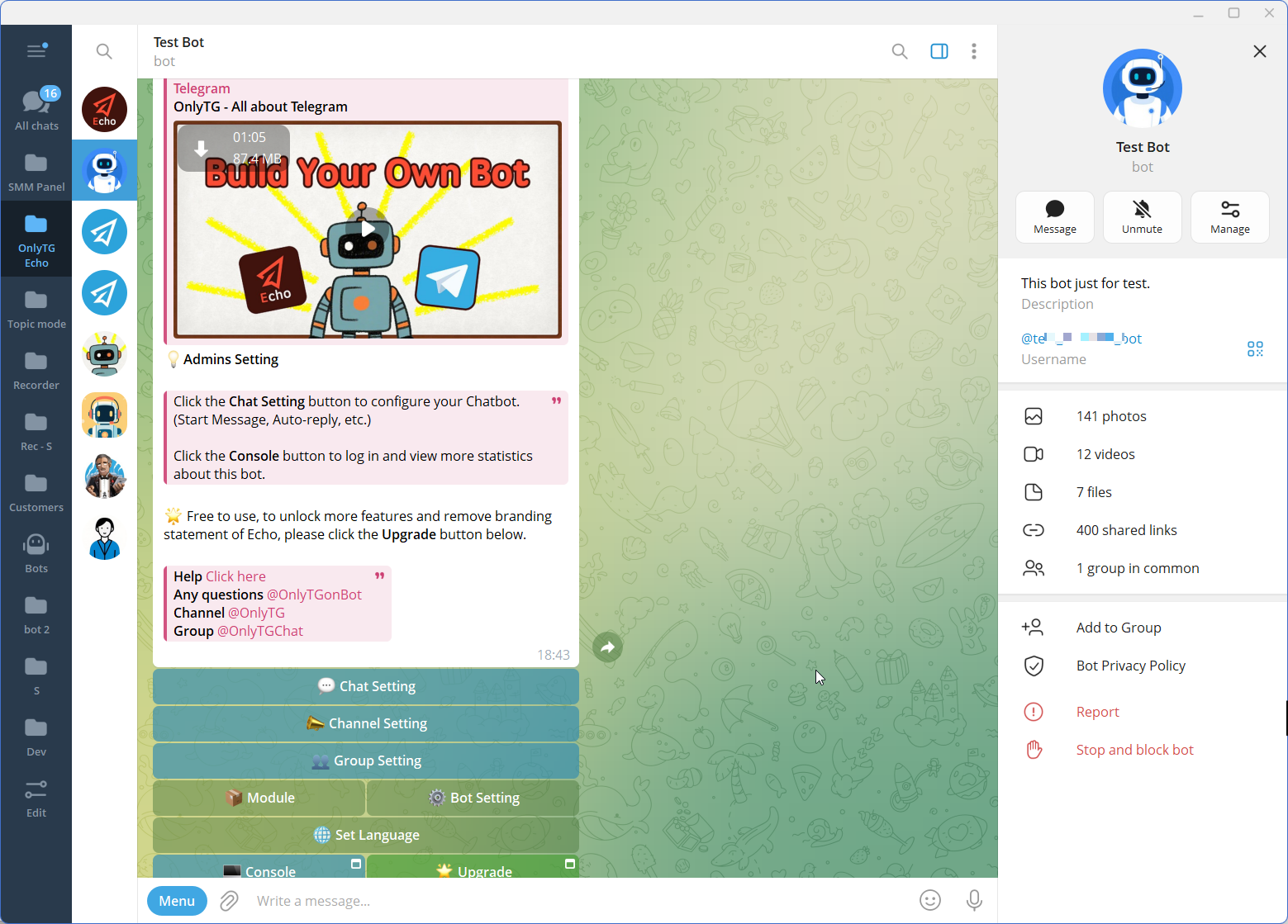
Step 3 — Configure the Features
Manual Approach vs. Telegram Automation
| Area | Traditional Manual Approach | Telegram Automation with OnlyTG Echo |
|---|---|---|
| Group rules | Admin communicates and enforces rules manually | Configurable Group Rules can handle defined violations |
| New-member onboarding | Admin sends welcome information manually | Group Greeting can send a configured message automatically |
| Member verification | Admin handles verification manually | CAPTCHA can verify new members before they receive the configured greeting |
| Common questions | Admin repeatedly answers similar questions | Keyword Replies can send preset responses when configured keywords are detected |
| Recurring posts | Admin publishes each post manually | Group Posts and Loop Posts can support scheduled or recurring group content |
| Moderation workload | More routine actions remain with administrators | Defined routine actions can be handled by configured automation |
| Human judgment | Required for moderation and community decisions | Still required for situations outside predefined workflows |
Automation does not remove the need for administrators. It changes which tasks require their direct attention. The predictable parts of group management can be configured in advance, while human decisions remain with the people responsible for the community.
Is This the Right Solution for Your Business?
Telegram Group Rules and automation are particularly relevant when a community has recurring operational tasks rather than only occasional conversations.
Consider the following questions:
- Does your group receive enough messages that manual monitoring is becoming difficult?
- Do new members repeatedly ask for the same information?
- Are administrators spending time explaining the same rules?
- Do you regularly need to remove similar types of unwanted content?
- Do you publish recurring announcements or resources?
- Does your community have a customer-support or product-education function?
- Would predefined workflows make daily group operations easier to manage?
If most of these situations apply, automation may be worth evaluating.
OnlyTG Echo is especially relevant for businesses and community operators that want to combine moderation, onboarding, keyword-based responses, and recurring group communication in one bot-based workflow.
However, automation should remain proportionate to the community. Groups that rely heavily on nuanced discussions, sensitive moderation decisions, or highly personalized interactions may still require substantial human involvement.
FAQ
1. What should be included in Telegram Group Rules?
A useful rule set should clearly explain what members can and cannot do, such as restrictions on spam, prohibited content, unwanted links, or disruptive behavior. The exact rules should reflect the purpose and audience of the group rather than using the same template for every community.
2. Can Telegram Group Rules be enforced automatically?
Yes. Automation can be used for predefined moderation conditions. For example, OnlyTG Echo’s Group Rules can be configured around certain message conditions and can apply actions such as warning, muting, kicking, or blocking according to the configured rule.
3. How can I automate Telegram group management?
Start by identifying repetitive tasks, then configure one workflow at a time. With OnlyTG Echo, businesses can combine Group Rules with features such as Group Greeting, CAPTCHA, Keyword Replies, and recurring Group Posts to automate predictable parts of community management.
Conclusion
Effective Telegram Group Rules are more useful when they are connected to a practical enforcement process. As communities grow, manually welcoming members, answering repeated questions, monitoring violations, and publishing recurring information can create an unnecessary operational burden.
For businesses looking to structure Telegram group management around clear rules and repeatable processes, OnlyTG Echo provides Group Rules alongside complementary tools for onboarding, keyword responses, verification, and recurring group content.
If your team is spending too much time managing repetitive Telegram group tasks, explore OnlyTG Echo and identify which parts of your current workflow can be automated.