

Telegram can become difficult to manage when the same customer questions, product requests, and community queries arrive repeatedly. Manually answering every message consumes team time and creates inconsistent response experiences, especially as message volume grows.
A keyword triggered Auto Reply on Telegram gives businesses a more structured way to handle recurring conversations. Instead of responding manually to every familiar question, a Telegram bot can recognize predefined keywords and send the appropriate response automatically.
This article explains why keyword-triggered automation matters, where it works best, how to implement it, and how OnlyTG Echo can support the process.
Why Are Businesses Turning to Keyword-Triggered Telegram Automation?
The value of Telegram automation starts with a simple operational problem: businesses often receive many messages that require similar responses.
A customer may repeatedly ask about pricing. A community member may ask where to find the rules. A prospect may want product information. A new user may need instructions before continuing.
When these interactions happen frequently, manually handling them creates unnecessary work.
Growing Communication Volume
As a Telegram audience grows, the number of incoming messages can increase faster than a team can comfortably manage. Even if each individual question takes only a short time to answer, repeated responses accumulate into a significant operational workload.
Keyword-based automation provides a way to handle predictable questions without requiring a team member to intervene every time.
Faster Response Expectations
People generally prefer not to wait for simple information. If a user asks for pricing, support documentation, or basic instructions, a delayed response can interrupt the next step of their journey.
A keyword-triggered response can provide the relevant information immediately when the message matches a configured rule.
Repetitive Operational Tasks
Repetitive communication is one of the easiest areas to automate because the expected response is already known.
Instead of repeatedly copying the same answer, businesses can define the trigger and response once and let the bot handle future matching messages.
Scaling Beyond One-to-One Communication
Automation becomes increasingly useful when Telegram is part of a broader customer, marketing, or community workflow.
The goal is not to replace human communication. It is to allow people to focus on conversations that actually require judgment while the bot handles predictable interactions.
What Happens Without Automation?
Before implementing a keyword-triggered Telegram workflow, it helps to understand what manual communication looks like as message volume increases.
Repetitive Work
Teams may spend substantial time answering questions they have already answered many times.
For example, a support employee could repeatedly respond to:
- “What is the price?”
- “Where can I find the guide?”
- “How does it work?”
- “Where are the group rules?”
- “How can I get started?”
The problem is not that these questions are difficult. The problem is that answering them manually does not scale efficiently.
Slow or Inconsistent Communication
When responses depend entirely on individual team members, the timing and wording may vary.
One employee might provide a detailed answer while another sends a short message. Someone may respond immediately while another message remains unanswered for hours.
Automation creates a predefined response for predictable scenarios, making communication more consistent.
Limited Scalability
Manual workflows become harder to maintain as the number of contacts, customers, or community members increases.
Hiring more people may help, but not every recurring interaction requires human attention. Automating simple conversations can reduce the amount of repetitive work that needs to be handled manually.
How Does Keyword-Triggered Auto Reply Solve These Problems?
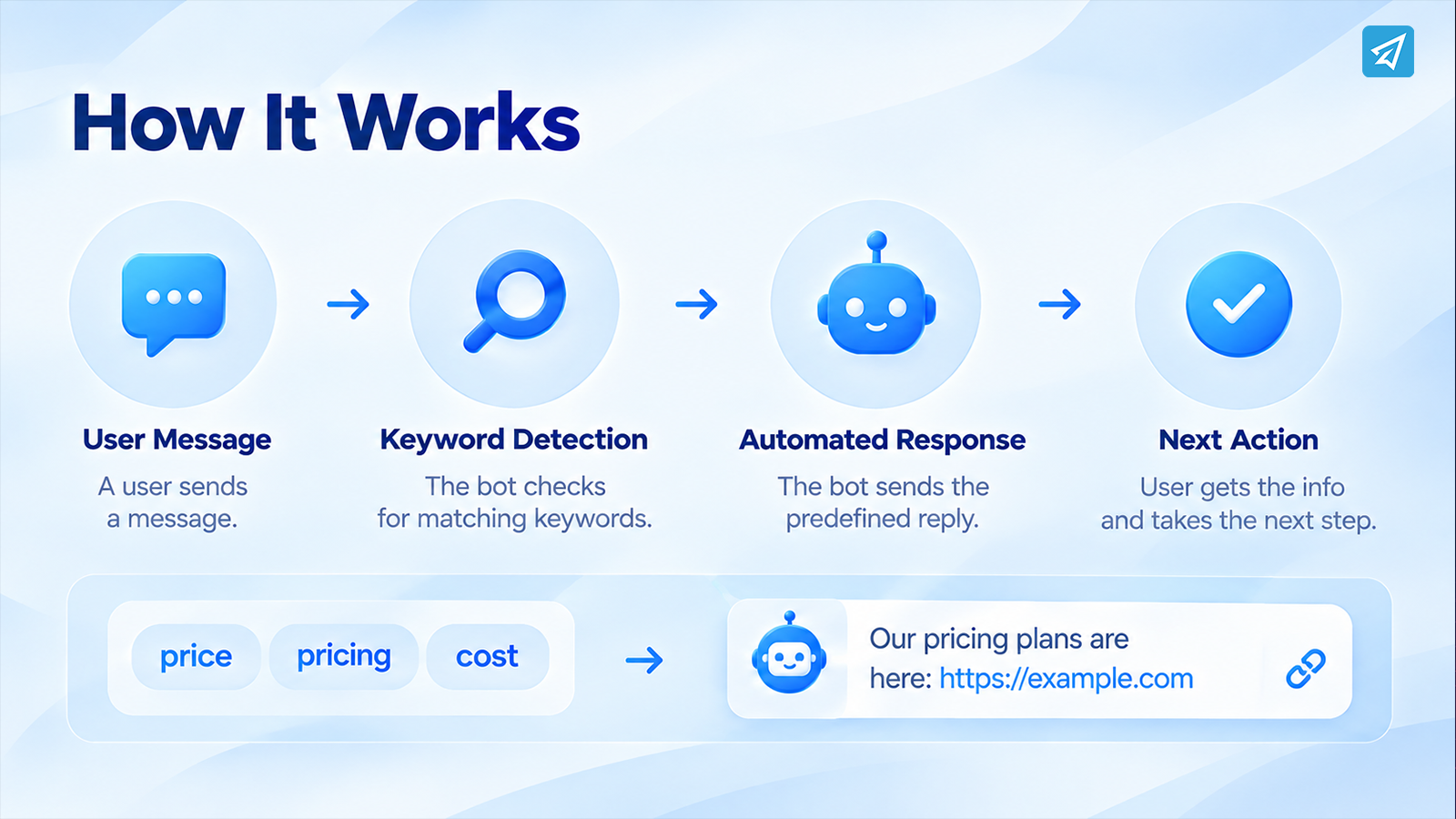
The core concept is straightforward:
User Message → Keyword Detection → Automated Response → Next Action
A business first identifies the questions or phrases that appear repeatedly. It then defines the relevant keywords and connects each group of keywords with an appropriate response.
For example:
Keywords: price, pricing, cost
Response: A predefined message containing the relevant pricing information and an optional link.
The user receives useful information without waiting for someone to manually recognize the question.
This workflow can improve several areas at once:
- Communication: Common questions receive predefined responses.
- Response speed: Users do not need to wait for manual handling of predictable requests.
- Operations: Teams spend less time repeating the same information.
- Marketing: Keyword responses can direct users toward relevant content or next steps.
- Community management: Frequently requested information can be delivered consistently.
- Scalability: A bot can handle repeated trigger-based interactions without requiring a separate manual response each time.
The important principle is to automate predictable conversations, not to force every possible conversation into a rigid rule.
Key Business Use Cases
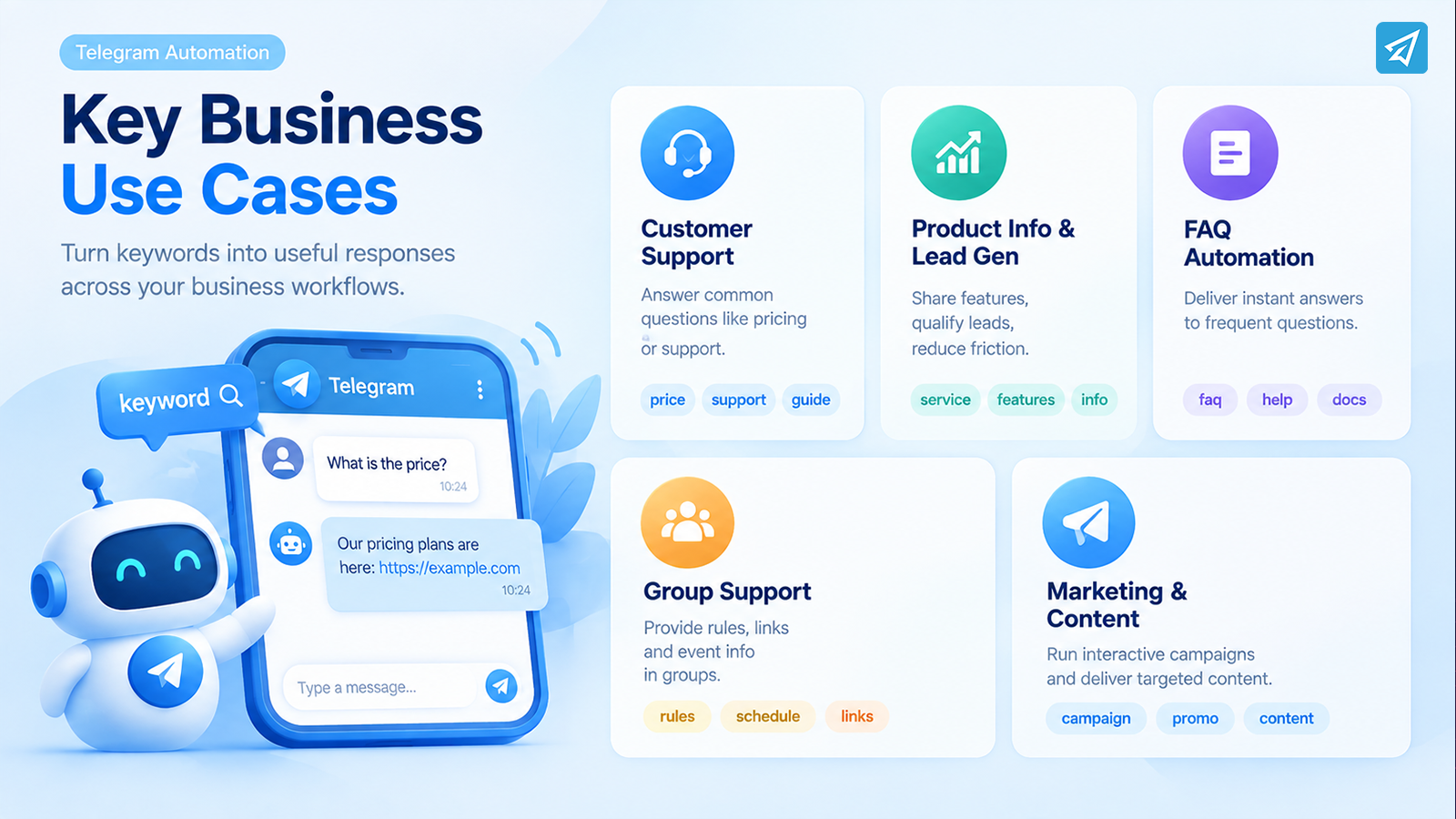
Keyword-triggered automation becomes most valuable when it is connected to a specific business workflow.
Automated Customer Support
A business may receive recurring questions about pricing, product information, ordering instructions, or support resources.
Instead of answering each question manually, the business can create keyword rules for common topics.
Business situation: Customers repeatedly ask the same basic questions.
Problem: Support staff spend time sending identical answers.
Automation: Keywords such as price, support, or guide trigger predefined responses.
Business value: Customers receive relevant information faster while the team can concentrate on more complex requests.
Product Information and Lead Qualification
Telegram can also be used during the early stage of a potential customer’s journey.
A user may ask about a product feature, service, price, or availability. A keyword-triggered reply can provide the relevant information and direct the user toward the next step.
The objective is not to automatically close the sale. It is to remove unnecessary friction from the information-gathering process.
For example:
User: “What does your service include?”
Trigger: service, features, include
Response: A predefined explanation with a relevant button or link.
FAQ Automation
Frequently asked questions are particularly suitable for keyword automation.
Businesses can identify the questions that appear most often and organize them into logical trigger groups.
Instead of building an enormous automated knowledge base, start with the questions that consume the most repetitive effort.
This keeps the automation easier to maintain and makes the responses more useful.
Telegram Group Support
Keyword automation can also be useful inside Telegram groups.
A community may repeatedly receive questions about rules, resources, schedules, or specific topics. A bot can recognize configured keywords and send predefined replies.
For example, keywords related to rules, schedule, or links can trigger the corresponding information.
This reduces the need for administrators to repeatedly answer the same community questions.
Marketing and Content Distribution
Keyword-triggered replies can also support marketing workflows.
A campaign can encourage users to send a specific word to receive relevant information. The bot then responds with predefined content, media, buttons, or links.
This creates a simple interaction:
Campaign → Keyword → Automated Content → Next Action
The approach is especially useful when a business wants to make a Telegram campaign interactive rather than relying only on one-way communication.
What Are the Main Business Benefits?
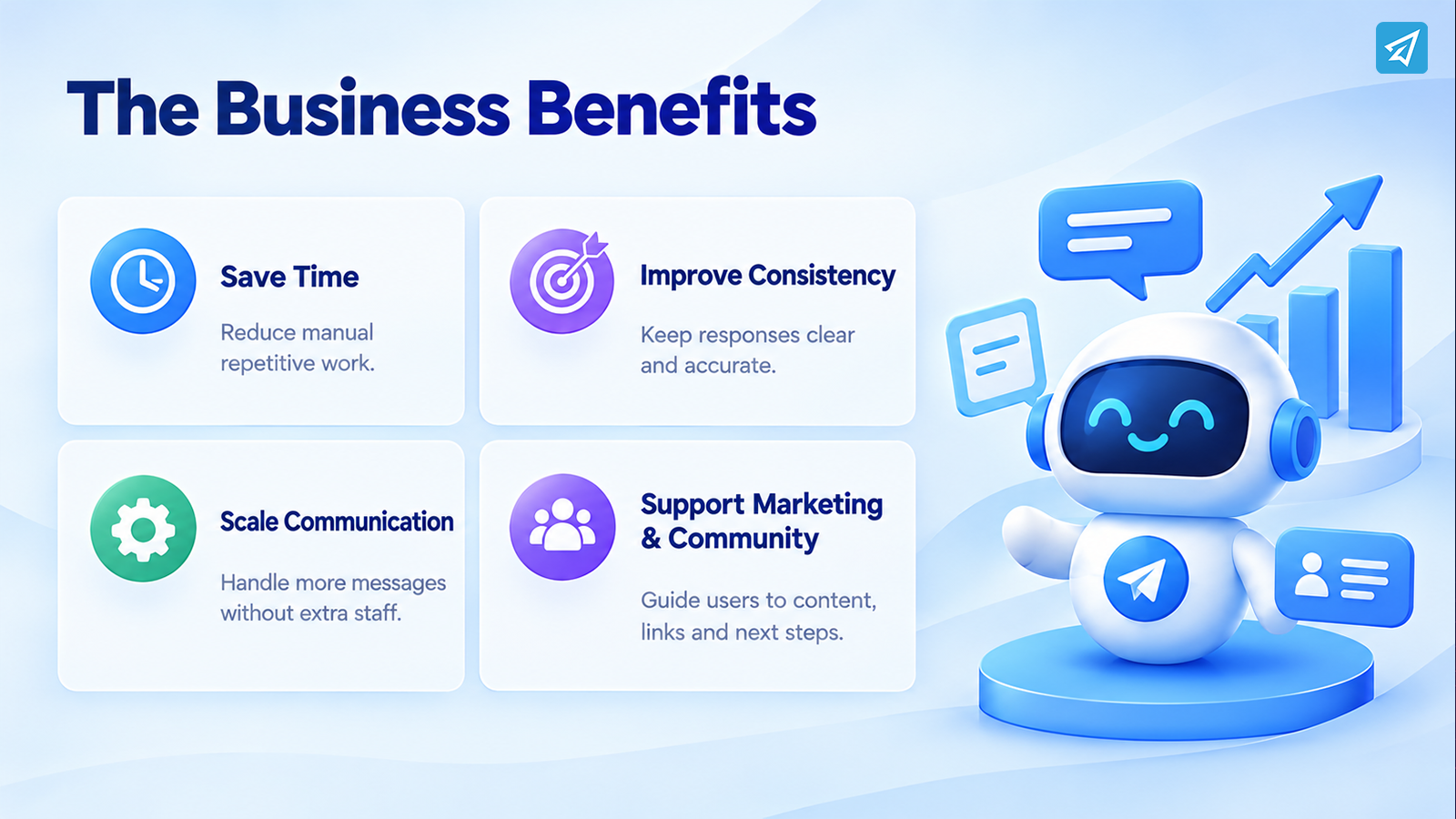
Save Operational Time
Automating repetitive responses reduces the amount of time employees spend copying and sending identical information.
The greatest value comes from automating interactions that occur frequently and follow predictable patterns.
Reduce Repetitive Work
A well-designed keyword workflow allows teams to move routine questions out of their manual workload.
This does not eliminate human support. Instead, it helps reserve human attention for situations where context, judgment, or personalization matters.
Improve Response Consistency
Predefined responses provide a consistent baseline for recurring questions.
Businesses can control the information users receive rather than relying on different employees to formulate answers independently.
Scale Communication
A bot can respond to configured keyword triggers without requiring someone to manually process every matching message.
That makes automation particularly useful when communication volume grows.
Support Marketing and Community Workflows
Keyword replies can do more than answer questions. They can guide users toward resources, content, links, or other actions.
When combined with other Telegram workflows, they can become part of a broader customer or community communication system.
Manual Approach vs. Telegram Automation
| Aspect | Manual Approach | Keyword-Triggered Automation |
|---|---|---|
| Common questions | Team members answer individually | Predefined responses handle configured triggers |
| Response process | Requires manual intervention | Bot responds when a configured keyword is detected |
| Repetitive workload | Repeatedly performed by staff | Routine responses can be automated |
| Response consistency | Depends on the person responding | Uses predefined response content |
| Scaling recurring interactions | Requires additional manual effort | Trigger-based workflows can handle repeated interactions |
| Best use | Complex, contextual conversations | Predictable and recurring requests |
| Human involvement | Required for most responses | Human attention can focus on conversations that need judgment |
The two approaches are not mutually exclusive. In practice, the strongest workflow often combines automation for predictable interactions with human handling for complex cases.
How to Use OnlyTG Echo
A practical implementation can be kept relatively simple.
Step 1 — Create a Telegram Bot
Use Telegram’s BotFather to create a bot and obtain its bot token. The bot becomes the communication interface that users interact with.
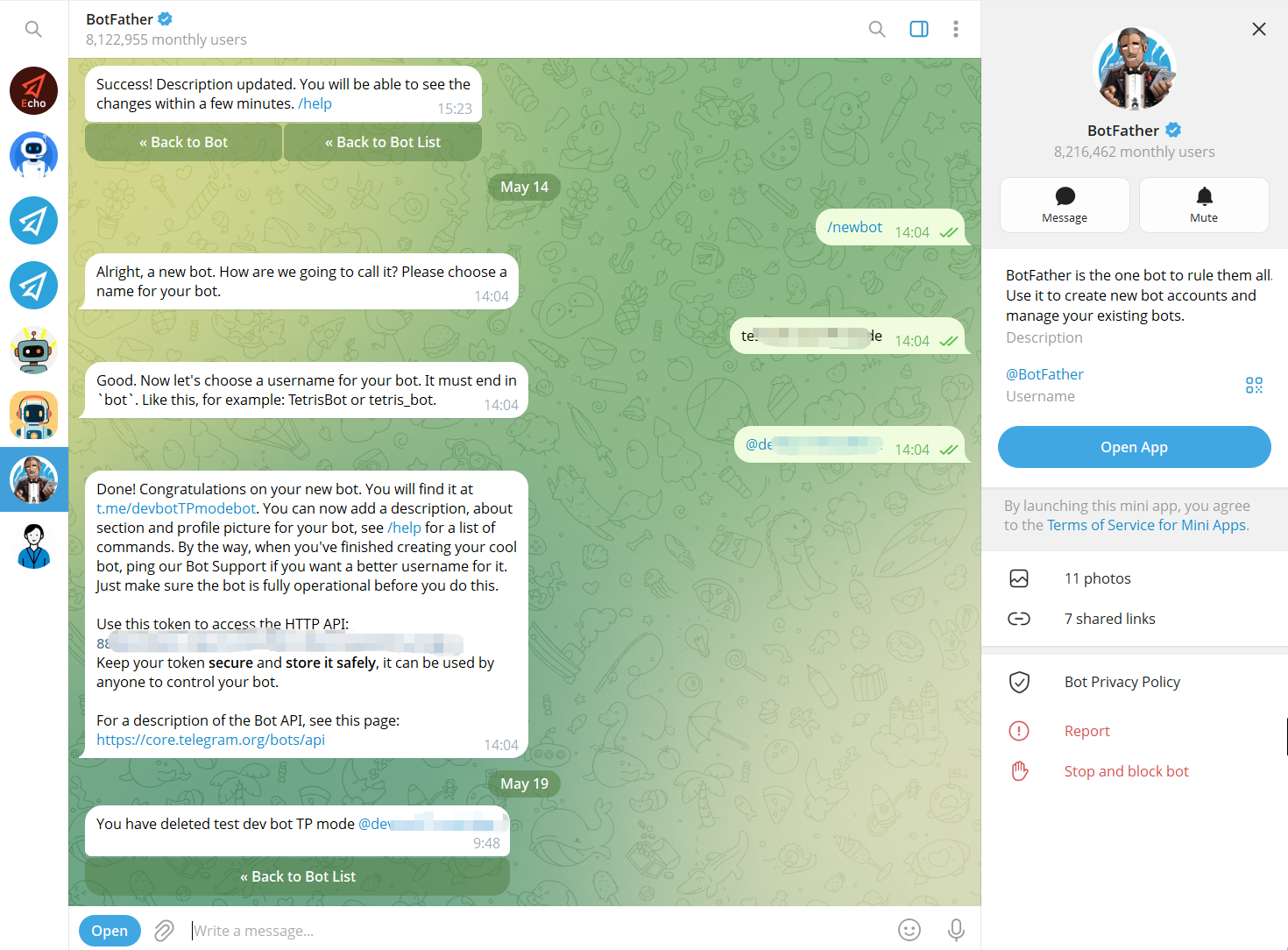
Step 2 — Connect the Bot to OnlyTG Echo
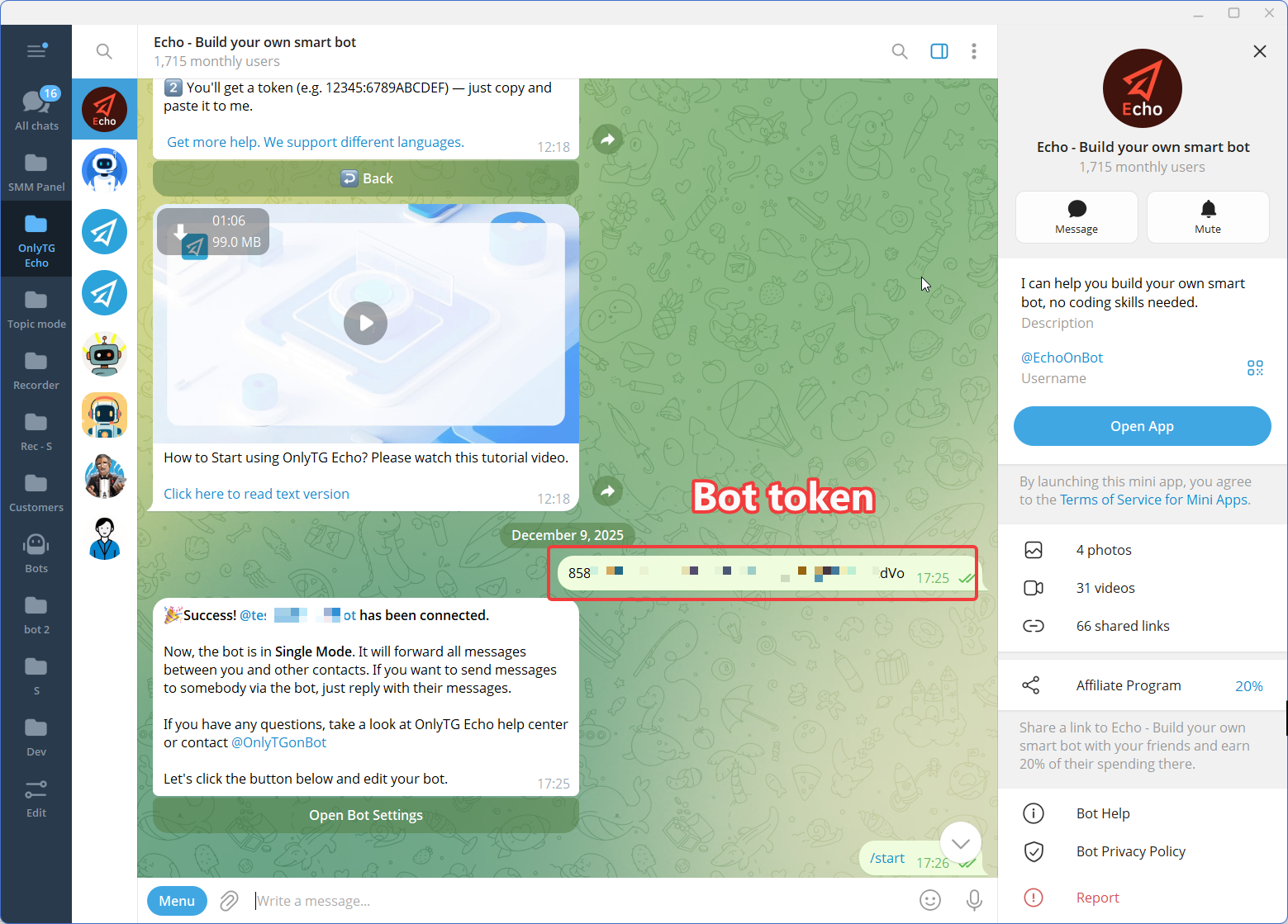
Connect the newly created Telegram bot to OnlyTG Echo using the bot token.
The purpose of this step is to give the business a no-code environment for configuring the bot’s communication behavior rather than requiring a custom automation workflow to be developed from scratch.
Step 3 — Configure the Features
Is This the Right Solution for Your Business?
Keyword-triggered Telegram automation is most useful when your business has a meaningful amount of predictable communication.
Consider these questions:
- Do customers repeatedly ask the same questions?
- Does your team spend time sending identical information?
- Does your Telegram group receive recurring questions?
- Do users need immediate access to basic product or support information?
- Do you run Telegram campaigns that could use keyword-based interactions?
- Do you want to reduce manual communication without removing human support?
If most answers are yes, keyword automation may be worth implementing.
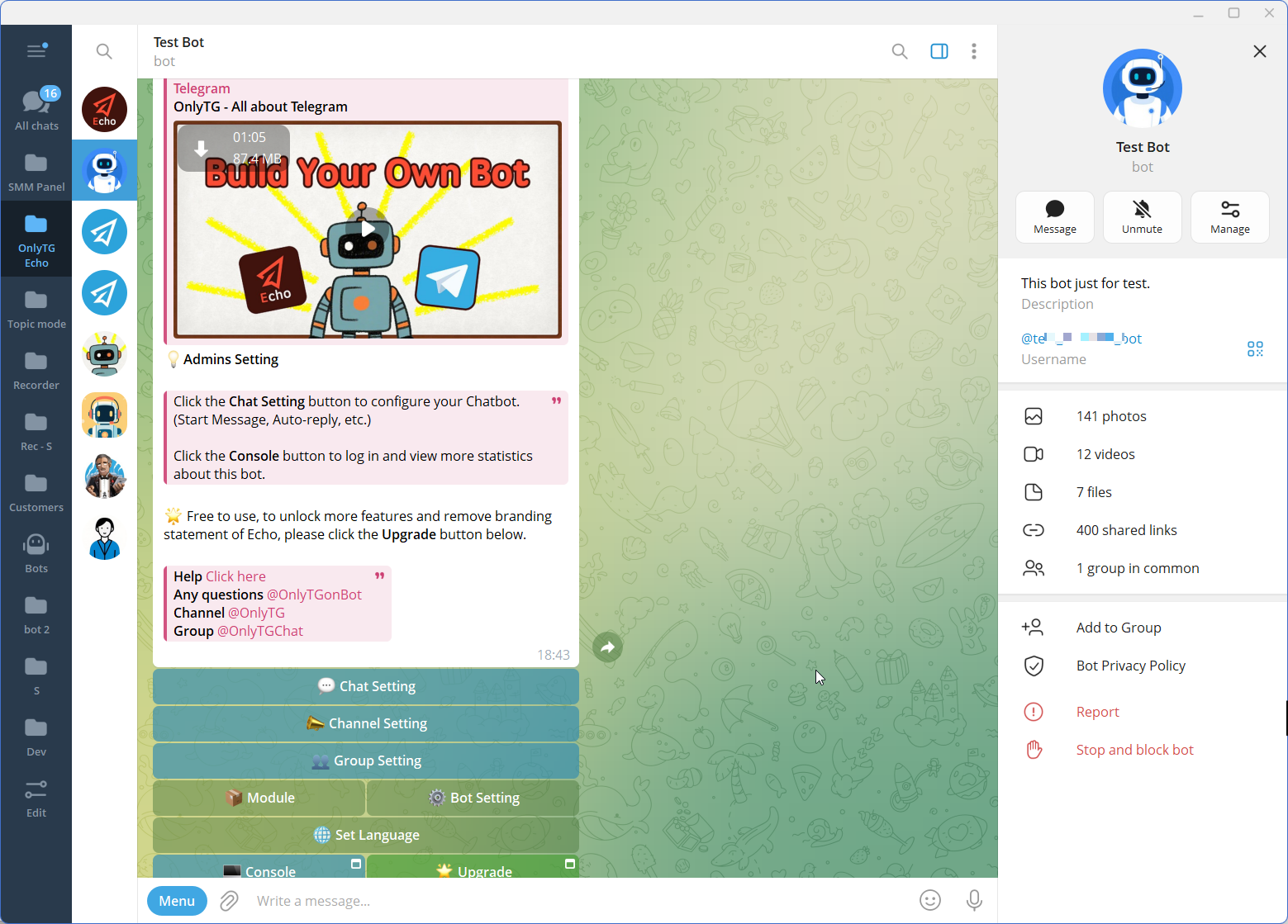
OnlyTG Echo is particularly relevant for businesses, creators, community operators, and marketers that want to build Telegram bot workflows without coding. Its chatbot tools include Start Message, Auto-reply, Keyword Reply, Quick Reply, Broadcast, and Analytics, while its group and channel features can extend automation beyond one-to-one conversations.
FAQ
1. What is a keyword triggered Auto Reply on Telegram?
A keyword triggered Auto Reply on Telegram is an automated response that activates when a user’s message contains a configured keyword. Businesses can use it to answer recurring questions, provide information, or guide users toward the next step.
2. Can I set up Telegram keyword auto replies without coding?
Yes. A no-code tool such as OnlyTG Echo can be used to connect a Telegram bot and configure keyword-based responses without building the automation from scratch with custom code.
3. What keywords should I use for Telegram auto replies?
Start with words or phrases that appear frequently in real conversations, such as price, pricing, support, guide, rules, or schedule. Group related keywords around the same user intent and review the results regularly so the automation stays relevant.
Conclusion
A keyword triggered Auto Reply on Telegram is most valuable when it solves a real operational problem: too many repetitive questions and too much manual communication.
The right approach is not to automate every conversation. Identify predictable interactions, define useful keyword triggers, provide clear responses, and leave complex conversations to people.
OnlyTG Echo provides a practical way to build this workflow with a Telegram bot, keyword-based auto replies, and other communication automation tools.