
If you run affiliate campaigns, community support, or cross-border sales, a multi account telegram android setup can save time and reduce operational chaos. The problem is that most teams still treat Telegram like a simple chat app, then mix personal, customer, and promo activity in one profile until notifications, sessions, and recovery all become messy.
This guide shows how to set up multiple Telegram accounts on Android for real commercial use, how to keep each account organized, and how to avoid the common mistakes that make teams lose access or waste hours switching between profiles.
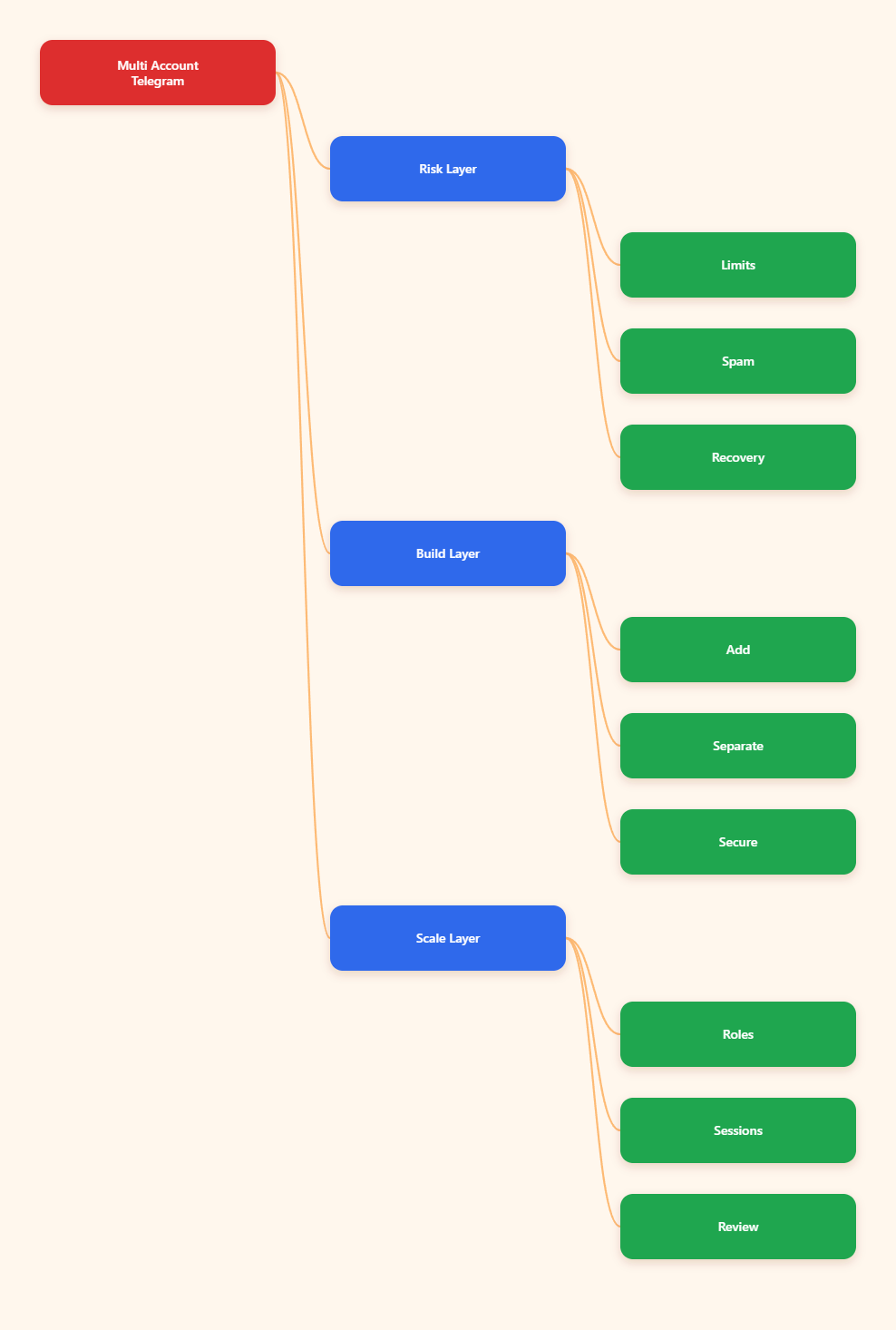
Why Android Teams Need A Safer Setup In 2026
For marketers and operators, Telegram is often a front door for leads, support, channel growth, and partner communication. One phone may hold a sales account, a creator account, a customer support account, and a private admin account. That is manageable only if each identity has a clear purpose and a stable login routine.
A messy setup creates three problems. First, you respond from the wrong account and confuse prospects. Second, notifications overlap and important chats get buried. Third, session recovery becomes harder if a phone is lost or a number changes. A clean multi account telegram android setup fixes all three by making each account operationally separate, even when they live on the same device.
Telegram’s official model is built around separate phone numbers, not shared identities. That matters because the platform uses the phone number for login and recovery, and it expects each account to stay tied to its own number. If your business workflow depends on one number for many people, the setup is already fragile.
- Use one account for one business function.
- Keep customer support separate from promotion.
- Reserve at least one admin-only account for recovery and oversight.
That simple structure makes scaling easier. It also reduces the chance of sending the wrong message from the wrong profile, which is a common cause of internal errors and external complaints.
What Telegram Officially Allows On One Device
Telegram’s official app supports multiple accounts on a single device. In common official clients, the practical limit is typically three accounts, while Telegram Premium can raise that to four in supported apps and accounts. Because clients and builds can change, always verify the current behavior in your own app before planning a team rollout.
The most important rule is unchanged: each account must use a unique phone number. There is no official shortcut around that requirement. If the number is lost, recycled, or no longer under your control, recovery becomes a business risk rather than a technical inconvenience.
For business users, this means you should think in terms of account ownership and continuity. Who controls the number? Who can receive the login code? Who can access active sessions if the phone is replaced? Those questions are more important than the number of profiles you can technically add.
Telegram also publishes clear anti-abuse expectations in its Terms of Service and Spam FAQ. The platform does not want spam, scams, illegal offers, or abusive mass outreach. So a safe multi-account workflow is not about bypassing rules. It is about organizing legitimate work so the platform sees stable, normal behavior instead of chaotic promotion.
- One account, one phone number.
- One account, one business role.
- One recovery path, documented in advance.
If your operation needs more than the built-in mobile limit, the clean answer is not to force one device beyond its comfort zone. It is to split duties across devices, use Android work profiles where appropriate, and keep the account structure understandable for the whole team.
The Best Android Setup For Multi-Account Work
The safest Android setup is the one that makes switching easy without hiding what each account is for. For most teams, that means using the official Telegram app first, then adding device-level separation only when it improves clarity. On Android, a work profile or secure folder can help keep business accounts apart from personal apps, files, and alerts.
That approach is usually better than relying on aggressive cloning tricks. Third-party clones can create confusion, duplicate notifications, or inconsistent app behavior, and they do not solve the real management problem: keeping ownership, recovery, and communication paths clear. A clone is not a strategy. A process is.
Set up each account around a stable purpose. For example, one account can handle inbound customer support, another can manage affiliate partner chats, and another can be used for internal admin or channel posting. If a team member leaves, you should be able to remove their access without disrupting the rest of the system.
Use naming and profile discipline from day one. Telegram usernames can stay public-facing, but your internal labels, notes, and login inventory should be standardized. When people manage multiple accounts, missing documentation becomes the real source of risk.
- Separate work and personal contexts.
- Use one clear role per account.
- Document recovery numbers and owner names.
- Keep backup access for critical business accounts.
If your Android device supports it, use notification controls to silence low-priority accounts during peak work hours. That small change often improves response speed more than adding another app layer ever will.
Step-By-Step Android Setup
The actual setup is simple once the account roles are defined. Start with the account that will matter most to your business, then add the rest one by one. Do not rush the process, because the first 24 hours after creation are when careless behavior is most likely to create operational noise.
Step 1: Create The First Account
Install the official Telegram app from a trusted source and sign in with the phone number that will own the primary business identity. Finish the profile, add a clear name, and enable a username if the account is meant to communicate publicly. If the account will be customer-facing, make the bio and profile image consistent with the brand.
Step 2: Add Additional Accounts
Open Telegram settings, use the add account option, and register each new profile with a different phone number. Keep the purpose of each account written down before you log in. This avoids the common mistake of creating a profile first and inventing its use later, which usually leads to overlap.
Step 3: Lock Down Security
Enable Two-Step Verification and set a strong password for every account that matters. Then check your active sessions and remove devices you do not recognize. Telegram’s own security guidance recommends using 2-step verification and monitoring sessions, and those two actions are essential when several people or devices touch the same business asset.
Step 4: Organize The Workday
Decide which account is checked first, which account handles urgent replies, and which account is reserved for admin tasks. Use Android notification settings to reduce interruptions. If the device also carries personal accounts, keep work alerts separate enough that a weekend message does not wake the entire operation.
- Primary account: brand or main sales line.
- Support account: replies, follow-ups, service.
- Admin account: recovery, ownership, backups.
Once the accounts are live, test the full workflow: login, switch, reply, search chats, and recover a code. A setup is only useful if the person on duty can use it under pressure.
Tools, Methods, And Risk Tradeoffs
Not every multi-account method is equally good for business. The right choice depends on how many profiles you need, how often you switch, and how much separation you want between personal and work activity. The table below compares the most common Android-friendly approaches.
| Method | Best For | Main Benefit | Main Risk |
|---|---|---|---|
| Official Telegram multi-account | Most teams and creators | Fast switching inside one app | Notification overlap if unmanaged |
| Android work profile or secure folder | Business users needing separation | Cleaner app and data boundaries | Extra setup and device support limits |
| Separate device for key accounts | High-value or shared-team accounts | Best recovery clarity and control | Higher cost and more hardware to manage |
For most legitimate commercial use, the official app plus strong account discipline is enough. Move to work profiles or a second device only when separation adds real value. The goal is not to create complexity for its own sake. The goal is to make every account easier to own, monitor, and recover.
When a team asks for a more advanced setup, check whether the real need is account isolation, notification control, or staff access. Often the answer is process design, not another tool.
How To Stay Safe And Avoid Limits
A safe multi account telegram android setup is mainly about behavior. Telegram’s Spam FAQ makes it clear that unwanted messages, spam reports, and abusive use can trigger restrictions. That means the account that sends outreach should behave like a human operator, not an automation firehose.
Keep cold outreach limited, relevant, and permission-based. Do not import random contacts into every account. Do not send the same opener to dozens of strangers in one burst. And do not use one fresh account to blast links, because repetitive promotional behavior is exactly the kind of pattern that gets attention.
Pay attention to session hygiene. Review active sessions regularly, especially after device changes, staff turnover, or travel. If something looks unfamiliar, log it out immediately. Telegram also recommends 2-step verification, and that matters even more when an account supports revenue.
For business continuity, store account ownership details somewhere secure and accessible to leadership. That should include the phone number, recovery email if used, login owner, role, and backup contact. If the original phone is lost, the missing documentation often causes more damage than the device issue itself.
- Send less, but send more relevant messages.
- Review active sessions on a schedule.
- Protect phone numbers and recovery access.
- Keep outreach and support behavior separate.
If your accounts are used for affiliates or lead generation, treat each one as a long-term asset. A short burst of aggressive activity may win attention today, but stable behavior is what keeps the account useful next quarter.
Troubleshooting The Most Common Issues
Most problems with multi-account Telegram on Android are not deep technical failures. They are workflow failures. People forget which account is active, miss codes because notifications are muted, or lose access because they never documented recovery ownership.
If switching feels confusing, rename the accounts visually in your internal notes and use different profile photos or usernames where appropriate. The point is to make the active identity obvious at a glance. In a busy sales or support environment, that small clarity improvement can prevent embarrassing mistakes.
If a login code is not arriving, first confirm that the phone number is still active and able to receive verification messages. Then check whether the device’s signal, SMS settings, or carrier filters are interfering. If the account has an older session on another device, that may also help with recovery and session control.
If the account shows warnings or restrictions, stop sending outbound messages immediately and review recent behavior. Telegram does not document a public magic fix for spam-related limits, so the safest response is to reduce risk, clean up the account, and return to normal activity patterns.
- Confirm the number is still reachable.
- Check active sessions and security settings.
- Review recent outreach volume and content.
- Restore normal, low-risk behavior before retrying.
For teams, the simplest troubleshooting rule is this: if the account cannot be explained clearly on paper, it will be hard to manage in practice.
FAQ
How many Telegram accounts can I use on one Android phone?
The official app supports multiple accounts on one device, with the commonly documented limit at three in standard clients and four in Premium-supported contexts. Check your own app build because client behavior can change.
Do I need a different phone number for each account?
Yes. Each Telegram account must be tied to its own unique phone number. That number is part of login and recovery, so it should be long-term accessible to the owner.
Is Telegram Premium required for multi-account use?
No, not for basic multi-account use. Premium may raise the account count in supported clients, but the built-in multi-account feature already works for many business setups.
Can I use a work profile or secure folder?
Yes. On Android, those tools can help separate work apps, files, and notifications from personal use. They are best used for organization, not for hiding abusive behavior.
What usually triggers Telegram limits?
Unwanted messages, spam reports, repetitive outreach, and rule-breaking content are the most obvious risks. Telegram’s own Terms of Service prohibit spam, scams, illegal goods, and other abusive activity.
Should I use an app cloner?
Only if you truly need app-level separation and understand the tradeoffs. For most teams, the official multi-account feature plus better account discipline is the cleaner option.
How do I keep accounts from getting mixed up?
Assign one business role to each account, use clear internal naming, and set notification priorities. If the team can explain each account in one sentence, the system is usually manageable.
What is the safest setup for a business team?
Use the official app, keep a unique phone number for every account, enable 2-step verification, review active sessions, and document ownership. Add work profiles or a second device only when the separation adds real operational value.
Conclusion
The best multi account telegram android setup in 2026 is the one that stays simple, documented, and inside Telegram’s official rules. If you assign one role per account, protect each number, and control sessions carefully, Telegram becomes a reliable business channel instead of a daily source of friction.
Focus on three actions: use the official multi-account feature correctly, secure every account with 2-step verification and session review, and separate work from personal use with Android tools only when they improve clarity. That combination gives teams a cleaner workflow, lower recovery risk, and a better chance of keeping accounts stable over time.