
If you run channels, affiliate offers, support desks, or cross-border lead gen, the real problem in 2026 is not having multiple Telegram accounts. The problem is using them in a way that looks messy, spammy, or fake.
This guide shows a practical way to manage multi account Telegram avoid ban risk without relying on rumors or unsafe tricks. You will see what Telegram actually allows, how to separate business roles, how to reduce spam complaints, and how to keep every account easier to recover and audit.
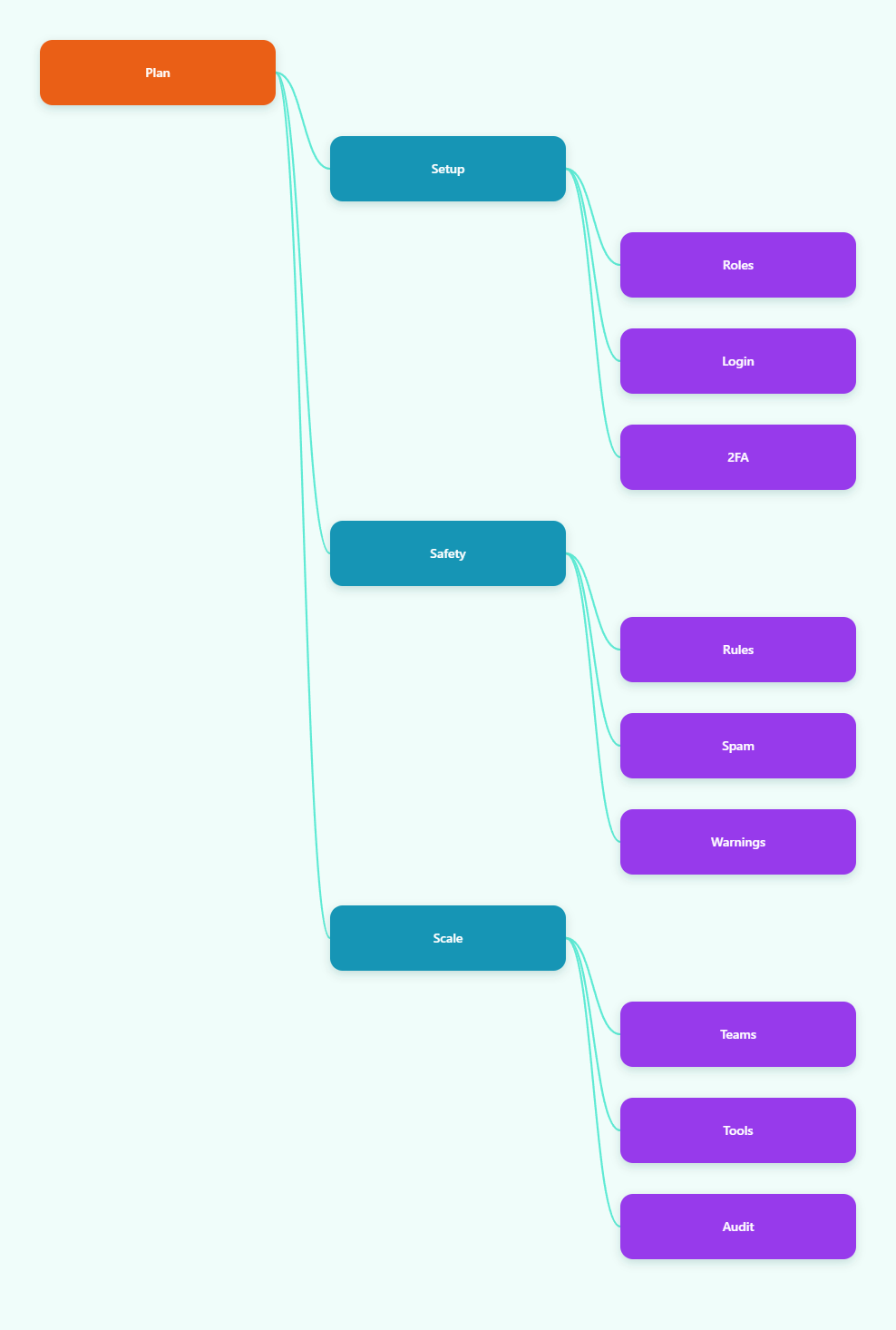
What Telegram Allows in 2026
Telegram’s native multi-account support is the starting point, not a workaround. Public guidance in 2026 still describes the app as supporting several signed-in accounts on one device, with each account tied to a unique phone number. That makes it useful for operators who want to separate sales, support, and community work without constantly logging out.
It is also important to separate account switching from message safety. A clean login structure does not protect bad outreach. Telegram’s Terms still prohibit spam, scams, violence promotion, illegal goods, and illegal pornography in public-facing spaces, and reports from users can trigger restrictions even when the account itself looked normal to the owner.
Use the native model first
For many teams, the official app is enough. If you only need a few identities, native account switching is simpler than adding more layers of tooling. It also makes recovery easier because fewer moving parts means fewer places for a mistake.
Know the limits that matter
- Each account needs its own phone number.
- Accounts are not a shield against policy violations.
- Active sessions can be reviewed and closed from Telegram settings.
- Two-step verification matters more when several people touch related workflows.
For business users, the practical lesson is clear: Telegram supports multi-account operations, but it expects each account to behave like a real, standalone identity. That is the foundation for lowering ban risk in 2026.
Design Accounts Around Business Functions
The safest multi-account setup starts with role clarity. Do not create extra accounts because you can; create them because each one needs a distinct business job. A support inbox, a founder profile, an affiliate outreach account, and a community admin account should not all act the same way.
When accounts have different purposes, they naturally produce different contact patterns, different message styles, and different recovery paths. That reduces accidental overlap and makes it easier to explain the account if a limit, report, or login check ever happens.
Practical role split
- Use one account for customer support and ticket follow-up.
- Use one account for outbound sales or affiliate conversations.
- Use one account for channel publishing and moderation.
- Keep a personal or executive account separate from campaign work.
Keep identity signals consistent
Use a stable profile photo, bio, and display name that match the account’s role. If an account claims to be support, make it easy for users to confirm that it really belongs to the brand. If an account is for outreach, keep the language professional and avoid copy that feels automated or deceptive.
It also helps to assign one recovery email, one owner, and one device policy for each account. The more people who can casually jump into an account, the harder it becomes to prove who did what if problems appear later.
In practice, good structure reduces confusion before it reduces risk. That is why many operators get better results by organizing accounts like separate departments, not like spare SIM slots.
How To Lower Ban Risk Before Outreach
Telegram’s enforcement pattern is straightforward: unwanted messages create reports, reports create review, and repeated bad behavior creates restrictions. So the first risk reduction step is not a tool. It is a message discipline plan.
Never assume that a cold username search list is a license to start private conversations. Users often report messages they did not ask for, especially when the sender looks unfamiliar or sends the same pitch repeatedly. If your workflow depends on blasting strangers, your risk rises faster than your reach.
Safer outreach habits
- Use opt-in contacts whenever possible.
- Lead with context, not a generic pitch.
- Keep the first message short and relevant.
- Stop immediately if someone asks not to be contacted.
- Do not reuse the same message template across large batches.
It also helps to build an onboarding path that moves people into a channel or group before long conversations start. That way, your first interaction is a clear subscription or reply action, not an unexpected private note from a stranger.
The table below compares common operating setups and the risk trade-off each one creates.
| Setup | Best for | Main risk | Use when |
|---|---|---|---|
| Native app only | Solo operators | Low operational complexity, but easy to mix roles | You manage only a few accounts |
| Separate browser profile | Teams and agencies | Good isolation, but still depends on behavior | You need cleaner workspace separation |
| Dedicated device per role | Higher-value accounts | More cost and more inventory to manage | A single account is business critical |
| Shared everything | Short-term convenience only | Highest chance of mistakes and cross-posting | Almost never |
Notice what the table does not say: no setup can override Telegram’s rules. The safest account is still the one that sends relevant messages, avoids spam signals, and looks consistent to real users.
Build A Daily Workflow That Stays Clean
Once the accounts are set up, the real gain comes from routine. A clean daily workflow keeps the team from improvising under pressure, and improvisation is where most avoidable mistakes happen.
Start each day by checking active sessions, recent logins, and any unusual device access. If an account was touched by another teammate, confirm that the handoff is recorded. If there is a suspicious session, close it before doing anything else.
A simple operating rhythm
- Verify the correct account before sending messages.
- Review open conversations and unresolved questions.
- Publish scheduled content from the right role account.
- Reply to real users before starting new outbound work.
- Log any report, limit, or user complaint.
This kind of routine is especially useful for affiliate teams and overseas support desks. It prevents accidental cross-posting, reduces duplicate replies, and makes it easier to understand which account behavior is healthy and which one needs adjustment.
It also helps to separate broadcast work from one-to-one work. A channel update, a support answer, and an outreach note should not come from the same account in the same minute unless the role genuinely requires it. Mixed behavior can make the account look less predictable to users, even when nothing is technically wrong.
If one account starts attracting reports, pause it and inspect the content before you keep scaling. The best time to fix a risky message pattern is before it becomes a restriction.
When To Use Browser Isolation Or Separate Devices
Many teams ask whether they need special browser isolation, a separate profile, or a dedicated device. The honest answer is that the right choice depends on the business value of the account and the number of people who touch it.
Browser isolation is useful when you want cleaner separation between workspaces. It can reduce accidental cookie mix-ups, wrong-account posting, and cross-login confusion. Separate devices are more expensive, but they can be worth it for the most important accounts because the operational boundary is obvious.
Choose the right level of separation
- Use one device when the account is high value and high trust.
- Use separated browser workspaces when different teams need access.
- Use the native Telegram app when the workflow is simple and controlled.
- Do not treat any browser layer as a policy bypass.
That last point matters. An isolated environment can help with organization, but it does not make spam acceptable, and it does not turn cold outreach into warm outreach. If the underlying message gets reported, the environment does not save the behavior.
For agencies, the practical goal is compartmentalization. Keep client A away from client B, keep support away from promotion, and keep executive access away from experimental workflows. The fewer chances there are to mix identities, the fewer chances there are to create a costly mistake.
What To Monitor When Growth Starts
As usage grows, watch the signals that tell you whether the account still feels normal to Telegram and to real users. Do not wait for a restriction notice before you start auditing. By then, you are already reacting instead of managing.
Important warning signs include sudden login prompts, reduced reply rates, fewer accepted contact requests, or a spike in users telling you to stop messaging them. These are not guaranteed ban signals, but they are useful friction signals. Treat them as a prompt to review the workflow.
Monitor these checkpoints
- Active sessions and unknown devices.
- User complaints and spam reports.
- Message templates that get ignored repeatedly.
- Accounts that are posting outside their assigned role.
- Any account that suddenly behaves very differently from its normal pattern.
If Telegram limits or freezes an account, stop the campaign immediately and use the official in-app recovery path or Telegram’s SpamBot guidance where applicable. Do not respond by spinning up a replacement account and repeating the same behavior. That usually turns one problem into two.
The best teams build a simple review loop: what was sent, who received it, how many people replied, and whether any message caused friction. Over time, that gives you a cleaner picture than guessing based on raw send volume.
FAQ
How many Telegram accounts can I use on one device?
Telegram’s app supports multiple accounts natively. Public 2026 guidance commonly describes up to three accounts on standard use, with Premium often described as allowing a fourth. Each account still needs its own phone number.
Can I use one Telegram account on multiple devices?
Yes. Telegram is designed for multi-device use, and active sessions can stay signed in across devices. That convenience is useful, but it also means you should review sessions regularly.
Does a separate browser profile stop bans?
No. A separate profile can help with workspace separation and reduce operational mistakes, but it does not override Telegram’s rules or stop reports from real users.
What is the safest way to use multi-account Telegram for business?
Keep each account tied to one role, one phone number, one recovery path, and one clear messaging purpose. That structure is easier to manage and easier to defend if anything is reviewed.
What should I do if an account gets limited?
Pause the workflow, review recent messages, check for spammy patterns, and follow Telegram’s official appeal or recovery flow. Do not keep sending from the same account while the issue is active.
Can bots replace user accounts for outreach?
Bots are useful for opt-in support and automation, but they do not exempt you from platform rules. They work best when users have already chosen to engage.
Is it okay to message strangers if I have a business offer?
Only if your outreach is lawful, relevant, and welcome. In practice, the safer path is to build consent, context, and a clear reason for contact before you start the conversation.
Conclusion
Managing multi account Telegram avoid ban risk in 2026 is mostly about discipline. Use Telegram’s native multi-account support, keep each account tied to a real business role, and avoid the outreach patterns that trigger reports.
If you want the shortest path to a safer setup, remember three actions: separate identities by function, review sessions and 2FA regularly, and send fewer but more relevant messages. That combination protects account health better than any shortcut.