
For many cross-border sellers, affiliate teams, paid traffic buyers, and community operators, multi account telegram team shared access is no longer a convenience. It is an operating requirement. The problem is that Telegram accounts are tied to phone numbers, public groups attract spam reports, and careless team access can turn one lost device or over-permissioned admin into a business interruption.
This guide explains how to manage multi-account Telegram operations for business growth without relying on unsafe shortcuts. It focuses on account structure, shared access models, permission design, anti-spam discipline, and recovery workflows that a serious overseas operations team can actually implement.
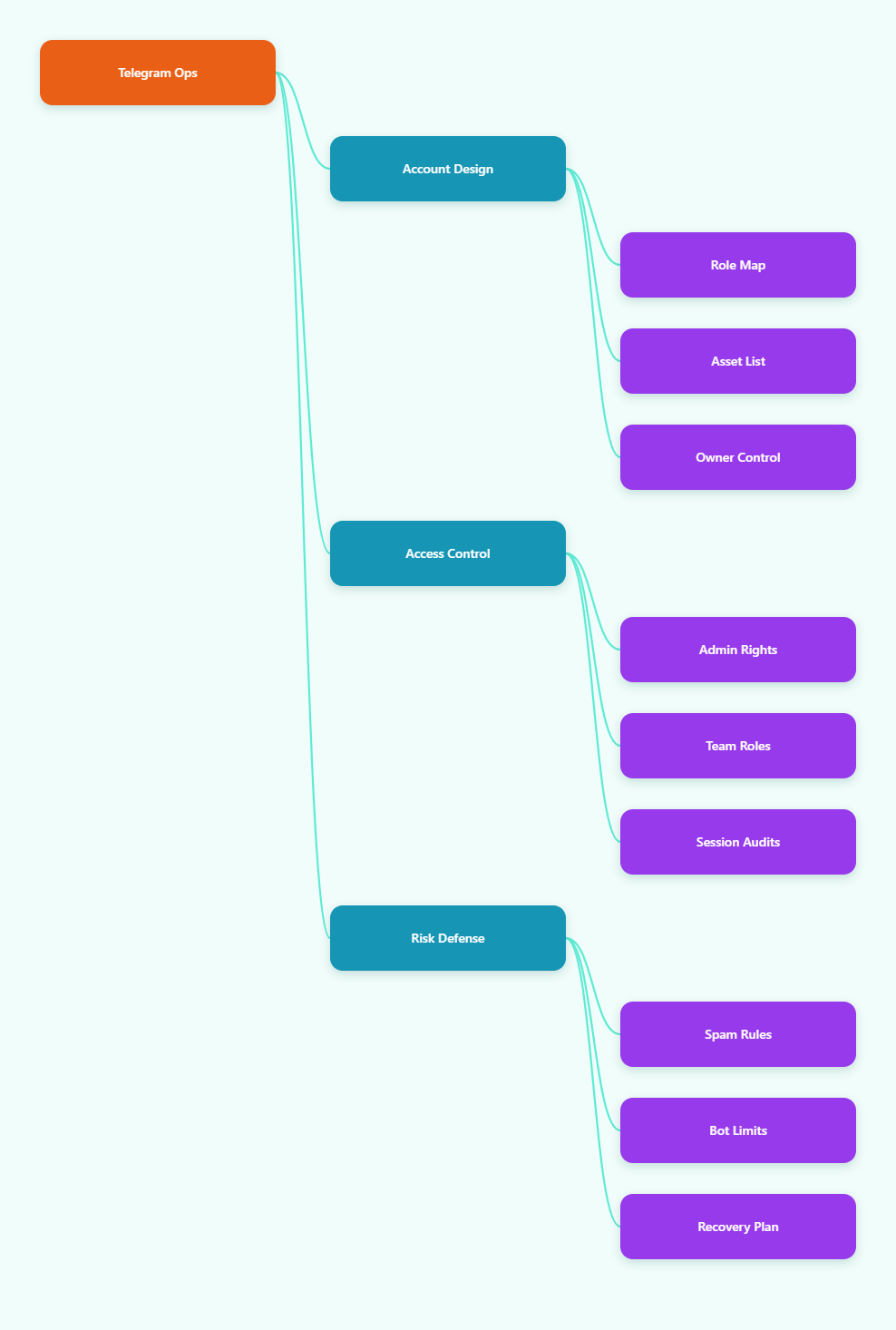
Why Multi Account Telegram Team Shared Access Matters
Telegram is different from a traditional help desk or CRM. It combines personal accounts, groups, channels, bots, business features, public discovery, and private chat in one environment. That flexibility is useful for global operators, but it also means team access needs tighter rules than a normal inbox.
A brand running international campaigns may use one account for partner outreach, another for VIP customer support, another for community moderation, and separate channels for product updates. Affiliate teams may keep different accounts for traffic partners, creator communication, and payout support. Agencies may manage client communities while also protecting internal operator identities.
Without structure, teams often share phone numbers, forward login codes in chat, keep old sessions open on employee laptops, or give every admin full rights. These habits are not only messy; they increase the chance of spam complaints, account lockouts, impersonation, unauthorized channel edits, and lost business history.
- Use separate accounts only when there is a clear business purpose, such as region, brand, function, or client boundary.
- Keep ownership credentials with the business owner or security lead, not with temporary operators.
- Document which account owns each group, channel, bot, and customer-facing identity.
- Review active sessions regularly so old devices do not keep silent access.
Telegram officially supports logging into more than one account in its apps, but that does not remove the need for operating discipline. The platform’s Terms prohibit spam, scams, and other abusive behavior, and its spam FAQ explains that unwanted messages to strangers or spammy group behavior can lead to temporary limits. For commercial teams, this means the key question is not simply how many accounts can be opened. It is whether each account behaves like a legitimate, accountable business identity.
Build the Right Telegram Account Architecture
Before adding people, decide what each Telegram account is supposed to do. A clean account architecture prevents overlap and makes risk easier to isolate. The best structure usually follows business functions rather than individual employees.
For example, an ecommerce team might maintain one Telegram Business account for official customer support, one channel for announcements, one group for community discussion, and separate operator accounts for moderation. An affiliate program might separate advertiser relations, publisher onboarding, compliance review, and payment communication. This way, one account problem does not freeze every workflow.
Use Functional Separation
Functional separation means each account has one primary job. Support accounts should not mass-message cold prospects. Community moderation accounts should not control payout conversations. Channel owners should not be used for routine chat work. This limits damage if an account is restricted, compromised, or reported.
Keep Ownership Separate From Operations
The account that owns a channel or supergroup should be treated as a control account. It should use two-step verification, a recovery email, limited active sessions, and minimal daily messaging. Operators can be added as admins with specific rights instead of sharing the owner account.
Map Accounts to Business Assets
Create a simple internal register. Include phone number owner, account purpose, recovery email owner, business owner, active devices, linked groups, linked channels, connected bot, and last audit date. This does not need to be complex, but it must be current.
- List all Telegram accounts used by the team.
- Assign each account to one business function.
- Mark which accounts own critical groups, channels, or bots.
- Remove duplicate or unused accounts from daily workflows.
- Schedule monthly access and session reviews.
This architecture also helps with compliance. If a customer complains, an admin leaves, or a campaign is paused, the team can quickly find the responsible account and adjust permissions without guessing.
Choose a Safe Shared Access Model for Teams
Multi account telegram team shared access can be handled in several ways, but not all models carry the same risk. The safest model depends on team size, business value, and how much direct customer interaction each account handles.
Small teams often start with direct login sharing. It is simple, but it creates weak accountability because multiple people act through the same account. Larger teams should move toward delegated admin roles, Telegram Business features, connected business bots where appropriate, and external customer messaging systems that preserve logs and permissions.
| Access Model | Best Use | Main Risk | Control Needed |
|---|---|---|---|
| Shared login | Very small owner-led teams | No clear operator accountability | 2FA, session audits, strict device list |
| Admin delegation | Groups and channels | Over-permissioned admins | Granular rights and review calendar |
| Business account workflow | Customer support and sales chats | Weak routing and response ownership | Quick replies, hours, start page, bot rules |
| Inbox or CRM layer | Agencies and larger support teams | Vendor and data exposure | Role controls, logs, data policy |
Telegram Business features are relevant because they support customer-facing workflows such as opening hours, location, quick replies, automated messages, custom start pages, and chatbot support. These features do not replace team governance, but they reduce the temptation to let every operator improvise from personal accounts.
For groups and channels, Telegram supports granular administrator rights. That is essential for shared access. A content publisher may need posting rights but not the power to add admins. A moderator may need to delete messages and restrict users but not edit group identity. A partner manager may need invite links but not ownership privileges.
Set Permissions for Multi Account Telegram Operations
Permissions should match the smallest set of actions a person needs to do their job. This principle is especially important in Telegram because a single admin may be able to change channel information, delete messages, invite users, restrict members, promote other admins, or post to a channel depending on the rights granted.
Start by dividing team roles into owner, security lead, support operator, community moderator, content publisher, automation manager, and agency collaborator. Then define rights for each role. Avoid giving full admin permissions to anyone who does not need to change core business assets.
Owner
The owner controls the phone number, recovery email, two-step verification password, and emergency recovery plan. This role should not be used for daily support, cold outreach, or routine moderation. It exists to preserve continuity.
Moderator
The moderator handles group quality. Rights may include deleting messages, restricting members, managing topics where available, and reviewing spam. Moderators do not need to promote admins or change the group’s public identity.
Publisher
The publisher posts channel updates, edits posts, and follows the content calendar. Publishers usually do not need invite-link management, member restriction rights, or ownership transfer capabilities.
- Grant admin rights by role, not by seniority alone.
- Use separate admin titles or internal labels so actions can be traced.
- Remove rights immediately when a contractor or employee exits.
- Review sensitive rights before major campaigns, product launches, or affiliate pushes.
For a Telegram account manager workflow, the most useful habit is a weekly permission review. Check who can post, who can ban users, who can add admins, and who controls invite links. In fast-moving overseas projects, permissions often drift because the team adds people during urgent campaign work and forgets to clean up later.
Avoid Ban Risks While Scaling Telegram Teams
Most Telegram business risk comes from behavior, not from the existence of multiple accounts alone. Telegram’s public Terms of Service prohibit using the service to send spam or scam users. Its spam FAQ also states that accounts may be limited after unwanted messages to random strangers or spam in groups are reported and reviewed.
That matters for teams doing overseas lead generation, affiliate recruiting, crypto communities, ecommerce support, or private traffic operations. A team can damage account health quickly if several operators send similar cold messages, reuse aggressive scripts, join irrelevant groups, or push links before building trust.
Use Permission-Based Outreach
Prioritize warm entry points: website opt-ins, existing customers, affiliate application forms, community members who request support, or partners who have consented to be contacted. Avoid treating Telegram as a cold scraping channel. Even if a message gets delivered, unwanted outreach can create reports and account limits.
Separate Support From Promotion
Support accounts should answer questions, resolve orders, and guide users. Promotional campaigns should run through approved channels, groups, ads, landing pages, or bot flows where users clearly chose to interact. Mixing hard sales into support conversations creates both customer dissatisfaction and platform risk.
Control Automation
Bots and connected workflows can improve response speed, but automation must not harass users, impersonate people, or simulate fake activity. Telegram’s creator and bot-related terms address spam, phishing, automation abuse, invalid activity, and non-genuine engagement. Use automation for routing, quick answers, reminders, and customer service, not for artificial engagement.
- Write message templates that are specific to the user’s context.
- Limit repeated outreach from multiple accounts to the same person.
- Keep opt-out requests visible to every operator.
- Train staff to avoid urgency scams, impersonation, and misleading links.
- Pause campaigns when complaint signals rise.
For account ban prevention, the best operational metric is not daily message volume. It is the quality of recipient intent. A smaller number of expected, useful conversations will outperform a larger number of unwanted messages over time.
Secure Devices, Sessions, and Recovery
Telegram’s multi-device design is powerful for teams, but it also creates a security responsibility. Active sessions can remain open on phones, tablets, and desktop apps. If an operator leaves, loses a laptop, or uses an unmanaged device, the account may remain exposed unless the team reviews sessions.
Every important Telegram account should enable two-step verification. Telegram’s own security materials describe it as an additional password required when logging in, alongside the login code. Add a recovery email controlled by the business, not by a temporary worker. Store recovery ownership in the internal register.
Session management should be routine. Check active sessions after onboarding new devices, after staff changes, after travel, after agency handovers, and after any suspicious message activity. Terminate unknown sessions immediately, then rotate the two-step verification password if needed.
- Keep owner accounts on dedicated, trusted devices.
- Do not send login codes through group chats or shared spreadsheets.
- Use business-controlled recovery email for critical accounts.
- Terminate old desktop and web sessions during every access review.
- Keep a written recovery procedure for channel and group ownership.
Teams that use antidetect browsers or profile isolation for broader overseas operations should still be cautious. Browser isolation can help separate web sessions and reduce internal cross-contamination, but it does not make abusive messaging acceptable and does not replace Telegram account security. Treat it as an operational hygiene layer, not a permission to ignore platform rules.
Workflow Checklist for 2026 Telegram Teams
A reliable Telegram shared access workflow should be simple enough for operators to follow under pressure. The goal is to reduce unclear ownership, prevent avoidable bans, and keep customer conversations moving even when team members change.
Start with onboarding. Every operator should know which accounts they can access, what those accounts are for, which messages are approved, who approves exceptions, and how to escalate suspicious chats. Then create daily and weekly operating routines.
Daily Routine
Review unread customer conversations, unresolved support tickets, group moderation queue, bot alerts, and opt-out requests. Operators should log unusual cases such as threats, phishing attempts, refund disputes, impersonation, or sudden waves of spam.
Weekly Routine
Review admin rights, active sessions, invite links, pinned messages, channel posting access, bot behavior, and campaign scripts. Confirm that every active account still has a business reason to exist.
Incident Routine
If an account is limited, compromised, or misused, stop campaign activity from that account first. Check sessions, secure recovery email, review recent messages, document what changed, and communicate with customers from a verified fallback channel if necessary.
- Assign one owner for every Telegram business asset.
- Use role-based admin rights instead of blanket access.
- Keep outreach permission-based and context-aware.
- Review active sessions and recovery settings on schedule.
- Document incidents so the same mistake is not repeated.
This is the difference between informal account sharing and a scalable Telegram operation. The first depends on memory and trust. The second depends on roles, logs, recovery, and clear behavior standards.
FAQ About Multi Account Telegram Team Shared Access
Can a business use multiple Telegram accounts in 2026?
Yes, businesses commonly use multiple Telegram accounts for different functions, brands, regions, or teams. The important point is that each account should have a legitimate business purpose and comply with Telegram’s rules against spam, scams, and abusive behavior.
Is shared login the best way to manage Telegram teams?
Shared login is simple but risky. It weakens accountability and makes offboarding harder. For groups and channels, delegated admin rights are usually safer. For customer communication, Telegram Business features or a controlled inbox workflow may be more practical.
How can teams reduce Telegram account ban risk?
Use permission-based messaging, avoid unsolicited bulk outreach, train operators on approved scripts, separate support from promotion, and pause campaigns when users complain. Telegram accounts can be limited after spam reports and review, so recipient intent matters.
What rights should Telegram admins receive?
Admins should receive only the rights needed for their role. Moderators may need message deletion and member restriction rights. Publishers may need posting rights. Very few people should be able to add admins, change identity, or control ownership-level settings.
Should owner accounts be used for daily operations?
No. Owner accounts should be protected as control accounts. They should use two-step verification, business-controlled recovery email, limited active sessions, and minimal daily messaging. Daily work should be delegated through safer roles.
Can bots help with Telegram team shared access?
Bots can help with routing, quick replies, customer service, and workflow automation. They should not be used for spam, phishing, fake engagement, or non-genuine activity. Automation must support legitimate user experience.
How often should active sessions be checked?
For critical accounts, check active sessions at least monthly and immediately after staff exits, device loss, agency handovers, suspicious activity, or campaign incidents. Unknown sessions should be terminated quickly.
Conclusion
Multi account telegram team shared access in 2026 should be managed as a business system, not an informal shortcut. The three core actions are clear account architecture, role-based permissions, and disciplined security reviews. Separate ownership from daily work, keep outreach useful and permission-based, and document every account’s purpose, devices, admins, and recovery path. Teams that follow these basics can scale Telegram support, communities, affiliate communication, and private traffic operations with lower operational risk.