
For overseas sellers, affiliate teams, crypto communities, SaaS support desks, and paid traffic operators, Telegram is no longer just a chat app. It is often where leads ask questions, partners share links, moderators handle communities, and customers expect fast replies. The problem starts when one laptop has to handle several brands, regions, or team roles at once.
This guide explains the official switching method, when separate desktop profiles make sense, how to reduce account restriction risk, and how commercial teams can build a repeatable Telegram desktop workflow without turning daily operations into a fragile workaround.
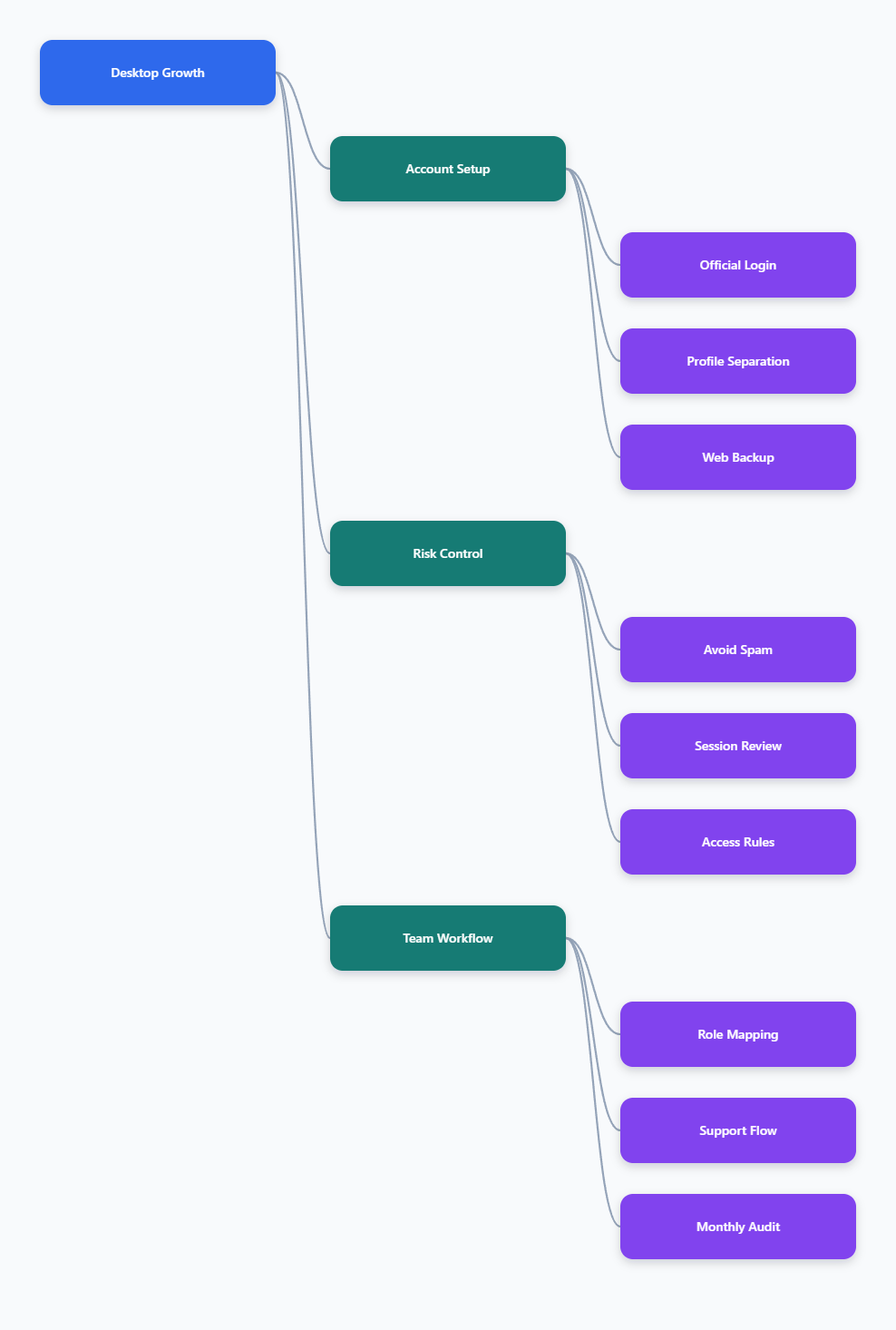
Why Telegram Desktop Account Switching Matters in 2026
Telegram’s business value comes from speed and direct access. A community manager can answer a lead inside a group, an affiliate manager can talk with publishers, and a support agent can share order updates without forcing users into a ticket portal. That same speed becomes risky when several identities sit inside one workspace with no rules.
Telegram treats each phone number as a separate account. The platform also warns against spam, scams, and unwanted messages, and accounts can be limited when users report messages as spam. For commercial teams, this means the account structure must match the job: one number for personal use, one for customer service, one for regional operations, or one for a specific brand presence.
A good multi-account setup helps you:
- Separate personal chats from commercial conversations.
- Assign each brand, market, or support role to the right number.
- Reduce accidental replies from the wrong identity.
- Keep notifications readable during campaigns and launches.
- Audit which account handled a partner, lead, or complaint.
The goal is operational clarity. Switching accounts should feel like choosing the correct inbox, not gambling with account safety. When you switch multi account Telegram on desktop with a clear structure, you protect both productivity and reputation.
What Telegram Officially Allows for Multiple Accounts
Before adding tools or workarounds, start with Telegram’s own model. Telegram accounts are tied to phone numbers, and each account needs its own number. Telegram’s official FAQ states that users with multiple phone numbers can use more than one account and switch between accounts without logging out.
Telegram has long supported adding multiple accounts in its apps. Public Telegram guidance has referenced adding up to three accounts with different phone numbers in the app interface, and Telegram Desktop also provides built-in account switching through the app menu. This is the cleanest method for most users because it keeps sessions inside the official client.
For business use, this matters because official switching is easier to maintain than copying session files or relying on unknown modified clients. It also reduces the chance that a team member loses track of where account data is stored.
Keep These Rules Straight
- Each Telegram account requires a separate phone number.
- Using multiple accounts is different from sending unsolicited messages.
- Spam reports can lead to temporary limits on messaging strangers or posting in groups.
- Telegram Business features can support quick replies, opening hours, location, automated messages, start pages, and bot connections for approved business workflows.
- Official Telegram Desktop is preferable for security, updates, and predictable behavior.
If your team needs more than the built-in account switcher comfortably handles, use separate profiles or work directories with discipline. Do not treat more accounts as a shortcut around platform rules. The safer commercial strategy is fewer, better-managed identities with clear consent and response history.
How to Switch Multi Account Telegram on Desktop
The simplest way to switch multi account Telegram on desktop is to use the official Telegram Desktop app. This suits founders, support teams, solo affiliates, and small marketing teams that manage a handful of legitimate accounts. It keeps account switching visible and avoids unnecessary complexity.
Use this setup when each account has a real business purpose, such as one account for supplier communication, one for customer support, and one for community moderation. Avoid creating extra accounts just to push repeated outreach, because unwanted messages are exactly what causes reports and limits.
Step-by-Step Setup
- Install or update Telegram Desktop from Telegram’s official desktop download page or your trusted app store.
- Open the app and sign in to your first account using the phone number or QR login flow.
- Open the side menu and look for the account area or add account option.
- Add another phone number and complete verification through the official Telegram process.
- Repeat only for the accounts your workflow genuinely needs.
- Switch accounts from the account list in the sidebar when answering messages.
- Set distinct names, profile photos, or brand visuals so team members can identify the active account instantly.
After setup, spend ten minutes cleaning notifications. For commercial use, unread chaos is a real risk. Disable nonessential alerts, pin priority chats, and archive inactive groups. The account switcher is only useful if the operator can immediately see where attention is needed.
Also document ownership. Record which phone number belongs to which brand or role, who controls recovery access, and which device holds the active session. This small admin habit prevents painful handover problems when a contractor leaves or a campaign changes owners.
When Separate Desktop Profiles Make Sense
The built-in switcher is enough for many teams, but some workflows need stronger separation. Telegram Desktop supports running with a different work directory, commonly referenced through the -workdir option in desktop discussions and documentation around multiple instances. In plain English, this means one Telegram app binary can store session data in different folders when launched with different working directories.
This method is useful when roles must stay separated at the local data level. For example, an agency may not want one operator’s customer support account stored beside a media buying account. A regional team may want a dedicated desktop shortcut for each market. A compliance-minded business may want to know exactly which local folder contains which session.
Use Separate Profiles for These Cases
- Agency work where each client requires separate operational access.
- Affiliate teams that divide publisher, advertiser, and support conversations.
- Customer service desks where each region has its own account and handover process.
- Community moderation teams that need clear identity boundaries.
- Testing Telegram Business features without mixing them into live support accounts.
Separate profiles also have tradeoffs. Updates, shortcuts, backups, and device security become more complicated. If your operators are not technical, a simple built-in switcher may be safer than a profile system they do not understand.
| Method | Best For | Main Benefit | Main Risk |
|---|---|---|---|
| Official account switcher | Small teams, founders, support agents | Easy switching inside Telegram Desktop | Operators may reply from the wrong account |
| Separate work directories | Agencies and regional teams | Stronger local profile separation | More setup and maintenance burden |
| Telegram Web in browser profiles | Light use and backup access | Fast access without changing desktop app state | Browser session hygiene must be managed |
| Unofficial modified clients | Not recommended | May promise extra convenience | Security, privacy, and update uncertainty |
Anti-Ban Workflow for Commercial Telegram Teams
Account safety is less about the number of accounts and more about behavior. Telegram’s Terms of Service prohibit using the service to send spam or scam users. Its spam FAQ explains that when users report unwanted messages, moderators may temporarily limit an account’s ability to contact strangers or post in groups.
That means “anti-ban” is not a magic browser setting. It is a disciplined communication process. If your Telegram desktop account switching supports aggressive cold messaging, the risk follows the behavior. If it supports opt-in support, community management, and partner communication, the risk profile is far healthier.
Safer Operating Rules
- Message users who opted in, contacted you first, joined your group, or have a clear business relationship.
- Do not blast identical messages across strangers, groups, or channels.
- Use different account roles for different tasks, but keep each role consistent.
- Keep outreach human-readable and relevant to the recipient’s context.
- Use Telegram Business quick replies for support consistency, not for spam-like mass sending.
- Train operators to stop a campaign if replies, complaints, or reports indicate poor targeting.
For affiliate marketing and overseas customer support, the safest pattern is consent first. Capture Telegram usernames or links from landing pages, checkout forms, community opt-ins, or partner onboarding forms. Then the conversation has context before the first message is sent.
If an account is limited, do not immediately move the same behavior to another account. Check the message content, audience source, group rules, and operator logs. You can use Telegram’s official spam support flow, including @SpamBot where available, but the long-term fix is changing the behavior that caused reports.
Build a Desktop System for Agencies and Sellers
Once you know how to switch multi account Telegram on desktop, the next step is building a system that survives daily work. A random pile of logins is not a system. A system has naming rules, access rules, recovery rules, and campaign rules.
Start with account mapping. Each Telegram account should have a written purpose: support, partnerships, community moderation, VIP clients, regional sales, or internal coordination. If an account has no purpose, remove it from the operator’s desktop. Too many accounts increase mistakes without adding business value.
Recommended Team Setup
- Create an account inventory with phone number, role, owner, recovery contact, and active devices.
- Assign one operator as the daily owner for each account, even if managers have backup access.
- Use clear display names and profile images that match the role or brand.
- Pin priority chats such as payment partners, logistics contacts, moderators, and top affiliates.
- Archive low-value groups and mute noisy channels that do not require immediate response.
- Store canned support answers in approved internal notes or Telegram Business quick replies.
- Review active sessions regularly and remove devices that no longer need access.
Security deserves special attention on desktop. Telegram Desktop stores local session data, so device hygiene matters. Use OS-level user accounts, disk encryption where appropriate, strong device passwords, and Telegram two-step verification. Two-step verification helps protect against unauthorized login attempts, while local device security helps protect sessions already present on the machine.
For teams using contractors, avoid sharing one permanent desktop session across everyone. Create clear access windows, remove old devices after handover, and keep business chats tied to company-controlled numbers where possible. The best multi-account Telegram desktop workflow is boring, documented, and easy to audit.
Telegram Desktop, Web, and Business Features Compared
Telegram Desktop is ideal for operators who live in messages all day. Telegram Web is useful as a secondary access point, especially when using browser profiles for light separation. Telegram Business features add another layer for customer-facing accounts, because they let a business present opening hours, location, quick replies, automated greeting or away messages, and a custom start page.
For commercial teams, the decision should follow the job. A support desk needs fast replies and consistent answers. A community manager needs moderation clarity and notification control. An affiliate manager needs clean partner records and a low-risk outreach process. Do not choose a method only because it allows more logins.
Practical Tool Mix
- Use Telegram Desktop as the primary workspace for high-volume daily accounts.
- Use Telegram Web for backup access or lightweight secondary accounts.
- Use browser profiles when web sessions must stay separated by client, brand, or region.
- Use Telegram Business features for customer-facing accounts that need structured support.
- Use bots only where they support legitimate workflows, such as routing, FAQs, or CRM-style handoff.
Be conservative with automation. Telegram supports bots and business integrations, but automation should help users get better answers, not simulate fake engagement or send unwanted messages. Telegram’s content creator reward terms also reject simulated or non-genuine activity in monetization contexts, which reinforces the same principle: real users, real intent, real interaction.
A good rule is simple: if automation would annoy a human recipient or hide who is contacting them, rethink it. Multi-account management should improve service quality, not disguise scale.
Common Mistakes When Switching Telegram Accounts
Most Telegram desktop problems come from small process failures. Operators answer from the wrong account. A team forgets which number owns a customer chat. Someone leaves a session active on an old laptop. A campaign sends the same message to too many people who never asked for it.
These mistakes are preventable with lightweight controls. You do not need a heavy compliance department to run Telegram safely. You need visible account identities, sensible permission rules, and a habit of reviewing sessions and complaints.
Avoid These Errors
- Using personal numbers for business support without a recovery plan.
- Keeping all regions, brands, and clients inside one unclear account list.
- Running cold outreach from accounts that also handle customer support.
- Ignoring user complaints until the account becomes limited.
- Using unofficial clients just because they promise easier multi-account scaling.
- Copying local Telegram data folders without understanding security and session risks.
- Letting former contractors keep active sessions after a project ends.
Also avoid over-segmentation. Ten accounts can look professional in a spreadsheet and still slow the team down in practice. If two accounts serve the same audience with the same message, consolidate the workflow. Account separation should reduce risk, not create a confusing maze.
Review your setup monthly. Remove unused accounts from desktops, update internal ownership notes, check recovery access, and confirm that each active account still has a business reason to exist. This is the quiet maintenance that keeps Telegram operations stable during busy launches.
FAQ
Can I switch multi account Telegram on desktop officially?
Yes. Telegram Desktop supports adding and switching between multiple accounts inside the official app interface. Each account needs its own phone number, and the exact visible options may vary slightly by app version and operating system.
How many Telegram accounts can I use on one desktop?
Telegram has publicly supported multiple accounts in its apps, commonly referenced as up to three accounts with different phone numbers in the built-in interface. Some desktop users also run separate work directories for additional separation, but that requires more careful management.
Do multiple Telegram accounts cause bans?
Multiple accounts by themselves are not the same as spam. Risk rises when accounts send unwanted messages, scams, repeated promotions, or posts that users report. Commercial teams should focus on opt-in communication and role-based account usage.
Is Telegram Web useful for multi-account desktop work?
Yes, Telegram Web can be useful for backup access, light operations, or browser profile separation. For heavy daily work, Telegram Desktop is usually more comfortable because notifications, shortcuts, and chat handling are built for long sessions.
Should agencies use separate Telegram work directories?
Separate work directories can help agencies isolate client or regional sessions, but they add setup and maintenance complexity. Use them only when the separation benefit is worth the operational burden.
Can Telegram Business help with desktop account switching?
Telegram Business does not replace account switching, but it improves customer-facing accounts with quick replies, opening hours, location, automated messages, start pages, and connected bot workflows. It is useful for support and sales accounts.
What should I do if a Telegram account is limited?
Review the behavior that caused reports, stop questionable outreach, and use Telegram’s official support path such as @SpamBot where available. Do not simply repeat the same campaign from another account.
Conclusion
Learning how to switch multi account Telegram on desktop in 2026 is really about building a cleaner commercial communication system. Use Telegram’s official account switcher for simple workflows, separate profiles only when real operational separation is needed, and keep every account tied to a clear role.