
If you run Telegram like a real marketing channel, you already know the pain. The same questions come in all day. Prices. Access. Delivery. Support. And the moment replies slow down, trust drops with them.
That is why I keep coming back to a simple idea: the fastest reply is not always the fanciest one. It is the one that feels human, stays consistent, and removes friction before a lead disappears. In this telegram business quick reply guide, I am breaking down the exact workflow I would use in 2026.
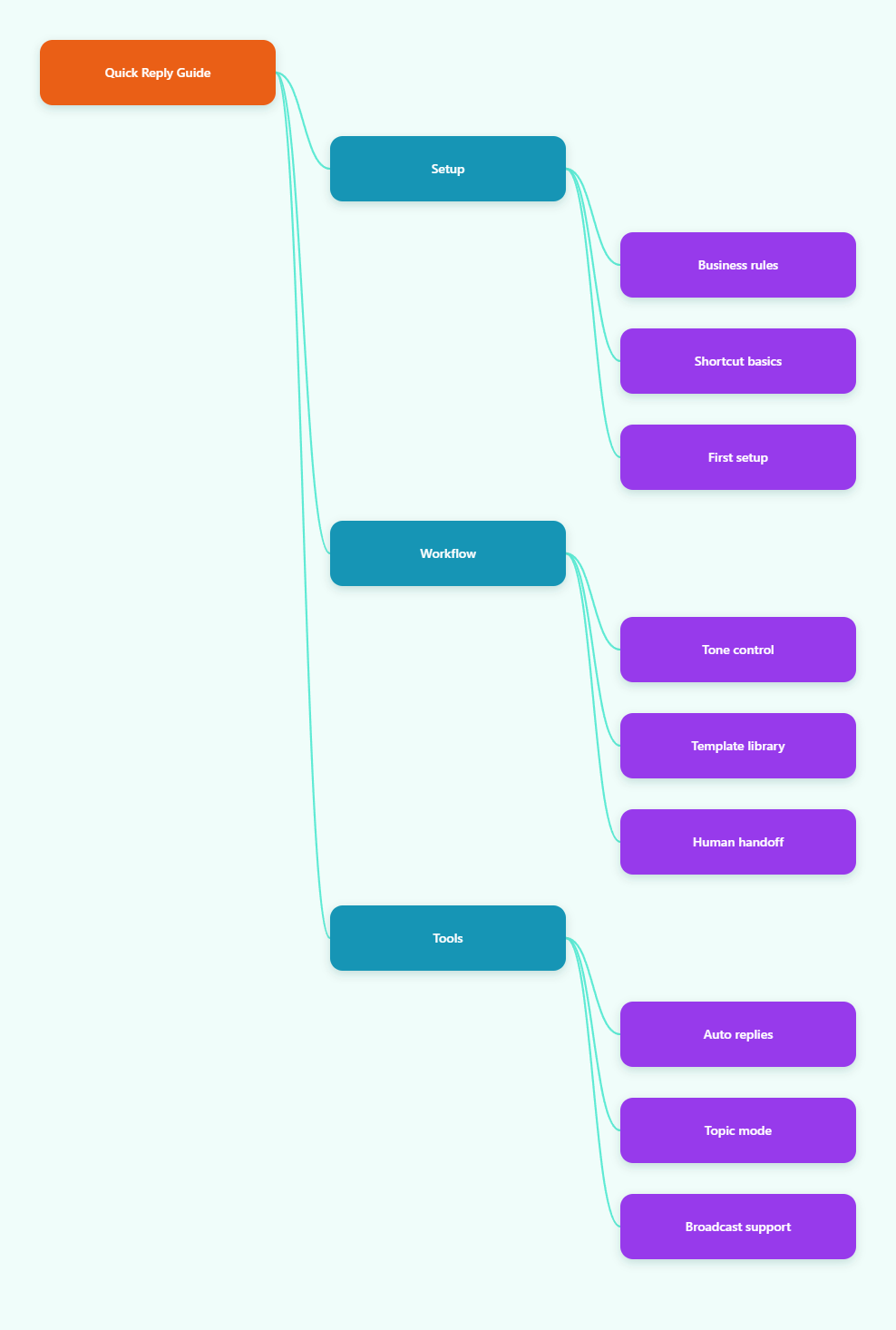
Why quick replies still matter in 2026
Telegram keeps getting more useful for business chats, but the core problem has not changed. People expect near-instant answers. They also expect those answers to sound clear, not robotic. If your inbox is growing, manual typing becomes the bottleneck very quickly.
Quick replies solve three problems at once. They save time, they protect tone, and they reduce mistakes. That matters whether you sell services, run a channel with inbound leads, or support a community that asks the same five questions every week.
- Slow replies make your brand feel smaller than it is.
- Inconsistent answers create confusion around price, policy, and timing.
- Repeated typing burns out whoever handles the inbox.
- Handoffs get messy when there is no shared reply library.
I see this a lot with solo operators. They start with good intentions and answer everything manually. Then the Telegram audience grows, and every new message steals attention from sales, content, or delivery. Quick replies are the first fix I recommend because they are simple and low risk.
What a Telegram Business quick reply can and cannot do
Telegram Business lets you create preset responses that you can send with a simple command. According to Telegram’s official docs, typing / in the message bar shows a scrollable panel of quick replies, and you can send or edit one in a tap. The feature also supports more than one message inside a reply, plus formatting, links, stickers, media, and file messages.
There is one important limitation. Quick replies work in private chats, not groups. That matters because a lot of operators assume they can use the same shortcuts everywhere. I treat them as a private inbox productivity tool, not a community-wide automation layer.
| Option | Best for | Strength | Limitation |
|---|---|---|---|
| Manual reply | Tiny inboxes | Most personal tone | Slow and repetitive |
| Telegram Business quick replies | Private chat support | Fast preset answers with formatting and media | Private chats only |
| Full bot automation | High volume workflows | Keyword routing and structured flows | More setup and maintenance |
That table is how I decide what belongs where. If a message needs judgment, I keep it manual. If it is a repeated question with one clear answer, I move it into a quick reply. If the inbox is too busy to manage cleanly, I start thinking about bot-assisted routing.
How I build a reply library that still sounds human
The biggest mistake I see is copy-paste language that sounds like a support manual. People do not want a wall of corporate text. They want the answer, a little context, and a next step. That means every quick reply should be short, useful, and easy to scan on mobile.
Keep the tone conversational
I write quick replies the way I would answer a real person at 11 p.m. on Telegram. Short opening. Clear answer. One next action. If the reply is too polished, it starts to feel like a bot even when it is not.
- Lead with the answer, not the apology.
- Use one idea per reply pack.
- Keep links visible and easy to tap.
- Leave space for a follow-up question.
Avoid these three traps
First, do not overload one shortcut with too many messages. Second, do not use vague wording that forces the user to ask again. Third, do not turn quick replies into a dumping ground for every possible scenario. A smaller library is easier to trust and maintain.
My usual setup starts with the most common friction points: pricing, delivery, access, FAQs, and support escalation. Then I add variants for different audience segments. For example, a lead from a channel ad may need a different first reply than an existing customer asking about renewal.
How I choose between quick replies and automation
Not every Telegram workflow needs a full bot stack. Some accounts only need faster manual handling. Others need keyword-based routing, start messages, and message organization. The trick is knowing when you have outgrown pure quick replies.
If your inbox is still small, quick replies are enough. If you have repeated questions every day, you can layer in automation. If your team is handling many conversations at once, I would stop pretending manual chat is scalable and move to a structured bot flow.
That is where I would add a light automation layer like OnlyTG Echo@EchoOnBot. I use it as a no-code bridge when the inbox is too active for one person, but I still want a human-first workflow. The setup is straightforward: create your bot in @BotFather, then open OnlyTG Echo@EchoOnBot, start the bot, and add your bot token. From there, you can set Start Message, Auto-Reply, and message handling rules without writing code.
- Make the bot in @BotFather and copy the token.
- Open OnlyTG Echo@EchoOnBot and connect the token.
- Set the Start Message for first contact.
- Add Auto-Reply keywords for common questions.
- Use message reply tools to keep the conversation moving.
That workflow fits three real-world cases I see often. A creator who gets dozens of daily DMs can use a start message to point people to the right path immediately. A small agency can auto-reply to pricing keywords, then move qualified leads into a human follow-up. A channel operator can centralize incoming questions, then answer them from a cleaner workspace instead of juggling scattered chats.
There are also a few extra features worth knowing. OnlyTG Echo@EchoOnBot supports message receive and reply, topic mode for organizing conversations in a workgroup, and broadcast tools for pushing updates. I would not overbuild with them on day one, but they become useful once the inbox volume starts to climb.
Practical setup tips I use every time
- Build the first ten replies from real inbox questions, not guesses.
- Write each reply as if the user is reading on a small screen.
- Use one shortcut for one intent.
- Review replies monthly, because offers and policies change.
- Keep the first response friendly, then move to detail.
- Reserve automation for repeatable steps, not sensitive decisions.
If I had to boil the whole telegram business quick reply guide down to one rule, it would be this: speed matters, but clarity matters more. A fast answer that confuses people is still a bad answer.
FAQ
What is a Telegram Business quick reply?
It is a preset response you can send from Telegram Business with a shortcut. Telegram also supports multiple messages inside one reply, plus formatting and media.
Does the quick reply panel work in groups?
No. Telegram’s quick reply panel works in private chats, not groups. I treat it as an inbox tool for one-to-one conversations.
How many quick replies should I create first?
Start with five to ten. Cover the questions that show up every day. That keeps the library useful without making it hard to manage.
Are quick replies enough for support?
For small volumes, yes. For busy inboxes, they are a strong first layer, but you may still need keyword routing, reply organization, or a human handoff flow.
How do I keep quick replies from sounding robotic?
Write like a real person, keep replies short, and answer the actual question first. If a response reads like a policy document, trim it.
When should I add a bot layer?
Add one when you see repeated questions, slow handoffs, or too many chats for one person to handle cleanly. At that point, a no-code tool can save a lot of time.
Can I mix manual replies with automation?
Yes, and I recommend it. Use quick replies for repeatable answers, then keep humans in charge of exceptions, complaints, and sales conversations that need judgment.
What should I measure after setup?
Watch reply speed, unanswered questions, and how often the same message gets typed again. If those numbers improve, the system is doing its job.
Final take
A good telegram business quick reply guide is not really about shortcuts. It is about building a smoother conversation path. In 2026, the teams that win on Telegram usually do the boring work well: fast responses, clean wording, and simple escalation rules.
If your inbox is still small, start with quick replies and keep them human. If the flow is already getting messy, add a no-code layer like OnlyTG Echo@EchoOnBot and let the system carry the repetitive work while you focus on the conversations that actually move revenue.