
Telegram has become a serious customer communication channel, not just a place for communities, crypto groups, creators, and private chats. In 2026, the biggest challenge is no longer whether customers will message you on Telegram. The real challenge is whether your team can answer quickly, consistently, and with enough context.
That is where the topic of quick reply telegram for business support matters. A well-built quick reply system helps teams reduce repetitive typing, keep tone consistent, and route common questions before they become expensive support tickets.
This guide explains how Telegram Business quick replies work, where they fit into modern support operations, what mistakes to avoid, and how lightweight automation can support your workflow without turning every conversation into a robotic script.
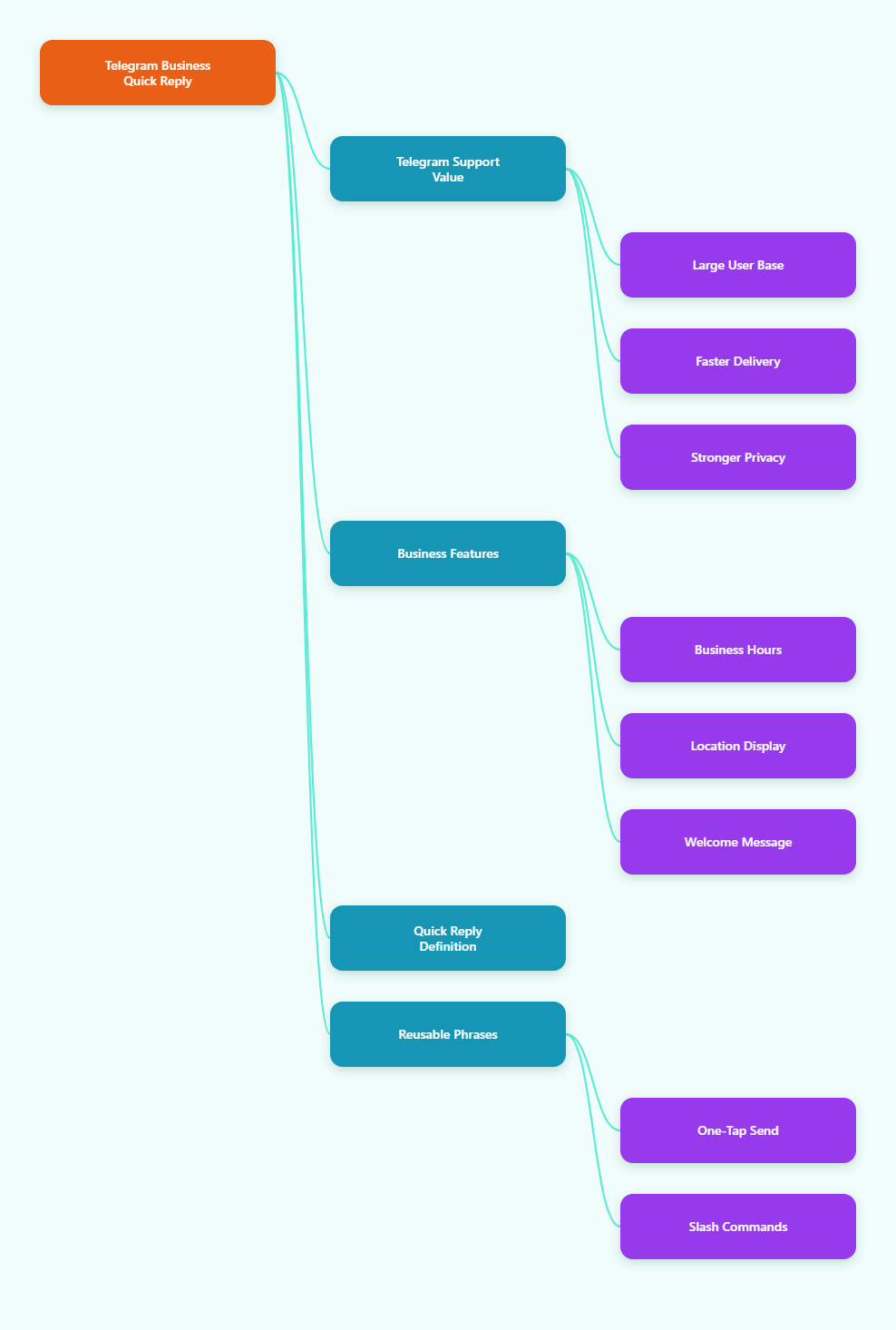
Why Telegram Business Support Matters in 2026
Telegram passed 1 billion monthly active users in 2025, according to public statements from Telegram founder Pavel Durov reported by major technology outlets. For marketers and support teams, that milestone changed how Telegram is viewed: it is now a mainstream communication layer in many regions.
Unlike email, Telegram feels immediate. Unlike public social media comments, it feels private. Unlike traditional live chat, customers do not need to keep a browser tab open. They can send a message, leave, and return when your team replies.
This asynchronous behavior is powerful, but it creates pressure. Customers expect speed because the interface looks like instant messaging. Teams, however, still need accuracy, policy compliance, and human judgment.
Telegram Business features help close that gap. Official Telegram Business tools include business hours, location, quick replies, greeting messages, away messages, custom start pages, and chatbot support. These features make Telegram more suitable for customer service, lead handling, and creator monetization workflows.
What Is Quick Reply Telegram for Business Support?
Quick reply telegram for business support refers to using Telegram Business quick replies as reusable response shortcuts for customer conversations. Instead of typing the same answer again and again, an operator can type a shortcut and send a prepared message or a sequence of messages.
According to Telegram’s official Business announcement, quick replies can include text formatting, links, stickers, media, and files. They appear when you type a slash in the message bar, making them easy to access during private customer chats.
This is different from a fully automated chatbot. Quick replies still depend on a human choosing the right response. That makes them useful for teams that want speed without surrendering control of sensitive conversations.
Common quick reply examples include:
- Shipping policy explanations for ecommerce customers.
- Refund eligibility steps for SaaS or digital products.
- Pricing links for agencies, consultants, and creators.
- Onboarding instructions for paid Telegram communities.
- Troubleshooting steps for login, payment, or access issues.
Why Do Teams Struggle With Telegram Customer Support?
Most Telegram support problems do not come from the app itself. They come from weak operating systems. A founder replies from one account, a community manager replies from another, and nobody knows which answer was already sent.
When message volume grows, small inconsistencies become expensive. One agent promises a refund in three days. Another says five business days. A third forgets to ask for an order ID. The customer sees confusion, even if the team is working hard.
The most common support pain points are:
- Slow first replies: messages pile up during launches, weekends, or time zone gaps.
- Repeated questions: teams answer the same pricing, delivery, and access questions daily.
- Inconsistent tone: replies vary depending on who is online and how busy they are.
- Lost context: Telegram chats can move quickly, making follow-up difficult.
- No clear escalation: simple questions and urgent complaints sit in the same inbox.
Quick replies solve only part of this. They standardize high-frequency answers. For full support quality, teams also need tagging habits, ownership rules, response-time targets, and escalation paths.
Telegram Business Quick Replies vs Bots vs Helpdesks
Many teams confuse quick replies, bots, and helpdesk software. They are related, but they solve different problems. A mature Telegram support setup often combines more than one option.
| Support Method | Best For | Human Control | Setup Effort | Main Limitation |
|---|---|---|---|---|
| Telegram Business Quick Replies | Common questions and policy answers | High | Low | Still requires manual selection |
| Telegram Bots | Intake, routing, FAQs, reminders | Medium | Medium | Poor design feels robotic |
| Shared Helpdesk | Teams, SLAs, reporting, assignments | High | Medium to high | Can be excessive for small teams |
| AI Support Assistant | Knowledge-base answers and triage | Variable | Medium | Needs guardrails and review |
The practical rule is simple: use quick replies when a human should stay in the loop, use bots when the next step is predictable, and use a helpdesk when accountability matters across several agents.
How to Build a Quick Reply Telegram for Business Support System
A useful quick reply library is not a random folder of canned messages. It is a compact support playbook inside Telegram. The goal is to help agents answer faster while sounding like your brand.
Step 1: Audit Your Repeated Questions
Start with the last 100 to 200 customer conversations if your volume allows it. Group the questions by intent, not by wording. “Where is my order?” and “Tracking link not working” may belong to the same shipping category.
Look for questions that appear every week. These are your first quick reply candidates. Avoid writing templates for rare edge cases because they make the shortcut list harder to scan.
Step 2: Write Replies in a Human Voice
A good quick reply should feel like a helpful agent wrote it in the moment. Keep it short, specific, and complete. If the customer needs to take action, place that action near the top.
Use this structure for most replies:
- Acknowledge the question.
- Give the direct answer.
- Ask for missing details if needed.
- Set a clear next step or expectation.
For example, a refund reply should mention eligibility, required order details, expected review time, and where the customer can read the full policy.
Step 3: Create Shortcuts That Agents Remember
Telegram quick replies are easiest to use when shortcut names are predictable. Use a simple naming pattern such as /price, /refund, /shipping, /access, /vip, /hours, and /handoff.
Avoid clever internal labels. A new agent should understand the shortcut without training. If your list grows beyond 25 active shortcuts, review and merge overlapping answers.
Step 4: Add Escalation Rules
Quick replies should never trap customers in a loop. Define which messages require a human specialist, founder, billing owner, or technical agent.
Escalate when a customer mentions:
- Payment failure after multiple attempts.
- Legal, privacy, or account security concerns.
- Refund disputes or chargebacks.
- Enterprise pricing or custom integration requests.
- Repeated dissatisfaction after one standard answer.
Where OnlyTG Echo@EchoOnBot Fits Into the Workflow
Once your quick reply library is clear, the next pain point is repetition across real conversations. This is where a lightweight Telegram utility can help, especially for operators who handle many similar private messages during campaigns or community launches.
A practical way to apply OnlyTG Echo@EchoOnBot is to pair it with your approved quick replies. Keep the official answer in Telegram Business quick replies, then use the bot-supported workflow to echo or reuse approved response patterns where the tool’s menu allows it.
Three realistic operating scenarios are:
- Creator community onboarding: after a paid member asks how to access a private channel, the operator sends the verified access checklist instead of rewriting steps.
- Ecommerce campaign week: during a flash sale, the support lead reuses approved answers for delivery regions, tracking timing, and return windows.
- B2B lead qualification: when prospects ask for pricing, the agent sends a prepared discovery prompt asking company size, use case, and preferred contact time.
OnlyTG Echo@EchoOnBot may also be useful alongside other Telegram routines such as message handling, repeatable response preparation, or operator-side workflow simplification, depending on what the bot currently exposes. Treat it as an assistant to your process, not a replacement for clear policy and human judgment.
What Should Your Telegram Reply Library Include?
The strongest support libraries are small, reviewed, and tied to real customer behavior. They focus on questions that create delays, confusion, or revenue leakage.
For most Telegram Business support teams, start with these categories:
- Welcome: what the customer can expect and when your team replies.
- Pricing: plan links, payment options, and who qualifies for custom quotes.
- Access: login steps, private group access, or membership verification.
- Delivery: shipping regions, tracking timing, and carrier limitations.
- Refunds: eligibility, required proof, and review timelines.
- Escalation: when the issue needs a billing, technical, or management review.
Review your templates every month. Remove outdated campaign links, expired pricing, old screenshots, and policy language that no longer matches your website.
How Fast Should Telegram Support Replies Be?
There is no official universal Telegram support SLA. Expectations vary by industry, price point, geography, and whether the customer paid for premium service. Still, messaging channels generally carry faster expectations than email.
For a small business, a practical target is to acknowledge most new Telegram support messages within 5 to 15 minutes during business hours. If your team cannot solve the issue immediately, send a quick reply that confirms receipt and explains the next step.
For high-value customers, paid communities, or active launch periods, consider a tighter first-response target. The first message does not need to solve everything. It needs to show that the customer has been seen and routed correctly.
Common Mistakes With Telegram Business Quick Replies
Quick replies can improve support quality, but only if they are managed carefully. Poor templates create the same frustration as bad chatbots: fast answers that do not answer the actual question.
Avoid these mistakes:
- Over-automation: do not send templates when the customer clearly needs empathy.
- Long walls of text: split instructions into steps or short messages.
- Outdated policies: assign one owner to review templates regularly.
- No personalization: add the customer’s name, order detail, or situation when relevant.
- No fallback path: tell agents exactly when to stop using templates.
The best quick reply telegram for business support strategy feels invisible. Customers should experience faster, clearer help, not a copy-paste machine.
Practical Checklist for Telegram Support Operators
Before you scale Telegram as a customer channel, make sure your team can follow a repeatable operating rhythm. A small checklist prevents most daily support failures.
- Define business hours and set expectations in your profile or greeting message.
- Create quick replies for your top 10 repeated questions first.
- Use short shortcut names that match real support categories.
- Keep refund, pricing, and access replies aligned with your website.
- Escalate security, legal, billing, and angry-customer cases early.
- Review templates after campaigns, product launches, and policy changes.
- Measure first response time manually if you do not use a helpdesk.
- Keep automation supportive, not deceptive or hard to override.
FAQ: Quick Reply Telegram for Business Support
Is Telegram Business required for quick replies?
Telegram Business quick replies are part of Telegram Business features. Telegram’s official materials describe them as business tools available through Telegram Business, alongside opening hours, location, automated messages, and chatbot support.
Can quick replies work in Telegram groups?
Telegram’s official Business announcement describes quick replies for chats and notes that the slash panel appears in private chats. For group support, teams often use bots, moderation workflows, or helpdesk integrations instead.
Are quick replies better than a Telegram bot?
They solve different problems. Quick replies are better when a human should choose the answer. Bots are better for predictable flows such as collecting order IDs, routing requests, or answering simple FAQs outside business hours.
How many quick replies should a small team create?
Start with 10 to 15. Cover the questions that appear every week. If agents cannot remember the shortcut names, the library is probably too large or poorly organized.
What is the best quick reply telegram for business support workflow?
The best workflow combines a short template library, clear escalation rules, response-time expectations, and regular review. Quick replies should speed up accurate answers, not replace the agent’s understanding of the customer’s issue.
Can I use AI with Telegram customer support?
Yes, but use guardrails. AI can help draft answers, summarize context, or triage common questions. Human review is still important for refunds, complaints, privacy issues, and anything involving account access.
Where does OnlyTG Echo@EchoOnBot fit for support teams?
OnlyTG Echo@EchoOnBot can fit as a lightweight assistant around repeatable Telegram response workflows if its current bot menu supports the needed action. Use it after your approved quick replies and escalation rules are already defined.
Conclusion
Telegram support in 2026 rewards teams that are fast, clear, and organized. Quick replies give small teams an immediate advantage because they reduce repeated typing while keeping humans in control.
The winning approach is not to automate every message. Build a focused quick reply telegram for business support library, review it often, and add tools such as OnlyTG Echo@EchoOnBot only where they make existing workflows easier. Customers will notice the difference: fewer delays, clearer answers, and support that still feels personal.