
A potential customer discovers a business through its Telegram channel and opens its bot to ask about a product. Another customer wants to know how to place an order, while an existing subscriber is looking for the latest service information. Initially, these interactions seem easy to manage. However, as more people contact the business, answering every message individually becomes increasingly time-consuming. A Telegram chatbot for business can change how these interactions are handled by connecting customer messages, predefined responses, and routine communication tasks into a more organized workflow.
It Starts With One Simple User Action
Consider an online business that uses Telegram as one of its primary communication channels.
The company publishes product announcements, shares promotional updates, and encourages potential customers to contact its Telegram bot when they need additional information.
A typical customer journey begins with a simple action: someone clicks the bot link and presses Start.
At this moment, the customer expects to understand what the business offers and how to proceed. They might want to:
- Learn more about a particular product or service.
- Ask about prices, availability, or ordering procedures.
- Find instructions for using an existing service.
- Contact the business with a specific question.
- Receive updates about promotions or new announcements.
The first interaction creates an opportunity to establish a useful communication process.
However, simply having a Telegram bot does not guarantee an organized customer experience. The business still needs to decide what happens after someone starts the conversation.
Without predefined messages, clear instructions, or automated responses, customers may encounter an empty chat interface and have no idea what to do next.
This is where a properly configured Telegram chatbot for business becomes valuable.
What Happens When the Process Is Manual?
Imagine that the business initially handles every Telegram inquiry manually.
A customer sends a message asking about product availability. A staff member receives the notification, opens Telegram, checks the relevant information, writes a response, and sends it back.
The process works.
But another customer asks the same question five minutes later. Then someone else asks about payment methods. Another person wants to know whether the business provides delivery.
The communication process gradually becomes repetitive.
The manual workflow looks like this:
Customer sends a message → Staff receives notification → Staff checks information → Staff writes a response → Customer waits.
Every inquiry requires human attention, even when the answer has already been provided dozens of times.
Several operational problems begin to appear.
Repeated work consumes valuable time.
Employees repeatedly answer questions about prices, procedures, opening hours, and service details. This reduces the time available for more complicated customer requests.
Response times become inconsistent.
When staff members are busy, messages may remain unanswered. Customers contacting the business outside working hours may experience additional delays.
Communication becomes difficult to standardize.
Different employees might explain the same policy using different wording. Important information can be overlooked, and outdated responses may continue circulating.
Growing conversations increase management pressure.
As the number of contacts increases, tracking conversations and remembering which information has already been provided becomes more difficult.
The underlying issue is not necessarily the volume of messages. It is the amount of manual work required to process routine interactions.
Now Add Automation to the Workflow
A business does not need to manually manage every customer interaction.
Instead, it can identify recurring communication patterns and configure predefined responses for situations that happen frequently.
This changes how the process operates.
Before automation:
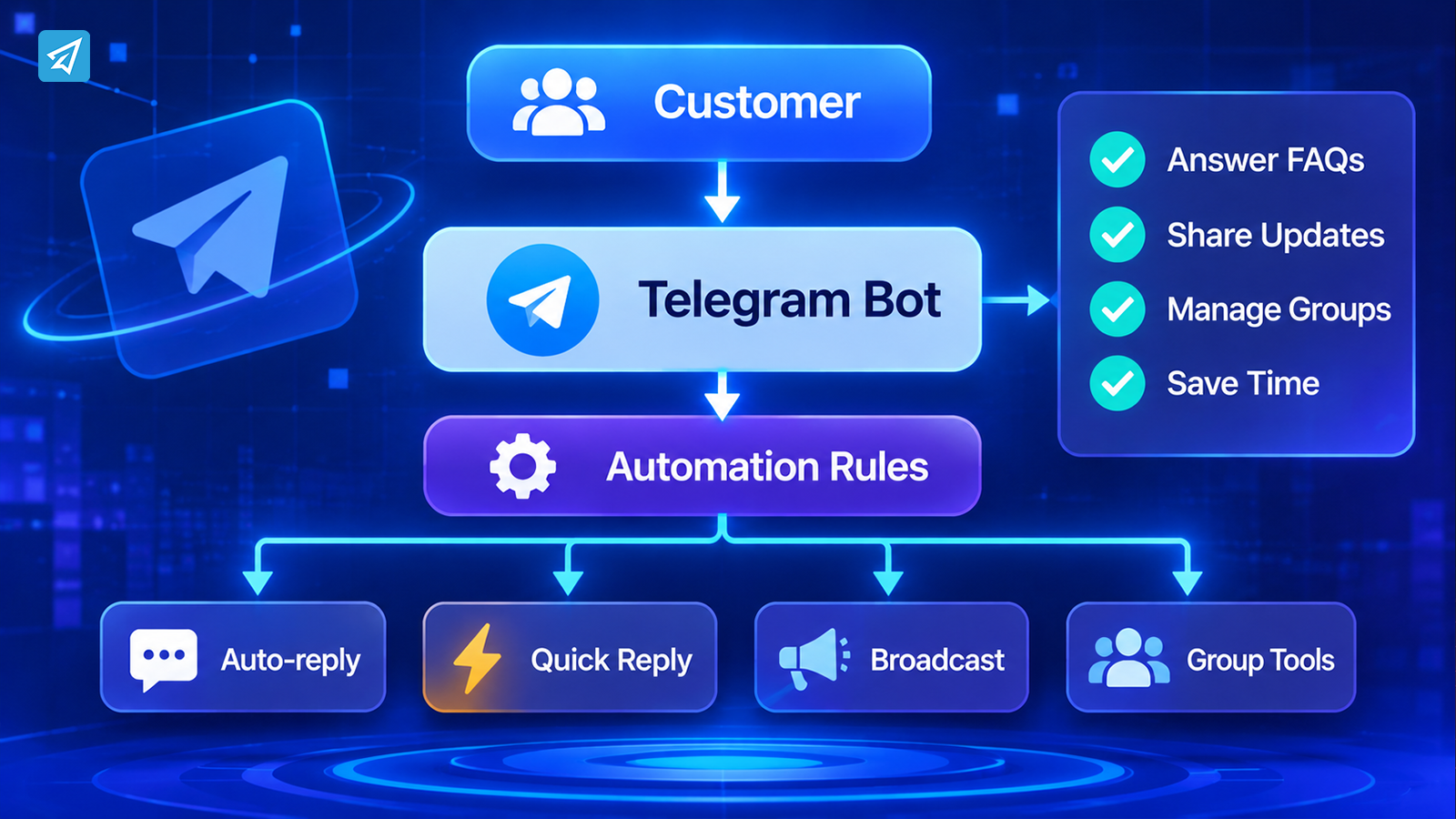
Customer → Staff → Manual response
After automation:
Customer → Telegram Bot → Automation Rule → Relevant Response
The difference is that routine interactions no longer need to begin with an employee writing an individual response.
For example, a customer who starts a bot can immediately receive an introductory message. Someone asking about a subscription can trigger a predefined keyword reply. A staff member can use a quick reply when a conversation requires a more specific explanation.
Automation does not mean removing people from customer communication.
Instead, it allows businesses to reserve human attention for questions that require judgment, clarification, or individual assistance.
The most useful approach is to build the workflow around the actual questions customers ask.
Step 1: Handle the First Interaction
The first interaction establishes the direction of the conversation.
When someone opens a business bot for the first time, they should receive enough information to understand what the bot is used for and what they can do next.
A Start Message provides a practical way to manage this moment.
For example, an online software provider could configure the following introductory message:
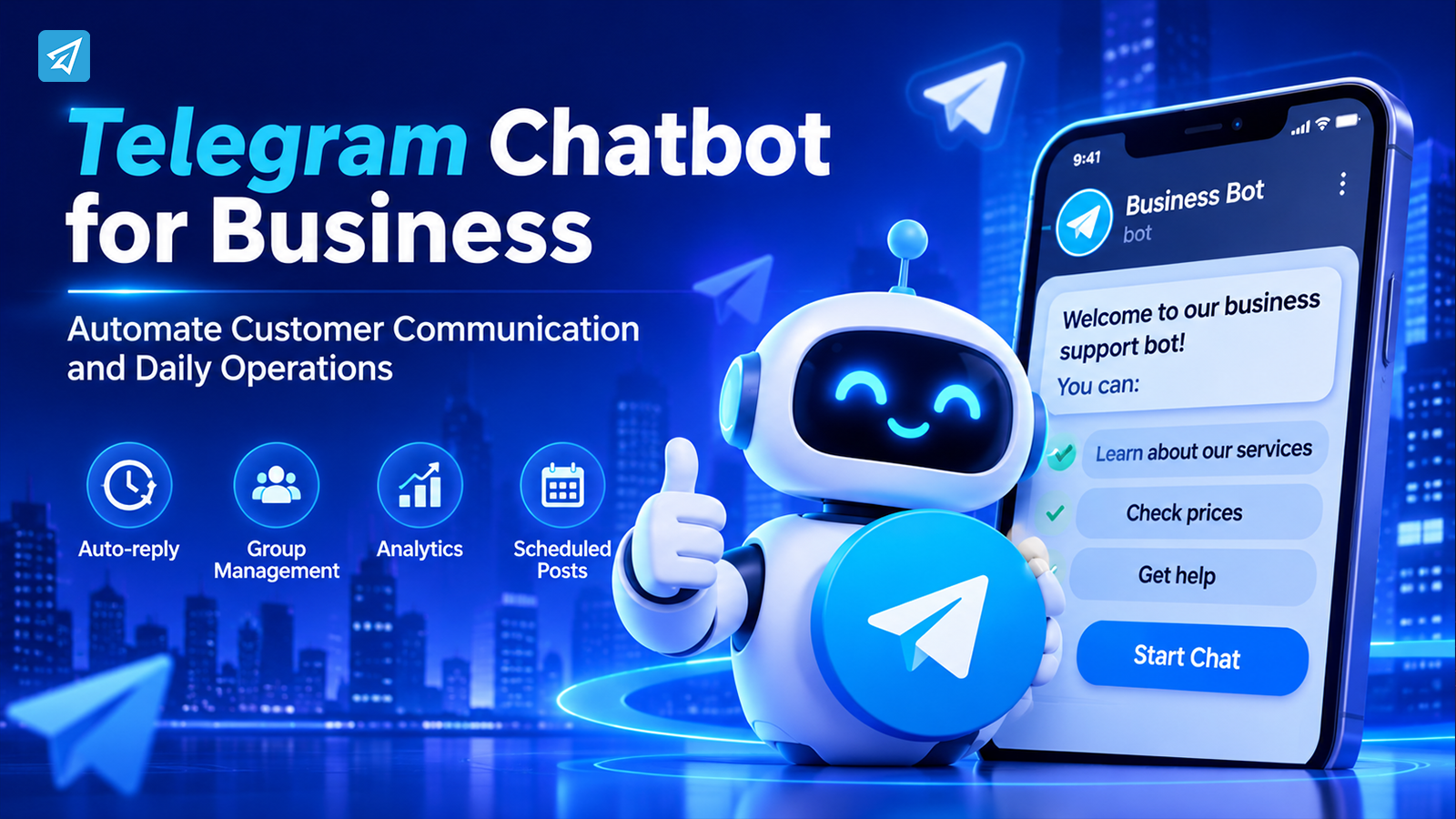
“Welcome to our business support bot!
You can use this bot to:
- Learn about our services.
- Explore subscription information.
- Find product instructions.
- Contact our team.
Send us a message to get started.”
This message gives new contacts an immediate introduction instead of leaving them to figure out the communication process themselves.
Businesses can also use buttons, media, and multiple message formats to organize the information they provide.
For instance, a product business might include a button linking to its service catalog, while a consulting company could introduce its main service categories.
The objective is not to overload customers with information.
It is to make the next action clear.
A well-designed first interaction helps reduce uncertainty and establishes a consistent starting point for future communication.
Step 2: Recognize What the Customer Needs
After the first interaction, the next challenge is understanding why someone has contacted the business.
Customers rarely ask identical questions in exactly the same way, but many inquiries contain recurring keywords.
A business can use these patterns to configure keyword-based auto-replies.
Consider a customer who sends:
Customer: “How much does your monthly subscription cost?”
The bot can recognize a configured keyword such as “subscription” or “price” and return a predefined response containing the relevant information.
Another customer might ask:
Customer: “How can I start using your service?”
A different keyword rule can provide introductory instructions.
The workflow becomes:
- Customer sends a message.
- The bot checks whether the message contains a configured keyword.
- A matching automation rule is triggered.
- The corresponding response is delivered automatically.
This approach is particularly useful for businesses receiving repetitive inquiries.
Common applications include:
- Product information.
- Subscription instructions.
- Ordering procedures.
- Service descriptions.
- Frequently requested links.
- Basic troubleshooting instructions.
Businesses should carefully choose keywords and write responses that directly address the intended question.
A response that is technically triggered but does not answer the customer’s actual concern can create more confusion.
Quick Replies provide another layer of efficiency.
Not every conversation needs to be fully automated. Sometimes a customer asks a detailed question that requires an employee to review the situation.
Instead of writing the same explanation repeatedly, staff can use predefined Quick Replies to send frequently needed information through simple commands.
This creates a practical balance between automated communication and human assistance.
Step 3: Move Beyond Simple Customer Replies
A Telegram chatbot for business can support more than answering individual messages.
Once customer communication is organized, businesses can extend automation to routine marketing and community operations.
Consider a company that uses a Telegram channel to publish product announcements and a Telegram group to interact with customers.
These two communication environments have different requirements.
For direct customer communication, the business can use Broadcast to send updates to its bot contacts.
For example, a company launching a new service might prepare an announcement and distribute it to its contacts rather than individually forwarding the same information.
For Telegram group management, automated rules can help maintain a more organized community.
Group CAPTCHA can verify new members before they participate. Group Greeting can welcome members after they pass verification. Group Rules can establish acceptable behavior and apply configured penalties when members violate those rules.
Keyword Replies for groups can also provide predefined responses when specific terms appear in group conversations.
For example, when members repeatedly ask where to find product instructions, the group bot can provide the relevant preset information.
For channel publishing, scheduled and recurring posts help businesses maintain a more consistent communication schedule.
A company might prepare product announcements, educational content, and service updates in advance.
Instead of remembering to publish each message manually, the business can arrange its content through scheduled posting.
These capabilities address a broader operational challenge: managing communication across customer conversations, groups, and channels without treating every task as a separate manual responsibility.
Step 4: Keep the Workflow Running Automatically
A business communication workflow should not end after the first automated response.
Customers continue discovering the business, asking questions, joining communities, and looking for new information.
This means communication needs to remain active over time.
Consider an online education company that publishes content through its Telegram channel.
Its ongoing workflow might include:
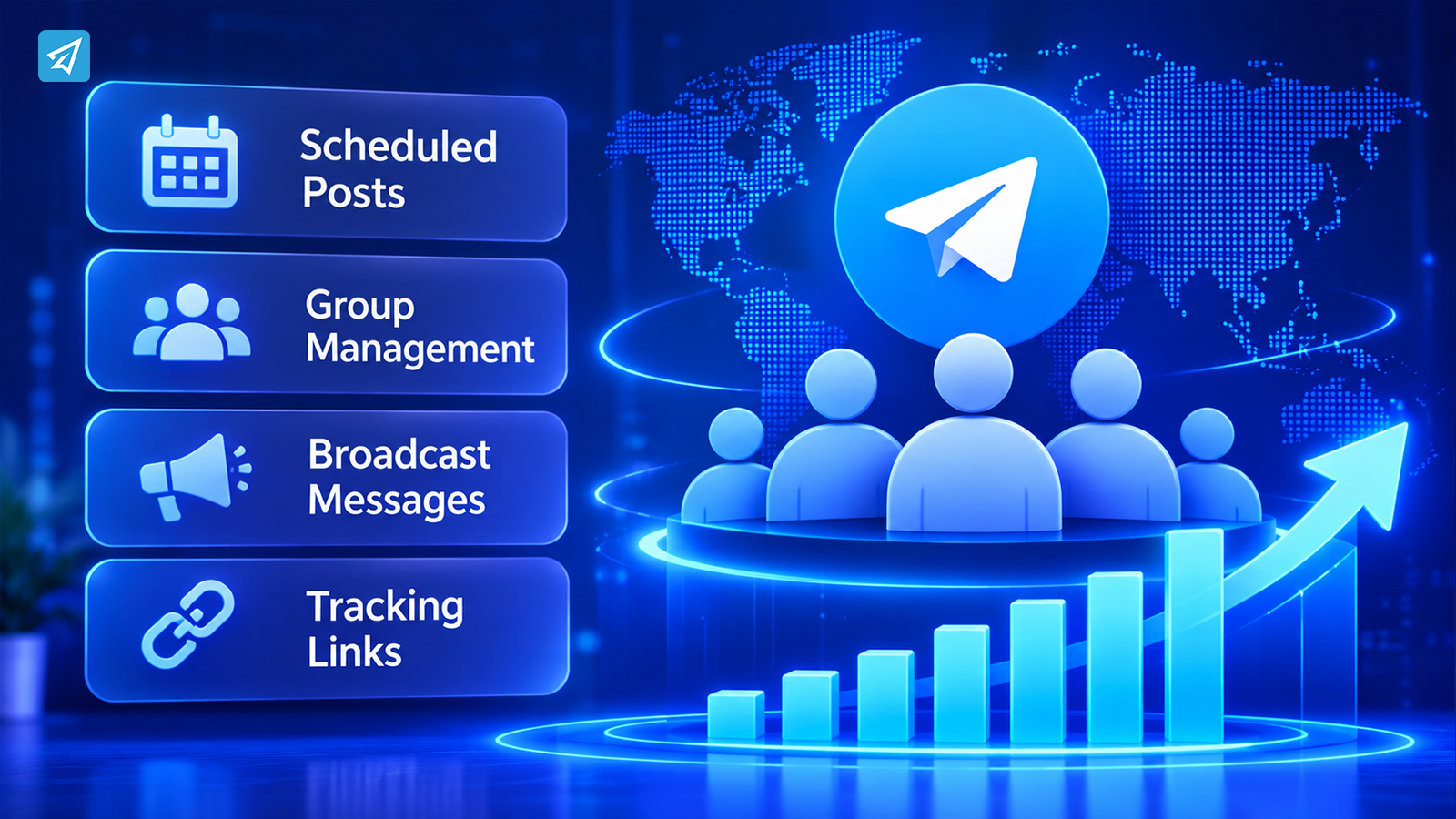
Content preparation → Scheduled publishing → Audience interaction → Automated information delivery → Performance monitoring
The company prepares several announcements in advance.
Some messages introduce upcoming courses. Others explain learning resources or share important updates.
Scheduled Posts help deliver content at the intended time, while Loop Posts can repeat selected messages at configured intervals where recurring visibility is useful.
Meanwhile, customers who discover the channel can access the business bot for additional information.
The Start Message introduces the available communication options. Keyword Replies provide relevant information when configured terms are detected. Quick Replies help staff handle questions that need individual attention.
This creates a connected operating process.
The marketing team manages scheduled communication, while the customer-facing workflow handles recurring inquiries.
As the audience grows, the value of this arrangement becomes more apparent.
Instead of repeatedly organizing the same tasks, the business can prepare its communication rules and content schedules in advance.
The team can then focus on maintaining accurate information, improving messages, and responding to situations that require personal attention.
Step 5: Measure What Is Happening

Automation becomes more useful when businesses can evaluate how their communication activities are performing.
Without measurement, a company may know that it is sending messages but have limited visibility into how its audience interacts with the bot, group, or channel.
Analytics can provide additional information for evaluating these activities.
For example, a business can examine information about users interacting with its bot, members joining its group, or subscribers following its channel.
These insights can help the team understand audience activity and make more informed operational decisions.
Tracking Links provide another useful measurement option.
A business might distribute different Telegram bot links through its website, promotional materials, or social media accounts.
By using tracking links, it can distinguish contacts who start the bot through different sources.
This makes it easier to evaluate which communication channels are bringing people into the Telegram workflow.
For example:
- Website visitors may discover the bot through a support page.
- Social media followers may arrive through a promotional post.
- Existing customers may use a link included in a service announcement.
Comparing these entry sources can help the business decide where to improve its promotional activities.
The objective is not simply to collect more data.
It is to connect measurement with practical decisions.
If one source consistently brings relevant contacts into the bot, the business can consider maintaining or improving that acquisition channel.
If a particular announcement receives limited attention, the team can review its timing, content, or relevance.
Automation handles repetitive operations. Analytics helps businesses understand where those operations can improve.
One Workflow, Two Operating Models
The difference between manual and automated Telegram communication becomes clearer when the complete process is compared.
| Workflow Stage | Manual Process | Automated Process |
|---|---|---|
| First interaction | Staff manually welcomes new contacts | Automated Start Message |
| Common questions | Employees repeatedly write answers | Keyword-based Auto-reply |
| Repeated explanations | Staff rewrite similar messages | Predefined Quick Replies |
| Customer updates | Messages sent individually | Broadcast |
| Group entry | Manual member monitoring | CAPTCHA and Group Greeting |
| Group questions | Staff repeatedly answer common questions | Group Keyword Replies |
| Channel publishing | Staff manually publish each update | Scheduled and Loop Posts |
| Performance monitoring | Manual observation | Bot, group, and channel analytics |
| Traffic sources | Difficult to distinguish entry points | Tracking Links |
The automated model does not eliminate every manual responsibility.
Businesses still need to prepare accurate information, maintain their communication rules, review customer feedback, and handle situations that require personal attention.
Its advantage is that routine tasks become more structured and repeatable.
Where OnlyTG Echo Fits
Building this type of workflow requires a way to configure automated messages, organize communication rules, and manage recurring Telegram activities.
OnlyTG Echo provides a no-code environment for configuring and operating Telegram bots, groups, and channels.
Its capabilities correspond to several stages of the workflow described above.
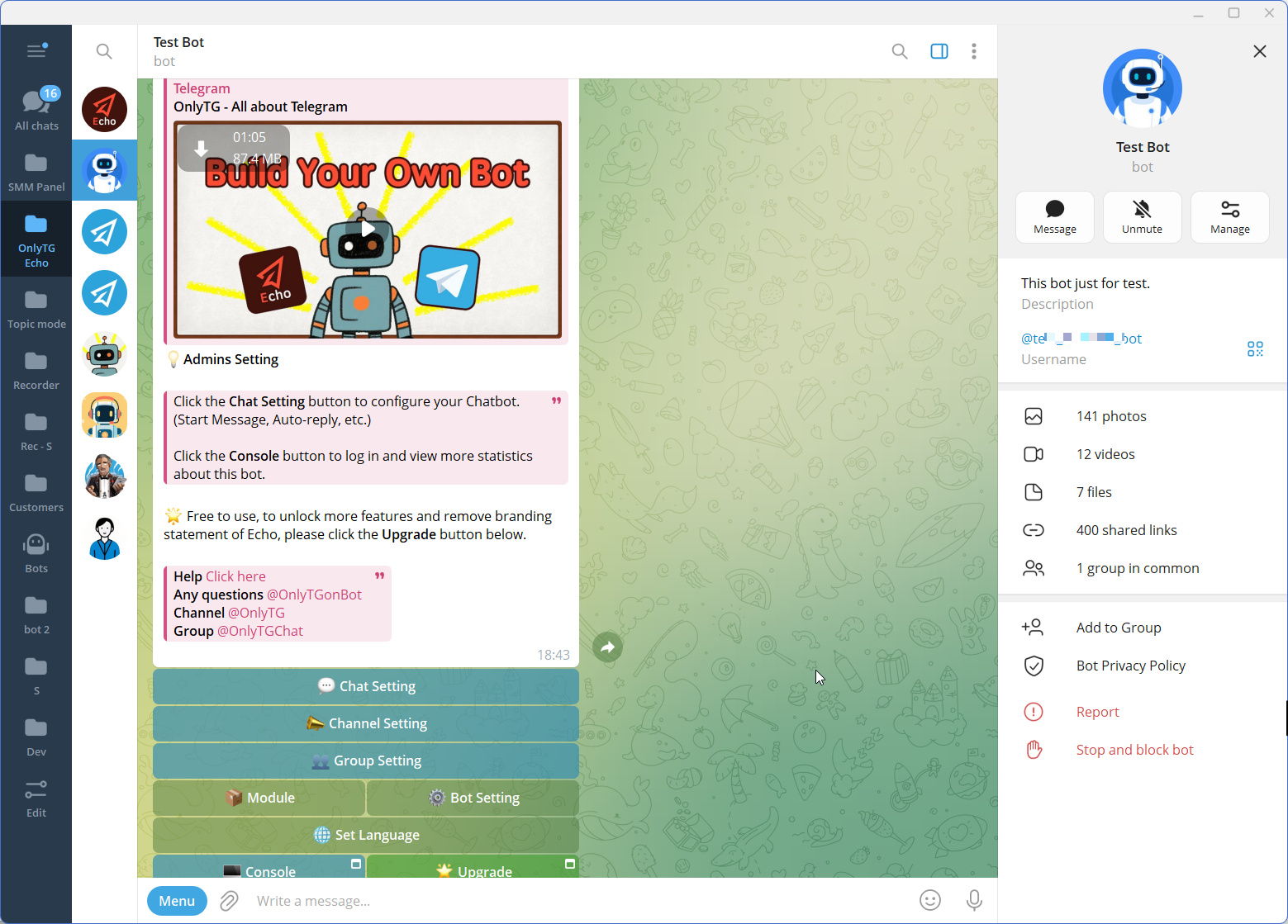
For the first interaction, Start Message allows businesses to configure introductory messages containing text, media, and buttons.
For recurring customer inquiries, Auto-reply and Keyword Reply support predefined responses triggered by configured keywords. Quick Reply helps staff send prepared messages through simple commands.
For ongoing communication, Broadcast allows businesses to distribute updates to bot contacts. Multi-form Messages Builder supports the creation of messages containing text, media, and buttons.
For community operations, Group CAPTCHA, Group Greeting, Group Rules, and Group Keyword Reply provide tools for managing recurring group activities.
For channel management, Channel Posts, Scheduled Posts, and Loop Posts help businesses organize content publishing.
For performance evaluation, Analytics and Tracking Links provide information about user activity and traffic sources.
These capabilities allow businesses to configure different parts of their Telegram operations within one platform.
How to Use OnlyTG Echo
A practical implementation can be kept relatively simple.
Step 1 — Create a Telegram Bot
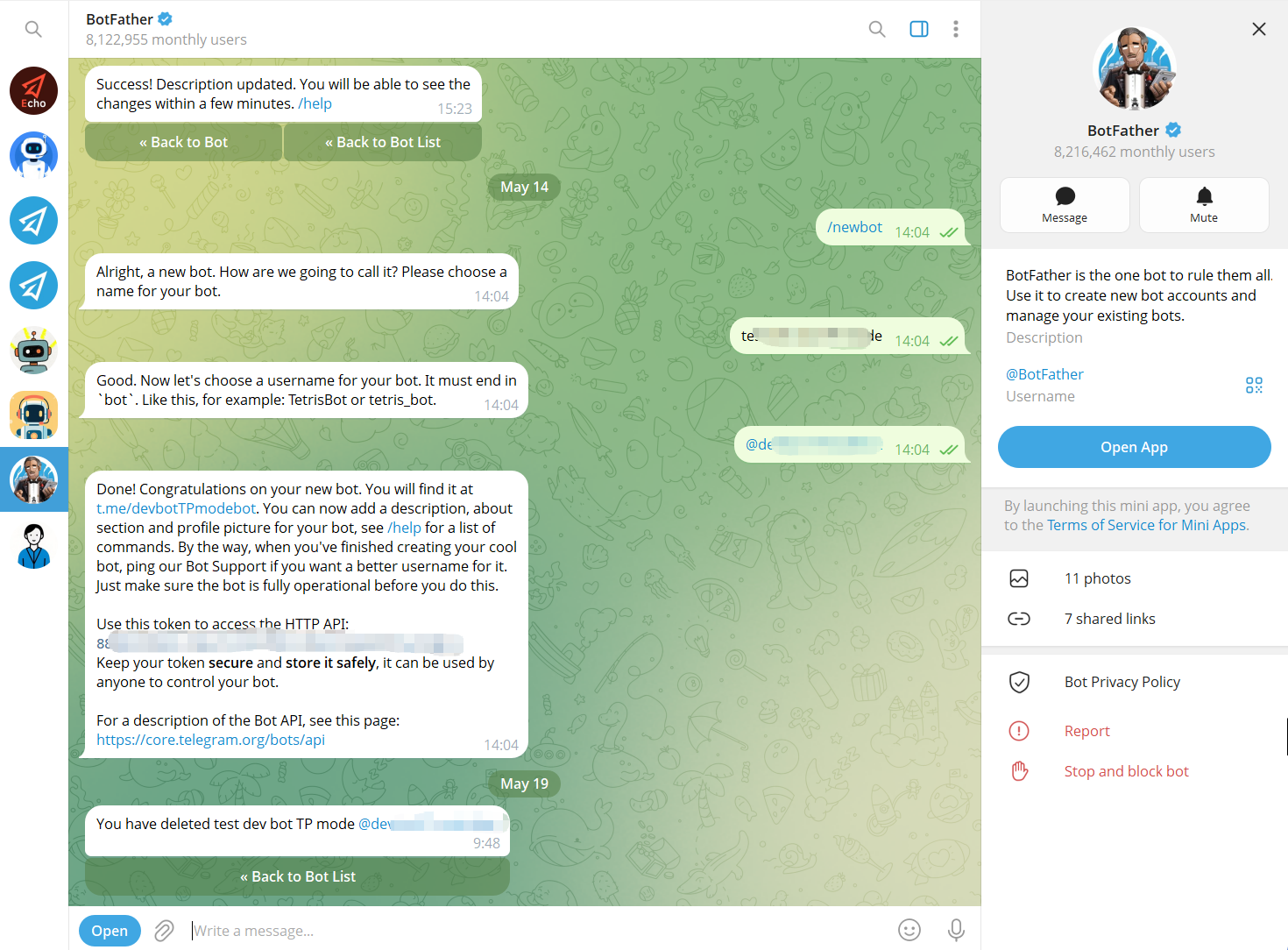
Use Telegram’s BotFather to create a bot and obtain its bot token. The bot becomes the communication interface that users interact with.
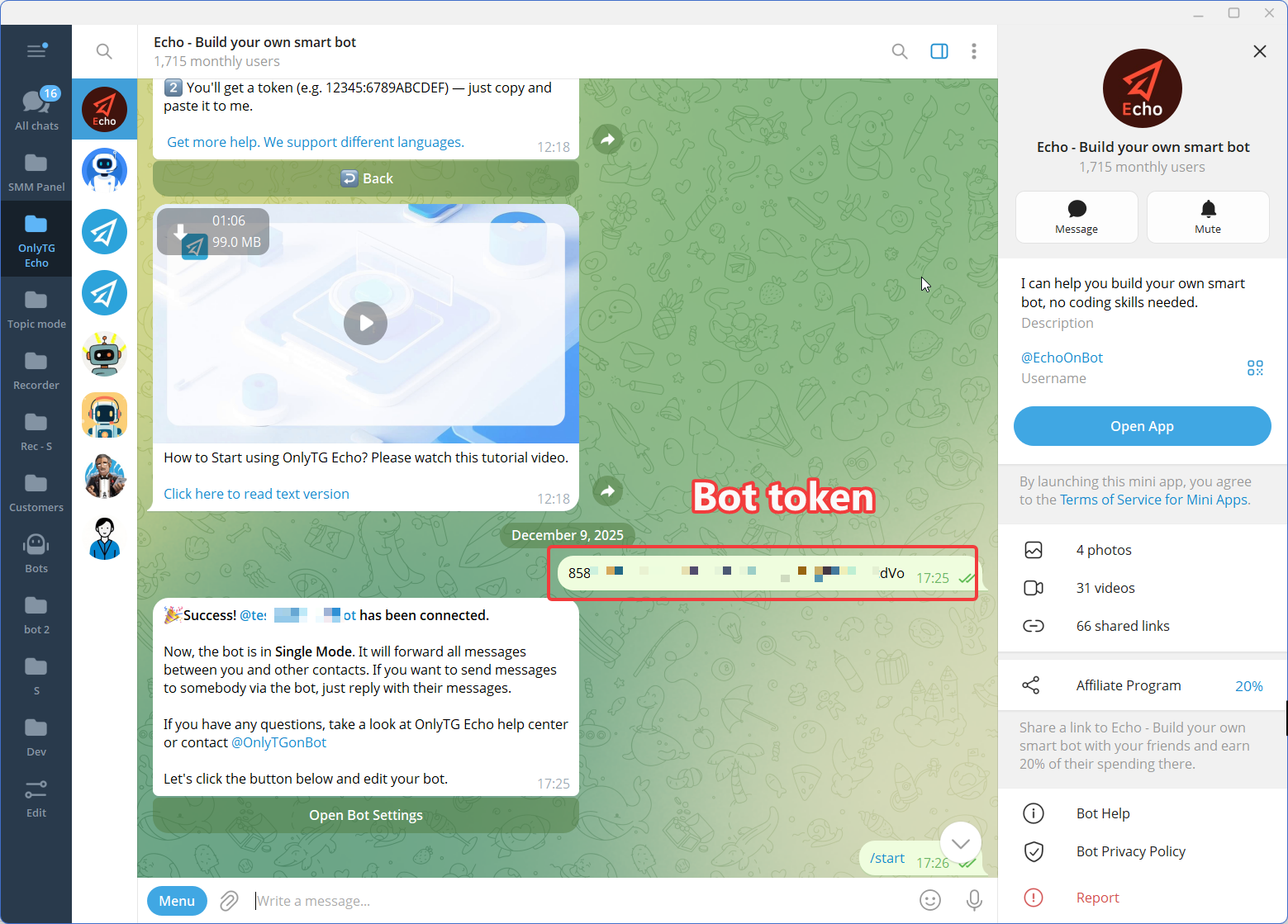
Step 2 — Connect the Bot to OnlyTG Echo
Connect the newly created Telegram bot to OnlyTG Echo using the bot token.
The purpose of this step is to give the business a no-code environment for configuring the bot’s communication behavior rather than requiring a custom automation workflow to be developed from scratch.
Step 3 — Configure the Features
FAQ
1. Do I need coding knowledge to use a Telegram chatbot for business?
Not necessarily. A business can create a Telegram bot through Telegram’s BotFather and configure supported automation functions through a no-code management environment such as OnlyTG Echo. Businesses can set up Start Messages, Auto-replies, Keyword Replies, and Quick Replies without developing their own bot software.
2. Can a Telegram chatbot automatically answer customer questions?
Yes. A Telegram chatbot can deliver predefined responses when customers send messages containing configured keywords. This is particularly useful for frequently asked questions about products, services, subscriptions, and ordering procedures. However, businesses should ensure that their automation rules cover the intended questions accurately. More complicated inquiries may still require human assistance.
3. Is a Telegram chatbot useful for small businesses?
Yes. Small businesses often have limited staff resources, making repetitive communication particularly time-consuming. A Telegram chatbot can help organize first-time interactions, automate common responses, distribute updates, and support routine community management. The most useful starting point is to automate a small number of frequently repeated tasks before expanding the workflow.