
If you use Telegram for groups, communities, work chats, or public networking, your first privacy question is usually simple: can people see your phone number? This guide explains how to hide phone number Telegram settings correctly in 2026, what those settings actually do, and which extra steps reduce unwanted discovery.
The short answer is that Telegram lets you control who can see your number and who can find you by number. The safer answer is that you also need to review contact syncing, usernames, forwarded messages, group permissions, and two-step verification.
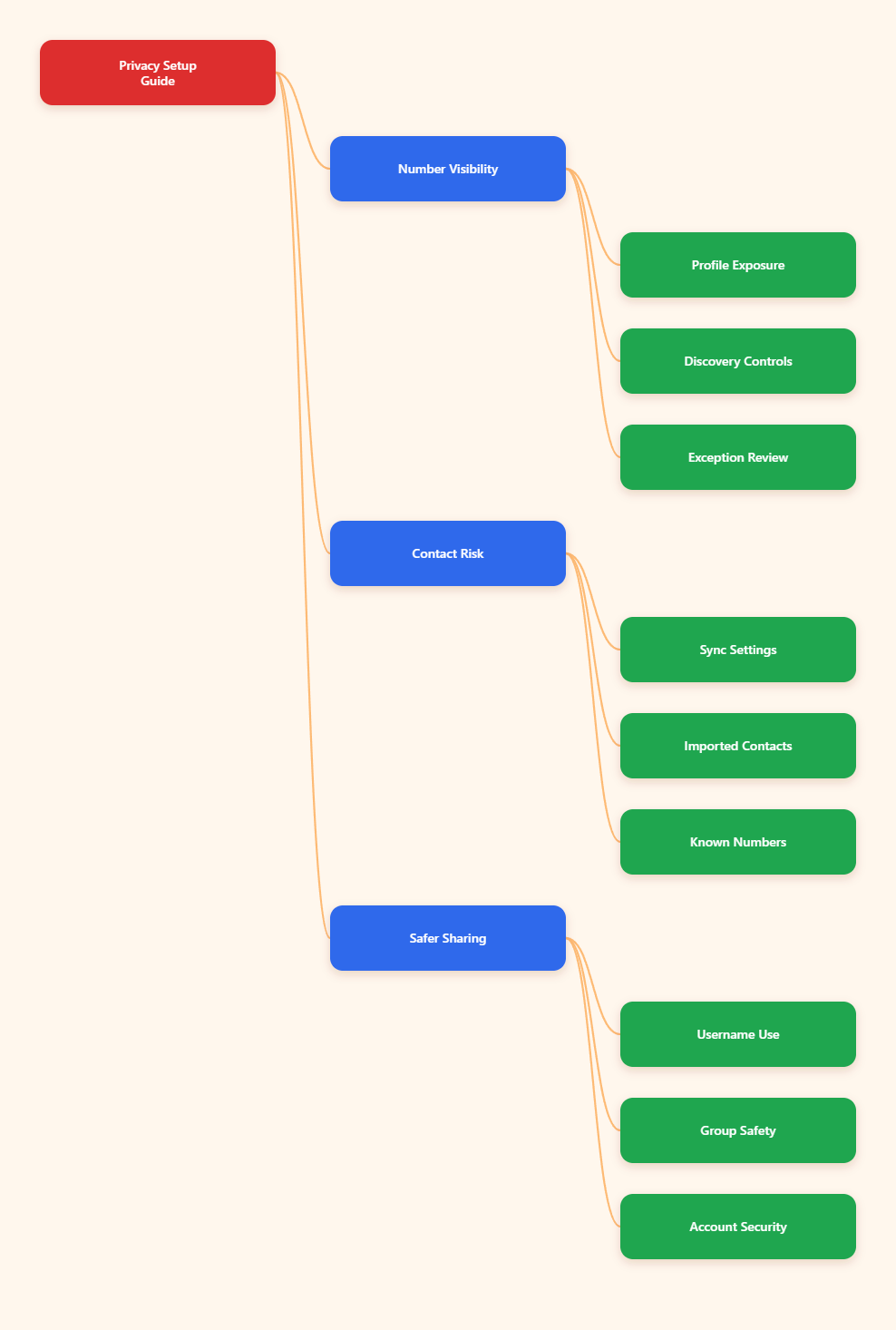
What Telegram Shows About Your Phone Number in 2026
Telegram does not automatically display your phone number to every stranger in every chat. Visibility depends on your privacy settings, whether someone has your number saved, whether you share it yourself, and whether contacts have been synced.
The most important privacy screen is Settings > Privacy and Security > Phone Number. There are two separate controls there, and many users only change one of them.
- Who can see my phone number: controls whether your number appears on your profile.
- Who can find me by my number: controls whether people can locate your Telegram account by searching or syncing your number.
- Exceptions: lets you always allow or never allow specific users.
- Contacts: can still affect discovery if your address book has been synced before.
This distinction matters. Hiding the number from your profile is useful, but it does not automatically erase past contact links or remove every way someone may associate your account with a phone number they already know.
How to Hide Phone Number Telegram Settings Step by Step
The safest setup for most privacy-focused users is to set your number visibility to Nobody and number discovery to My Contacts or the most restrictive option available in your app version. The wording can vary slightly by platform, but the path is consistent across Android, iPhone, desktop, and Telegram Web.
On iPhone and Android
Open Telegram and go to Settings. Tap Privacy and Security, then choose Phone Number.
Under Who can see my phone number, select Nobody. Then check Who can find me by my number and choose the smallest audience that still fits how you use Telegram.
- Choose Nobody for maximum privacy if the option is available.
- Choose My Contacts if you want trusted saved contacts to find you.
- Avoid Everybody unless discoverability is more important than privacy.
- Review Always Allow and Never Allow exceptions carefully.
After you change the setting, open your profile from another account if possible and confirm that your number is no longer visible. This quick check catches accidental exceptions and old contact-sharing choices.
On Telegram Desktop
Open Telegram Desktop, click the menu or settings icon, and go to Settings > Privacy and Security > Phone Number. Set the same two controls: visibility and discoverability.
Desktop settings sync with your account, so you do not need to repeat the same change on every device. Still, it is worth checking your mobile app afterward because contact sync controls are often easier to manage on a phone.
Best Default Privacy Setup
If you are unsure what to choose, start with a conservative setup. You can always loosen the settings later for specific people.
| Setting | Recommended Choice | Why It Helps |
|---|---|---|
| Who can see my phone number | Nobody | Prevents your number from appearing on your Telegram profile. |
| Who can find me by my number | My Contacts or Nobody | Reduces number-based discovery by strangers or old contacts. |
| Sync Contacts | Off for privacy | Stops new phone contacts from uploading to Telegram. |
| Delete Synced Contacts | Use after disabling sync | Removes contacts already imported into Telegram. |
| Username | Create one | Lets people contact you without needing your phone number. |
Why Hiding Your Number Is Not the Whole Privacy Fix
Many users change one phone number setting and assume the job is done. In practice, Telegram privacy has several layers, and each one controls a different exposure point.
Contact Sync Can Reconnect People
Telegram can use your phone contacts to help you find people and help people find you. That is convenient, but it can also rebuild links you were trying to avoid.
To reduce this risk, go to Settings > Privacy and Security > Data Settings or the contacts section available in your app. Turn off Sync Contacts, then use Delete Synced Contacts if you want a cleaner reset.
- Turning off sync stops future uploads.
- Deleting synced contacts removes previously imported contacts from Telegram.
- Removing a phone contact only from your device may not remove it from Telegram if it was already synced.
- Business or shared devices should avoid contact sync unless absolutely necessary.
This is especially important if you joined Telegram years ago and allowed contact access during setup. Old permissions may still shape who appears in your Telegram contact list.
People Who Already Have Your Number May Recognize You
Privacy settings reduce exposure, but they cannot change what another person already knows. If someone saved your mobile number before, they may still identify you through their address book, previous chats, display name, profile photo, or username.
For sensitive use, do not rely on phone-number hiding alone. Also review your profile photo visibility, bio, last seen status, forwarded message attribution, and group join settings.
Exceptions Can Override Your Main Setting
Telegram allows exceptions such as Always Allow and Never Allow. These are useful, but they can also create privacy surprises if you forget they exist.
When you add someone as a contact, check whether Telegram offers an option to share your phone number with that person. If you do not want number exposure, avoid approving that share action and periodically review your exception lists.
Use a Username Instead of Sharing Your Number
The most practical way to hide phone number Telegram contact details is to use a username. A username creates a public handle, usually in the format @name, so people can find or message you without knowing your phone number.
How to Create a Telegram Username
Open Settings, tap your profile, and look for the Username field. Choose a name that is easy to share but does not reveal personal information you would rather keep private.
- Avoid using your full legal name if you want separation from real-world identity.
- Avoid adding your birth year, employer, school, or location.
- Use a consistent handle only if you are comfortable being linked across platforms.
- Change the username later if it attracts spam or unwanted messages.
After creating it, you can share your Telegram link instead of your phone number. This is much safer for public profiles, online communities, marketplaces, and one-time conversations.
When a Username Is Better
A username works best when you want people to contact you but do not want them to store, forward, or search your mobile number. It is also useful for creators, moderators, freelancers, and support teams.
For example, a community admin can publish a username in a group description. Members can message the admin without seeing a private mobile number.
When a Username Is Not Enough
A username is public by design. If you use the same username on Telegram, X, Reddit, GitHub, and Instagram, people may connect those identities.
For higher privacy, create a Telegram-specific username. Pair it with a neutral profile photo and a bio that does not expose personal details.
Protect Your Number in Groups and Channels
Telegram groups and channels are common places where users worry about number exposure. In most cases, group members see your display name, profile photo, and username, not automatically your phone number.
However, privacy can break down through social clues, forwarded messages, contact syncing, and careless profile settings. Treat large groups as public spaces.
Review Group Permissions
Go to Settings > Privacy and Security > Groups and Channels. Limit who can add you to groups and channels, especially if spam invitations are a problem.
- Use My Contacts instead of allowing everyone to add you.
- Add exceptions for trusted communities if needed.
- Leave groups that pressure members to reveal numbers or personal details.
- Be cautious with public groups that have unknown admins.
Control Forwarded Message Attribution
Forwarded messages can sometimes reveal a link back to your profile, depending on your privacy settings. To reduce this, check Privacy and Security > Forwarded Messages and restrict who can link to your account when forwarding your messages.
This does not hide your phone number directly, but it reduces profile tracing. It is a helpful companion setting for anyone who participates in large groups.
Use a Separate Public Identity
If you join public communities, keep your public Telegram identity minimal. Use a username, avoid a face photo if you do not need one, and keep your bio short.
Do not post your phone number in group messages, screenshots, shared contact cards, or profile descriptions. Manual sharing bypasses every privacy setting.
Can You Use Telegram Without a Regular Phone Number?
Telegram has historically required a number to create an account. In 2026, users may also see references to anonymous numbers available through Fragment, a Telegram-linked platform associated with blockchain-based usernames and numbers.
This can reduce reliance on a personal SIM number, but it is not the right choice for everyone. It may involve cost, account recovery considerations, and a learning curve that casual users do not need.
Regular Number vs Anonymous Number
A regular mobile number is simple, familiar, and easy to recover if you keep control of the SIM. The privacy downside is that it may already be known to employers, relatives, clients, or old contacts.
An anonymous number can separate your Telegram account from your personal SIM. The tradeoff is that you must understand how access, ownership, and recovery work before relying on it.
Avoid Temporary SMS Numbers
Do not use random temporary SMS websites for a long-term Telegram account. If you lose access to the number, you may lose the ability to receive login codes or recover the account.
Temporary numbers can also be reused by other people. That creates obvious account security and privacy risks.
Secure the Account You Already Have
For most users, the smarter move is not replacing the number. It is locking down the existing account with the right settings.
- Hide your phone number from everyone.
- Restrict who can find you by number.
- Disable and delete synced contacts if needed.
- Create a username for safe sharing.
- Enable two-step verification for account protection.
Extra Security Settings Worth Enabling
Phone number privacy and account security are connected. If someone gains access to your Telegram account, they may see chats, contacts, sessions, and account details regardless of your visibility settings.
Enable Two-Step Verification
Go to Settings > Privacy and Security > Two-Step Verification. Add a strong password and a recovery email you control.
This creates an extra barrier beyond SMS login codes. It is one of the most important protections for any Telegram account.
Check Active Sessions
Open Devices or Active Sessions in Telegram settings. Log out of devices you do not recognize or no longer use.
Do this after changing privacy settings, especially if you used Telegram on shared computers, old phones, or browser sessions.
Limit Profile Clues
Even when your number is hidden, your profile can reveal who you are. Review these settings together:
- Profile Photos: restrict to contacts or use a neutral image.
- Bio: remove phone numbers, workplace names, and personal links.
- Last Seen and Online: limit visibility if timing patterns matter.
- Calls: restrict who can call you and consider peer-to-peer call settings where available.
Common Mistakes That Expose Your Number
Most Telegram phone number leaks happen through settings confusion or manual sharing. Avoid these common mistakes.
Changing Only One Phone Number Option
Setting Who can see my phone number to Nobody is not the same as controlling who can find you by number. Always review both options on the same screen.
Leaving Old Synced Contacts Online
If contact sync was enabled in the past, turning it off today may not delete contacts already uploaded. Use Delete Synced Contacts if you want to remove old imported contacts from Telegram.
Sharing Contact Cards Too Quickly
When adding someone, watch for prompts that share your number. Do not send your Telegram contact card in public chats unless you are comfortable exposing the linked number or profile details.
Final Checklist: Hide Phone Number Telegram Safely
To hide phone number Telegram information properly in 2026, treat it as a short privacy audit rather than a single switch. Start with the Phone Number screen, then clean up the contact and profile settings that can still connect your identity.