
Telegram users worldwide are facing a universal issue: the short domain t.me cannot be loaded through standard web browsers. This failure affects all users across the globe.
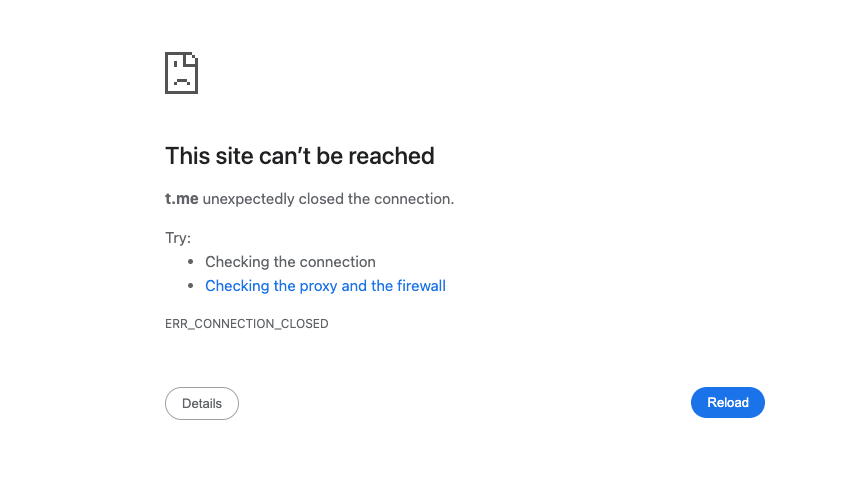
While browser access to t.me is broken, all native Telegram mobile and desktop clients remain fully functional. Links clicked inside the official Telegram apps trigger normal redirects without any errors.
If you need to share Telegram content on external platforms as a temporary workaround, replace t.me links with the alternative domain telegram.me.
Root Cause & Technical Details
The exact trigger of this domain block remains unconfirmed for now.
WHOIS lookup data (https://www.whois.com/whois/t.me) verifies that the .me registry authority has completely removed the t.me domain from global DNS zones.
This restriction was enforced by doMEn d.o.o., the Montenegro-based company that administers the entire .me top-level domain. It is the primary zone operator, independent of domain registrar GoDaddy, and a joint venture between Identity Digital, GoDaddy and ME-net. GoDaddy holds no authority to reverse this DNS suspension.
Effective Fixes for Broken t.me Links
1. Swap t.me with telegram.me for browser visits
This is the easiest temporary replacement for web access.
- Original link format:
https://t.me/ID - Modified working link:
https://telegram.me/IDExample:t.me/officialchannel→telegram.me/officialchannel
2. Open links inside official Telegram clients (Most Reliable)
The domain block only impacts web browsers. All Telegram apps bypass this DNS restriction:
- Copy the full unmodified
t.meURL - Paste and send it in any chat within your Telegram mobile or desktop app
- Tap the link inside the chat window — redirects work flawlessly
3. Use Telegram’s official web version
If you must use a browser, skip short links entirely:
- Visit
web.telegram.org - Log into your Telegram account via QR code
- Search usernames or channel IDs directly without relying on t.me links
Common Misconceptions to Rule Out
- Clearing browser cache, switching incognito tabs or changing browsers will not fix the issue, as the problem lies in global DNS records rather than local device settings.
- If links work in your Telegram app but fail on browsers, the issue is confirmed as the global
t.meDNS removal, not your network. - The domain
t.meis not expired; it has been forcefully suspended by the.meregistry operator indefinitely, with no official restoration timeline announced.