
If you manage customers, communities, or support chats on Telegram, your phone number should not be part of your public identity. The good news is that Telegram gives you practical privacy controls, usernames, group admin settings, and business tools that help separate your personal number from your admin role.
This guide shows you how to hide phone number on Telegram for business admins without guessing, buying shady tools, or breaking Telegram rules. You will get a clean setup process, a privacy checklist, tool recommendations, and answers to the questions business admins ask most often.
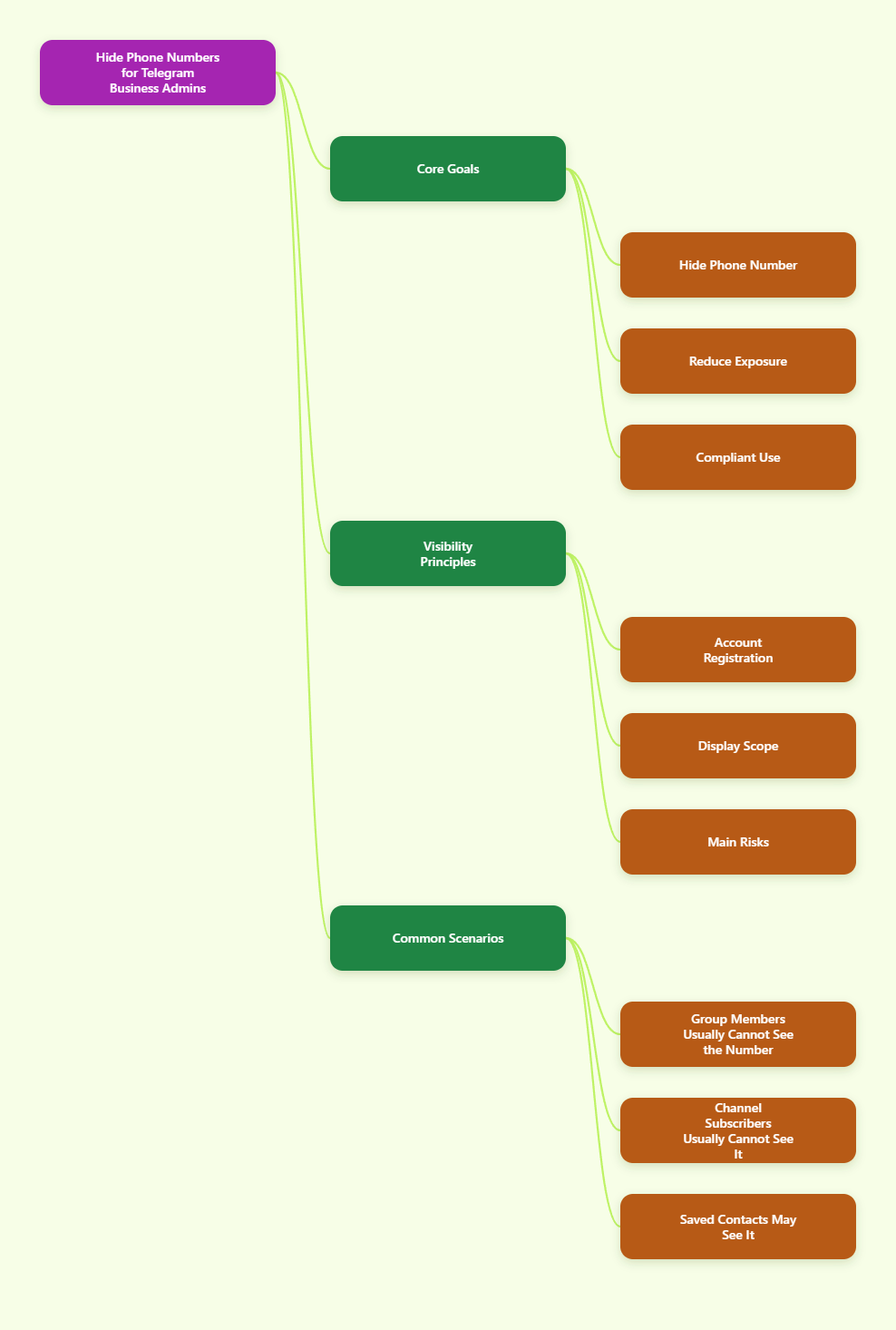
What Telegram Actually Shows About Your Phone Number
Telegram requires a phone number to create an account, but that does not mean every group member, channel subscriber, or customer can automatically see it. According to Telegram privacy settings and FAQ guidance, visibility depends on your Phone Number privacy settings, contact syncing, and whether another person already has your number saved.
For most business admins, the risk is not one single setting. It is the combination of using a personal SIM, syncing contacts, joining groups under a real profile, forwarding messages with identity links, and replying to customers from the same account you use with friends.
Common visibility scenarios
- Group members usually see your name, profile photo, and username, not your phone number, unless your settings or contact relationship expose it.
- Channel subscribers generally cannot see your phone number just because you own or manage a channel.
- Saved contacts may see your number if your settings allow contacts to view it.
- People who already have your number may be able to find your Telegram account depending on the setting for who can find you by number.
- Business customers can message you through usernames, links, bots, or Telegram Business features without needing your personal phone number.
Best Privacy Setup for Business Admins
Before changing settings, decide what role this Telegram account serves. A business admin account should be easy for customers to contact, but hard for strangers to connect to your private identity.
The safest practical setup is a dedicated admin profile, a public username, limited phone visibility, disabled unnecessary contact syncing, and controlled group admin permissions. If you manage a high-risk community, combine this with anonymous admin mode and a bot-based support flow.
| Setting or Practice | Recommended Choice | Why It Matters |
|---|---|---|
| Who can see my phone number | Nobody or My Contacts | Prevents random members and customers from viewing your number. |
| Who can find me by my number | My Contacts | Reduces account discovery by people who obtained your number elsewhere. |
| Username | Set a public business username | Lets people contact you without a phone number. |
| Contact syncing | Disable unless needed | Limits automatic matching between your address book and Telegram users. |
| Forwarded messages | Restrict profile linking | Reduces identity exposure when messages are forwarded. |
| Group admin identity | Use anonymous admin mode when appropriate | Posts admin actions under the group name instead of your personal profile. |
How to Hide Your Phone Number on Telegram: Step-by-Step
Use this workflow on the Telegram mobile app first, because privacy controls are easiest to confirm there. The menu names may vary slightly between iOS, Android, and desktop, but the logic is the same.
- Open Telegram Settings.
On iPhone, tap Settings in the bottom menu. On Android, open the side menu and tap Settings. On desktop, open the menu and choose Settings. - Go to Privacy and Security.
This is where Telegram keeps controls for phone number visibility, last seen status, profile photos, forwarded messages, calls, groups, and two-step verification. - Tap Phone Number.
You will see two key sections: Who can see my phone number and Who can find me by my number. These are different controls, and business admins should review both. - Set Who can see my phone number to Nobody.
This is the strongest normal privacy option. If you need trusted teammates to see your number, choose My Contacts, then use exceptions carefully. - Set Who can find me by my number to My Contacts.
This helps stop people from using a phone number database, old customer records, or leaked contact lists to discover your Telegram profile. - Review Exceptions.
Telegram lets you add users who are always allowed or never allowed. Remove old vendors, former staff, temporary contractors, and personal contacts that do not need admin-level access. - Save or confirm the changes.
Telegram usually applies privacy changes immediately. Still, ask a trusted test account that is not in your contacts to check what they can see. - Repeat the review on desktop.
Telegram syncs settings across devices, but checking desktop helps you catch profile details such as photos, bio text, or usernames that still reveal personal information.
Set a Username So Customers Do Not Need Your Number
Hiding your phone number is only half the job. Business admins still need a contact path, and Telegram usernames solve that problem cleanly.
A username lets people find you with a public handle such as @YourBrandSupport. You can also share a t.me link on your website, email signature, invoices, onboarding documents, or community rules.
How to create a business-friendly username
- Open Settings in Telegram.
- Tap your profile name or account details.
- Choose Username.
- Enter a handle that matches your brand, support function, or admin role.
- Save it and test the link format: https://t.me/YourUsername.
Choose a username that is professional and hard to confuse. Avoid birth years, private nicknames, personal initials, or anything that connects your admin role to your private identity.
Disable Contact Syncing and Clean Imported Contacts
Contact syncing is convenient for personal use, but it can create privacy confusion for business admins. If Telegram uploads your address book, the app can match your contacts with Telegram accounts and make it easier to connect personal and professional circles.
For a business admin account, disable syncing unless you have a clear operational reason to keep it on. You should also remove previously synced contacts if you no longer need them.
Recommended contact cleanup process
- Go to Settings.
- Open Privacy and Security.
- Find Data Settings or contact-related options, depending on your app version.
- Turn off Sync Contacts.
- Use Delete Synced Contacts if available and appropriate.
- Restart Telegram and confirm that unnecessary contacts no longer appear.
If your team uses shared customer lists, do not upload them into a personal Telegram account. Use a customer support platform, CRM, or bot workflow that follows your company privacy policy.
Use Anonymous Admin Mode in Groups
If you manage a Telegram group, anonymous admin mode can reduce personal exposure. When enabled, admin messages and some moderation actions appear under the group identity instead of the individual admin profile.
This feature is useful for public communities, activist groups, creator communities, crypto groups, local marketplaces, and any business group where admins may face harassment or unwanted personal contact.
How to enable anonymous admin mode
- Open the Telegram group where you are an owner or have permission to manage admins.
- Tap the group name and open Edit or Manage Group.
- Go to Administrators.
- Select the admin account.
- Enable Remain Anonymous if the option is available.
- Save changes and send a test message to confirm how it appears.
Use this carefully. Anonymous admin mode can protect staff, but it can also reduce trust if members do not understand who is moderating. A good compromise is to publish a clear rule: official moderation messages may appear under the group name for staff safety.
Secure Your Business Admin Account Beyond Phone Privacy
A hidden phone number does not protect you if your account is hijacked. Business admins should secure login access, recovery options, device sessions, and message forwarding.
Enable two-step verification
Telegram supports Two-Step Verification, which adds a password in addition to SMS or app-based login codes. This matters because attackers often try SIM-swap, phishing, or social engineering attacks against visible admins.
- Go to Settings.
- Open Privacy and Security.
- Tap Two-Step Verification.
- Create a strong password that is not reused anywhere else.
- Add a recovery email you control securely.
Check active sessions
Telegram works across multiple devices. That is convenient, but old sessions on lost phones, shared computers, or former employee devices can become a serious risk.
- Open Settings.
- Go to Devices.
- Review every active session.
- Terminate anything you do not recognize.
- Repeat this audit monthly for business admin accounts.
Restrict forwarded message attribution
Forwarded messages can sometimes link back to the original sender profile depending on privacy settings. Business admins should limit profile linking to reduce unwanted discovery.
- Go to Settings.
- Open Privacy and Security.
- Tap Forwarded Messages.
- Set who can link to your account when forwarding your messages.
- Use Nobody or a limited contact group for stronger privacy.
Free and Paid Tools That Help Business Admins Stay Private
You do not need suspicious number-hiding apps to protect yourself on Telegram. Most privacy work should happen inside Telegram itself, supported by reputable security and business tools.
| Tool | Free or Paid | Best For | Pros | Cons |
|---|---|---|---|---|
| Telegram Privacy Settings | Free | Phone visibility, forwarding, contacts, groups | Official, built in, immediate | Requires manual review |
| Telegram Business | Paid through Telegram Premium availability | Business hours, quick replies, greeting messages, away messages | Reduces need to expose personal contact details | Availability and pricing can vary by region |
| Telegram Bots | Free to build, paid if hosted professionally | Support intake, FAQs, routing, automation | Keeps admins out of first-contact conversations | Needs setup and maintenance |
| Password Manager | Free and paid options | Two-step verification password storage | Prevents weak or reused passwords | Requires secure master password habits |
| Business CRM or Helpdesk | Usually paid | Team support workflows | Separates customer data from personal accounts | May need integration planning |
| Security Suite or Mobile Protection App | Free and paid options | Phishing and malware protection | Helpful for admins handling many links | Does not replace Telegram privacy settings |
Business Admin Privacy Workflow You Can Use Today
Here is a no-drama workflow for a small business, creator team, or community manager who wants to protect admins while staying reachable.
- Create or designate a dedicated admin account.
Do not use the same profile you use for family, private groups, and personal contacts if your business has public exposure. - Hide the phone number.
Set Who can see my phone number to Nobody and Who can find me by my number to My Contacts. - Add a clean username.
Use a brand-based handle and share the t.me link instead of your number. - Remove personal profile clues.
Replace private photos, personal bios, birthday details, and location hints with business-safe information. - Disable unnecessary contact syncing.
Delete synced contacts if your admin account previously imported a personal address book. - Enable two-step verification.
Use a strong password and secure recovery email. - Audit devices.
Remove old sessions and never keep admin access on shared or unmanaged devices. - Use anonymous admin mode for high-risk groups.
Enable it for moderation accounts when public visibility could create harassment or safety issues. - Route customers through bots or Telegram Business features.
Use quick replies, greeting messages, away messages, and bot intake flows to reduce direct personal exposure. - Schedule a monthly privacy check.
Review phone settings, admins, active sessions, bot permissions, and public profile details.
Mistakes That Still Reveal Too Much
Many admins hide their number but leave other breadcrumbs. Privacy works best when your entire profile supports the same boundary.
- Using a personal profile photo that appears on LinkedIn, Facebook, or your company site.
- Putting a real phone number in your bio after hiding it in settings.
- Forwarding private messages without checking attribution settings.
- Letting former employees keep admin rights after they leave.
- Using unique admin titles that identify exactly who took an action.
- Joining public groups with a personal account while acting as a brand representative.
FAQ
Can Telegram group members see my phone number?
Usually, group members cannot see your phone number just because you are in the same group. They may see your name, profile photo, username, and bio. Your number visibility depends on your Telegram privacy settings and whether they already have your number saved.
Can a Telegram channel admin see my phone number?
A channel admin does not automatically see your phone number simply because you subscribed or interacted with a channel. Phone number exposure still depends on your settings, contact relationship, and what you voluntarily share.
Should business admins choose Nobody or My Contacts?
For public-facing admins, Nobody is the safest setting for phone number visibility. Use My Contacts only if you have a controlled contact list and a real business reason for trusted people to see your number.
Can I use Telegram without showing any phone number?
You need a phone number to create a Telegram account, but you can hide it from other users in privacy settings. After setup, use a username, invite link, bot, group, or channel so people can contact your business without seeing your number.
Does anonymous admin mode hide everything?
No. Anonymous admin mode helps hide your personal admin identity inside a group by showing messages under the group name. It does not replace phone number privacy settings, account security, or careful profile management.
Are virtual numbers safe for Telegram business admins?
Be cautious. Some virtual number services are unreliable, recycled, or not suitable for account recovery. If you use a business number, make sure your company controls it long term and can receive login codes securely.
Final Checklist
To hide phone number on Telegram for business admins, start with the official privacy controls: set phone visibility to Nobody, limit number-based discovery, create a professional username, and stop unnecessary contact syncing. Then secure the account with Two-Step Verification, active session audits, and careful forwarding settings.