
If you searched for a no coding bot to add Telegram contacts, you probably want a simple way to collect leads, save Telegram users, and follow up without writing code. The important catch is this: a standard Telegram bot cannot silently add people to your personal Telegram contact list.
This guide explains what no-code bots can actually do, where Telegram limits apply, and how to build a safer contact workflow for customer support, communities, events, creators, and online businesses.
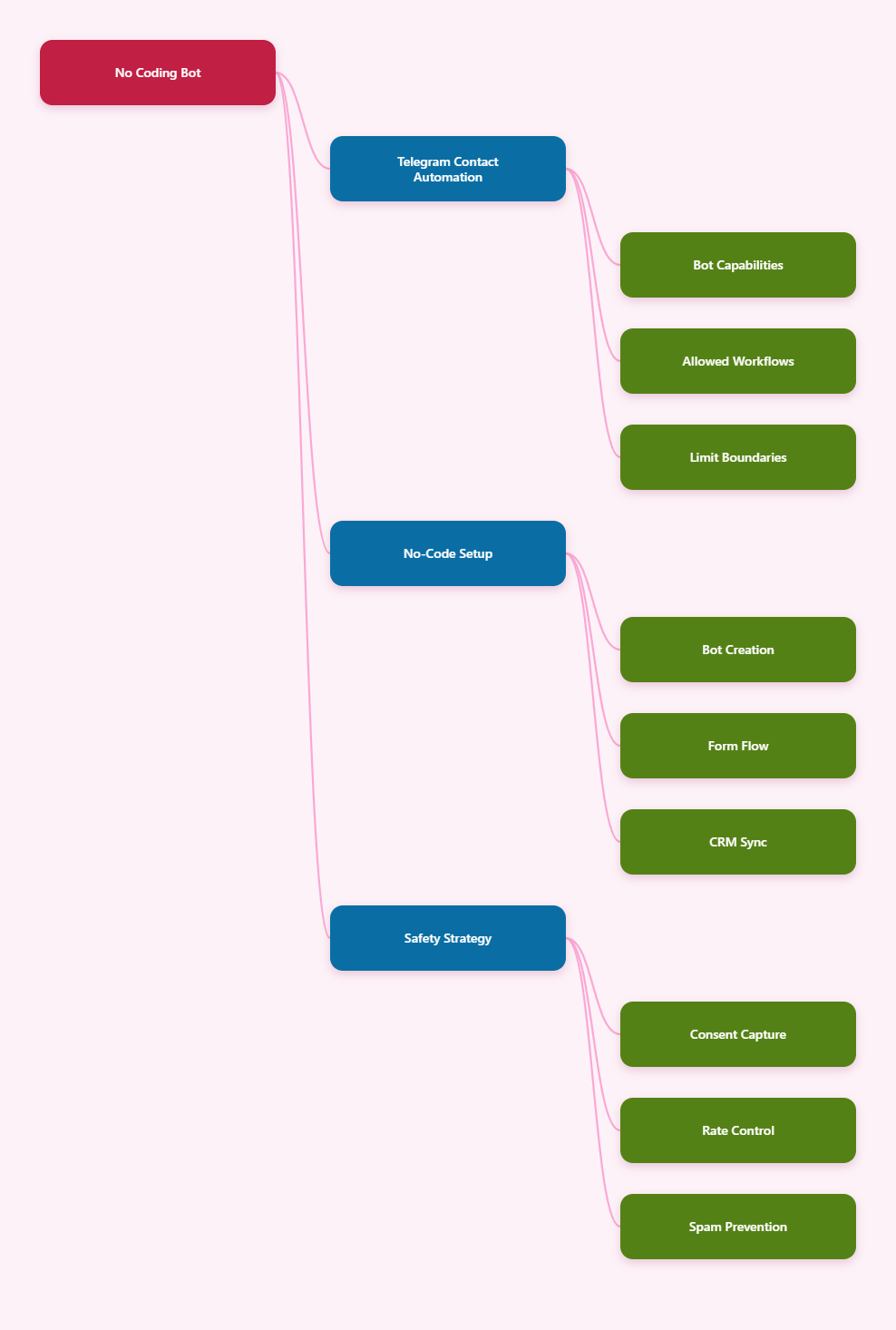
Can a No Coding Bot to Add Telegram Contacts Actually Add Contacts?
The short answer is: not in the way many users expect. Telegram’s Bot API is designed for bot-user interaction, not for modifying a user’s phone address book or adding random Telegram accounts into your personal contact list.
A bot can receive messages, collect details, send replies, manage flows, connect to business tools, and work inside groups or channels. But a bot cannot normally take a phone number and force that person into your Telegram contacts.
Telegram’s own documentation separates several concepts that people often mix together:
- Bot API communication: users talk to a bot after opening or starting it.
- Telegram contacts: contacts saved through the Telegram app or Telegram client APIs.
- Imported phone contacts: contact lists uploaded by a user account, not by a regular bot.
- CRM contacts: leads stored in tools such as spreadsheets, email platforms, or automation systems.
So the practical answer is more nuanced. You can use a no-code Telegram bot to collect and organize Telegram contacts for business use, but you should not promise that it will automatically add every person into your Telegram address book.
What Telegram Allows in 2026
Telegram still gives businesses many useful options. The safest workflow starts when a user chooses to interact with your bot, channel, group, profile link, or QR code.
Once a user starts a bot, the bot can usually reply in that chat. This is useful for lead capture, customer support, onboarding, quizzes, appointment booking, and post-purchase updates.
Bot-Based Contact Capture
A bot can ask users to share details through buttons, forms, or chat prompts. Depending on the platform you use, the bot may store Telegram user IDs, usernames, names, phone numbers shared by the user, tags, and custom fields.
For example, many no-code automation tools support fields like:
- Telegram user ID
- Username
- First and last name
- Phone number, when voluntarily shared
- Email address
- Source campaign or tag
- Conversation status
This is often enough for a business contact workflow. You may not need to add users to your personal Telegram contacts if your goal is support, segmentation, or follow-up.
User-Initiated Messaging
Telegram bots work best when users start the interaction first. That keeps the workflow aligned with Telegram’s anti-spam approach and reduces the risk of account restrictions.
You can drive users to the bot through:
- A t.me bot link on your website
- A Telegram QR code on packaging or event materials
- A channel post with a button
- A group welcome message
- A landing page call to action
This is cleaner than scraping usernames or importing unknown numbers. It also creates a better user experience because the person understands why they are being contacted.
Business Bots and Automation
Telegram Business features introduced support use cases such as opening hours, location, quick replies, automated greetings, away messages, custom start pages, and chatbot support. Telegram also documents connected business bots that can process and answer messages on behalf of a business account under supported conditions.
For a no-code user, this matters because Telegram is moving toward structured business automation, not uncontrolled cold messaging. If your goal is customer communication, build around consent, transparency, and clear opt-in flows.
What Telegram Does Not Allow or Does Not Recommend
The biggest mistake is treating Telegram like a bulk phonebook importer. Telegram’s public spam guidance makes it clear that people usually do not like being contacted by strangers, and reports can lead to limits.
Telegram also applies rate limits and behavioral limits. Official bot guidance says bots should avoid sending more than one message per second in a single chat, should not send more than about 30 messages per second for bulk notifications, and cannot send more than 20 messages per minute to the same group.
| Use Case | Safe Expectation | Risky Expectation |
|---|---|---|
| No-code bot lead capture | Collect opt-ins, IDs, usernames, and shared details | Secretly add users to your Telegram contacts |
| CRM sync | Store Telegram leads in a spreadsheet or CRM | Assume CRM import equals Telegram contact import |
| Bot follow-up | Message users who started the bot | Cold-message scraped usernames |
| Bulk notifications | Throttle messages and respect limits | Blast unlimited messages instantly |
| Phone numbers | Ask users to share numbers voluntarily | Upload random numbers and start outreach |
The safe pattern is simple: capture permission first, automate second. If a tool claims it can add unlimited Telegram contacts with no coding and no limits, treat that as a red flag.
Best No-Code Workflow for Telegram Contact Collection
A reliable no coding bot to add Telegram contacts workflow should be described more accurately as a no-code Telegram contact capture and sync system. The difference protects your account and sets the right expectations.
Step 1: Define the Contact You Need
Before choosing a tool, decide what “contact” means for your business. A Telegram username is useful for recognition, but a Telegram user ID is usually better for bot-based communication.
Ask only for data you will actually use. A lean setup improves completion rates and reduces privacy concerns.
- Support team: name, issue type, Telegram ID, order number
- Event organizer: name, attendance status, interests, Telegram ID
- Ecommerce store: order email, product interest, Telegram ID
- Community owner: username, role, topic preference, consent tag
Step 2: Create a Bot with BotFather
Telegram bots are created through BotFather, Telegram’s official bot management account. You do not need to code the bot yourself if your no-code platform connects to the bot token.
After creating the bot, set a clear bot name, description, and start message. Tell users what the bot does before asking for information.
A good opening message is specific:
- “Use this bot to join our support queue.”
- “Share your contact details to receive event updates.”
- “Choose your product interest and get Telegram updates.”
A vague opening message like “Send your details” feels suspicious and lowers trust.
Step 3: Build the No-Code Form Flow
Your no-code flow should feel like a short conversation. Keep it under five steps unless users expect a detailed application.
A simple lead flow may look like this:
- Welcome message and purpose
- Consent question
- Name or company field
- Phone or email field, if needed
- Preference tag or intent question
- Confirmation and next step
Do not make phone sharing mandatory unless it is truly required. Telegram users are privacy-aware, and forcing unnecessary fields can reduce opt-ins.
How to Sync Telegram Contacts Without Coding
Once your bot captures data, the next job is storage. A no-code workflow can send each new Telegram lead to a spreadsheet, CRM, email platform, helpdesk, or automation database.
This is where no-code tools are strongest. They help non-technical teams organize leads without building a custom backend.
Common Sync Destinations
Choose the destination based on how your team works. A spreadsheet is fine for a small community, but a CRM is better if multiple people handle follow-up.
- Google Sheets: simple lists, event signups, lightweight tracking
- CRM systems: sales pipelines, customer history, ownership
- Email platforms: newsletters and lifecycle campaigns
- Helpdesk tools: support tickets and customer service queues
- Automation platforms: routing, tagging, alerts, and reporting
Make sure your fields are mapped clearly. Do not store Telegram usernames in a phone number field or user IDs in a name field, because that creates messy data later.
Deduplication Rules
Deduplication is essential. Telegram users may restart your bot, change usernames, submit the form twice, or join from different campaigns.
Use a stable matching rule where possible:
- First match by Telegram user ID
- Then check phone or email if shared
- Then update tags instead of creating duplicates
- Keep the first opt-in date and latest activity date
This small detail saves hours of cleanup. It also prevents duplicate follow-ups, which can feel like spam.
Consent and Unsubscribe Tags
Every useful contact system needs consent status. Store whether the user opted in, what they opted in for, and when they did it.
At minimum, create fields such as:
- Opt-in status
- Opt-in source
- Opt-in timestamp
- Preferred topic
- Do-not-contact status
If a user asks to stop receiving messages, tag that immediately. A responsible unsubscribe process is not only better for users; it also protects your Telegram presence.
Privacy Settings and Phone Number Reality
Telegram users can control who sees their phone number and who can find them by number. Telegram’s FAQ states that users can send messages in private chats and groups without making their phone number visible, and that phone number visibility can be changed under Settings, Privacy and Security, Phone Number.
This matters because a contact workflow should not assume that every Telegram user wants to share a phone number. Many users prefer usernames, QR codes, invite links, or bot chats.
For privacy-friendly growth, use:
- Bot links for customer support and onboarding
- Profile links when a person wants to contact a human
- Invite links for groups and channels
- QR codes for offline events and printed materials
- Voluntary contact buttons only when a phone number is needed
This keeps your contact strategy aligned with user expectations in 2026.
Rate Limits, Spam Risks, and Account Safety
Telegram is strict about unwanted messaging because spam damages user trust. If people report your outreach, accounts can be limited.
For bots, Telegram’s public FAQ gives practical thresholds: avoid more than one message per second in a single chat, keep group sending under 20 messages per minute, and keep bulk notifications around 30 messages per second unless Telegram grants different limits.
For regular user accounts, exact contact-adding limits are not officially published in a simple universal table. Limits can depend on account age, trust, behavior, reports, and other risk signals.
That is why aggressive “mass contact adding” tools are risky. A safer operating model is:
- Use opt-in bot flows instead of cold imports
- Segment broadcasts by topic and relevance
- Throttle messages below known bot limits
- Avoid sudden spikes from new accounts
- Let users stop messages easily
- Monitor error responses such as 429 rate-limit errors
If your growth depends on messaging strangers who never asked to hear from you, the workflow is fragile. If it depends on helping users who opted in, it is much more sustainable.
Recommended 2026 Setup for Businesses
The best setup depends on whether you are a solo creator, online store, SaaS team, agency, or local service business. But the core architecture is similar.
Minimum Stack
For a small project, you only need a Telegram bot, a no-code builder, and a spreadsheet. This is enough to collect users, tag them, and follow up manually.
- Telegram bot created with BotFather
- No-code chatbot builder or automation tool
- Google Sheets or Airtable-style database
- Basic consent and source fields
- Manual review before broadcast campaigns
Growth Stack
For a growing business, connect the bot to a CRM and support workflow. This lets your team route conversations and avoid losing leads.
- Telegram bot for lead entry
- CRM for contact ownership
- Helpdesk or shared inbox for support
- Automation rules for tags and alerts
- Reporting dashboard for source quality
Compliance Stack
For regulated industries or international audiences, add stronger data controls. Keep data minimal and documented.
- Clear privacy notice before data capture
- Consent logs and unsubscribe tags
- Limited team access to contact exports
- Retention rules for old inactive leads
- Audit trail for sensitive changes
This may sound formal, but it prevents confusion later. Contact data is only useful if your team can trust where it came from and what you are allowed to do with it.
Common Mistakes to Avoid
Most failed Telegram contact projects are not caused by the no-code tool. They fail because the workflow is based on a false assumption.
- Mistake 1: expecting a bot to add people to your personal Telegram contacts automatically.
- Mistake 2: importing cold phone numbers and assuming they can all be messaged safely.
- Mistake 3: collecting too much data before explaining the value.
- Mistake 4: sending the same broadcast to every lead.
- Mistake 5: ignoring rate limits until errors or restrictions appear.
- Mistake 6: failing to record opt-in source and consent status.
The fix is straightforward. Design the bot around the user’s intent, not around your desire to build a bigger list.
Practical Template: A Safe No-Code Telegram Contact Flow
Here is a simple flow you can copy into most no-code bot builders.
Start message: “Welcome. This bot helps you get updates and support from [Brand]. You can stop messages anytime.”
Consent step: “Do you want to receive Telegram updates about [topic]?”
Data step: “What is your name?”
Preference step: “What are you interested in?”
- Support
- Product updates
- Event reminders
- Community access
Optional phone step: “Share your phone number only if you want a callback.”
Confirmation step: “Thanks. You are saved under [topic]. We will only send relevant updates.”
Sync action: create or update the CRM record using Telegram user ID as the primary key.
This delivers what most people actually need from a no coding bot to add Telegram contacts: organized, permission-based contacts that can be used safely.
Final Verdict
A no-code Telegram bot is a strong tool for collecting, tagging, syncing, and managing contacts in 2026. But it is not a magic button that adds unlimited people to your Telegram address book.