
If you run a Telegram channel in 2026, you already know the pain. People read your posts, react with emojis, and then disappear. The gap between attention and action is still where most Telegram marketing breaks.
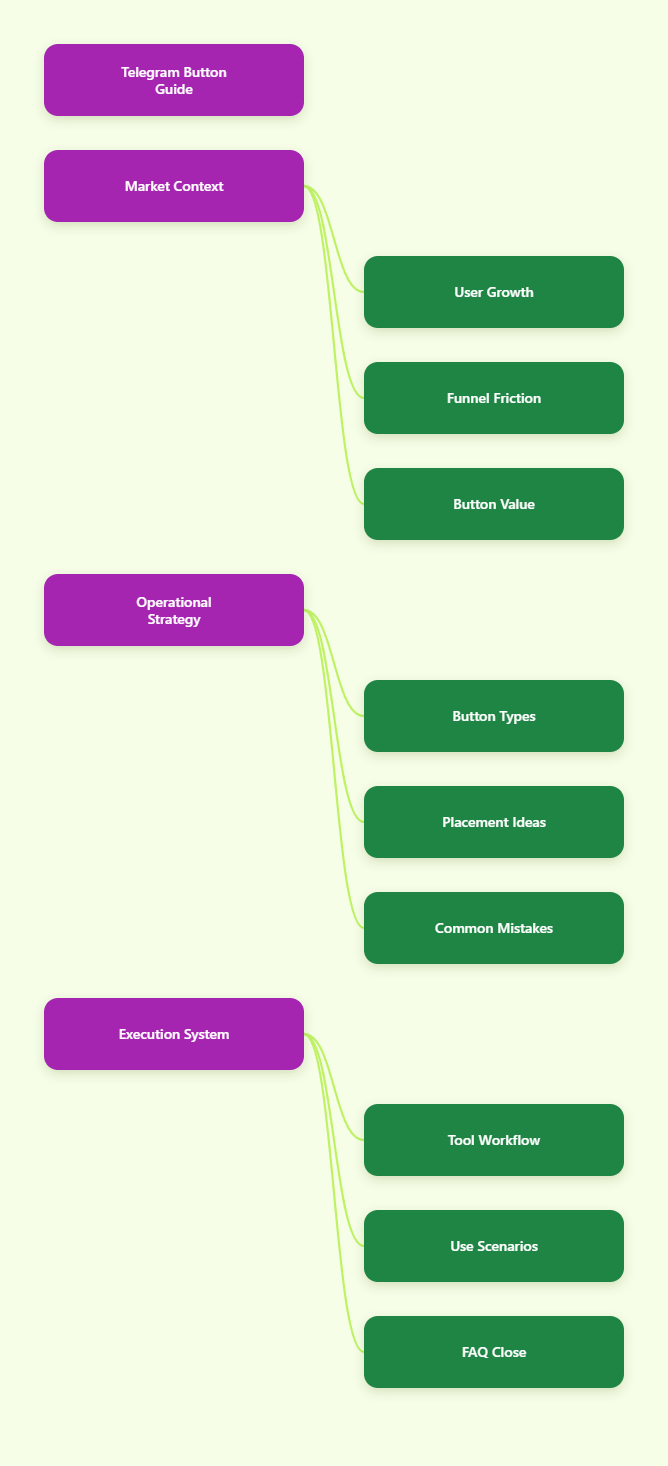
In this guide, I will walk through how I think about Telegram buttons as a marketer, not just as a technical feature. We will cover channel use cases, bot flows, button types, common mistakes, 2026 trends, and a light tool workflow for teams that want fewer manual steps.
Why Does Button in Telegram Matter More in 2026?
Telegram is no longer a niche chat app. Telegram founder Pavel Durov said the platform passed 1 billion active users in March 2025, a figure also reported by TechCrunch. That scale changed how marketers treat Telegram.
In earlier years, many teams used Telegram like a broadcast newsletter. They posted updates and hoped users would scroll back. In 2026, that is not enough. Channels compete with private chats, groups, bots, Mini Apps, trading communities, creator channels, and paid content.
A Button in Telegram helps because it reduces friction at the exact moment of interest. When a reader sees a launch post, they should not need to copy a link, search a username, or type /start. They should tap once.
Here is the practical value I see most often:
- Buttons make CTAs visible under the message.
- Buttons reduce vague replies like “price?” or “link?”
- Buttons route users by intent before support gets involved.
- Buttons keep campaigns measurable when links use UTM tags.
- Buttons make onboarding feel guided instead of messy.
The best Telegram operators I follow do not add buttons everywhere. They add them where the next step is obvious.
What Is a Button in Telegram?
A Button in Telegram is an interactive element attached to a bot message, channel post, or bot interface. It gives users a tap-based action instead of asking them to type a command or manually open a link.
Telegram’s official Bot API and bot feature documentation describe two common button families: inline keyboards and custom reply keyboards. Mini Apps also extend this model by opening web experiences inside Telegram.
Inline Buttons
Inline buttons appear below a specific message. They are commonly used for URLs, callback actions, login flows, payments, Mini App launches, and menu choices. For channel marketers, these are the buttons people usually mean when they say “add a button under a post.”
Reply Keyboard Buttons
Reply keyboard buttons replace the user’s typing keyboard with preset options. They work well inside bot chats when you want users to choose from simple paths like “Pricing,” “Support,” or “Free Guide.”
Menu Buttons and Mini App Buttons
Telegram bots can also use menu buttons. A menu button can open commands or a Mini App. This matters in 2026 because many Telegram funnels now combine channels, bots, and lightweight in-app web flows.
| Button Type | Where It Appears | Best Use | Key Limitation |
|---|---|---|---|
| Inline URL Button | Below a message | Landing pages, registration, product pages | Depends on link quality and tracking |
| Inline Callback Button | Bot messages | Menus, quizzes, routing, lead qualification | Requires bot logic |
| Reply Keyboard | User input area | Simple bot navigation | Can feel intrusive if overused |
| Bot Menu Button | Next to message input | Persistent commands or Mini App access | Less visible than post buttons |
| Mini App Button | Bot or menu flow | Forms, shops, dashboards, interactive tools | Needs a web app experience |
Where Should You Use Button in Telegram for Marketing?
I usually map Telegram buttons to funnel intent. If the user is reading a public channel post, the button should move them to a clear next step. If the user is inside a bot, the button should help them choose a path.
These are the placements I recommend testing first:
- Pinned posts: Use one main button for joining, booking, or starting a bot.
- Launch posts: Add buttons for product details, pricing, and FAQ.
- Lead magnets: Send users to a bot that delivers a checklist or guide.
- Community onboarding: Let new members choose language, role, or topic.
- Support routing: Separate billing, technical, and partnership questions.
One mistake I see a lot is adding five buttons under every post. That looks useful, but it often weakens the decision. If the post has one job, give it one main button.
How I Design a High-Converting Telegram Button Flow
A button is not a magic CTA. It only works when the message, audience, and destination match. My simple rule is: every button must answer the reader’s next question.
Step 1: Start With One Intent
Before I write button text, I define the action. Do I want the reader to read more, join a group, claim a bonus, start a bot, or book a call? If I cannot name the action, I do not add a button.
Step 2: Write Button Text Like a Human
Short labels work best. I avoid clever text when the action matters. “Get the checklist” beats “Unlock growth.” “View pricing” beats “Explore options.” Telegram users move fast, so the label must be obvious.
Step 3: Match the Destination
If the button says “Get the guide,” the next screen should deliver the guide or explain one simple step. Do not send users to a generic homepage. That breaks trust and kills the click.
Step 4: Track Without Making Links Ugly
For external URLs, I use UTM tags. For bot flows, I use start parameters when suitable. Telegram bot documentation supports /start flows, and many marketing bots rely on this pattern for attribution.
Step 5: Review Mobile Layout
Most Telegram interactions happen on mobile. I test button rows on a phone before publishing. Long labels wrap badly. Too many rows push the conversation down.
Common Button in Telegram Mistakes I Still See
Telegram rewards clarity. It punishes clutter. These mistakes look small, but they create real funnel leaks.
- Too many CTAs: A post with seven buttons rarely has one clear goal.
- Weak labels: “Click here” tells users nothing about the outcome.
- No context: A button cannot fix a vague message.
- Broken mobile flow: A button that opens a slow page loses users fast.
- No pinned path: New subscribers need a stable starting point.
- No tracking: Without tracking, every button becomes a guess.
I also avoid buttons that feel like traps. If a button opens a sales page, say so. Telegram communities value directness.
How to Add Buttons Without Coding Every Workflow
Some teams build everything through the Telegram Bot API. That is powerful, especially when you need custom callback logic, Mini Apps, payments, or database-driven routing. But not every channel operator has a developer on standby.
This is where no-code and low-code bot tools help. The key is not the tool itself. The key is whether it lets you create reusable messages, buttons, and response paths without breaking Telegram’s native user experience.
When I evaluate a workflow tool for Telegram buttons, I look for:
- Support for channel and bot publishing workflows.
- Reusable message templates or modules.
- Inline button creation with clean labels and URLs.
- Start message and auto-reply configuration.
- Preview or confirmation before publishing.
A Light Workflow With OnlyTG Echo@EchoOnBot
When the problem is repeated button setup, I sometimes point operators to OnlyTG Echo@EchoOnBot. Public OnlyTG guidance describes a Multi-form Messages Builder for configuring Start Message, Auto-reply, Quick Reply, and related message content. It also mentions saving reusable content as modules.
A simple workflow looks like this:
- Open OnlyTG Echo@EchoOnBot in Telegram.
- Create or select the message flow you want to configure.
- Use the message builder to add text, media, and button-style actions where supported.
- Set the flow as a Start Message, Auto-reply, or Quick Reply based on the user path.
- Save reusable content as a module if the same CTA appears often.
- Test the path from a normal user account before promoting it.
Three practical scenarios fit this kind of setup:
- Lead magnet delivery: A SaaS channel posts a checklist. The button opens a bot start flow. The start message gives the file and offers “Book demo” or “Read case study.”
- Support triage: A paid community routes users through Quick Reply options like “Billing,” “Access,” and “Technical issue.” This cuts repeated admin questions.
- Launch campaign: A channel uses reusable message modules for early access, pricing, and FAQ buttons. The team updates one module instead of rewriting every response.
Other related features in OnlyTG Echo@EchoOnBot, such as auto-replies and quick replies, are useful when buttons need a follow-up message. I would still keep the flow short. Telegram users do not want a 14-step maze.
2026 Telegram Button Strategy: What Is Changing?
The biggest shift is that Telegram marketing now looks more like owned-media operations. Channels bring reach. Groups bring discussion. Bots bring routing. Mini Apps bring richer actions. Buttons connect those layers.
I see four trends shaping Button in Telegram strategy this year.
1. Fewer Posts, Stronger Paths
Many channel owners learned that more posting does not always mean more revenue. In 2026, I prefer fewer posts with better structure: hook, value, proof, next step, button.
2. Bot-First Onboarding
Instead of dumping new users into a group, serious communities now use bots to ask one or two questions first. Role, language, and interest buttons make the first experience cleaner.
3. Mini Apps for Complex Actions
Telegram Mini Apps support richer web interfaces inside Telegram. For forms, dashboards, stores, or calculators, a button can open the experience without forcing users into a browser.
4. Cleaner Compliance and Consent
Marketers are more careful with user expectations. If a button signs someone up, opens a payment page, or starts support, the text should make that clear. Dark patterns damage communities quickly.
Practical Checklist Before Publishing a Telegram Button
Before I publish any Telegram post with a button, I run this short checklist. It saves me from most avoidable mistakes.
- Does the post have one primary goal?
- Does the button label describe the exact action?
- Does the destination match the promise?
- Does the link work on iOS, Android, and desktop?
- Is the button visible without awkward wrapping?
- Did I add tracking where appropriate?
- Can a new user understand the flow without context?
- Is there a fallback message if the user gets stuck?
If a button fails two or more items, I rewrite the flow before publishing.
FAQ: Button in Telegram
What is the best use of Button in Telegram for a channel?
The best use is a clear next step under a high-intent post. Good examples include “Join the waitlist,” “Get the guide,” “View pricing,” “Start the bot,” or “Register now.”
Can I add a Button in Telegram without coding?
Yes, many Telegram bot tools let channel admins create button-based messages without writing code. For complex callback logic, payments, or custom databases, you may still need a developer.
Are inline buttons better than reply keyboards?
They serve different jobs. Inline buttons work well under specific messages. Reply keyboards work better inside bot chats where users need repeated menu choices.
How many buttons should I add under one Telegram post?
For marketing posts, I usually start with one or two. More buttons can work for menus, but campaign posts convert better when the main action is obvious.
Can Telegram buttons open websites?
Yes. Inline URL buttons can open external websites. For login-related buttons, Telegram Bot API documentation notes HTTPS requirements for login URLs.
Can a Button in Telegram open a Mini App?
Yes, Telegram bots can connect users to Mini Apps. This is useful for forms, shops, calculators, dashboards, and other interactive experiences inside Telegram.
How do I measure Telegram button performance?
Use UTM-tagged URLs for external pages. For bot flows, use start parameters or bot-side event tracking when your setup supports it.
Final Thoughts
A Button in Telegram looks simple, but it changes how people move through your channel. It turns a post from “read this” into “do this next.” That matters more as Telegram becomes a serious marketing surface in 2026.