
If you run customer chats on Telegram, you already know the pain. People do not want to type commands. They tap, skim, leave, and come back later. That is why a multi-level navigation button menu in Telegram business bot workflows matters so much in 2026.
I have seen good Telegram communities lose leads for one boring reason: the bot asks too much too early. A clean menu fixes that. It turns scattered replies into guided paths, without making the chat feel robotic.
In this guide, I will break down the real problems behind Telegram bot menus, the UX patterns that work, where Telegram Business changes the game, and how to build a menu that users can actually finish.
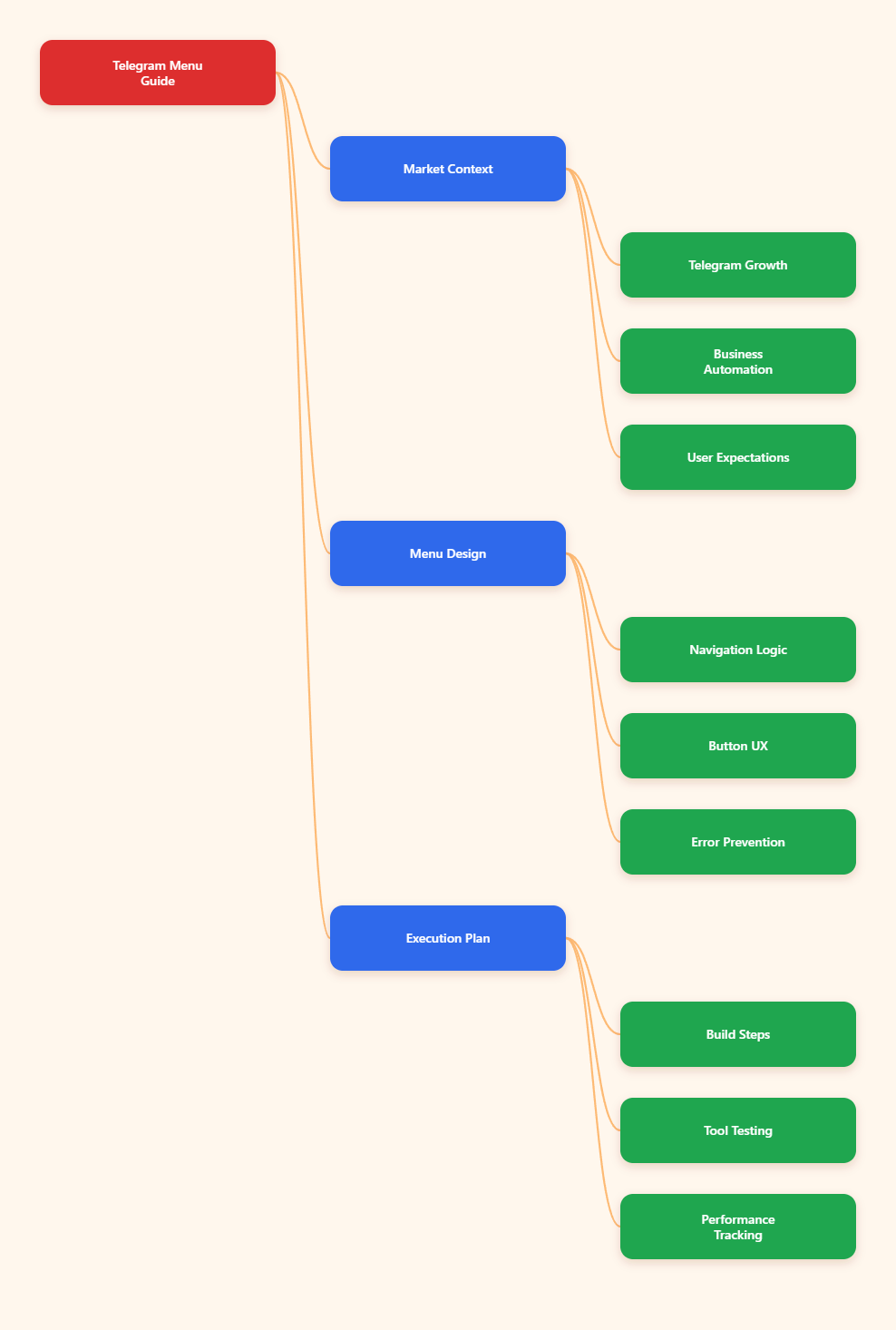
Why Telegram Business Bot Menus Matter More in 2026
Telegram is no longer a side channel for crypto groups and support chats. Telegram founder Pavel Durov said in March 2025 that Telegram had passed 1 billion monthly active users, a number also reported by TechCrunch.
Telegram Business also changed expectations. Telegram introduced business features such as opening hours, location, quick replies, automated messages, custom start pages, and chatbot support in 2024. Later updates expanded automation for business accounts.
That means users now expect fast answers inside the same chat. They do not want to jump to a website for every small action. A menu becomes the front desk, the support agent, and the campaign router.
For marketers, this is not just convenience. It affects conversion. Every extra typed command adds friction. Every unclear button creates doubt. Every missing back button makes users restart.
What Is a Multi-Level Navigation Button Menu in Telegram Business Bot?
A multi-level navigation button menu in Telegram business bot setup is a structured set of buttons that moves users through several layers of choices. Think of it as a mobile site menu, but inside a Telegram chat.
The first level usually shows broad choices. The second level narrows intent. The third level collects details, opens a Mini App, sends content, or triggers a handoff.
Here is a simple example:
- Main menu: Products, Support, Pricing, Contact
- Products: SaaS, Agency, Creator Tools
- SaaS: Book Demo, See Features, Read Case Studies
- Book Demo: Choose Time, Share Email, Talk to Sales
The user never needs to remember a command. They just tap. That is the whole point.
Where Most Telegram Bot Menus Break
I review Telegram funnels often, and the same mistakes keep showing up. The bot may be technically correct, but the user journey feels messy.
Too Many Choices on One Screen
Telegram is mobile-first for most users. A menu with ten buttons feels like a spreadsheet. I try to keep important screens between three and six choices.
If I need more options, I split them by intent. Users understand categories faster than long lists.
No Back or Home Path
This is the most common failure. A user taps Pricing, then Enterprise, then Support, and suddenly there is no way back. They either type random text or leave.
Every multi-step menu should include:
- Back button for one level up
- Main Menu button for full reset
- Short breadcrumb in message text
- Clear final action at the bottom
Buttons That Do Not Match Intent
A button should describe the next result, not the internal system action. “Submit callback” means nothing. “Get pricing” does.
I also avoid vague labels like “More” unless the previous message explains exactly what more means.
Mixing Support and Marketing Too Early
New leads and existing customers need different paths. If they share one crowded menu, both groups suffer.
A better first question is simple: “What can I help you with today?” Then split the journey into sales, support, resources, and account actions.
Reply Keyboard vs Inline Keyboard: Which Should You Use?
Telegram supports reply keyboards and inline keyboards through the Bot API. The official docs describe inline keyboards as buttons attached to a message, while reply keyboards replace the user’s typing area with preset options.
I use both, but for different jobs. Inline keyboards work best for menu navigation. Reply keyboards work best when the bot wants simple, repeated user choices.
| Menu Type | Best Use | User Experience | Key Limitation |
|---|---|---|---|
| Inline keyboard | Nested menus, settings, product paths | Buttons sit under one message | Callback data must stay compact |
| Reply keyboard | Simple repeated choices | Replaces typing area | Can feel intrusive if always visible |
| Bot commands | Discovery and power users | Works from slash menu | Users must understand commands |
| Mini App button | Forms, dashboards, checkout flows | Opens web interface inside Telegram | Needs web development and HTTPS |
For a multi-level navigation button menu in Telegram business bot flows, I usually start with inline keyboards. They feel clean, they keep context near the message, and they support quick branching.
How Should You Plan the Menu Before Building?
Do not start with code. Start with user intent. I sketch the menu as a tree before touching BotFather, Python, Node.js, or any no-code builder.
My planning process is simple:
- List the top five user goals.
- Separate new leads from existing customers.
- Define one success action for each path.
- Remove choices that do not help that action.
- Add Back, Home, and human handoff points.
A strong Telegram menu has one job per screen. The message gives context. The buttons offer action. The next screen confirms progress.
I also name each node clearly. For example, “pricing.plan.monthly” is easier to debug than “button_7”. Good naming saves hours when the menu grows.
UX Rules I Use for Telegram Button Menus
Telegram users move fast. Your menu should match that speed. These are the rules I keep in almost every project.
- Use short button labels under four words when possible.
- Put the primary action first or last consistently.
- Use two-column layouts only for equal choices.
- Use one-column layouts for serious decisions.
- Add confirmation before destructive actions.
- Show “Talk to human” before frustration builds.
Microcopy matters. “Choose a plan” sounds easier than “Select subscription tier.” Telegram is a chat app, not an enterprise dashboard.
I also recommend breadcrumbs inside message text, not only inside button labels. Example: “Support → Billing → Refunds”. It helps users know where they are.
How to Build the First Version
You can build a Telegram bot menu with frameworks like python-telegram-bot, grammY, Telegraf, Telegram.Bot for .NET, or no-code automation tools. The core logic stays similar.
A basic build includes:
- Bot created through BotFather
- Webhook or polling setup
- Menu state or callback router
- Inline keyboard buttons
- Handlers for every callback
- Fallback for unknown input
For callback routing, keep the callback data short and meaningful. Telegram Bot API libraries document inline keyboard buttons with callback data, URL buttons, web app buttons, and other options.
I prefer a small router pattern. Each callback maps to one menu screen or one action. That keeps the bot predictable.
main.products → show product menu
products.saas → show SaaS options
products.saas.demo → start demo booking
nav.back.products → return to product menu
nav.home → return to main menu
Do not forget edge cases. Users may type text, reopen old messages, or tap a button after your menu changed. A polite fallback prevents confusion.
Using OnlyTG Echo@EchoOnBot for Faster Menu Testing
When the pain is not coding but testing flows, I like using a lightweight helper before committing to a full build. This is where OnlyTG Echo@EchoOnBot can fit naturally.
I use it to validate wording, button order, and support paths before developers hard-code the final bot. If the bot interface changes, follow the latest prompts shown inside OnlyTG Echo@EchoOnBot.
Three Practical Use Cases
- SaaS lead routing: create buttons for “Book demo,” “Compare plans,” and “Ask support,” then check which path users choose first.
- Course community onboarding: guide new members through rules, lesson links, office hours, and help requests without a long pinned post.
- Agency intake: let prospects pick SEO, paid ads, Telegram growth, or audit requests before a human joins the chat.
OnlyTG Echo@EchoOnBot may also help with quick reply testing and repeated response drafts. I keep this part light, because the real strategy is still your menu architecture, not the tool itself.
How Do Telegram Business Features Change the Menu Strategy?
Telegram Business lets operators add business-facing features around chats. Telegram’s official business pages mention opening hours, location, quick replies, automated messages, custom start pages, and chatbot support.
For a menu builder, this means the bot should respect the business context. If the company is closed, show hours first. If the user asks for location, send the saved location path. If the chat needs a person, route it clearly.
I also separate automation from identity. Users should know when they are using a bot and when a human will respond. That builds trust.
A strong business menu often includes:
- Start here
- Pricing
- Support
- Order status
- Talk to team
- Business hours
Do not hide the human handoff. In high-ticket sales, a bot should qualify and prepare. It should not block serious buyers.
Tracking Performance Without Overcomplicating It
You cannot improve a menu you never measure. I track a few simple events first.
- Main menu opens
- First button tapped
- Path completion
- Back button usage
- Human handoff requests
- Drop-off screen
Back button usage is underrated. If many users go back from one screen, the label or content probably misled them.
I also compare menu paths against business outcomes. For example, a “Pricing” path may get fewer taps than “Free audit,” but bring more qualified leads. Click volume alone can lie.
Common Mistakes to Avoid in 2026
Telegram menus fail when they copy website navigation too literally. Chat has different rules. The user expects a guided conversation, not a sitemap.
- Do not place every website page in the bot menu.
- Do not force users to type exact keywords.
- Do not create deep paths with no progress signal.
- Do not send long sales copy after every tap.
- Do not hide privacy or payment information.
- Do not ignore old buttons in previous messages.
One more warning: avoid fake urgency. Telegram users notice spam fast. A useful menu earns attention by saving time.
Practical Checklist for Your Telegram Menu
Before launching a multi-level navigation button menu in Telegram business bot campaigns, I run this quick checklist.
- Each screen has one clear purpose.
- Every submenu has Back and Main Menu.
- Button labels describe user outcomes.
- Support and sales paths are separated.
- Human handoff is visible.
- Fallback replies handle typed messages.
- Analytics track completion and drop-offs.
- Old callback buttons fail gracefully.
If the menu passes these checks, it is ready for a small test. I prefer launching to a small segment before sending traffic from ads or a large channel post.
FAQ: Multi-Level Navigation Button Menu in Telegram Business Bot
What is the best button type for Telegram menu navigation?
Inline keyboards are usually best for nested navigation. They attach buttons to a message and keep the flow compact. Reply keyboards are better for repeated simple choices.
How many levels should a Telegram bot menu have?
I try to keep most flows within three levels. If a path needs more, I use a Mini App, form, or human handoff instead of adding more chat screens.
Does Telegram Business require a special bot?
Telegram Business supports chatbot connections, but exact setup depends on the bot and current Telegram requirements. Always check BotFather and official Telegram documentation before launch.
Can a multi-level navigation button menu in Telegram business bot improve conversions?
Yes, when it reduces typing, shortens decision paths, and routes users to the right action. It will not fix weak offers or poor audience targeting.
Should I use commands or buttons?
Use commands for discovery and power users. Use buttons for guided journeys. Most casual users prefer tapping clear choices over remembering slash commands.
Where does OnlyTG Echo@EchoOnBot fit in this workflow?
OnlyTG Echo@EchoOnBot is useful when you want to test response flows, button wording, and practical menu paths before building a heavier custom bot.
What metrics should I track first?
Track first tap, path completion, back button use, handoff requests, and drop-off screens. These metrics reveal friction faster than vanity click counts.
Final Thoughts
A multi-level navigation button menu in Telegram business bot workflows is not just a technical feature. It is a user experience layer. It tells people where to go, what to do, and how fast they can get help.
Start simple. Build around real user intent. Add Back and Home. Test labels before scaling. If you need a quick way to prototype the flow, OnlyTG Echo@EchoOnBot is worth trying lightly during the planning stage.