
Telegram has become a serious operating channel for creators, crypto communities, SaaS teams, educators, and international marketers. The problem is simple: users expect fast replies, but most teams do not have developers available every time they need a welcome flow, FAQ reply, menu button, or basic support bot.
This guide explains what no-code Telegram bots can realistically do, where they fit in a marketing workflow, how to avoid spam risks, and when a lightweight tool can help you build a reply experience faster.
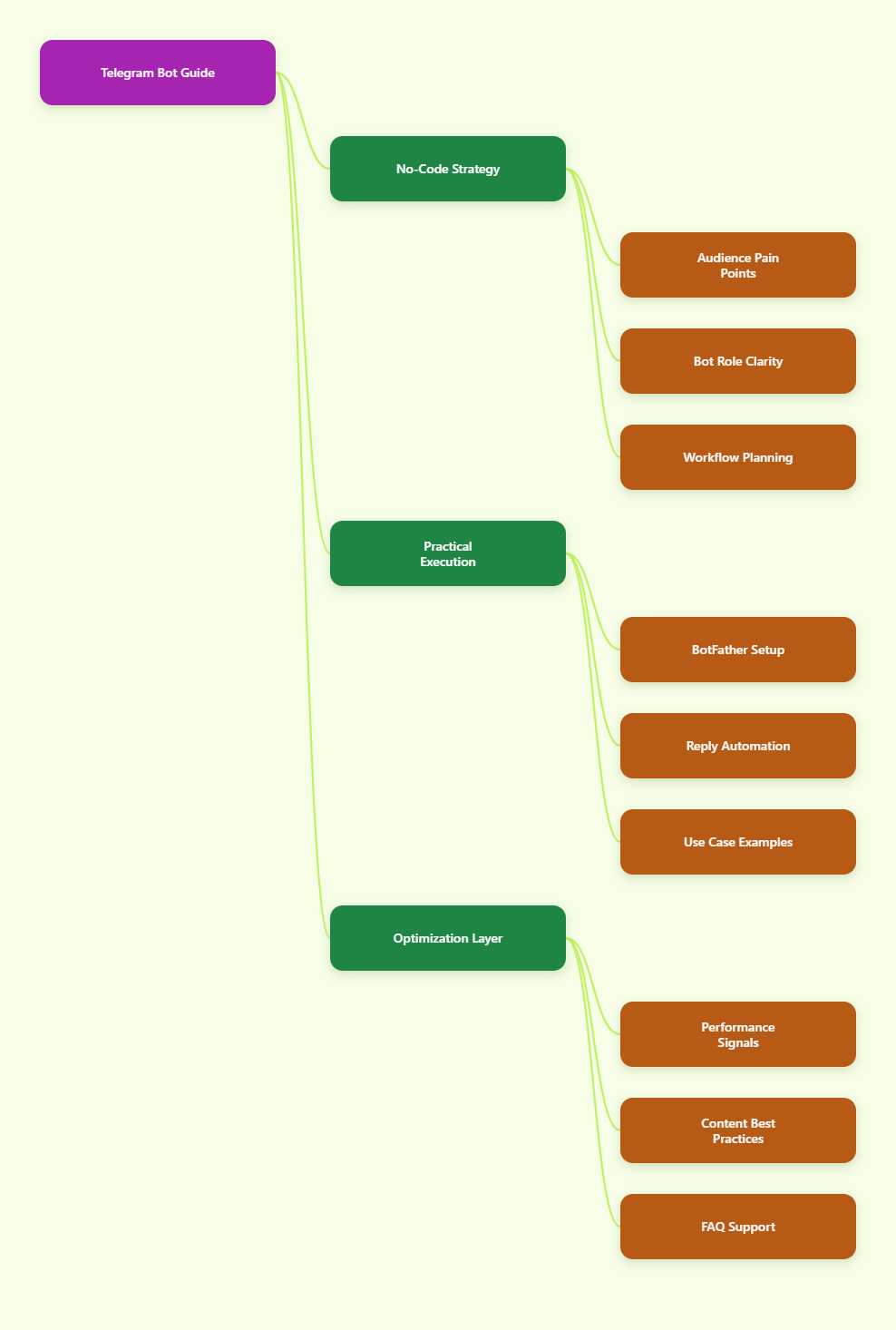
Why Does No-Code Telegram Bot Automation Matter in 2026?
Telegram is no longer only a broadcast app. It now supports channels, groups, bots, mini apps, business features, paid communities, public discovery, and highly active niche audiences. For many brands, Telegram sits between email, Discord, WhatsApp, and a customer support inbox.
The channel is especially useful when the audience already prefers direct messaging. Finance communities, AI tool users, Web3 projects, trading groups, language schools, local service providers, and creator memberships often see better response speed inside Telegram than through traditional forms.
But Telegram also creates operational pressure:
- New members ask the same onboarding questions repeatedly.
- Admins lose time answering pricing, rules, links, and access questions.
- Groups become noisy when support, sales, and community chat mix together.
- Manual replies slow down during launches, promotions, and time-zone gaps.
- Bad automation can trigger spam reports or frustrate real users.
A no-code bot helps when the goal is not to build a complex AI agent, but to create a clear, fast, repeatable chat path. In other words, it helps users get the next answer without waiting for an admin.
What Can You Actually Do When You Chat via Telegram Bot Without Coding?
Before choosing any tool, define the job. A Telegram bot is not a magic growth engine. It is a structured conversation layer that can respond, route, collect intent, and reduce repetitive work.
Common no-code use cases include:
- Welcome onboarding: send a start message with useful links, rules, and next steps.
- FAQ automation: answer common questions about pricing, delivery, support, refunds, schedules, or access.
- Menu navigation: let users tap buttons instead of typing unclear questions.
- Lead qualification: ask users what they need and guide them to a sales or support path.
- Community routing: direct users to the right channel, group, document, or human admin.
- Privacy-aware replies: let conversations happen through a dedicated bot instead of exposing a personal account.
The best no-code setup is usually narrow. It should solve three to five high-frequency questions before it tries to handle every possible conversation.
Telegram Channels, Groups, and Bots: Which One Should Handle What?
Many teams struggle because they use one Telegram space for every task. A healthier structure separates broadcast, discussion, and automation.
| Telegram Asset | Best Role | Typical 2026 Use | Common Mistake |
|---|---|---|---|
| Channel | Broadcast updates | Announcements, educational posts, launch news, market updates | Expecting two-way support inside a one-way feed |
| Group | Community discussion | Member questions, peer help, live events, feedback threads | Letting support questions bury useful conversation |
| Bot | Automation and routing | Welcome flows, FAQ replies, menus, lead capture, support triage | Over-automating conversations that need human judgment |
| Business Account | Business messaging layer | Opening hours, quick replies, automated messages, connected workflows | Using it without a clear response policy |
A simple rule works well: publish through the channel, discuss in the group, and answer repeatable questions through the bot.
How Should Marketers Plan a No-Code Telegram Bot Flow?
A no-code Telegram bot performs best when the conversation is designed before the tool is configured. Start with user intent, not features.
Step 1: List the Repetitive Questions
Review the last 100 messages from your group, support inbox, or admin DMs. Tag questions by theme. Most teams find that a small number of questions create most of the work.
- Where is the pricing page?
- How do I join the private group?
- When is the next session?
- How do I reset access?
- Where can I find the tutorial?
Step 2: Turn Each Question into a Short Reply
Telegram users do not want a long help-center article inside a chat window. Use short replies, one clear action, and a button when possible.
A strong bot reply usually includes:
- A direct answer in the first sentence.
- One useful link or button.
- A fallback instruction if the answer does not help.
Step 3: Add a Human Fallback
No-code bots should reduce admin load, not trap users. Add a clear path such as “Contact support,” “Ask an admin,” or “Leave your order ID.” This matters for refunds, account access, compliance questions, and complaints.
What Are the Biggest Mistakes in Telegram Bot Marketing?
The most common mistake is treating a bot as a broadcast weapon. Telegram’s own developer and spam guidance makes one thing clear: unsolicited messaging and aggressive automation create user complaints and account limits.
If a bot sends too many messages, ignores rate limits, or contacts people who did not start the chat, the experience becomes risky. Telegram bots generally work best for opt-in interactions, support replies, and user-started conversations.
Avoid these mistakes:
- Cold DM automation: do not use bots to contact strangers who did not ask for messages.
- Keyword overload: do not create dozens of vague triggers that return the wrong answer.
- No fallback: do not force users into a dead-end menu.
- Long responses: do not paste full sales pages into chat replies.
- Unclear ownership: do not let users wonder whether they are speaking to a bot or a person.
Good Telegram automation feels like a helpful front desk. Bad automation feels like spam in a smaller box.
How to Chat via Telegram Bot Without Coding Using a Simple Setup
If your goal is to chat via Telegram bot without coding, the basic workflow is usually straightforward. You create a bot through Telegram’s BotFather, connect it to a no-code platform, then configure messages, buttons, and replies.
Telegram’s official bot process starts with BotFather. You create a new bot, choose a display name, assign a unique username ending in “bot,” and receive a bot token. The token is sensitive, so it should only be shared with services you trust.
From there, a no-code builder can help you configure:
- Start messages for first-time users.
- Auto-replies for common keywords.
- Menu buttons below the input field.
- Quick replies for repeated admin responses.
- Basic routing to channels, groups, documents, or human contacts.
This approach is realistic for marketers, creators, and community managers who need working automation without writing Python, Node.js, or webhook logic.
Where OnlyTG Echo@EchoOnBot Fits Into a No-Code Telegram Workflow
When the pain point is simple reply automation, one lightweight option is OnlyTG Echo@EchoOnBot. Its official documentation describes it as a way to build your own smart Telegram bot without coding, mainly by linking your own BotFather-created bot and configuring chat-based features.
A conservative setup based on the official tutorial flow looks like this:
- Create a new bot in Telegram through BotFather using the /newbot command.
- Choose a bot name and a unique username that ends with “bot.”
- Copy the token generated by BotFather.
- Open OnlyTG Echo@EchoOnBot and bind your bot token.
- Configure a start message, auto-reply rules, quick replies, or a bot menu.
- Test the bot from a separate Telegram account before sharing it publicly.
This is useful when you want users to chat via Telegram bot without coding, but you still want the bot to feel organized rather than improvised.
Practical Use Cases
- Course community onboarding: a language coach uses a start message to send class rules, schedule links, and the beginner resource folder when students open the bot.
- Creator membership support: a paid newsletter operator sets keyword replies for “invoice,” “access,” and “cancel,” then routes unresolved questions to a human admin.
- Product launch FAQ: a SaaS marketer uses menu buttons for pricing, demo booking, documentation, and community access during a launch week.
Other features mentioned in OnlyTG materials include start messages with text, media and buttons, auto-reply, quick reply, and bot menu configuration. Keep the setup focused; the point is to remove repetitive friction, not replace every human conversation.
How Do You Measure Whether a Telegram Bot Is Working?
A bot is successful when it improves response quality and reduces repeated manual work. Do not measure it only by the number of messages sent.
Track practical signals:
- FAQ deflection: fewer repeated admin replies for the same questions.
- Time to first answer: users receive a useful response immediately after starting the bot.
- Human escalation quality: admins receive clearer context when the bot cannot solve the issue.
- Click behavior: important links receive more qualified taps from menus and replies.
- Complaint rate: users do not report the bot as confusing, pushy, or spammy.
For a small channel, even saving 30 minutes of admin time per day can justify the setup. For a larger group, the bigger value is consistency: every new member gets the same accurate starting point.
Best Practices for Telegram Bot Content in 2026
The content inside the bot matters as much as the tool. Telegram is fast, personal, and interruption-sensitive. Write bot messages like a helpful operator, not a landing page.
- Use plain language and short sentences.
- Put the answer before the explanation.
- Offer buttons for the top three actions.
- Update replies after every product, price, or policy change.
- Make the bot identity clear in the welcome message.
- Include a human support route for sensitive problems.
- Respect opt-in behavior and avoid unsolicited outreach.
If you operate across multiple regions, add time-zone details and language clarity. A user in Jakarta, Berlin, or São Paulo should not need to guess when support is available.
When Should You Avoid a No-Code Telegram Bot?
No-code tools are not always enough. If your workflow needs complex CRM synchronization, payment reconciliation, AI retrieval over private documents, custom permissions, or high-volume transactional notifications, you may need a developer or a specialized platform.
You should also avoid automation when the issue is emotionally sensitive. Refund disputes, account bans, safety complaints, legal questions, and high-value sales conversations often need human attention.
The best strategy is hybrid: automate the predictable first step, then hand off the edge cases.
Action Checklist: Build a Better Telegram Bot This Week
- Audit your last 100 Telegram questions and group them by intent.
- Choose five questions your bot should answer first.
- Create short replies with one clear next action.
- Use BotFather to create a dedicated bot, not a personal account workaround.
- Configure start messages, menus, and keyword replies in a no-code tool.
- Test every button, link, and fallback path before promotion.
- Review bot performance weekly and remove confusing replies.
FAQ: Chat via Telegram Bot Without Coding
Can I chat via Telegram bot without coding in 2026?
Yes. You can create a bot through BotFather and connect it to a no-code tool that supports start messages, auto-replies, menus, and quick replies. You still need to plan the conversation flow carefully.
Do Telegram bots require users to start the conversation first?
In most normal use cases, a bot can reply after a user starts the chat or interacts with it. Avoid unsolicited outreach because it can create spam complaints and platform risk.
Is a no-code Telegram bot good for customer support?
Yes, for first-level support such as FAQs, links, onboarding, order instructions, and routing. Complex problems should still move to a human support process.
What is the safest way to use a Telegram bot for marketing?
Use opt-in flows, clear menus, helpful replies, and honest expectations. Do not use a bot to cold-message strangers or blast irrelevant promotions.
How many questions should my first bot answer?
Start with three to five high-frequency questions. A small accurate bot usually performs better than a large confusing one.
Can OnlyTG Echo@EchoOnBot help me chat via Telegram bot without coding?
Yes, it can help with a no-code setup where you bind your BotFather bot and configure features such as start messages, auto-replies, quick replies, and bot menus.
Final Thoughts
Learning how to chat via Telegram bot without coding is less about chasing automation trends and more about designing a better first response. In 2026, users expect speed, clarity, and control. A simple bot can deliver all three when it is planned around real questions.