
Telegram has become one of the most flexible places to use AI in 2026. That is not just because there are more bots than before. It is because Telegram now supports several practical ways to deliver AI: classic bots, connected business bots, group assistants, workflow automations, and Mini Apps that run inside the messenger.
This guide covers the main types of Telegram AI tools available in 2026, what they are best for, and which options are worth looking at based on the current reference material.
Why Telegram Is a Strong Home for AI Tools in 2026
Telegram’s AI ecosystem is growing for a few concrete reasons.
- Official bot infrastructure: Telegram provides a long-standing Bot API and setup flow through the official Bot API documentation and Bot guides.
- Native support for AI use cases: Telegram’s developer documentation explicitly notes that bots support threaded conversations, which is useful for AI chatbots handling multiple topics.
- Group and channel compatibility: Many newer AI tools are designed not only for private chats, but also for group conversations and automation inside channels.
- Mini Apps: Telegram Mini Apps let developers build richer interfaces inside Telegram, including payments, web-style layouts, and interactive workflows.
- Business integrations: Telegram also supports connected business bots, allowing businesses to connect bots that can process and answer messages on their behalf.
In short, Telegram is no longer just a place to add a simple reply bot. It is now an environment where AI can be delivered as chat, automation, or app-like experiences.
What Counts as a Telegram AI Tool?
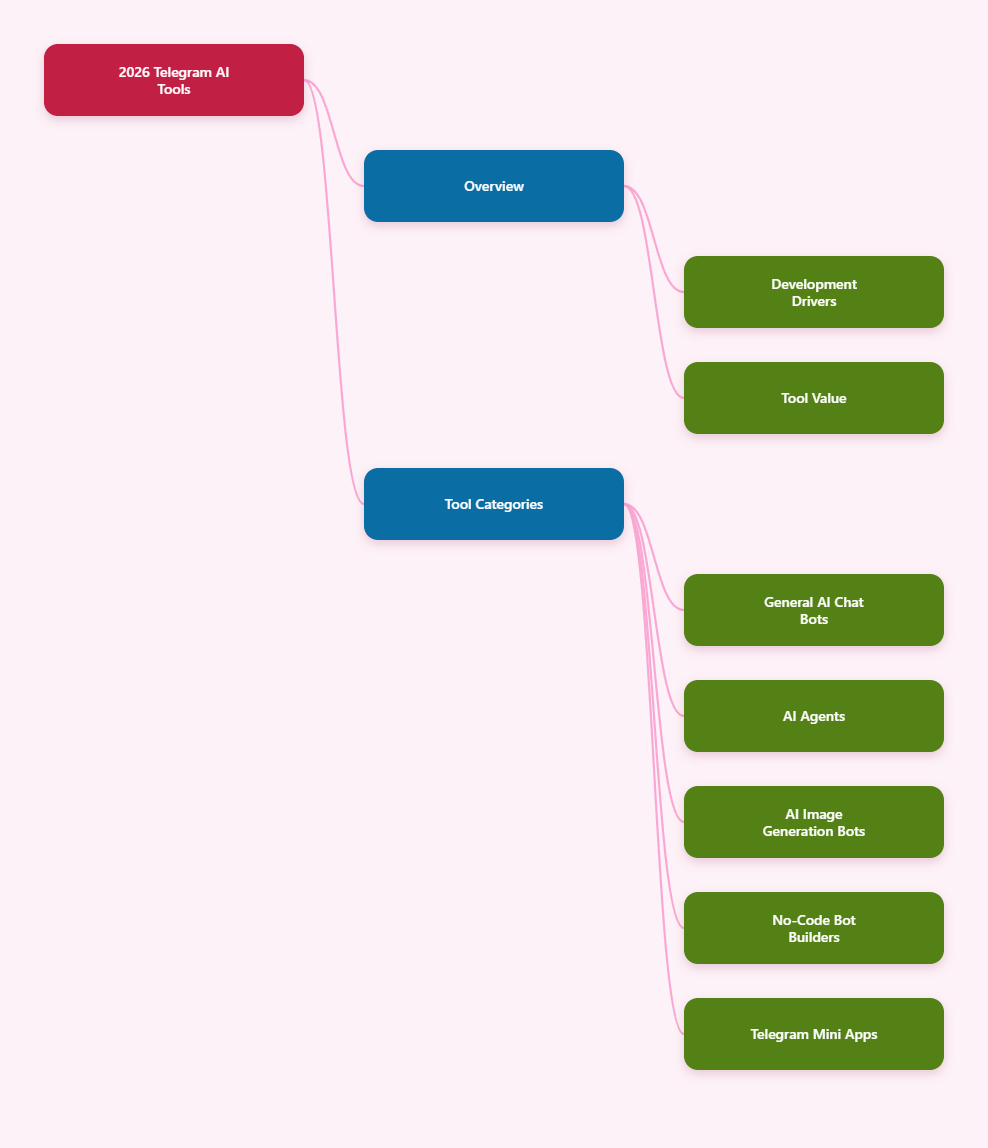
When people search for Telegram AI tools, they usually mean one of five categories:
- AI chatbots for asking questions, writing, summarizing, and general assistance
- AI agents that can perform multi-step tasks or connect to external tools
- AI image bots for text-to-image or image editing inside Telegram
- No-code bot builders for businesses that want to launch support or sales bots
- Telegram Mini Apps with AI features and richer interfaces than standard bots
The best tool depends less on hype and more on your actual need. A solo user may want a fast assistant for content and research. A team may need group support and workflow routing. A business may need customer messaging, connected tools, and structured handoff.
Best Types of Telegram AI Tools in 2026
1. General-purpose AI chatbots
This is still the most common category. These bots let you chat in natural language, ask follow-up questions, and often work with text, images, or voice.
Examples from the references include:
- @GPT4Telegrambot, described as an all-in-one AI bot with access to multiple model families and millions of monthly users according to its Telegram listing
- askplex / askplexbot, mentioned in community discussions as an official way to access Perplexity on Telegram
- CopilotOfficialBot, also mentioned in community references as an official chatbot option on Telegram
There are also open-source projects that show what modern Telegram AI chatbots can do, such as:
- n3d1117/chatgpt-telegram-bot with support for OpenAI APIs including chat, DALL·E, and Whisper
- father-bot/chatgpt_telegram_bot with features like streaming replies and configurable chat modes
- yym68686/chatgpt-telegram-bot highlighting web search and support for multiple model providers
Best for:
- Everyday Q&A
- Writing drafts
- Summaries
- Translation and brainstorming
- Voice-to-text workflows when supported
What to check before using one:
- Whether it is an official bot or third-party bot
- Whether it stores conversation history
- Whether it supports groups, files, images, or voice
- Whether pricing is subscription-based, pay-per-use, or free with limits
2. AI agents for task execution
In 2026, the difference between a chatbot and an agent matters more. A chatbot mainly answers. An agent can also take actions, call tools, coordinate steps, and sometimes continue work across sessions.
Examples in the references include:
- TAN, which presents itself as an AI assistant in Telegram with access to tools like email, calendar, maps, media generation, and voice
- Mira, described as a personal AI agent that works inside Telegram across personal and group chats
- Neux, which positions itself as a team of AI agents in Telegram that can research, schedule, analyze, create, and automate
- Progressive Agent, an open-source privacy-first personal AI assistant for Telegram with many tools and self-hosted positioning
- KernelBot, an open-source Telegram bot focused on coding, browsing, system, devops, research, and parallel worker orchestration
This category is where Telegram becomes especially useful. Because users already manage conversations, teams, and media inside the app, an agent that works in chat can feel more natural than switching to a separate dashboard.
Best for:
- Research tasks
- Multi-step productivity work
- Scheduling and planning
- Technical workflows
- Group chat assistance
Limitations to keep in mind:
- Not all agents are equally transparent about privacy
- Tool execution may require account connections or external services
- Some products are new, so long-term reliability is not yet proven
3. AI image generation tools inside Telegram
Image generation is one of the clearest practical use cases for Telegram AI tools. It works well in chat because you can write a prompt, get visual results quickly, and share outputs instantly with a friend, team, or channel.
References point to several examples:
- Kartinium, which describes text-to-image and image editing in Telegram powered by Google Gemini
- @botifyai_bot / Photify AI, listed as an AI photo and video generator on Telegram
- Ai-Image-Generator-Bot, an open-source project using fallback image services for reliability
- DalleTelegramBot, an open-source Telegram bot for image generation with DALL·E integration
There are also workflow-based options such as n8n templates and Make integrations that generate images and deliver them through Telegram.
Best for:
- Social content drafts
- Concept art
- Quick marketing visuals
- Product mockups
- Simple editing workflows from mobile
What makes a good Telegram image bot:
- Fast response time
- Clear credit or pricing system
- Prompt editing options
- Support for image-to-image or editing, not just text-to-image
- Easy export and sharing inside chats
4. No-code AI bot builders for Telegram
Not everyone wants to use a public bot. Many teams want to build their own Telegram AI assistant for support, lead capture, onboarding, or internal help.
Several references focus on this layer:
- Manychat, highlighted for Telegram integration and AI-oriented tools like AI Flow Builder Assistant and AI intents
- YourGPT, which compares no-code Telegram bot builders for business use
- Voiceflow, which provides a step-by-step approach to building AI FAQ bots for Telegram
- Quickchat AI, which explains creating a Telegram AI chatbot in minutes
- Chat Data, which provides Telegram bot setup and pricing guidance
These platforms typically reduce the coding work by handling bot logic, conversation flows, integrations, and deployment.
Best for:
- Customer support bots
- FAQ automation
- Sales assistants
- Lead qualification
- Internal knowledge assistants
Choose a builder based on:
- Whether you need no-code or low-code
- Support for Telegram groups vs direct messages only
- Knowledge base connections
- Human handoff options
- Analytics and workflow integrations
5. Telegram Mini Apps with AI features
Sometimes a chat interface is not enough. That is where Mini Apps become important.
According to Telegram’s official Mini Apps documentation, Mini Apps can create much more flexible interfaces inside Telegram and can support payments, tailored notifications, and web-like application behavior. They can effectively replace a standalone website for some use cases.
This matters for AI because some tasks are easier in an app-style UI than in plain chat:
- Browsing generated results
- Managing tasks or workflows
- Editing settings
- Handling subscriptions or purchases
- Using forms, dashboards, and file controls
If you are evaluating advanced Telegram AI tools in 2026, check whether the product is a standard bot, a bot plus Mini App, or a Mini App-first experience. That distinction often shapes the quality of the workflow.
How to Choose the Right Telegram AI Tool
With so many tools on the market, selection is easier if you start with the job to be done.
Choose a chatbot if you want:
- Fast answers
- Writing help
- Summaries
- Translation
- Simple voice or image support
Choose an agent if you want:
- Multi-step task execution
- Research plus action
- Scheduling or external tool use
- Group collaboration support
Choose an image bot if you want:
- Quick visuals from prompts
- In-chat content creation
- Simple mobile-first image workflows
Choose a builder if you want:
- Your own branded Telegram bot
- Support or sales automation
- No-code deployment
- Knowledge base connections
Choose a Mini App approach if you want:
- A richer interface
- Payments
- Structured workflows
- A more app-like experience inside Telegram
Key Features That Matter Most in 2026
Not every Telegram AI tool is worth using. The strongest ones usually perform well in a few specific areas.
Group chat support
Some tools are designed for one-to-one chat only. Others are built for group use, where they can summarize discussions, answer questions when mentioned, or coordinate tasks.
If your use case involves teams or communities, group support should be one of the first filters.
Voice and media handling
Telegram naturally supports voice messages, images, files, and documents. Tools that can transcribe voice, analyze files, or respond with media have a clear advantage.
Telegram Bot API references and platform guides make clear that bots can work with many content types. Some third-party platforms and open-source projects already take advantage of this.
Privacy and hosting model
This is a major point, especially for business or sensitive personal use.
- Hosted tools are easier to start with
- Self-hosted tools may offer more control
- Open-source projects can be audited, but they still require trustworthy deployment practices
If a tool handles documents, account access, email, or private team conversations, look for clear statements about storage, retention, and third-party model usage.
Tool integrations
The more a Telegram AI tool connects to useful systems, the more valuable it becomes. Examples from the references include integrations or workflows involving:
- Calendar
- Maps
- Cloud storage
- Image generation APIs
- Automation platforms like Make and Pipedream
A tool that only chats can still be useful. A tool that chats and acts is often more powerful.
Ease of setup
For builders, setup still starts with creating a bot token through @BotFather, as Telegram’s official documentation explains. After that, deployment difficulty varies widely.
- Some no-code builders take only a few minutes
- Some open-source tools require environment variables, hosting, and API keys
- Some advanced agents also need tool permissions and workflow configuration
If speed matters, use a managed platform. If control matters, consider open-source or self-hosted options.
Common Use Cases for Telegram AI Tools
Here are the most realistic ways people and teams are using these tools in 2026.
Personal productivity
- Turn voice notes into text
- Summarize articles or messages
- Manage reminders and tasks
- Draft emails or posts
Task Genie and similar tools show how natural-language task management fits well inside Telegram.
Content creation
- Generate post ideas
- Rewrite copy
- Create captions
- Produce quick images for social use
Mira, TAN, and image-focused bots are especially relevant here based on the references.
Team collaboration
- Summarize group discussions
- Answer repeated team questions
- Route tasks
- Coordinate schedules
Agent-style tools and group-native assistants stand out more than basic Q&A bots in this category.
Customer communication
- Automate FAQs
- Collect leads
- Handle first-response support
- Connect business chats to existing systems
This is where no-code builders and connected business bots become more relevant than public consumer bots.
Things to Be Careful About
Telegram AI tools are improving fast, but there are still practical risks.
- Unofficial bots: some bots may appear powerful but provide little transparency about operators or data handling
- Model claims: listings may mention many model names, but real quality depends on how well the tool is implemented
- Pricing changes: credits, subscriptions, and free limits can change quickly
- Tool permissions: agents with email, calendar, or external actions should be treated carefully
- Longevity: some products are very new, so stability over time is still uncertain
A good rule is simple: test with non-sensitive tasks first, then expand usage only after you understand the product’s limits.
Are Telegram AI Tools Worth Using in 2026?
Yes, for many users they are. The strongest advantage is convenience. Telegram already sits where people communicate, save links, share files, and coordinate work. AI tools become more useful when they fit into that existing behavior instead of forcing users into another app.
That said, the best Telegram AI tool is not one single bot. It is the one that matches your use case:
- A general chatbot for quick help and writing
- An AI agent for deeper task execution
- An image bot for visual creation
- A builder platform for business deployment
- A Mini App-based tool for more advanced app-like flows
In 2026, Telegram is no longer just supporting AI on the side. It is becoming one of the most practical places to use it.
Final Thoughts
If you are exploring Telegram AI tools this year, start by narrowing the category before comparing products. The market now includes public assistant bots, advanced AI agents, image generators, bot builders, and Mini Apps. They solve different problems, and judging them by the same standard leads to bad choices.