
If users open your bot and see a vague reply, they usually leave within seconds. A strong Telegram Bot Start Message fixes that by turning the first interaction into a clear onboarding moment.
In 2026, the best way to do it is to combine a well-written /start message, Telegram deep linking for different entry points, simple structure for fast scanning, and automation tools that can help you deliver and measure the experience.
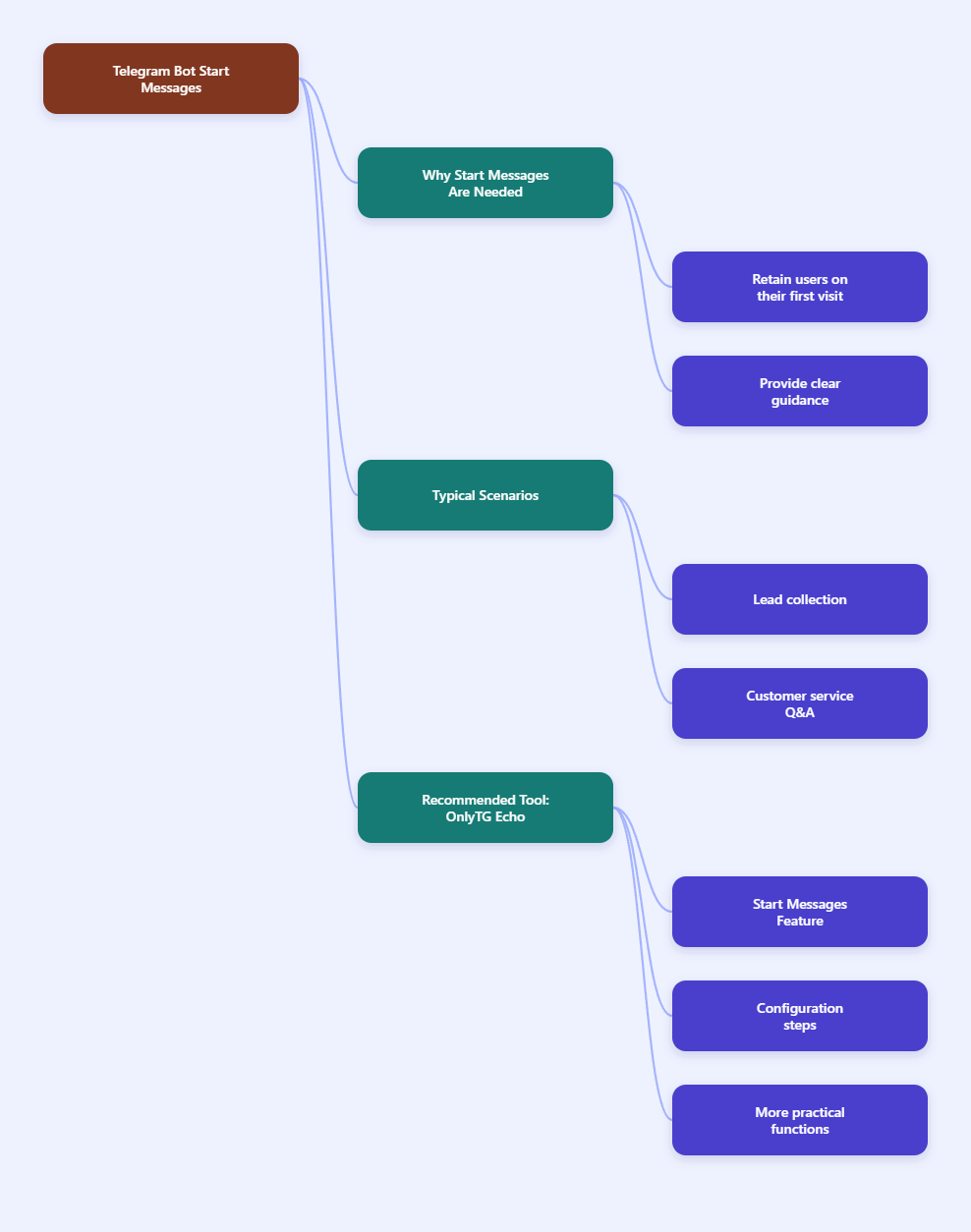
Step-by-Step Guide to Creating a Telegram Bot Start Message
- Define the purpose of the first message. Before writing anything, decide what the user should understand in the first 5–10 seconds. A good start message should answer three questions: What does this bot do? What should I do next? Why should I keep going? Telegram bots still begin with
/start, and Telegram supports passing extra parameters through deep links such ast.me/your_bot?start=payload. That means your message can be different for a general visitor, a referral user, or a campaign lead. - Write a short, action-first welcome message. Keep the message concise and readable on mobile. Use one short greeting, one value statement, and one clear next step. For example:
• Greeting: “Welcome to X Bot”
• Value: “I help you track orders, answer FAQs, or connect to support.”
• Next step: “Tap one of the buttons below to continue.”
Telegram’s bot documentation shows that commands like/startare the standard entry point, and command-based flows are easier for users to understand than long paragraphs. - Add buttons or menu options for the first action. Instead of asking users to type everything manually, guide them with inline buttons or a small menu. A first message should reduce friction. Common options include Get Started, Help, Pricing, Talk to Support, or Choose Language. This is especially useful if your bot serves multiple audiences. A menu-based start sequence is also easier to test and refine than a single static message.
- Use deep linking for segmentation. Telegram deep linking lets you send users to the same bot with different startup parameters. This is helpful for campaigns, referrals, onboarding paths, and product-specific entry points. A simple pattern is:
•https://t.me/your_bot?start=welcome
•https://t.me/your_bot?start=referral123
•https://t.me/your_bot?start=pricing
In practice, your bot receives the payload through the start flow, and your backend can route the user to the right message or next step. Keep payloads short and clean so they remain easy to process. - Personalize the message when possible. If your bot knows the user’s source, language, or plan, reflect that in the welcome experience. A personalized start message feels more relevant and helps users understand they are in the right place. You can also localize the text if your audience is international. Telegram supports bot profile and bot info management, and the Bot API documentation and feature docs make it clear that bot experiences can be structured around commands and user entry points.
- Test the message on real devices. Open the bot from Telegram mobile, desktop, and web. Check whether the first message is readable, whether the buttons are easy to tap, and whether the next step is obvious without extra explanation. Also confirm that your deep link flows work as expected, because a start link may open the bot with a parameter while still requiring a visible start action in the client before the bot receives the command.
- Track performance and improve the flow. A start message should not be “set and forget.” Watch how many users continue after /start, which buttons they click, and where they drop off. If you see high abandonment, shorten the text, simplify the choices, or move the core action higher in the message. The best Telegram Bot Start Message is one that helps the user act quickly and gives you measurable engagement.
Real-World Use Cases for a Telegram Bot Start Message
The Telegram Bot Start Message is most useful when the first interaction needs to do more than greet the user. It can qualify intent, route people to the right path, or reduce support load. In 2026, this is especially important for creators, communities, support bots, and lead-gen bots that depend on fast onboarding.
- Lead capture and referral onboarding: A marketing bot can use a deep link to identify where the user came from, then show a welcome message tailored to that campaign. For example, a referral link can lead to a different first screen than a general public link.
- Support and FAQ bots: A customer support bot can use the start message to present the top three categories immediately, such as orders, billing, and technical help. That reduces typing and makes the bot feel responsive from the first second.
Practical Tool Recommendation: OnlyTG Echo
If you want a faster way to handle onboarding and welcome flows, OnlyTG Echo can help with its Start Messages functionality. It is designed for Telegram use cases where the first interaction matters, especially when you need a structured reply instead of a manual welcome message. For teams that want a cleaner onboarding process, this is useful for triggering the right first response based on how the user enters the bot.
To use it effectively, start with a simple workflow:
1. Connect your Telegram bot to OnlyTG Echo
2. Configure the Start Messages content
3. If you need to show different messages to users from different source, you can use the Dynamic Start Message feature.
Beyond welcome messages, OnlyTG Echo can be useful for broader Telegram automation as well. Depending on your workflow, that can include message handling, structured onboarding, and other bot operations that help you keep the first interaction consistent. If your goal is to improve retention, reduce manual replies, and create a cleaner entry point for new users, combining a strong start message with a Telegram-focused automation tool is a practical approach.
FAQ About Telegram Bot Start Message
What is a Telegram Bot Start Message?
A Telegram Bot Start Message is the first message a user sees after opening a bot and sending /start. It usually explains what the bot does and tells the user what to do next.
Can I send different start messages to different users?
Yes. Telegram deep linking lets you attach a start parameter to the bot link, so you can route users from different campaigns, referrals, or landing pages to different onboarding paths.
How long should a Telegram bot welcome message be?
Keep it short. A few lines are usually enough. The goal is to help users understand the bot quickly and choose a next action without scrolling through a long explanation.
Do I need buttons in the first message?
You do not need them, but they usually improve usability. Buttons make the next step obvious and reduce friction, especially for new users who do not know what to type.
How do I know if my start message works?
Check whether users continue past the first interaction, click the main button, or complete the intended action. If many users stop after /start, the message is probably too long or unclear.
Conclusion
A strong Telegram Bot Start Message in 2026 should be short, useful, and action-driven. It should explain the bot quickly, guide users to the next step, and support different entry points through deep linking when needed. If you keep the message clear, test it on real devices, and improve it based on user behavior, you will create a smoother onboarding experience and a better-performing bot overall.