
Skip to content
OnlyTG Icon
  • ProductsExpand
    • Echo
    • Recorder
  • ResourcesExpand
    • Help
    • Blog
  • PricingExpand
    • Echo Pricing
  • EnglishExpand
    • 中文 (中国)
    • Русский
    • English
Contact us
Telegram Tips

Telegram Bot Builders Guide in 2026

Home » Blog » Telegram Tips » Telegram Bot Builders Guide in 2026

A Telegram Bot Builder helps people create bots for Telegram without writing code. These tools are commonly used for customer support, lead capture, broadcasts, forms, mini-apps, and other automation tasks.

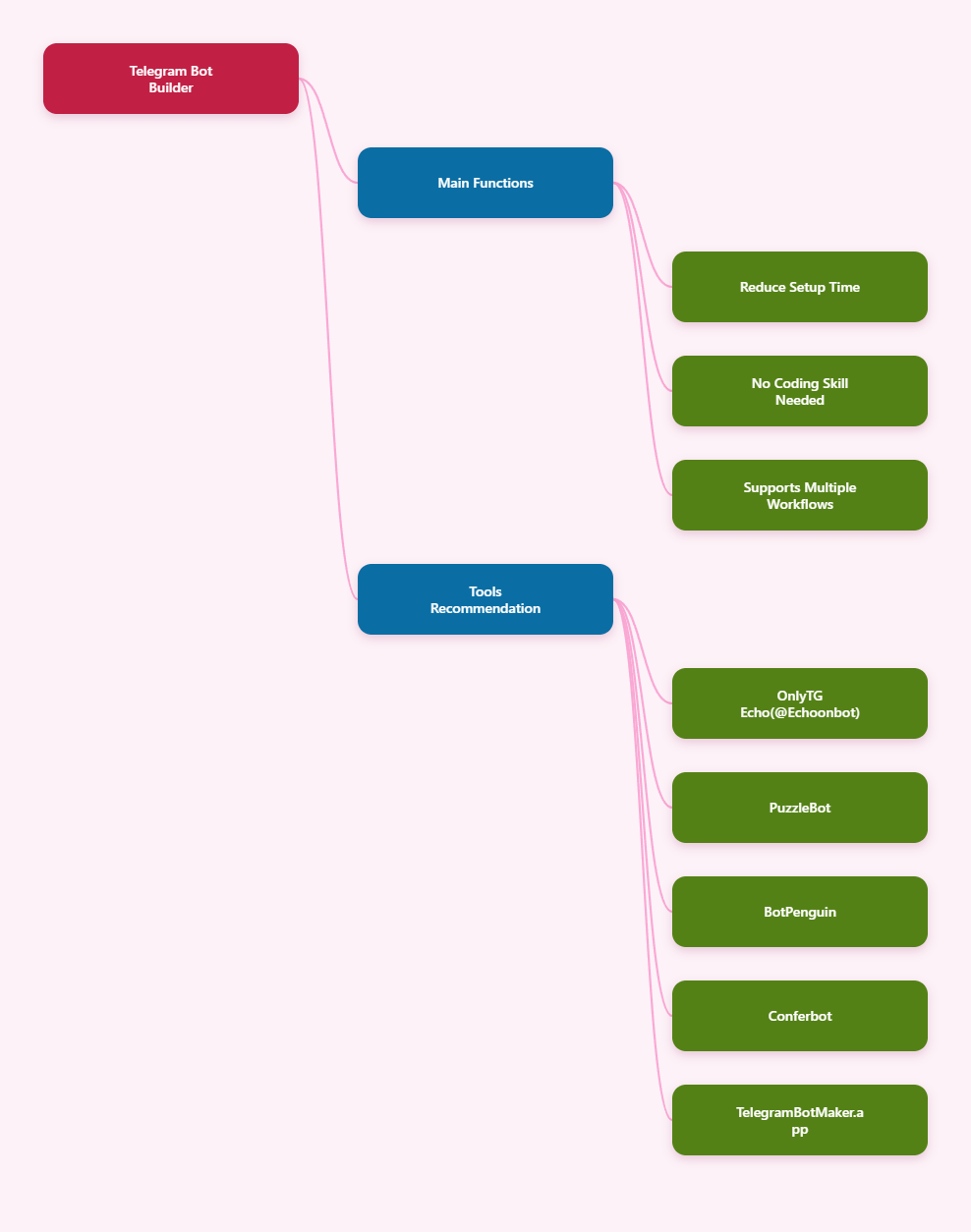
This guide explains what a Telegram Bot Builder is, what it can do, and recommends five popular no-code tools in 2026.
Telegram Bot Builders Guide

What is a Telegram Bot Builder

A Telegram Bot Builder is a tool that helps users create bots for Telegram through visual interfaces, templates, or guided workflows instead of manual programming.

  • Visual bot creation: Build bot logic with drag-and-drop blocks, forms, or step-by-step editors instead of code.
  • Faster setup: Launch a bot in less time by using templates, guided onboarding, or prebuilt workflows.
  • Common bot actions: Set up buttons, commands, automated replies, message flows, and user prompts.
  • Business automation: Use bots for support, lead capture, notifications, broadcasts, bookings, and customer engagement.
  • Integrations and extensions: Some builders connect with external tools, APIs, databases, analytics, AI, or mini-app features.
  • Accessibility for non-developers: Many platforms are designed so marketers, operators, and small teams can manage bots without a developer for every change.

The main value of a Telegram Bot Builder is speed and accessibility. Operators can launch bots faster, designers can shape user journeys more easily, and non-technical users can automate routine interactions without needing a developer for every change. The exact features depend on the platform, so it is important to compare what each builder actually offers before choosing one.

Popular Telegram Bot Builder

1. OnlyTG Echo

OnlyTG Echo(@EchoOnBot) is a no-code Telegram bot platform designed for message forwarding, community management, customer-service automation, and basic analytics. It is aimed at business, support teams, and community operators who want to automate Telegram workflows without coding.

Main features:

  • Communicate with contacts via the bot. 
    Example: A store owner uses the bot to answer preorder questions and share a product catalog with interested users.
  • Start message automation when users open the bot or send /start. 
    Example: A new subscriber sees a welcome message that introduces the bot, links to help, and shows the next step to take.
  • Keyword-based Auto-replies.
    Example: When a user types “price” or “shipping,” the bot automatically sends the matching FAQ response.
  • Broadcast messaging to all contacts.
    Example: A community admin sends a weekly update or promotion to every contact at once.
  • Groups and Channels management.
    Example: A team uses the bot to manage a support group and a channel from one place instead of switching between manual admin tasks.

Pros:

  • Easy to start with, no coding is required.
  • Covers a fairly broad set of automation needs for both support and community operations.
  • Supports richer message formats such as text, media, and buttons.
  • Feature depth may be less transparent than larger platforms.
2. PuzzleBot

PuzzleBot is a Telegram bot and mini-app builder that presents itself as a no-programming-needed platform. It is designed for users who want to launch Telegram-based services without coding.

Pros:

  • No programming knowledge required.
  • Supports bot and mini-app creation.
  • Designed for multifunctional services.
3. BotPenguin

BotPenguin offers a Telegram chatbot builder with drag-and-drop creation. It is aimed at users who want to build Telegram chatbots without coding and use them for business workflows.

Pros:

  • Drag-and-drop interface.
  • Supports business automation use cases.
  • Suitable for support and marketing workflows.
4. Conferbot

Conferbot offers a Telegram chatbot builder that positions itself as a no-code platform for building and deploying bots in minutes. 

Pros:

  • No-code setup.
  • Fast deployment.
  • Useful for community and business messaging.
5. TelegramBotMaker.app

TelegramBotMaker.app is a visual bot creator that uses Blockly-style building blocks and can generate Python code. The platform target users who want visual logic building while still having access to generated code for more technical workflows.

Pros:

  • Visual block-based builder.
  • Code generation support.
  • Useful for users who want both no-code and code visibility.

FAQ / Common Mistakes

Q: Do all Telegram Bot Builder tools require coding?
A: No. Many public tools are designed for no-code setup, but some also offer code generation or technical options.

Q: Is a Telegram bot the same as a Telegram mini-app?
A: Not always. Some platforms support both bots and mini-apps, but they are different product types with different interfaces and goals.

Q: Can I assume every builder has the same features?
A: No. Features vary widely, so you should check whether a tool supports templates, broadcasts, forms, integrations, or code export before choosing it.

Q: Is the fastest builder always the best one?
A: Not necessarily. Fast setup is useful, but long-term fit depends on your actual workflow, needed features, and maintenance preferences.

Q: Should I choose a builder only based on price?
A: No. Free plans can be useful, but they may have limits on features, support, or scaling. Compare value, not just cost.

Q: What is the most common mistake when choosing a Telegram Bot Builder?
A: Choosing a tool based on marketing claims without checking the live product, documentation, and real feature list.

Conclusion

A Telegram Bot Builder can save time and make bot creation accessible to non-developers, but the best choice depends on your goals in 2026. If you’re looking for a tool that’s quick to set up and offers more comprehensive features, OnlyTG Echo is definitely worth considering.

Post Tags: #bot#Telegram

Post navigation

Previous Previous
How to Create a Group in Telegram in 2026: A Step-by-Step Guide
NextContinue
How to Track the Source of Telegram Bot Users in 2026
Table of Contents
  • What is a Telegram Bot Builder
  • Popular Telegram Bot Builder
  • FAQ / Common Mistakes
  • Conclusion
Echo Sidebar
  • Latest Post
  • Echo
  • Recorder
  • Tips
Telegram Tips

How to Automatically Greet New Customers on Telegram in 2026

Learn how to automatically greet new customers on Telegram in 2026 using code or a no-code Telegram bot workflow. This guide covers BotFather setup, welcome-message logic, and a practical OnlyTG Echo walkthrough.

Telegram Tips

How to Track the Source of Telegram Bot Users in 2026

Learn how to track where Telegram bot users come from in 2026 using Telegram deep links, UTM-style parameters, and tracking tools like OnlyTG Echo. This guide covers setup, source attribution methods, use cases, FAQ, and practical steps to measure which channels actually drive bot starts.

Telegram Tips

How to Create a Group in Telegram in 2026: A Step-by-Step Guide

Learn how to create a group in Telegram in 2026 with step-by-step instructions for Android, iPhone, and desktop, plus setup tips, management best practices, use cases, FAQs, and tools for handling groups and channels more efficiently.

Telegram Tips

Telegram Business Guide in 2026

A practical guide to Telegram Business, covering what it is, how businesses can use it, how to set it up, and common mistakes to avoid.

OnlyTG Echo

How to Get Unbanned from Telegram in 2026: A Practical Step-by-Step Guide

If your Telegram account or phone number has been restricted, this guide explains how to confirm the ban, appeal to Telegram support, reduce spam flags, and avoid getting blocked again in 2026.

Uncategorized

How to Create a Channel in Telegram in 2026: A Practical Step-by-Step Guide

Learn how to create a channel in Telegram in 2026 with a clear step-by-step guide for Android, iPhone, and desktop. This article also covers public vs. private channels, common mistakes, and best practices for managing a channel professionally.

OnlyTG Echo

How to create telegram bot in 2026?

Learn how to create a Telegram bot in 2026 using BotFather, with step-by-step coding and no-code methods, plus tips for security, deployment, and choosing the best setup.

Telegram Tips

How to buy a Telegram virtual number

A virtual phone number for Telegram is an internet-based number that allows you to register and verify Telegram accounts without…

How to Get Unbanned from Telegram in 2026: A Practical Step-by-Step Guide

If your Telegram account or phone number has been restricted, this guide explains how to confirm the ban, appeal to Telegram support, reduce spam flags, and avoid getting blocked again in 2026.

How to create telegram bot in 2026?

Learn how to create a Telegram bot in 2026 using BotFather, with step-by-step coding and no-code methods, plus tips for security, deployment, and choosing the best setup.

How to Loop Post in Channel via Telegram Bot

OnlyTG Echo provides the function to automatically loop posts in your channel. Firstly, you need to create a new bot via @botfather and…

How to Configure Multiple Media when Setting OnlyTG Echo Features

OnlyTG Echo provides the function to configure multiple media to a single message when setting Start Message/Auto Reply/Quick Reply/Broadcast and other features. Firstly, you need…

How to Upgrade Channel to Pro Channel in Telegram

OnlyTG Echo provides the function to upgrade your channel to Pro Channel. This will consume your Pro Communities slots and unlock more advanced features….

How to Edit a Published Post via Telegram Bot

OnlyTG Echo provides the function to Edit Channel Post via your bot. Firstly, you need to create a new bot via @botfather and…

How to Publish Channel Post via Telegram Bot

OnlyTG Echo provides the function to Publish Channel Post via your bot. Firstly, you need to create a new bot via @botfather and…

How to Manage Channel via Telegram Bot

OnlyTG Echo provides the function to Manage Channel via your bot. Firstly, you need to create a new bot via @botfather and send its…

How to Use OnlyTG Recorder?

Welcome to OnlyTG Recorder! Developed by our dedicated bot development team, OnlyTG Recorder is designed to serve as an assistant…

How to Automatically Greet New Customers on Telegram in 2026

Learn how to automatically greet new customers on Telegram in 2026 using code or a no-code Telegram bot workflow. This guide covers BotFather setup, welcome-message logic, and a practical OnlyTG Echo walkthrough.

How to Track the Source of Telegram Bot Users in 2026

Learn how to track where Telegram bot users come from in 2026 using Telegram deep links, UTM-style parameters, and tracking tools like OnlyTG Echo. This guide covers setup, source attribution methods, use cases, FAQ, and practical steps to measure which channels actually drive bot starts.

How to Create a Group in Telegram in 2026: A Step-by-Step Guide

Learn how to create a group in Telegram in 2026 with step-by-step instructions for Android, iPhone, and desktop, plus setup tips, management best practices, use cases, FAQs, and tools for handling groups and channels more efficiently.

Telegram Business Guide in 2026

A practical guide to Telegram Business, covering what it is, how businesses can use it, how to set it up, and common mistakes to avoid.

How to buy a Telegram virtual number

A virtual phone number for Telegram is an internet-based number that allows you to register and verify Telegram accounts without…

How to purchase Telegram username?

A Telegram username is a unique public identifier that you can set for your Telegram account, channel or group. Others…

How to find similar Telegram groups and channels via related recommendations

There are many public channels and groups on Telegram. Each channel or group usually focuses on a specific topic, and…

How to Advertise on Telegram

There are mainly three ways to advertise on Telegram: official ad direct placement, third-party cooperative ads, and promotion within your…

  • OnlyTG
  • Echo
  • Recorder
  • Help
  • Blog
  • Echo Pricing
OnlyTG EchoTelegram VK YouTube Facebook X Email

© 2026 OnlyTG

Scroll to top
  • Products
    • Echo
    • Recorder
  • Resources
    • Help
    • Blog
  • Pricing
    • Echo Pricing
Contact us