
A business launches a Telegram channel to share product updates, useful advice, and announcements with its audience. At first, publishing is simple. Someone writes a message, opens the channel, and sends it. As the channel becomes part of the marketing routine, however, the same task starts competing with customer communication, campaign preparation, and daily operations. A post is delayed, an announcement is forgotten, and the channel becomes active only when someone has spare time. Telegram scheduled posts offer a more organized way to manage this situation. Instead of treating every publication as a last-minute task, a business can plan content, prepare messages in advance, and establish a publishing workflow that continues even when the team is busy.
It Starts With One Simple User Action
Imagine a potential customer discovering a company’s Telegram channel after visiting its website. The channel promises product information, practical tips, and occasional announcements. The visitor subscribes because they expect the channel to provide useful updates.
That subscription creates an important business responsibility: the channel needs to deliver on its promise.
A subscriber may not expect a message every hour, but they do expect the channel to remain relevant. If the business publishes three useful posts in one week and then disappears for a month, the communication experience becomes unpredictable.
The problem often begins with a simple operational habit. A team publishes whenever someone remembers, finishes a task, or has time to prepare a message.
The result is not necessarily poor content. It is an unreliable publishing process.
A planned schedule helps connect the business’s communication goals with the audience’s expectations. Instead of asking, “What should we post today?” the team can ask, “What information should our subscribers receive this week, and when should it be published?”
That small change turns channel management from an occasional activity into a repeatable responsibility.
What Happens When the Process Is Manual?
A manual publishing routine usually looks straightforward:
Content idea → Write the post → Open Telegram → Publish → Repeat
This process works when a channel has only a few updates and one person manages everything. The difficulty appears when publishing becomes part of a larger business operation.
A marketing team may need to prepare a product announcement, coordinate a campaign, answer customer questions, and update several communication channels. Telegram publishing becomes another task on an already crowded list.
Several problems can emerge.
Publishing depends on availability. If the person responsible is occupied, the post may be delayed. A planned announcement can lose its intended timing simply because nobody is available to publish it.
Content preparation becomes fragmented. Instead of writing several messages during one focused session, the team repeatedly interrupts other work to prepare individual posts.
Important information is easy to overlook. A campaign reminder, maintenance notice, or weekly educational update may remain unpublished because it was not added to a clear schedule.
The channel loses a consistent rhythm. Subscribers receive content irregularly, making it harder for the business to establish a recognizable communication routine.
Manual publishing is not inherently wrong. It becomes inefficient when the same predictable process must be repeated frequently.
The objective is not to eliminate human involvement. It is to remove unnecessary repetition from the publishing process.
Now Add Automation to the Workflow
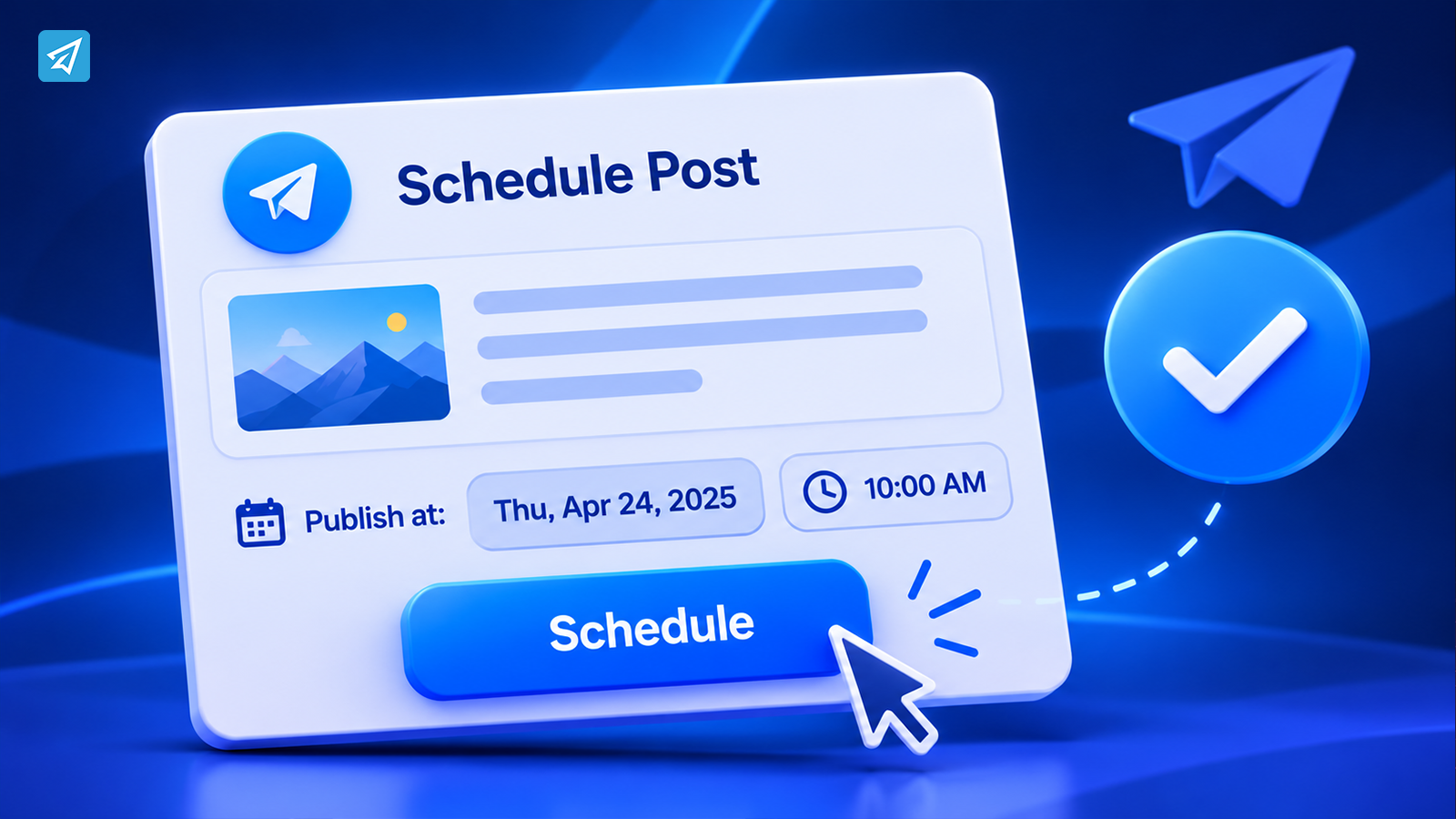
Scheduling introduces a different operating model.
Before:
Content prepared → Team member remembers → Opens Telegram → Publishes manually
After:
Content prepared → Publishing time selected → Scheduled post configured → Telegram publication occurs at the planned time
The business still decides what to communicate. The team still reviews the message. The difference is that publication no longer depends on someone being available at the exact moment the content should appear.
This distinction matters because content creation and content delivery are separate responsibilities.
A marketing manager might write a product update on Monday, review it with the team on Tuesday, and schedule it for Thursday morning. The message is ready before the publishing date, while the team can use Wednesday for other priorities.
Telegram scheduled posts therefore support more than convenience. They create a connection between planning and execution.
Step 1: Prepare the First Interaction With Your Channel
Before creating a publishing calendar, define what subscribers should receive when they encounter the channel.
A channel may serve several purposes:
- Announce product changes
- Share educational information
- Publish company news
- Explain useful workflows
- Direct subscribers to relevant resources
These purposes should guide the content plan.
For example, a software company could organize its weekly communication around three categories:
- A practical tip that helps users solve a common problem.
- A product update that explains a relevant improvement.
- A resource announcement that directs subscribers to a guide or tutorial.
This simple structure gives the team a starting point without forcing every week to follow an identical pattern.
The next step is to prepare the messages themselves.
A useful scheduled post should have a clear purpose. It might answer a question, explain a change, introduce a resource, or remind subscribers about an upcoming event.
Avoid scheduling content simply to fill empty dates. A calendar should organize useful communication, not create unnecessary volume.
Step 2: Recognize What Subscribers Need From Each Post
A publishing schedule becomes more effective when content is organized around audience needs.
Consider a business that receives repeated questions about how to use a product. The team may notice that subscribers frequently need the same explanation, but the answer is currently shared only when someone asks.
That information can influence the content calendar.
The team could prepare a series of educational posts:
- Monday: A short explanation of a common feature
- Wednesday: A practical example of using it
- Friday: A link to a more detailed resource
The posts are not random announcements. They form a sequence that helps subscribers understand the product.
A similar approach works for campaign communication. A business can schedule an initial announcement, a reminder containing useful details, and a final update when the campaign ends.
The important principle is to match the message to the subscriber’s situation.
A scheduled post should not merely say that something exists. It should explain why the information matters and what the reader can do with it.
Step 3: Move Beyond Individual Posts
Once a business has a basic publishing routine, it can organize content into recurring categories.
This is where scheduled publishing becomes part of a broader channel management process.
Evergreen information remains useful over time. Examples include introductory guides, frequently requested resources, and explanations of common workflows.
Time-sensitive information relates to a specific date or event. Examples include product launches, campaign deadlines, and service announcements.
Operational updates help subscribers understand what is happening. Examples include planned maintenance notices, changes to business hours, or updates to a previously announced activity.
These categories should not be treated identically.
Evergreen content can be prepared well in advance. Time-sensitive messages require closer review before publication. Operational updates may need to be adjusted if circumstances change.
A content calendar makes these distinctions visible.
For a business managing several communication priorities, the calendar can also show which messages support awareness, which provide education, and which direct subscribers toward a next step.
The goal is to create a balanced publishing routine rather than a stream of unrelated messages.
Step 4: Keep the Publishing Workflow Running
A reliable schedule needs a practical operating process.
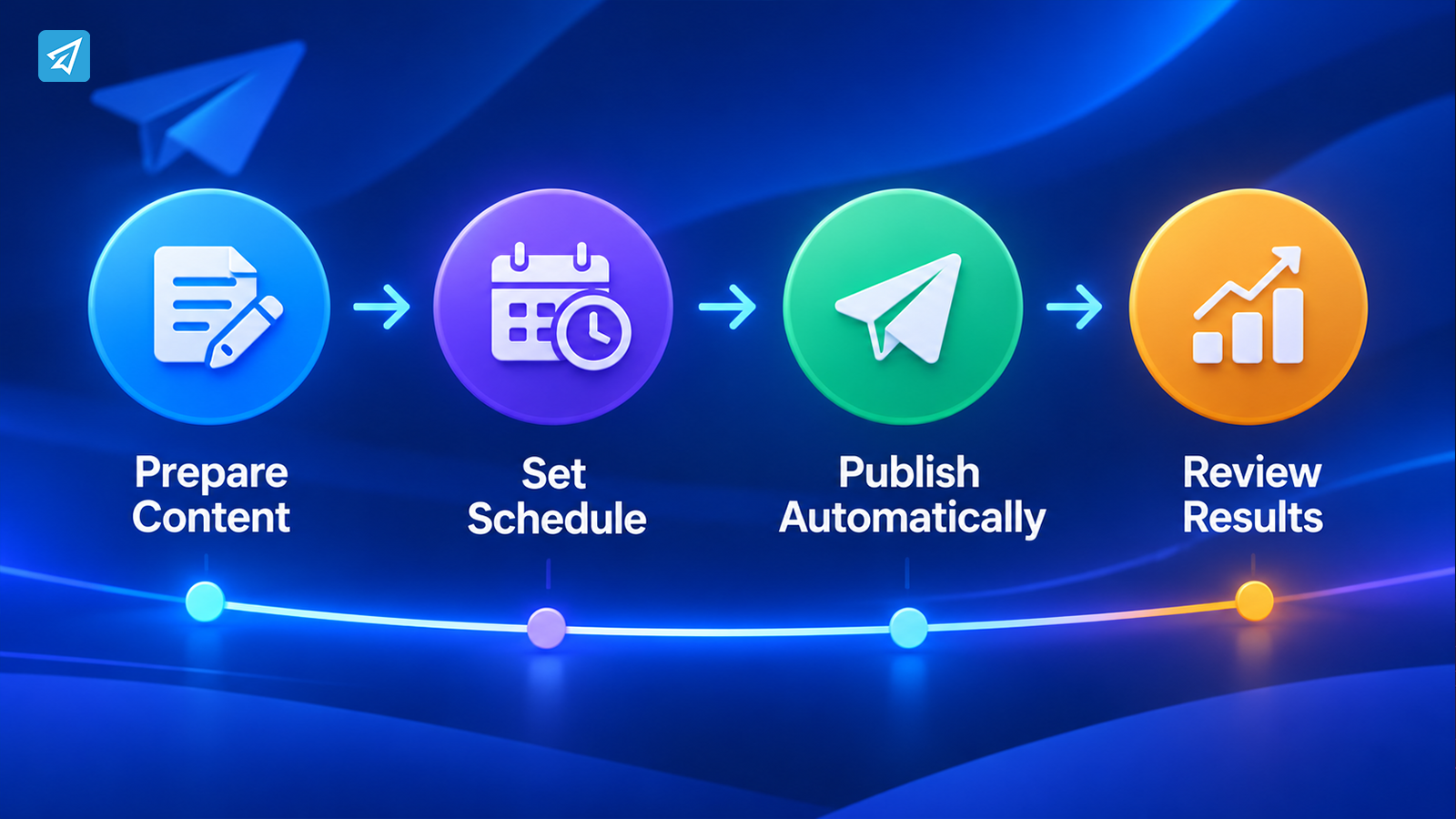
One useful approach is to separate content preparation from publication.
Content preparation
The team identifies upcoming topics, writes messages, checks links, and confirms that each post is appropriate for the intended audience.
Scheduling
The team selects the intended publication date and time, configures the post, and confirms that the scheduled message is ready.
Publication
The post appears in the channel according to the configured schedule.
Review
After publication, the team checks whether the message remains accurate and whether the channel is communicating effectively.
This workflow reduces the need to prepare every message at the last minute.
It also creates a useful review point before content goes live. A scheduled message about an upcoming event, for example, should be checked if the event details change.
Scheduling should not mean abandoning editorial responsibility. It should make editorial responsibility easier to manage.
For recurring content, businesses can also consider whether a message should be published once or repeated at a defined interval. Repetition can be useful for stable information, but it should be applied carefully. Subscribers may become frustrated if the channel repeatedly delivers content that no longer feels relevant.
The schedule should serve the audience, not simply the publishing tool.
Step 5: Measure What Is Happening

A publishing workflow is not complete when the post appears. The business also needs to understand whether its communication is useful.
Start with questions that relate directly to the channel’s purpose:
- Are subscribers receiving the information they need?
- Which topics generate meaningful interest?
- Are important announcements easy to find?
- Does the publishing frequency feel appropriate?
- Are scheduled posts still relevant when they appear?
Channel analytics can provide useful context for reviewing audience behavior and channel performance. Tracking links can help businesses distinguish between messages that merely announce a resource and messages that direct subscribers toward it.
For example, a company may publish two educational posts about the same subject. One links to a tutorial, while the other introduces a practical checklist.
The team can review the available performance information and compare how the two messages support the intended communication goal.
The interpretation should lead to an action.
If subscribers respond more strongly to practical examples, the next content calendar can include more applied guidance. If frequent announcements appear to overwhelm the channel, the team can reconsider its publishing cadence.
Avoid treating a single post as conclusive evidence. Audience behavior can vary because of topic, timing, relevance, and other factors.
The purpose of measurement is to improve decisions, not to produce impressive-looking numbers.
One Workflow, Two Operating Models
The difference between manual publishing and scheduled publishing becomes clearer when each stage is considered as part of the same business process.
| Workflow Stage | Manual Process | Scheduled Workflow |
|---|---|---|
| Content planning | Topics are chosen when time is available | Topics are organized in a content calendar |
| Message preparation | Each post is prepared close to publication | Messages are prepared and reviewed in advance |
| Publication | A team member publishes manually | The post is configured for a future time |
| Consistency | Depends heavily on daily availability | Supported by a planned publishing routine |
| Content updates | Changes are handled when the post is due | Scheduled content can be reviewed before publication |
| Performance review | Often separated from publishing activity | Review becomes part of the recurring workflow |
Scheduling does not remove the need for judgment. It makes the publishing process more structured, so the team can spend less attention on repetitive delivery and more on the quality of its communication.
How to Use OnlyTG Echo
A practical implementation can be kept relatively simple.
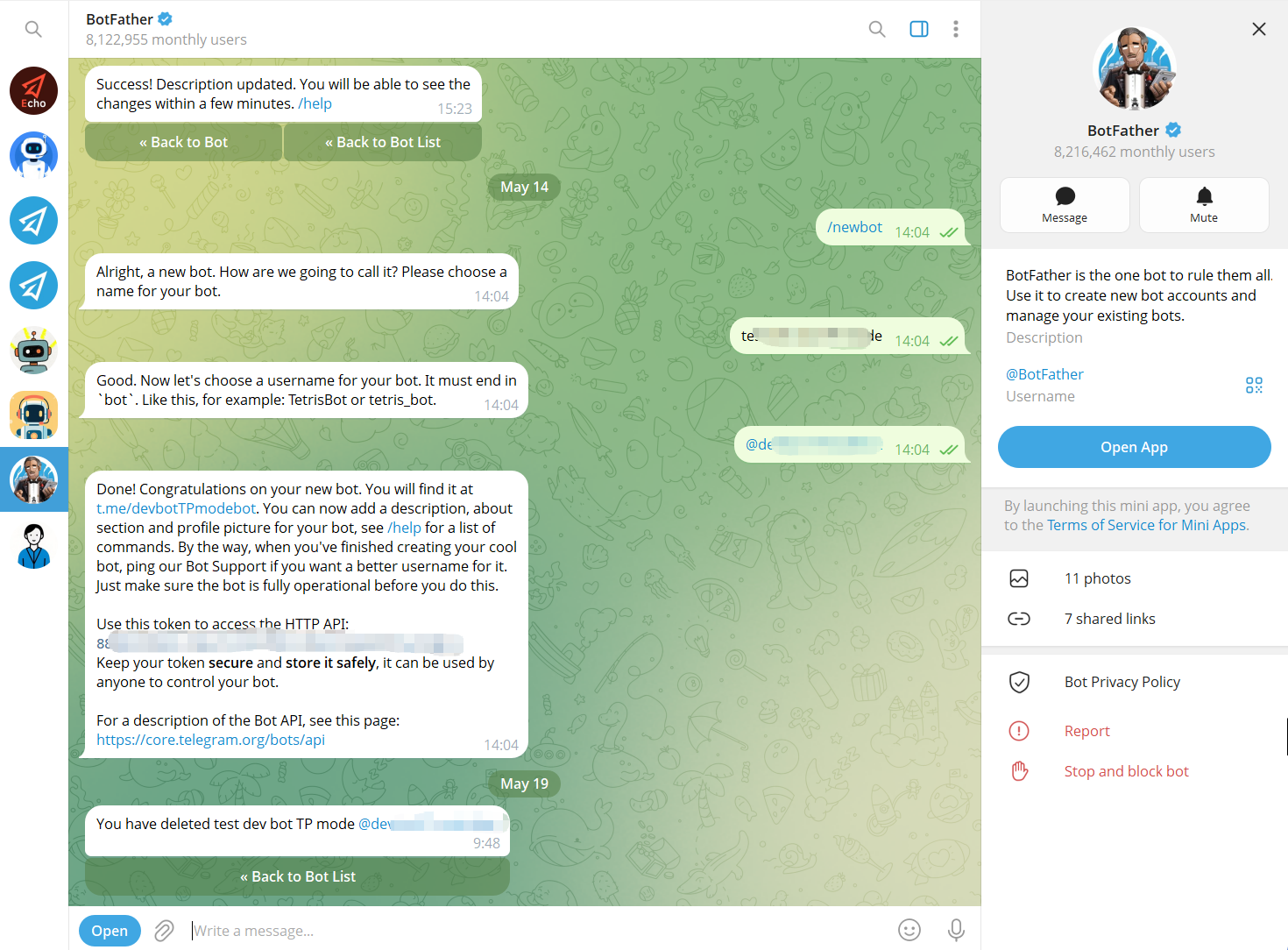
Step 1 — Create a Telegram Bot
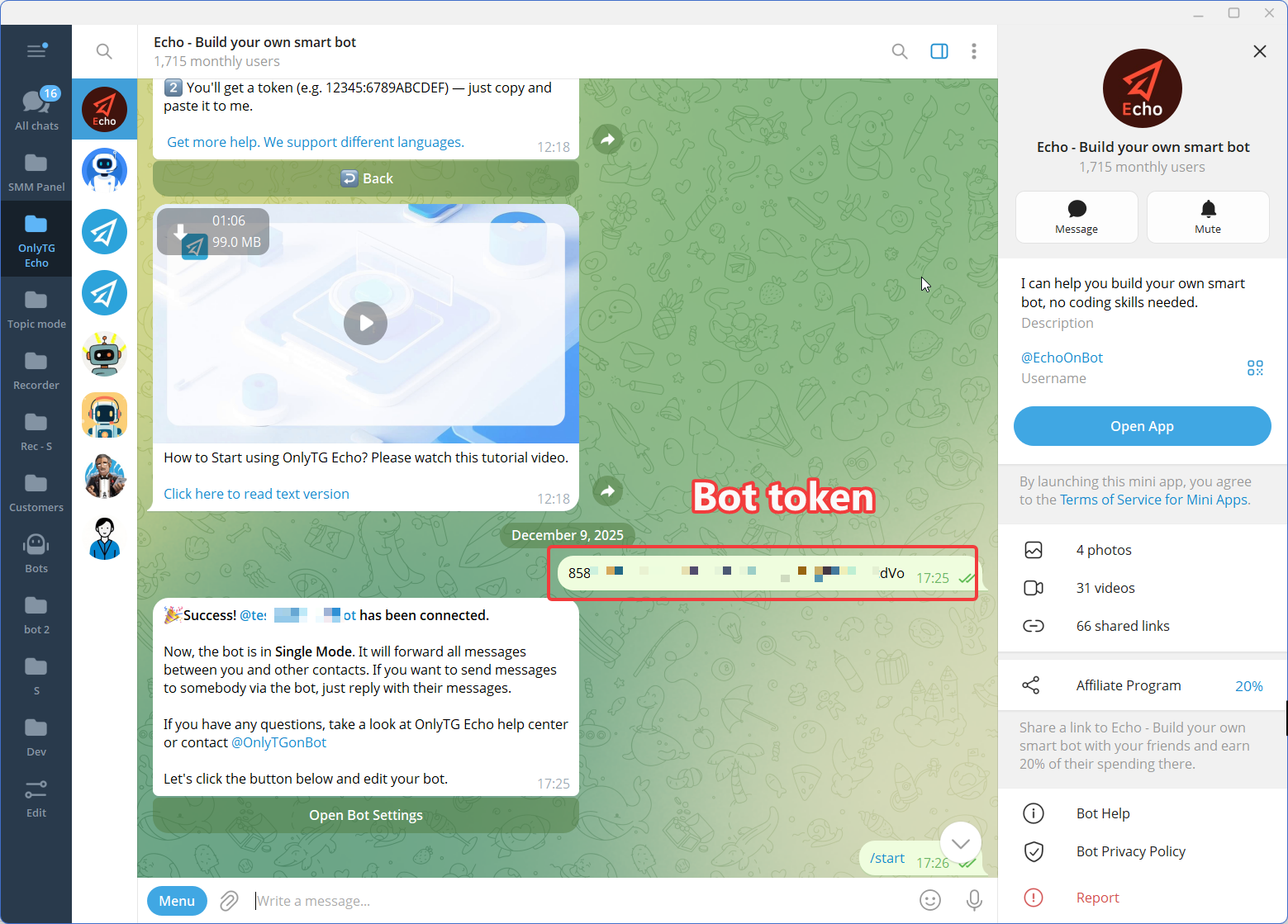
Use Telegram’s BotFather to create a bot and obtain its bot token. The bot becomes the communication interface that users interact with.
Step 2 — Connect the Bot to OnlyTG Echo
Connect the newly created Telegram bot to OnlyTG Echo using the bot token.
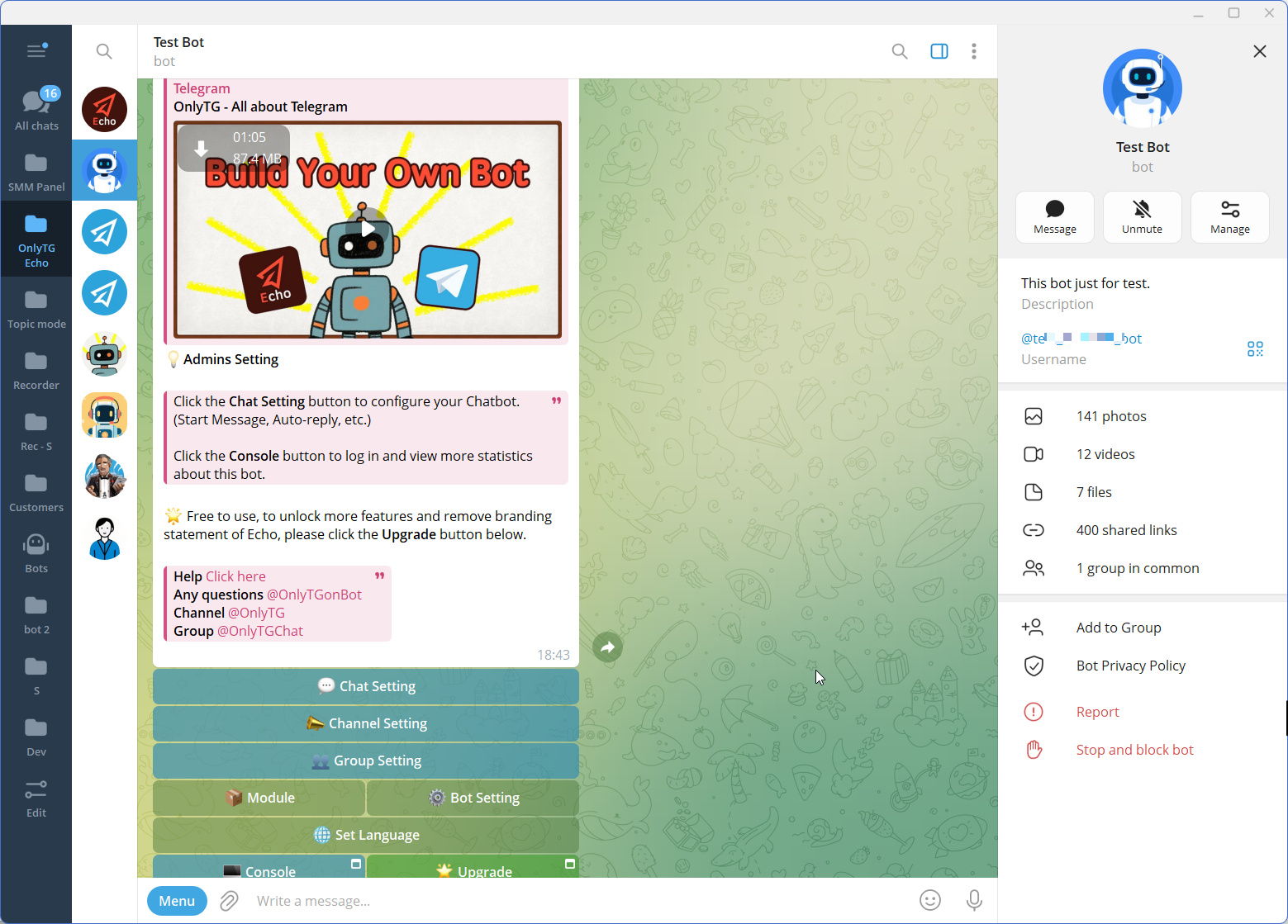
The purpose of this step is to give the business a no-code environment for configuring the bot’s communication behavior rather than requiring a custom automation workflow to be developed from scratch.
Step 3 — Configure the Features
FAQ
Can I use Telegram scheduled posts for business marketing?
Yes. Scheduled posts can help businesses organize product announcements, educational content, campaign updates, and other planned channel communication. The most useful approach is to schedule messages that have a clear purpose and remain relevant to subscribers.
How far in advance should I schedule Telegram channel posts?
The appropriate planning window depends on the business and its content. A weekly calendar can be a practical starting point for many teams. Prepare stable educational content in advance, but review time-sensitive announcements before they are published.
Does scheduled publishing mean I no longer need to manage my Telegram channel?
No. Scheduling supports content delivery, but businesses still need to review messages, respond to audience needs, monitor channel performance, and adjust their publishing plans. Automation helps maintain the routine; it does not replace active channel management.
Conclusion: Turn Scheduled Posts Into a Reliable Business Routine
A Telegram channel should not depend entirely on whether someone remembers to publish a message that day. When content preparation, scheduling, publication, and review become connected steps, the business can maintain a more consistent communication routine.
Telegram scheduled posts help separate the work of creating a message from the moment it needs to appear. That makes publishing easier to plan and less disruptive to daily operations.
OnlyTG Echo provides channel post scheduling and publishing tools that can support this workflow. Prepare your content, configure the publication time, and build a channel routine that your team can manage consistently.
Start organizing your Telegram publishing workflow with OnlyTG Echo.