
If your team is using Telegram for customers, affiliate traffic, paid communities, or internal operations, a rushed Telegram group setup can create problems fast. Spam appears, permissions get messy, new members miss context, and moderators spend more time cleaning up than growing the community.
This guide walks through a practical Telegram group setup for commercial use, with clear steps you can apply whether you run a brand community, an independent store, an affiliate team, or a support room for overseas customers.
Why Telegram group setup matters in 2026
Telegram groups are built for conversation, which makes them different from broadcast-first channels. That difference matters for businesses because conversations create trust, surface customer questions, and help teams react quickly. If you only need one-way announcements, a channel may be enough. If you want replies, feedback, and community interaction, a group is the better starting point.
Telegram’s group structure also scales well. Basic groups support up to 200 members, while supergroups can scale much larger, with published limits up to 200,000 members. For growing communities, that means you can start small and expand without rebuilding the whole setup.
In practice, good setup affects four business outcomes:
- Cleaner moderation and fewer spam issues
- Better onboarding for new members
- Faster customer support or community replies
- Stronger conversion from discussion to action
If you are running overseas social media campaigns, private buyer groups, or affiliate pre-sell communities, a well-built Telegram group setup is often the difference between an active asset and a dead chat room.
Choose the right group type before you launch
The first decision is whether your group should stay basic, become a supergroup, or work alongside a channel. Telegram groups are for discussion, while channels are for broadcasting. Many businesses use both: a channel for official updates and a group for questions, reactions, and community support.
A basic group is enough for a small internal team or a short-term campaign. Once the group grows beyond the basic threshold, Telegram upgrades it into a supergroup, which adds more management flexibility and is better suited to large communities. If your plan includes many moderators, topics, or heavier discussion volume, think in supergroup terms from the start.
| Option | Best For | Key Strength | Main Tradeoff |
|---|---|---|---|
| Basic group | Small teams | Simple to launch | Lower scale |
| Supergroup | Large communities | Better control | Needs more moderation |
| Channel + group | Brands and creators | Broadcast plus discussion | Two spaces to manage |
If your business depends on community trust, start with the end in mind. Decide whether members need to talk to each other, only receive updates, or do both. That one choice determines how your Telegram group setup should be built.
Step-by-step Telegram group setup process
Creating the group is simple, but the details matter. On Telegram Desktop or Web, the process is easy to manage because the larger screen makes it simpler to adjust settings after creation. On mobile, you can still build the group quickly, then fine-tune it on desktop later.
Follow this practical sequence:
- Open Telegram and choose New Group.
- Add at least one contact to start the group.
- Enter the group name and add a photo if needed.
- Open the group info page and review type, permissions, and invite options.
- Decide whether the group should remain private or become public.
That first setup is only the beginning. After the group exists, your real job is to shape the member experience. A clean name, a clear purpose, and a simple description reduce confusion and make the group easier to join and manage.
Set the name like a business asset
Use a name that tells people what the group is for. A vague name attracts the wrong audience and creates friction during onboarding. For example, a support group should sound different from a product launch group or a partner community.
Good names are specific, easy to remember, and aligned with the offer. If the group is tied to a campaign, make the theme visible so members know why they are there. That keeps participation relevant from the first message.
Add a description that tells people what happens inside
Telegram group setup works best when the first impression is clear. Add a short description that explains who the group is for, what kind of posts are allowed, and where members should go for official updates. This reduces repeated questions and helps moderators enforce the rules consistently.
For business use, clarity beats creativity. Tell people whether the group is for Q&A, launch updates, community support, deals, or partner coordination. When the promise is explicit, retention is usually better.
Configure permissions, admins, and slow mode
Once the group is created, permissions decide whether the chat feels organized or chaotic. Telegram lets admins assign granular rights, so you do not need to give every helper full control. That is important for business communities where different people handle support, moderation, and content.
Start with the minimum access needed. Let only trusted people manage messages, add users, or change group details. If someone only needs to delete spam, do not give them more power than necessary. This makes it easier to operate safely as the group grows.
- Give full rights only to the primary owner or lead operator
- Assign limited moderation rights to support staff
- Use one or two backup admins for continuity
- Review admin access regularly as the team changes
Slow mode is another useful control. It limits how often members can send messages, which can reduce spam and keep fast-moving communities readable. In a sales or support group, that can make conversations easier to follow without shutting down participation.
Use slow mode carefully. Too much restriction can make the group feel dead, but too little can allow repetitive posting and low-value chatter. The right balance depends on the purpose of the room, the size of the audience, and how much moderation time you have.
Use admins as operators, not placeholders
Every admin should have a job. One person handles content approvals, another handles member issues, and another watches for spam or off-topic posts. When roles are defined, moderation becomes faster and less emotional.
If your Telegram group setup is for a business community, document each admin’s responsibility outside the group as well. A simple internal note is enough to avoid overlap, missed tasks, and permission confusion.
Public vs private groups and invite link strategy
The next decision is visibility. Public groups can be found through search and shared with a permanent username link. Private groups are not searchable and are joined through invite links or direct adds. For many commercial teams, private access is safer because it gives you more control over who enters.
Public groups work well when discovery matters, such as brand communities, creator audiences, or support hubs that need to be easy to find. Private groups are better for paid memberships, affiliate teams, internal collaboration, and customer segments where access should stay controlled.
Invite links are especially important for conversion. A clean link makes it easier to move traffic from websites, landing pages, email, ads, or social bios into the group. Private invite links can also be revoked and regenerated if they are shared too widely.
- Use public links when search visibility is part of the growth plan
- Use private links when access control matters more than discovery
- Rotate private links if they leak outside the intended audience
- Track which source drives the best members into the group
For business campaigns, this is not just a technical choice. It is a funnel decision. Public helps reach, private helps control, and the best Telegram group setup uses the option that matches the actual sales or support model.
Use topics, pinned posts, and bots to keep the group usable
Large groups become hard to read when every topic lands in one stream. Telegram topics help solve that problem by splitting discussion into separate threads inside a supergroup. That is especially useful for communities that need one place for announcements, another for support, and another for partner discussion.
Pinned posts are equally important. Use the pinned message for the rules, the main offer, the onboarding steps, or the latest official update. New members should know where to look without scrolling through old conversations.
Bots can also support business operations, but keep their permissions tight. Telegram bots added to groups run in privacy mode by default, which means they only see relevant messages and commands unless configured otherwise. That is useful for moderation tools, onboarding workflows, and simple automations.
Where bots help most
- Welcome messages for new members
- Spam filtering and cleanup
- Rule reminders and onboarding steps
- Simple routing for support requests
Do not use automation as a substitute for community management. The best Telegram group setup combines automation with human judgment. Bots handle routine tasks, while admins handle context, nuance, and escalations.
Common mistakes that weaken Telegram group setup
Most group problems are not caused by Telegram itself. They happen when the setup is vague, permissions are too loose, or there is no clear rule for participation. A group can look active and still be ineffective if the wrong people are talking to each other in the wrong way.
One common mistake is creating a group without a purpose statement. Another is adding too many admins with overlapping permissions. A third is forgetting to set a pinned guide, so every new member asks the same question again.
Avoid these issues:
- Launching without a clear member purpose
- Using public access when private access is safer
- Giving broad admin rights to temporary helpers
- Leaving the group without a pinned rule or next step
- Ignoring slow mode or moderation tools until spam is already visible
If you are building a business community, treat the group like a customer-facing asset. The first 24 hours matter. The first pinned message matters. The first moderator decisions matter. Good setup reduces future cleanup.
FAQ
How do I start a Telegram group?
Open Telegram, choose New Group, add at least one contact, then name the group and finish creation. After that, adjust permissions, visibility, and invite settings.
What is the difference between a Telegram group and a channel?
A group is built for discussion and replies. A channel is built for one-way broadcasting. Many businesses use both together to separate updates from conversation.
Can a Telegram group be public and private at the same time?
No. A group is either public or private at a given time. Public groups use a searchable username, while private groups rely on invite links.
How many members can a Telegram group have?
Telegram’s published limits show basic groups at 200 members and supergroups up to 200,000 members. That makes Telegram suitable for both small teams and large communities.
Should I use topics in a Telegram group?
Use topics when the discussion is getting hard to follow. They work well for larger supergroups that need separate spaces for support, announcements, or campaign threads.
Can I add admins with limited rights?
Yes. Telegram supports granular admin permissions, so you can give each helper only the access they need. That is the safest way to scale moderation.
Do bots see every message in the group?
Not by default. Telegram bots added to groups run in privacy mode, so they only receive relevant messages and commands unless configured for broader access.
Final checklist for a clean Telegram group setup
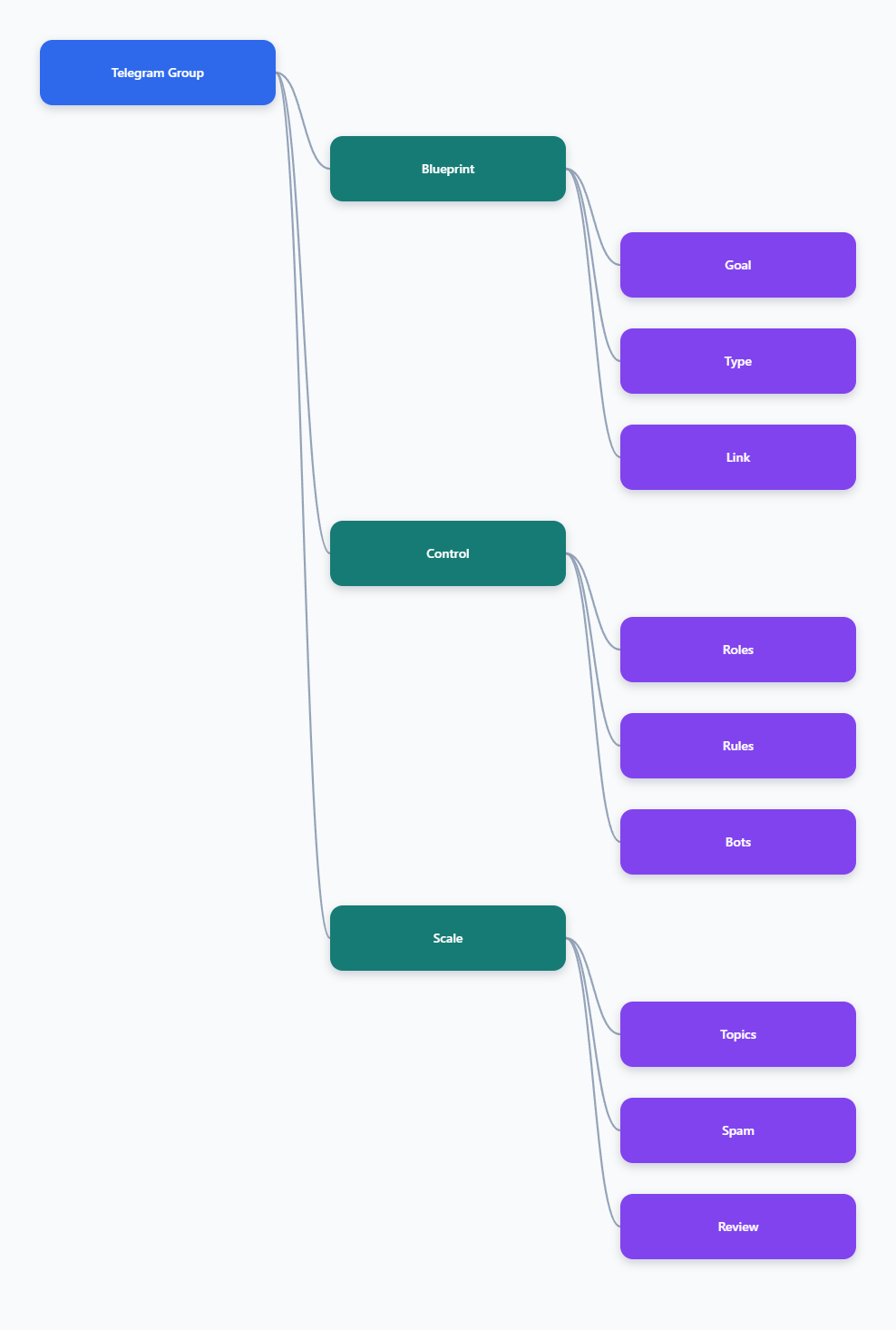
A strong Telegram group setup is simple on the surface and disciplined underneath. Choose the right group type, control access with the right link, and define admin duties before the group gets busy. That is what keeps a business community useful in 2026.
If you want the fastest path to a reliable setup, focus on three things: clarity, control, and continuity. Clarity tells people why the group exists. Control keeps spam and confusion low. Continuity makes sure the group still works when the audience grows or the team changes.