
If you want a Telegram community people can actually find, join, and share, a public group is the right setup. The key is not just flipping a privacy switch. You also need the right username, a clear topic, and basic moderation so the group feels trustworthy from day one.
In this guide, you will learn how to build public Telegram group the right way in 2026. We will keep it practical, beginner-friendly, and aligned with how Telegram currently handles public usernames, invite links, and group visibility.
What a public Telegram group is
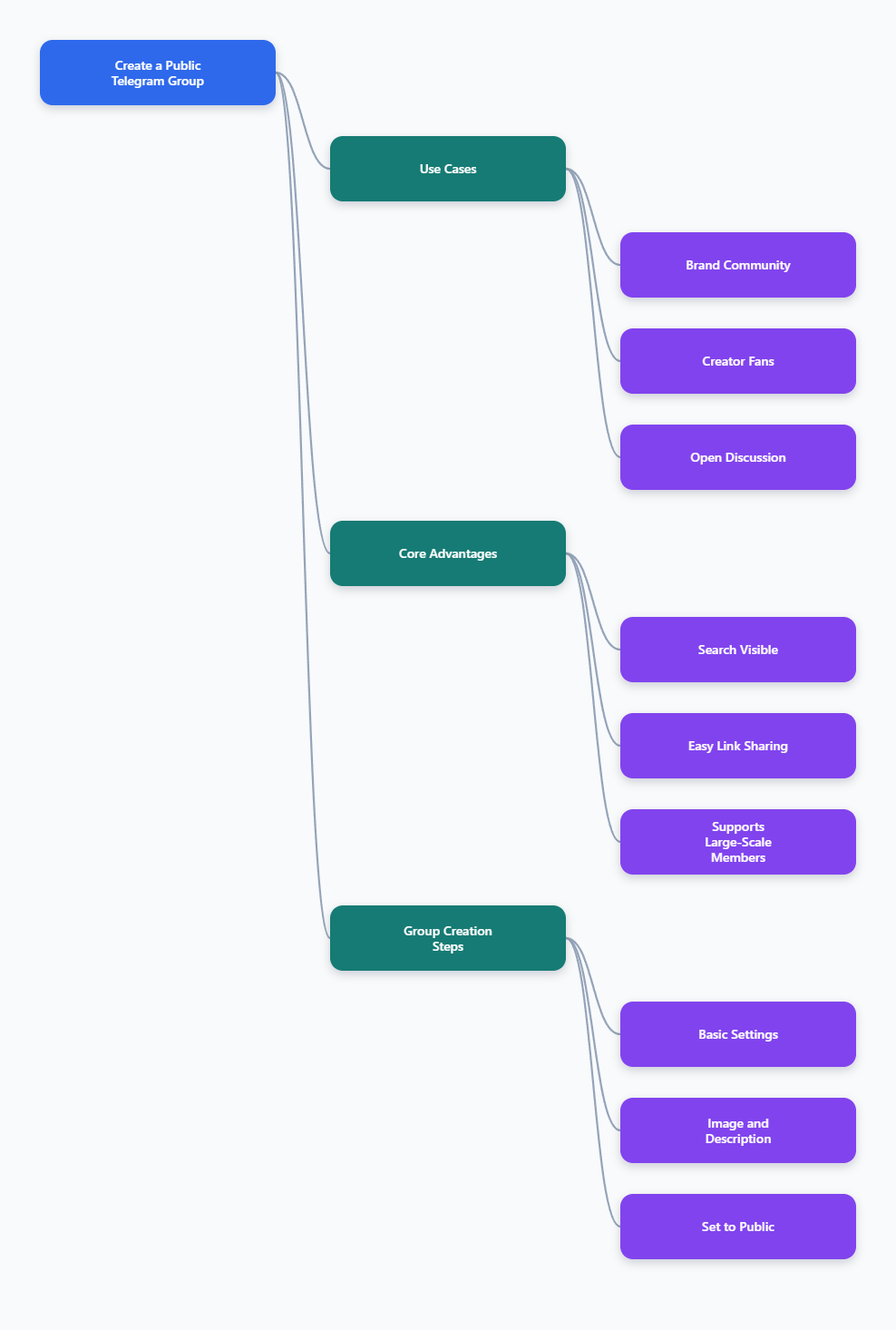
A public Telegram group can be found through Telegram search and shared with a short public link. That link is usually based on a permanent username, such as t.me/YourGroupName. Anyone who sees the link can join, which makes public groups ideal for brands, creators, communities, and open discussions.
Telegram also supports very large communities. Official documentation notes that groups can scale up to 200,000 members, with replies, mentions, hashtags, and admin tools helping keep conversations organized.
Public vs. private: choose the right setup first
Before you set anything up, decide whether discoverability or privacy matters more. A public group is easier to find and better for growth. A private group is better when access control matters more than reach.
Here is a simple comparison to help you choose.
| Feature | Public Telegram Group | Private Telegram Group |
|---|---|---|
| Discovery | Visible in Telegram search and shareable by username | Hidden from search and joinable by invite link |
| Link type | Permanent public link like t.me/username |
Invite link that can be revoked or regenerated |
| Best for | Open communities, brands, creators, support hubs | Private teams, client groups, VIP access, internal chats |
| Risk level | Higher exposure, so moderation matters more | Lower exposure, easier to keep access controlled |
How to build public Telegram group: step by step
Follow the steps below in order. The exact buttons may look slightly different on iPhone, Android, desktop, or Telegram Web, but the setup logic is the same.
Step 1: Create the group
Open Telegram and start a new group from the compose or menu area. Add at least one contact to create the group, then give it a clear name.
Pick a name that tells people exactly what the group is about. Short, topic-focused names usually perform better than clever but vague ones.
Step 2: Add a profile photo and a clear description
Upload a logo, brand mark, or clean cover image. A recognizable image makes your group look real and helps people trust it faster.
Then write a short description that explains who the group is for, what people can expect, and what is not allowed. Keep it simple and specific.
Step 3: Set the group type to public
Open the group info page, go to Group Type, and switch from private to public if the option is available in your app. Telegram uses a public username to make the group searchable and shareable.
If your current screen only shows private settings, update Telegram first. On some devices, the group type and visibility options appear in slightly different places, but the public username is still the core setting.
Step 4: Choose a strong public username
Your username becomes the link people share. Telegram usernames use letters, numbers, and underscores, and the minimum length is 5 characters.
Choose something that is easy to spell, easy to remember, and closely related to the group topic. If your first choice is taken, try a clean variation instead of adding random symbols.
- Good: brandname_help, cryptoalerts, designcommunity
- Weak: x7_community_2026_99, bestgroupofalltime
Step 5: Review permissions before you invite anyone
Public groups attract strangers, not just friends, so default permissions matter. Decide whether members can send messages, media, stickers, links, or GIFs right away.
For a fresh community, it is often smart to start with tighter permissions and open things up gradually. That reduces spam and makes the first impression cleaner.
Step 6: Add moderation from day one
Do not wait for spam to appear. Add at least one moderation layer before you publish the group link publicly.
Telegram supports admin tools such as pinned messages, replies, mentions, slow mode, and member permissions. For larger communities, these controls keep the chat readable and easier to manage.
Step 7: Publish the link and test it
Copy your public link and test it from another account or a private browser session. Make sure the group opens correctly, the name looks right, and the description explains the purpose clearly.
Then share the link in the places that match your audience: website headers, social bios, newsletters, and pinned posts. A public group only grows if people can find it fast.
A launch checklist that improves join rate
A public link alone will not convert visitors into members. The first screen people see needs to answer three questions immediately: what is this, who is it for, and why should I join now?
- Group name: clear, topic-led, and easy to search.
- Avatar: readable at small size.
- Description: one or two short sentences that explain value.
- Pinned message: welcome note, rules, and the most useful link.
- Permissions: limited enough to avoid spam, open enough to encourage conversation.
- Moderator coverage: at least one admin who can respond quickly.
If you want organic growth, keep the group topic narrow at the beginning. A focused community is much easier to search, understand, and recommend than a broad chat with no clear purpose.
Best tools to manage a public Telegram group
You do not need a huge software stack to run a group well. Start with Telegram’s built-in tools, then add moderation or analytics tools only when the group begins to grow.
Below are practical options, separated into free and paid-friendly choices.
| Tool | Type | Best use case | Pros | Cons |
|---|---|---|---|---|
| Telegram built-in admin tools | Free | Basic setup, permissions, pinned posts, slow mode | No extra cost, official, easy to trust | Limited analytics and automation |
| Rose | Free core bot | Spam control, welcome flows, filters, warnings | Popular, flexible, good for moderation-heavy groups | Requires setup and bot permissions |
| Combot | Free tier + paid plans | Moderation plus analytics for growing communities | Useful stats, anti-spam, and admin workflow tools | Advanced features sit behind paid tiers |
| Custom bot instance | Paid | Branded automation for larger or commercial groups | More control, custom identity, cleaner workflows | More setup effort and ongoing cost |
When to stay free
For a small or early-stage group, Telegram’s native controls are often enough. Add rules, use a pinned welcome post, and keep permissions tight until the community proves it can self-regulate.
If you are mainly trying to validate the topic, do not overcomplicate the stack. Free tools are usually the fastest way to get started.
When to upgrade to paid tools
Paid tools make more sense when the group is growing fast, spam is rising, or you need reporting. If you want moderation history, deeper analytics, or less manual work, a paid layer can save time.
Combot is a good example of a tool that starts free and becomes more useful when you need stronger controls. Just remember that the right tool depends on your workflow, not on feature lists alone.
Common mistakes that make public groups fail
Most weak Telegram groups do not fail because of the platform. They fail because the setup feels random, unsafe, or confusing to new visitors.
- Using a vague username: people cannot tell what the group is about.
- Leaving permissions wide open: spam appears quickly.
- No pinned welcome message: newcomers do not know where to start.
- Ignoring moderation: the group gets noisy before it gets useful.
- Changing the topic too often: search visibility gets weaker and members lose interest.
A public group works best when the promise is obvious and the experience is consistent. If the name says one thing but the chat does another, people leave.
How to keep the group discoverable
Telegram search leans heavily on the group name, username, and description. That means your metadata matters almost as much as your conversations.
Use a topic-specific title, keep the username readable, and describe the group in natural language. That gives both Telegram search and people scanning your profile a better chance to understand what you offer.
- Keep the title focused on one niche.
- Use a username that matches the topic or brand.
- Write a description with real keywords, not hype.
- Pin a post that explains the group’s purpose in plain English.
FAQ
How do I make my Telegram group public?
Open the group info page, choose Group Type, and switch to public. Then set a valid username so Telegram can create a shareable public link.
What username rules does Telegram use?
Telegram usernames use a-z, 0-9, and underscores. They must be at least 5 characters long, and they should be easy to type and remember.
Can a public group still be moderated?
Yes. In fact, moderation matters more in public groups because anyone can find them and try to post. Use permissions, pinned rules, and admin tools to keep the chat under control.
What is the difference between a public group and a public channel?
A public group is built for conversation. A public channel is built for broadcasting updates. If you want discussion, choose a group. If you want one-way announcements, choose a channel.
Can people find my group in Telegram search?
If the group is public and has a proper username, yes. Telegram search is much better at finding public names and usernames than private chats.
Should I use a public or private group for my brand?
Use public if discovery and community growth matter most. Use private if access control, confidentiality, or member screening is more important than reach.
Final thoughts
To build public Telegram group successfully, keep the setup simple: choose a clear name, create a strong public username, tighten permissions, and add moderation before you share the link. That combination is what turns a basic group into a discoverable community.
If you want the fastest path, start with Telegram’s built-in tools, then add a bot only when the workload justifies it. Publish the link, test the experience, and keep the topic focused. That is the cleanest way to grow a public group that people actually want to join.