
If you want a Telegram group that actually drives leads, feedback, and repeat attention, treat it like a product, not a chat room. The strongest groups are built around one clear job, one audience, and one moderation system.
Telegram is a good fit because groups are made for conversation, supergroups can scale to 200,000 members, and channels can handle unlimited subscribers for broadcast. In practice, the smartest setup is often a group for discussion plus a channel for announcements.
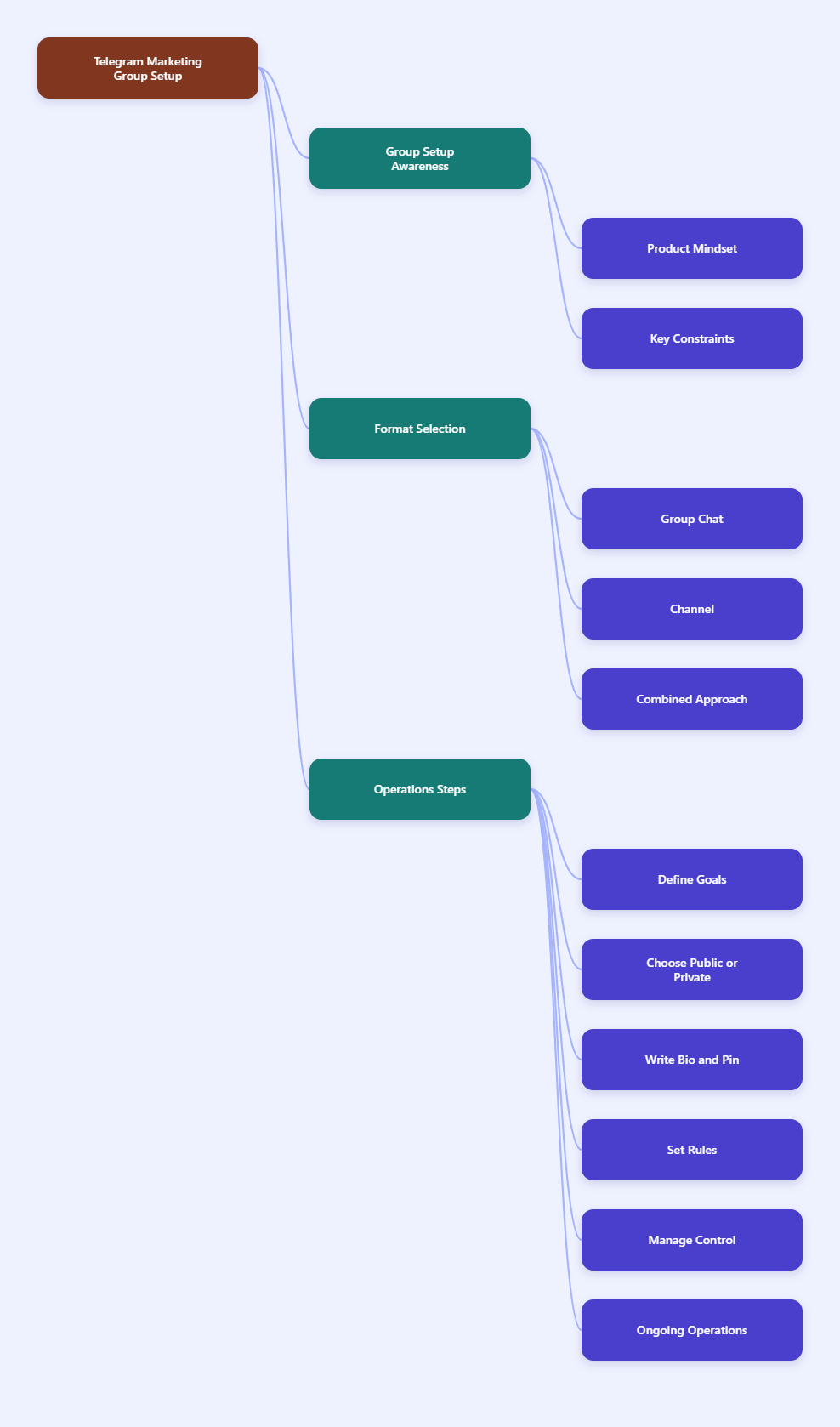
What you need to know before you start
Before you build, understand the limits that shape your structure. If you start with the wrong format, you will feel friction later when the group grows.
| Item | Telegram limit or behavior | Why it matters |
|---|---|---|
| Basic group | Up to 200 members | After that, Telegram automatically moves it into a supergroup flow. |
| Supergroup | Up to 200,000 members | This is the real scale option for marketing communities. |
| Channel | Unlimited subscribers | Best for one-way updates, launches, and announcements. |
| Admins | Up to 50 admins | You can delegate moderation and community support. |
| Text length | Up to 4,096 characters per message | Keep pinned onboarding messages concise and scannable. |
Group vs. channel: choose the right format
A lot of marketers start with the wrong container. If the goal is conversation, a group wins. If the goal is distribution, a channel wins.
| Goal | Best fit | Why |
|---|---|---|
| Two-way discussion | Telegram group | Members can reply, ask questions, share ideas, and build rapport. |
| One-way announcements | Telegram channel | Only admins post, so updates stay clean and easy to scan. |
| Community plus broadcast | Use both | Post official updates in the channel, then move discussion into the group. |
If you only need a sales feed, a channel may be enough. If you want customer feedback, support, referrals, and repeat engagement, build the group first.
Step-by-step: how to make a marketing Telegram group
1. Define the group’s job in one sentence
Start with the outcome, not the name. Your group should do one specific job such as pre-sale support, product feedback, creator community, launch discussion, or customer retention.
- Support group: answers questions and reduces ticket load.
- Launch group: gathers attention around a campaign window.
- Community group: keeps members talking between offers.
- Lead nurture group: warms people up before a demo or sale.
When the job is clear, your rules, welcome message, and content rhythm become much easier to write.
2. Pick public or private with purpose
A public group is easier to find and easier to share. A private group feels more exclusive and is usually better for invite-based funnels, clients, or inner-circle communities.
Use a public group if discoverability matters. Use a private group if you want tighter control over who joins and how they enter.
- Public: better for growth and searchability inside Telegram.
- Private: better for controlled onboarding and premium communities.
Whichever format you choose, keep the naming simple. A good name should tell people who it is for and why they should stay.
3. Write a sharp description and pin the first message
Your first message does the heavy lifting. It should explain what the group is for, what members can post, and what they should do next.
Keep the pinned post short enough to scan in seconds. Remember that Telegram messages can go up to 4,096 characters, but that does not mean you should use all of them.
- State the group purpose in one line.
- List 3 to 5 simple rules.
- Tell new members where to start.
- Link to your channel, site, or offer if relevant.
A clean welcome message lowers confusion and helps people post the right kind of content from day one.
4. Set permissions before the first wave arrives
Telegram gives admins meaningful control, so use it early. You can decide who can post, invite users, manage messages, and add new admins. That matters a lot once the room gets busy.
For a marketing group, start with a conservative setup and open permissions only when you trust the flow. If spam is a risk, limit what new members can do until they pass your first check.
- Assign trusted admins only.
- Keep the rules simple and visible.
- Restrict risky behavior before it becomes a problem.
- Document who handles moderation, support, and escalation.
If your community gets large enough, Telegram’s native anti-spam options may also be available for supergroups, which is useful when volume starts to spike.
5. Build your invite-link funnel
Do not share one generic link everywhere. Create separate entry points for different campaigns so you can tell where members came from and which promotion worked.
Telegram supports invite links for groups, and newly created groups already have a default invite link. If you need tighter control, generate and rotate links from the group settings instead of relying on one permanent URL.
- Use one link for your website.
- Use one link for ads or influencer traffic.
- Use one link for partner referrals.
This gives you cleaner attribution and makes it easier to see which audience source actually joins and stays active.
6. Add anti-spam protection on day one
Spam is the fastest way to ruin a Telegram community. Telegram itself blocks large amounts of harmful activity, but your group still needs a practical layer of protection if you want the space to feel alive and usable.
At minimum, your moderation stack should be able to remove spam, restrict bad actors, and handle repeat offenders quickly. For bots, Telegram’s Bot API supports admin-style automation, but the bot must have the right permissions to do its job.
- Delete messages to remove spam fast.
- Restrict users to mute newcomers or pause risky accounts.
- Ban users for obvious abuse or repeat violations.
A simple CAPTCHA or newcomer check is often enough to stop low-effort spam before it starts.
7. Create a content rhythm members can follow
Marketing groups fail when they only talk about the product. People stay when the group gives them useful, repeatable reasons to check in.
Plan a weekly rhythm that mixes value, conversation, and light promotion. You do not need to post constantly. You do need to be consistent.
- One discussion prompt: ask a direct question.
- One useful tip: share a short tactic or example.
- One social post: highlight a member win or case study.
- One offer touchpoint: mention a product, event, or CTA.
If you already run a channel, repurpose strong posts into discussion starters inside the group. That keeps the community active without creating extra work.
8. Measure what actually matters
Do not track vanity metrics only. In a Telegram marketing group, the important signals are activity, moderation load, and how often members respond without being pushed.
If you use a tool like Combot, you can review active users, message counts, hourly heatmaps, and moderation logs. Those numbers tell you whether the group feels alive or just large.
- Look at active participation, not only joins.
- Watch for repeated spam or low-quality posts.
- Notice which topics create replies.
- Track which campaigns bring in better members.
When one topic or invite source performs better, double down on it. Good communities compound when you repeat what works.
9. Scale the group without breaking it
As the group grows, your job shifts from creator to operator. You need clear admin coverage, a documented moderation process, and a way to move broadcast-style updates out of the group when needed.
Telegram allows up to 50 admins, which is more than enough for a serious community if you assign roles carefully. Use that capacity to divide work instead of making one person do everything.
- Assign roles: moderation, support, content, escalation.
- Train helpers: write a short admin playbook.
- Protect the feed: keep spam filters and rules updated.
- Split broadcast from discussion: move major updates to a channel when needed.
The more your community grows, the more important consistency becomes. Scale is mostly a systems problem.
Free and paid tools that help
You do not need a complex stack to launch. Start with Telegram’s built-in tools, then add automation only where it saves time or reduces spam.
| Tool | Cost | Best for | Pros | Cons |
|---|---|---|---|---|
| Telegram built-in tools | Free | Permissions, pinned posts, invite links, admin control | Official, simple, no extra setup | Limited analytics and automation |
| Shieldy | Free / open-source | Spam-prone groups that need quick newcomer verification | Fast anti-spam setup, captcha-based protection | Light on analytics and community reporting |
| BotFather + Telegram Bot API | Free | Custom onboarding or automated workflows | Flexible, official platform support | Needs setup and maintenance |
| Combot | Free tier + paid Pro | Moderation plus analytics at scale | Active users, heatmaps, logs, triggers | Deeper features sit behind the paid plan |
If you want the simplest possible setup, start with Telegram’s native controls and a basic anti-spam bot. If you need reporting and moderation insight, Combot is the more complete next step.
Common mistakes that kill marketing groups
Most bad groups do not fail because of the platform. They fail because the owner never creates a real operating system.
- Using the group as a broadcast feed only. That usually kills conversation.
- Skipping the welcome post. New members do not know what to do next.
- Allowing spam before rules are in place. First impressions matter.
- Posting only promotions. People leave when the group feels like an ad wall.
- Ignoring moderation work. A community grows messy very quickly without ownership.
The fix is usually boring, but effective: clear rules, useful content, fast moderation, and a simple reason to return.
FAQ
Is a Telegram group or channel better for marketing?
If you want conversation, feedback, and community, a group is better. If you want clean announcements to a large audience, a channel is better. Many brands use both together.
How many members can a Telegram marketing group have?
A standard group can grow into a supergroup, and Telegram supports up to 200,000 members in a supergroup. That is enough for most large communities.
Can I make a Telegram group private and still grow it?
Yes. Private groups work well when you want controlled access, referral-based growth, or premium communities. Use invite links and a clear onboarding message so the entry experience feels intentional.
What should I pin in a new Telegram group?
Pin a short welcome message with the group purpose, the main rules, and the next action. If you have a channel, website, or signup page, include that too.
How do I stop spam in a Telegram group?
Use admin permissions, clear rules, and an anti-spam bot. For many groups, a basic CAPTCHA or newcomer restriction is enough to reduce low-quality joins.
Can bots help me manage a Telegram marketing group?
Yes. Bots can help with verification, moderation, and automation. Just make sure they have the right admin permissions for the tasks you want them to handle.
Conclusion
To make a marketing Telegram group work in 2026, keep the setup simple and the purpose sharp. Define the job, choose the right group type, pin a clear welcome message, and add spam protection before growth starts.
Then give people a reason to stay: useful posts, real discussion, and reliable moderation. If you want, start with the basic stack today and upgrade only when the group proves it deserves more system support.