
If you want a simple, low-friction way to reach nearby customers, learning how to create a Telegram account for local business promotion is a smart first move. Telegram is no longer just a chat app; by 2026, it is a major publishing and customer communication channel with a large global audience and business features that fit local brands well.
For a cafe, salon, gym, clinic, repair shop, or neighborhood service business, Telegram can help you share updates, answer questions faster, and keep repeat customers engaged. The key is to set it up properly from day one, so the account looks trustworthy and is easy to use.
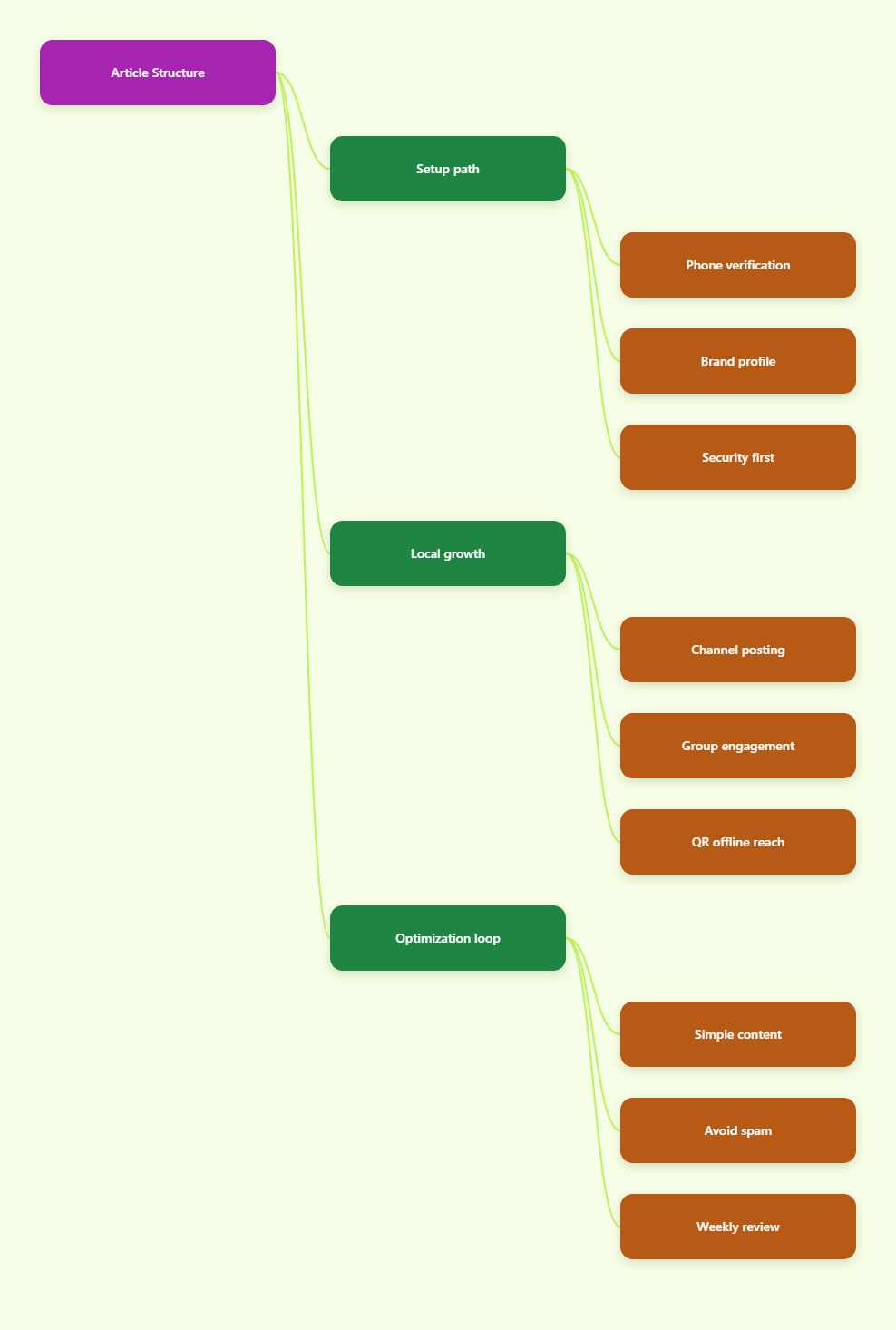
Why Telegram Works for Local Business Promotion in 2026
Telegram’s scale matters. Company data showed it passed 1 billion monthly active users in March 2025, which means your local audience is likely already on the platform or knows how to use it.
What makes Telegram useful for local promotion is not just reach. It is the mix of public content, direct chat, group discussion, QR codes, and business tools that can turn offline interest into repeat online contact.
What local businesses can do with it
- Broadcast updates about daily offers, opening hours, menu changes, class slots, or service availability.
- Handle conversations without forcing customers to email or call for every small question.
- Build repeat traffic with reminders, limited-time offers, and local announcements.
- Support walk-in discovery by sharing QR codes at the counter, on packaging, or on flyers.
Telegram also supports business-style features such as opening hours, location, quick replies, automated messages, custom start pages, and chatbot support. For a local brand, that is enough to create a useful customer touchpoint without building a full app.
How to Create Telegram Account for Local Business Promotion
The signup process is straightforward, but the details matter. Telegram requires a valid phone number to create an account and sends a verification code by SMS or call, so this is the right time to use a number you can keep long term.
Step 1: Use an official app
Download Telegram from the official app store listing or the official desktop site. Avoid random downloads or modified clients, because a business account should start with a clean, secure setup.
After installing the app, register with your phone number and enter the verification code. Then create the account name that matches your business identity as closely as possible.
- Use the business name customers already know.
- Add a clear logo or brand photo.
- Keep the username simple and readable.
Step 2: Build a profile customers trust
Your profile is the first trust signal. Local customers should know in a few seconds who you are, where you are, and why they should follow or message you.
Write a short bio that includes your business type, neighborhood, and main value. If you serve a specific city or district, mention it clearly.
- Name: easy to recognize in search and chats.
- Bio: what you do, where you are, and what people get.
- Photo: a high-contrast logo or storefront image.
Step 3: Secure the account immediately
Before you post anything, turn on the security settings. A local business account is too important to leave exposed to weak verification or shared access mistakes.
Use a strong password for two-step verification, and make sure the recovery email is controlled by the business. If multiple people manage the account, document who has access and why.
- Enable two-step verification right after signup.
- Keep recovery details inside the business, not on a personal device only.
- Review login sessions if more than one staff member uses Telegram.
Step 4: Decide your public structure
Telegram works best when the account has a clear job. For local business promotion, that usually means choosing between a channel, a group, or both.
| Option | Best Use | Main Strength | Main Limit |
|---|---|---|---|
| Channel | Announcements and offers | Clean one-way broadcasting | Less conversation |
| Group | Questions and community | Two-way interaction | Can get noisy |
| Business profile | First contact point | Professional identity | Not a content hub |
If your goal is to share updates without clutter, start with a channel. If you need customer questions, class discussions, booking support, or local community feedback, add a group later.
Best Telegram Setup for Local Business Promotion
A good account is only the starting point. The real value comes from how you shape the experience after someone finds you.
Use a channel as your main broadcast layer
Channels are the best place for polished updates. They work well for price changes, new stock, event announcements, daily specials, and seasonal promotions.
Because only admins post in a channel, your message stays clean. That makes it easier for customers to scan posts on mobile without getting lost in replies.
- Pin one welcome post that explains what subscribers will get.
- Post consistently so the channel feels alive.
- Keep each post useful and specific, not generic.
Use a group for customer interaction
Groups are better when conversation matters. A fitness studio can use a group for class reminders, a neighborhood shop can use it for recommendations, and a service business can use it for support questions.
Telegram groups can scale very large, but for local business promotion, smaller is often better. A focused group feels more personal and easier to manage.
- Set clear rules for questions and promotions.
- Assign a moderator if the group becomes active.
- Keep the topic narrow so it stays relevant.
Use Telegram Business features where they fit
Telegram’s business tools are especially helpful for local brands. Opening hours, location, quick replies, automated messages, and custom start pages can reduce friction in everyday customer contact.
For example, a restaurant can automate a greeting, share hours, and answer common booking questions. A clinic can set expectations for response times and direct people to the right contact path.
- Opening hours help manage expectations.
- Quick replies save time on repeat questions.
- Automated messages keep new inquiries moving.
Use offline traffic to feed the account
Local promotion works best when the account is visible outside the app. Put your Telegram QR code on receipts, flyers, counter tents, window stickers, and business cards.
This is one of the easiest ways to move foot traffic into a repeatable channel. People do not need to search or type anything, so the friction drops fast.
- Use a QR code near the checkout area.
- Link it to a channel for offers and updates.
- Test the scan flow on both iPhone and Android.
Content That Converts Local Followers
Once the account is live, the next job is content. Local followers do not need long essays; they want timely, useful, and specific posts that make them act.
Post the right mix
A simple content balance works well. Focus on value first, then promotion, then community.
- Useful updates: hours, stock, schedules, weather-related changes, service availability.
- Promotional posts: discounts, bundles, seasonal offers, booking reminders.
- Community content: polls, local questions, behind-the-scenes updates, team introductions.
Polls are especially helpful because they create interaction without making the feed messy. They can also tell you what products, services, or time slots people want most.
Keep the writing simple
Short posts usually win on Telegram. Lead with the benefit, then add the detail, then end with one clear action.
For example, do not bury a lunch special halfway through a paragraph. Put the offer first, the time window second, and the booking or visit instruction last.
- Lead with the offer.
- Use one action per post.
- Avoid filler text.
Think like a local customer
People follow a local business because they expect practical value. A post about a new chair style is less useful than a post that says appointments are open this Saturday and includes a booking link.
Ask yourself whether each post helps someone decide, visit, reserve, or return. If not, tighten it up.
Common Mistakes to Avoid
Telegram is friendly to business use, but that does not mean every growth tactic is safe. The platform’s Terms of Service prohibit spam and scam behavior, and temporary account limits are common when users send unwanted messages or mass outreach.
Do not rely on disposable access
Temporary numbers may sound convenient, but they are a weak foundation for a business account. If the number disappears, access can become a problem later.
For a local business, continuity matters more than shortcuts. Use a number you can control for the long term.
Do not spam contacts
Telegram is not a place for aggressive blast messaging to strangers. Keep your promotion permission-based, relevant, and proportionate to the relationship.
That means no repetitive copy-paste pitches, no random invite spam, and no inflated promises. Good local promotion feels helpful, not pushy.
Do not hide the basics
If customers cannot tell who you are, where you are, or when you respond, they will leave. A missing bio, broken link, or unclear opening hours can quietly kill conversions.
Make the account easy to understand in under 10 seconds.
A Simple 7-Day Launch Plan
If you want a practical starting point, use a one-week rollout. It keeps the work manageable and gives you a clean base to improve from.
- Day 1: create the account and secure it.
- Day 2: finish the profile and bio.
- Day 3: create the channel and, if needed, a group.
- Day 4: publish a welcome post and one offer.
- Day 5: add QR codes to offline materials.
- Day 6: set quick replies and opening hours.
- Day 7: review what got replies, clicks, or visits.
After that first week, keep improving the account based on real customer behavior. The best Telegram setups for local businesses are not the fanciest ones; they are the ones that stay clear, active, and useful.
Conclusion
If your goal is local business promotion, Telegram is one of the most practical platforms to set up in 2026. It gives you a direct line to nearby customers, supports clean broadcasting, and offers tools that can make communication faster and more personal.
Start with a secure account, a trustworthy profile, and one clear use case. Then build a channel, add a group only if it helps, and use Telegram Business features, QR codes, and short useful posts to keep people engaged.