
If you need to add telegram contacts bulk in 2026, the safest path is not a magic button inside Telegram Desktop. It is a controlled workflow that starts with clean contact data, uses the official mobile contact sync or Telegram API behavior correctly, and avoids spam-like outreach after the contacts appear.
This guide explains what actually works, what does not work, and how to protect your account while importing many contacts. It is written for creators, support teams, community managers, small businesses, and anyone moving a contact list into Telegram for legitimate communication.
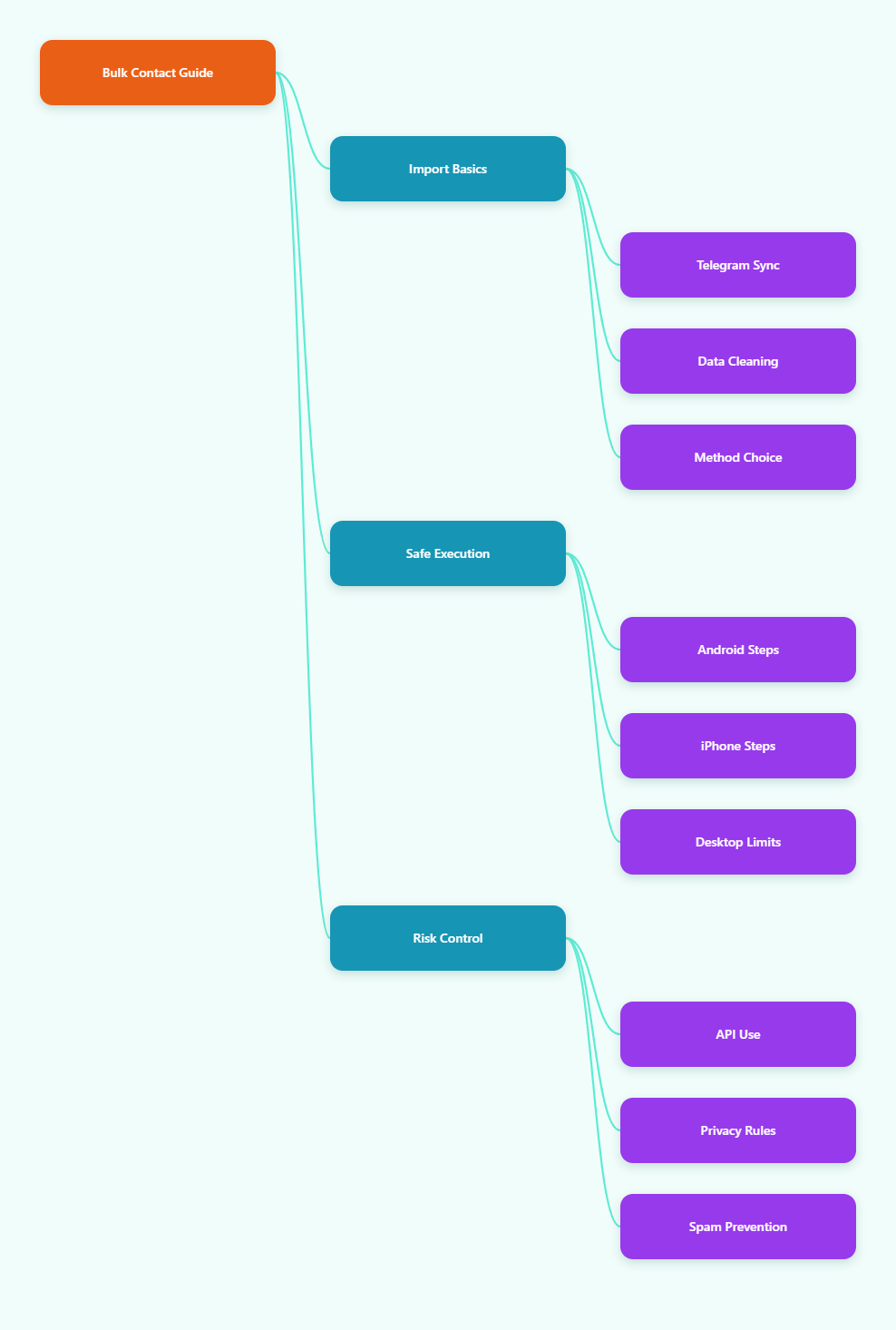
What Bulk Adding Means on Telegram in 2026
Bulk adding on Telegram usually means one of three things. You may want to import many phone numbers, find which people from your address book are already on Telegram, or prepare a contact list for customer support and messaging.
These goals sound similar, but they require different methods. Choosing the wrong method can create missing contacts, duplicate entries, or account restrictions.
Telegram Does Not Work Like an Email Import Tool
Telegram mobile apps can sync your phone address book, but Telegram Desktop does not behave like a full contact manager. Desktop clients rely heavily on what already exists in your Telegram account and what has been synced from mobile.
That means you should not expect to upload an Excel file directly into Telegram Desktop and see every contact appear instantly. In most normal cases, the practical route is to import contacts into your phone first, then let Telegram match them.
- Phone numbers are the standard way to discover existing Telegram users from your address book.
- Usernames can be used to find people without saving their phone number.
- Telegram API methods can add or import contacts, but they require technical setup and responsible use.
- Messaging strangers after import is risky if they did not ask to hear from you.
What Telegram Officially Supports
Telegram’s API documentation includes contact-related methods such as importing contacts by phone number and adding existing Telegram users. These methods are real, but they are not the same as a public marketing tool for unlimited outreach.
For everyday users, the supported experience is simpler: give Telegram permission to access your contacts, turn on sync, and let the app show which saved contacts use Telegram.
For technical teams, libraries such as GramJS or Telethon can interact with Telegram contact functions. However, automation must be used carefully because aggressive importing or messaging can look like spam behavior.
Before You Add Telegram Contacts Bulk: Clean Your Data First
The success of any bulk contact process depends on the quality of your source file. A messy spreadsheet will create messy Telegram results.
Before importing anything, review the list and remove contacts you do not have a legitimate reason to store. This is especially important for business use, customer support, sales, or community reactivation.
Prepare a Safe Contact List
Start with a spreadsheet that has only the fields you need. Telegram contact matching normally depends on phone numbers, first names, and last names.
Keep your data simple and consistent. A good list is easier to import into Google Contacts, Apple Contacts, Android Contacts, or a vCard file.
- Use one row per person.
- Separate first name and last name when possible.
- Format phone numbers with country codes, such as +1, +44, or +61.
- Remove landlines, invalid numbers, and obvious test records.
- Delete people who opted out or never gave permission for contact.
Do not use scraped numbers. Telegram’s spam systems and user reports can limit accounts that message people who did not expect contact.
Choose the Right Import Path
There are several realistic ways to add contacts in bulk. The best option depends on your device, technical skill, and risk tolerance.
| Method | Best For | What You Need | Main Risk |
|---|---|---|---|
| Phone contact sync | Most users | Android or iPhone contacts | Duplicates or privacy concerns |
| CSV to vCard import | Spreadsheet lists | CSV file and contacts app | Bad phone formatting |
| Google or iCloud Contacts | Cross-device syncing | Cloud contact account | Accidental sync to other devices |
| Telegram API | Developers and internal tools | API knowledge and compliance process | Rate limits or account restrictions |
For most people, the cleanest workflow is CSV to phone contacts, then Telegram contact sync. It uses tools your phone already understands and avoids unreliable desktop-only shortcuts.
How to Add Telegram Contacts Bulk on Android
Android is usually the most flexible option for bulk contact work. You can import a vCard file into the phone’s Contacts app or sync a Google Contacts account, then allow Telegram to read the updated address book.
Step 1: Import Contacts to Android
If your source list is in Excel or CSV, convert it into a format your Android contacts app can import. The most common format is .vcf, also called vCard.
You can create a vCard through Google Contacts or another trusted contact management tool. After importing, open the Contacts app and confirm that names and phone numbers display correctly.
- Open Google Contacts on the web or your Android Contacts app.
- Import your CSV or vCard file.
- Check several sample contacts manually.
- Merge duplicates before opening Telegram.
- Wait for the phone contact account to finish syncing.
This step matters because Telegram cannot match contacts that your phone does not store correctly. A missing country code is one of the most common reasons a person does not appear.
Step 2: Enable Telegram Contact Sync
After your phone address book is ready, open Telegram on Android. Go to Settings, then Privacy and Security, then the contacts section.
Turn on Sync Contacts. If Android asks for permission to access contacts, allow it only if you are comfortable with Telegram using the address book for matching.
Once sync is enabled, Telegram should gradually show contacts who already have Telegram accounts. It may not happen instantly, especially after a large import.
Step 3: Refresh and Verify
If the list does not update, restart Telegram and check Android app permissions. Telegram must have contact access at the operating system level and inside Telegram settings.
You can also try adding one known contact manually to confirm whether the issue is your source file or Telegram’s sync state. If one contact works but the bulk list does not, the file format or phone number format is probably the problem.
How to Add Telegram Contacts Bulk on iPhone
iPhone users can also import contacts in bulk, but the process usually goes through iCloud Contacts, Google Contacts, or the native Contacts app. After the iPhone address book contains the list, Telegram can sync from it.
Step 1: Import Through iCloud or Google Contacts
If you use iCloud, import your vCard file into iCloud Contacts from a browser. If you use Google Contacts on iPhone, import the file into Google Contacts and make sure the account is enabled under iOS Contacts settings.
After importing, open the iPhone Contacts app and search for a few names from the new list. If they do not appear there, Telegram will not be able to sync them.
- Use vCard when possible for iCloud imports.
- Use international phone number format.
- Keep only necessary contact fields.
- Remove outdated or unverified records.
Step 2: Turn On Telegram Sync Contacts
Open Telegram on iPhone and go to Settings. Then open Privacy and Security, find Data Settings, and enable Sync Contacts.
Also check iOS permissions under the system Settings app. Telegram needs permission to access Contacts, or the in-app toggle cannot do its job.
If you previously denied access, change the permission manually. Reopening Telegram after changing permissions often helps the sync start again.
Step 3: Handle Missing Contacts
Some contacts may not appear because they are not Telegram users, their phone number is wrong, or your phone has not finished syncing. Telegram can only match users based on available account information and privacy behavior.
If a specific person has a username, search for the username directly. This is often better than repeatedly editing the same phone contact.
Can You Add Telegram Contacts Bulk on Desktop?
Many users search for a desktop import button because their list starts in Excel. In practice, Telegram Desktop is not the best place to start bulk contact imports.
Desktop can show and export certain Telegram data, but contact discovery normally depends on contacts synced from a phone or added through Telegram’s systems. Community discussions and technical reports repeatedly point out that mobile sync is the dependable path.
What Desktop Can Do
Telegram Desktop is useful after contacts already exist in your account. You can search chats, message existing contacts, and manage conversations with a full keyboard.
It is not a complete replacement for Android or iPhone contact permissions. If your goal is to match hundreds of phone numbers against Telegram users, start with mobile or a proper API workflow.
What Desktop Cannot Reliably Do
Telegram Desktop should not be treated as a bulk CSV importer. If a website or tool promises instant unlimited desktop importing, be cautious.
- It may require unsafe account access.
- It may violate Telegram’s anti-spam expectations.
- It may fail silently after partial imports.
- It may expose your contact file to a third party.
For business lists, data exposure is not a small issue. A contact database often contains personal information, and uploading it to unknown tools can create privacy and compliance problems.
Using Telegram API Methods for Bulk Contacts
Telegram’s developer documentation includes contact methods such as contacts.importContacts and contacts.addContact. These are legitimate technical functions, but they are not beginner shortcuts.
API-based importing is best for internal tools, CRM alignment, or controlled workflows where users have a clear relationship with your organization. It should not be used for cold spam.
When API Import Makes Sense
API use can make sense when you already have permission-based contact data and a developer who understands Telegram clients. It can also help with deduplication, labeling, and syncing contacts across operational systems.
However, Telegram can apply limits and restrictions when behavior looks abusive. Public spam guidance makes clear that unwanted messages to strangers can lead to limitations.
- Use API methods only for contacts you are allowed to store.
- Import in small, controlled batches.
- Log failures and retry later instead of forcing repeated attempts.
- Do not immediately send the same message to every imported contact.
- Respect opt-outs and deletion requests.
Avoid Fake “Unlimited Import” Promises
Any service claiming unlimited Telegram contact importing or unlimited messaging should be treated carefully. Telegram does not publish a simple safe number that guarantees no restrictions in every situation.
Risk depends on account age, recipient behavior, message content, user reports, and whether people have interacted with you before. A slow, permission-based process is safer than chasing volume.
Privacy and Anti-Spam Rules You Must Respect
Bulk contacts are not just a technical problem. They are also a privacy and trust problem.
Telegram lets users control phone number visibility and who can find them by number. Users may hide their number, restrict discovery, block you, or report messages they did not request.
Understand Contact Visibility
Saving someone’s phone number does not always mean you can see everything about them. Their privacy settings may limit what you can view or how you can interact.
Also remember that syncing contacts can reveal relationships between phone numbers and Telegram accounts. Use this feature responsibly, especially with business, political, medical, or sensitive community lists.
Message Like a Human, Not a Bot
After you add telegram contacts bulk, do not immediately blast identical messages. That is one of the fastest ways to trigger user reports or account limits.
Use Telegram for conversations, support, and expected updates. If you need broadcast-style communication, consider a channel, bot-based opt-in flow, or a group where people join knowingly.
- Send only relevant messages.
- Introduce why you are contacting the person.
- Make it easy to opt out.
- Avoid shortened suspicious links.
- Do not add people to groups without a clear reason.
Troubleshooting: Why Bulk Contacts Do Not Show Up
If your imported list is not appearing in Telegram, the cause is usually simple. Work through the checks in order instead of repeatedly deleting and reimporting the full list.
Common Causes
The first issue is phone formatting. Telegram matching works best when numbers include the correct country code.
The second issue is permission. Telegram needs contact access from the operating system and sync enabled inside the app.
- The contact is not registered on Telegram.
- The phone number is missing a country code.
- Telegram contact sync is turned off.
- Android or iOS contact permission is denied.
- The phone’s cloud contacts have not synced yet.
- The contact exists as a duplicate with a bad number.
Fast Fix Checklist
Pick five known contacts from your source list and inspect them manually. If those five are wrong, fixing the full file is better than troubleshooting Telegram.
Then toggle sync off and on, restart the app, and wait. For large imports, give the phone and Telegram enough time before assuming it failed.
Best Workflow for Teams in 2026
For teams, the best bulk contact process is documented, permission-based, and reversible. You should know where the list came from, who imported it, and how to remove people when needed.
Recommended Team Process
Use one clean master file, not several messy spreadsheets passed between teammates. Assign a clear owner for formatting, import, and follow-up.
- Collect contacts through legitimate forms, purchases, support chats, or account relationships.
- Clean and format numbers with country codes.
- Import into a dedicated contact account, such as Google Contacts or iCloud.
- Sync to Telegram on a controlled device.
- Tag or segment contacts outside Telegram for proper context.
- Start with low-volume, relevant, human messages.
This approach is slower than a spam tool, but it protects deliverability, user trust, and account health.
When Not to Bulk Add
Do not bulk add contacts if you cannot explain why each person is in your list. Also avoid importing lists bought from brokers or scraped from groups.
If the goal is marketing to strangers, Telegram contact import is the wrong foundation. Build an opt-in channel, bot flow, or community funnel instead.
Final Takeaway: Add Telegram Contacts Bulk the Safe Way
The safest way to add telegram contacts bulk in 2026 is to prepare a clean permission-based contact list, import it into your phone or cloud contacts, enable Telegram contact sync, and verify results before messaging anyone. For developers, official contact API methods exist, but they require careful limits, consent, and anti-spam discipline.