
In 2026, Telegram still asks for a phone number when you create an account. That part has not changed, and it is the first thing many privacy-focused users run into.
If you do not want to link your personal SIM, a cheap virtual number for Telegram registration can be a practical workaround. The catch is that not every number is reliable, and the cheapest option is not always the best one.
This guide breaks down what Telegram actually requires, which virtual number options are worth considering, how to register safely, and how to protect the account after signup. The goal is simple: keep your real number private without creating a future login headache.
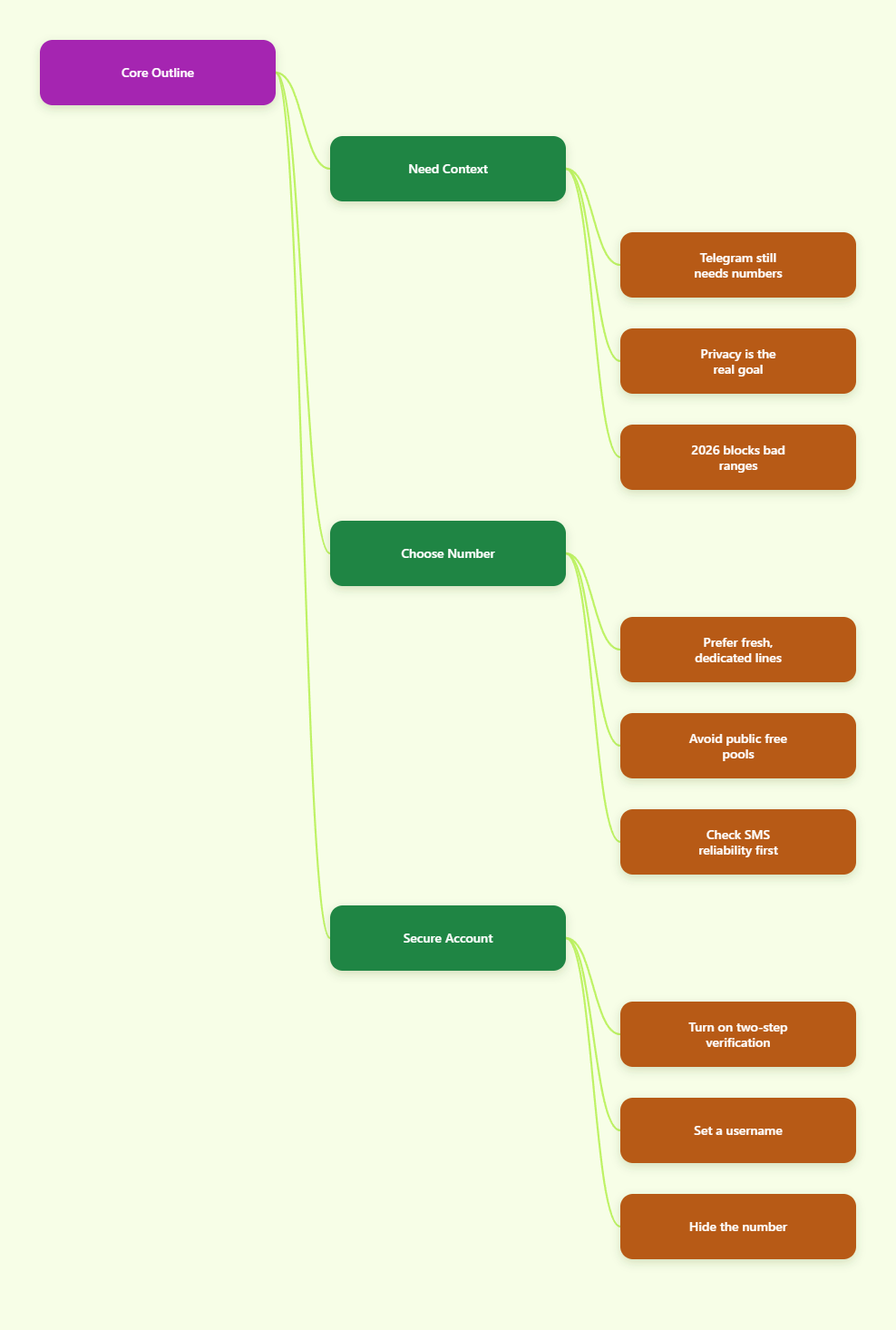
Why Does Telegram Still Require a Phone Number in 2026?
Telegram’s own help pages still treat the mobile number as the base identity for an account. You can log in from multiple devices, and your cloud chats sync across them, but the account still starts with a valid phone number.
That does not mean your number has to be public. Telegram also lets you control who can see it, and usernames let other people find you without knowing the number behind the account.
What the number is used for
- Account creation and login verification.
- Recovery if you sign in again later.
- Account continuity across devices.
- Security checks when Telegram sees unusual activity.
What it is not for
- It is not meant to make your number public by default.
- It is not the same as a public profile name.
- It is not the only privacy setting you can change.
In other words, Telegram still needs a number, but you can still reduce exposure. That is the main reason people look for a cheap virtual number for Telegram registration instead of using their personal SIM.
What Is a Cheap Virtual Number for Telegram Registration?
A virtual number is a phone number provided by a service instead of your physical SIM card. You use it to receive Telegram’s verification code, then complete signup without tying the account to your main line.
“Cheap” should mean low-cost and practical, not disposable and unreliable. Public free numbers may look attractive, but they are often shared, recycled, or already flagged by the time you try them.
The main types you will see
- Public free numbers – easy to find, but often crowded and unreliable.
- Paid virtual numbers – usually better for code delivery and privacy.
- Real second SIMs – not virtual, but often the most stable long-term choice.
What matters more than price
- Whether the number can receive Telegram SMS reliably.
- Whether the number is dedicated or heavily shared.
- Whether you can still access it later if Telegram asks for login again.
That last point matters a lot. If you cannot get back into the number, you may lose the account later even if signup works today.
How Do You Choose a Cheap Virtual Number for Telegram Registration in 2026?
The best choice is usually the one that balances cost, reliability, and recovery. In 2026, many users report that recycled or public numbers fail more often, so the cheapest option can become the most expensive if you have to retry three or four times.
Use a simple checklist before you buy or rent anything. It saves time and avoids failed verifications.
Quick checklist
- Choose a number that supports SMS for Telegram.
- Prefer a fresh or dedicated number over a public pool.
- Check that the provider is clear about access duration.
- Make sure the number format works for international signup.
- Keep your device and login flow stable while you request the code.
Red flags to avoid
- Numbers reused by many people in a public inbox.
- Services that cannot explain what happens after rental ends.
- Any setup that looks like a quick workaround for spam or abuse.
If the provider promises instant success with no trade-offs, be cautious. A good cheap virtual number for Telegram registration should be low-cost, but it should also be usable tomorrow, not just for one screenshot.
How Do You Register Telegram With a Virtual Number?
The signup flow is straightforward, but small mistakes can trigger delays. Telegram expects a valid phone number in international format, then it sends a verification code to confirm the account.
Do not rush the code request. If you resend too many times in a short period, the system may slow things down or temporarily block more attempts.
Step-by-step setup
- Get the virtual number from a provider you trust.
- Open Telegram and choose sign up or create account.
- Enter the number in international format.
- Wait for the verification code and enter it once it arrives.
- Finish the profile setup with your display name.
- Set a username if you want people to contact you without seeing your number.
- Turn on Two-Step Verification right away.
After the first login
- Check phone number visibility in Privacy and Security.
- Choose who can see your number, or hide it from everyone except the people you allow.
- Review which devices are signed in.
This is the point where the account becomes more than a temporary signup. If you want to keep it, secure it immediately.
What Problems Should You Expect?
The biggest problem is code delivery. Public or recycled numbers can fail, and free services are especially likely to be unstable because other users may have already burned the range.
Another issue is ownership. Some virtual numbers are temporary, which means the number can later be reassigned to someone else. That is fine for short tests, but it is risky for an account you plan to keep.
Common failure points
- The verification code never arrives.
- Telegram treats repeated requests as suspicious.
- The number already has prior history.
- The account becomes hard to recover later.
When a cheap option is not cheap
- If you lose the number, you may lose the account.
- If you keep retrying, you may waste time and credits.
- If the number is public, someone else may see the code first.
That is why a low-priced dedicated number often beats a free public one. The point is not to pay more. The point is to pay once, get the code, and keep control long enough to secure the account.
| Option | Cost | Code Reliability | Privacy | Recovery Risk | Best Use |
|---|---|---|---|---|---|
| Public free number | Very low | Low | Weak | High | Testing only |
| Cheap paid virtual number | Low | Medium to high | Good | Medium | Privacy-focused signup |
| Real second SIM | Higher | High | Good | Low | Long-term account |
The table is simple on purpose. For most users, the best balance is a cheap paid number that is not public and not heavily reused.
How Do You Protect the Account After Signup?
Telegram gives you enough privacy controls to keep the number from becoming the center of the account. But you have to turn those controls on yourself.
This is where many users stop too early. They get the code, create the account, and never finish the privacy setup. That is a mistake if you care about long-term access.
Do these first
- Enable Two-Step Verification.
- Set a strong password and store it safely.
- Create a username.
- Hide your phone number from people who do not need it.
Do these next
- Review your active sessions on every device.
- Keep the number or recovery path available if you want the account to last.
- Avoid relying on a number that will disappear in a few hours.
Telegram’s own FAQ makes it clear that a current phone number still matters for login. That means the smart move is not only privacy, but also planning for recovery before you need it.
Conclusion
A cheap virtual number for Telegram registration can be a smart privacy choice in 2026, but only if you choose the right kind. The best option is not automatically the cheapest one on the page. It is the one that can actually receive the code, stay available long enough for recovery, and keep your personal SIM out of the signup flow.
Telegram still requires a phone number, but it does not require that number to be your main one. That difference matters. If you use a fresh, reliable number, sign in carefully, and enable Two-Step Verification immediately, you can keep the account both private and usable.