
A business launches a Telegram group to support customers, answer questions, or bring a community together. At first, managing new members is straightforward. Someone joins, an administrator welcomes them, and the conversation continues. But as the group grows, unfamiliar accounts begin arriving in larger numbers. Some may be legitimate customers. Others may be automated accounts or users who have no interest in the community. Administrators cannot always tell the difference at a glance.
A CAPTCHA for join Telegram group workflows can add a verification step to the member onboarding process. Instead of treating every new join as an ordinary member, businesses can introduce a more structured approach to group entry, welcome messages, rules, and ongoing management.
It Starts With One Simple User Action
Imagine a company operating a Telegram group for customers who use its service. The group provides product announcements, answers common questions, and helps members exchange practical advice.
A potential customer clicks an invitation link and joins.
That action seems simple, but it creates a new responsibility for the business: managing the arrival of another member.
The administrator may need to determine whether the person belongs in the group, make sure they understand its purpose, and help them find the right information. If the group is open to anyone with an invitation, the administrator may also need to consider unwanted or automated joins.
A genuine user might be looking for product support. An automated account might have joined without any intention of participating.
Both accounts can appear in the member list. Without an appropriate management process, the team may have little context for distinguishing between them.
The challenge is not simply allowing people to join. It is creating a group environment that remains useful as membership grows.
What Happens When the Process Is Manual?
In a small community, an administrator might check new members individually, review suspicious profiles, send a welcome message, and remind people about the rules.
That approach becomes harder to maintain as the group grows.
The workflow often looks like this:
User joins → Administrator checks the account → Administrator decides what to do → Administrator sends instructions → User starts participating
Each step requires attention.
An administrator who is responding to customer questions may not have time to inspect every new account. Another team member might use different criteria when deciding whether a profile looks suspicious.
The result is an inconsistent process.
Some new members receive a welcome message immediately. Others receive no guidance. Suspicious accounts may remain in the group simply because nobody has time to investigate them.
Manual moderation also creates an operational trade-off. If the team spends more time checking every new join, it has less time to answer questions, publish useful content, and build relationships with genuine members.
The problem is not that administrators should stop paying attention. The problem is that the workflow depends too heavily on repeated manual actions.
Now Add Automation to the Workflow
A more structured approach separates the stages of group entry and management.
Before
User joins → Administrator checks → Administrator responds → User receives instructions
After
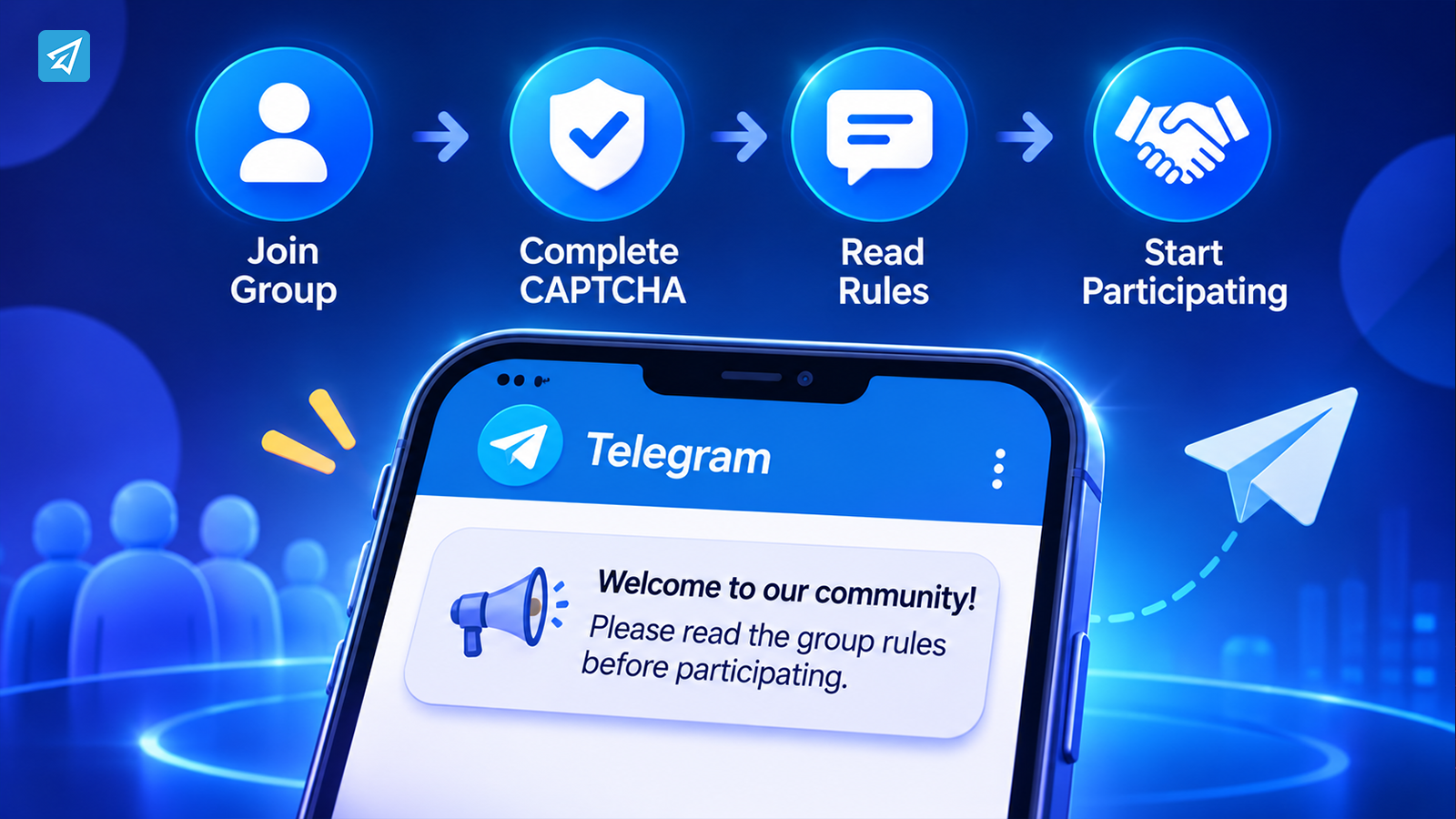
User joins → CAPTCHA verification step → Group management workflow → Welcome and rules → Ongoing moderation
CAPTCHA introduces a verification barrier intended to help distinguish human users from automated joining activity.
It does not establish that every verified account is trustworthy. A CAPTCHA can help address certain automated behaviors, but it is not a complete solution for spam, abuse, or unwanted participation.
That distinction matters for businesses.
The goal is not to assume that verification makes a group problem-free. The goal is to make member onboarding more structured and reduce the burden of handling every arrival as an isolated event.
Step 1: Handle the First Interaction
The first interaction sets the tone for a new member.
A person who joins a customer community may not know what the group is for, where to find support, or how to participate. A person joining a discussion group may need to understand its topic and rules before posting.
A group greeting can provide that context.
For example, a business community might welcome new members with a short message explaining:
- What the group is intended for
- Where members can ask questions
- Which topics are appropriate
- How to find important information
A greeting should be useful rather than promotional. New members need clear instructions, not a long sales pitch.
For a community manager, this creates a more consistent onboarding experience. Instead of writing the same introduction repeatedly, the team can establish a standard welcome process.
Step 2: Verify the Join and Set Expectations
The next stage is verification.
A CAPTCHA for Telegram group joins can require a new member to complete a verification action before proceeding through the intended onboarding process.
The purpose is to introduce friction for automated joining activity while keeping the process understandable for legitimate users.
Businesses should consider several practical questions when planning verification:
- Does the group experience require verification for every new member?
- Is the verification step clearly explained?
- Does the process create unnecessary friction for legitimate users?
- Who is responsible for reviewing problems when a member cannot complete it?
The answers depend on the community.
A public customer group may have different requirements from a private community for paying members. A campaign group may experience sudden bursts of joins, while a smaller support group may grow gradually.
The verification process should fit the group’s operating model rather than being treated as a universal setting.
Step 3: Explain the Rules Before Problems Begin
Verification addresses one part of the entry workflow. Group rules address what members should do after joining.
Without clear expectations, even genuine users can create confusion. They may post promotional links, ask unrelated questions, or send messages that disrupt the discussion.
Group rules help establish a shared understanding.
For example, a business might explain that:
- Members should keep discussions relevant to the group’s purpose.
- Support questions should include enough information to be answered.
- Unsolicited advertising is not permitted.
- Members should communicate respectfully.
The rules should be concise and specific.
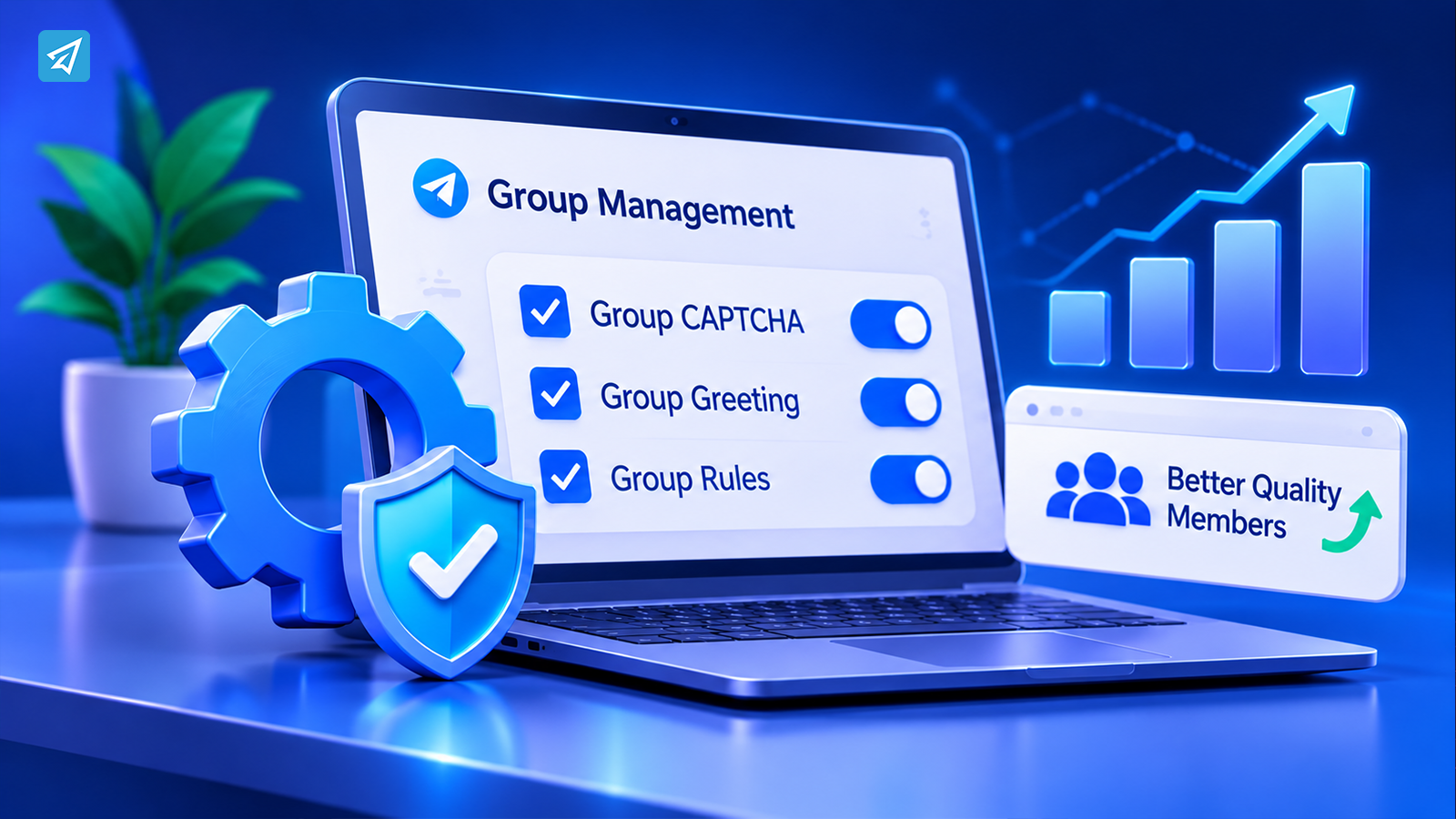
A community manager can use OnlyTG Echo’s Group Rules capability to configure group rules and define the expected behavior for the community.
The business should also make sure the rules are easy for members to find. A rule that exists only in an administrator’s notes cannot guide the people participating in the group.
Step 4: Keep Group Management Consistent
A group can have CAPTCHA, a greeting, and clear rules while still requiring ongoing management.
Members continue to ask questions. Discussions change direction. New campaigns bring additional participants. Administrators need a repeatable way to keep the group organized.
Automation can help standardize selected operational tasks.
For example, a business may use group greetings to introduce new members and group rules to communicate expectations. These functions support the onboarding process, but they do not replace administrator judgment.
The team should decide which tasks need a consistent automated setup and which situations still require a person.
This distinction prevents a common mistake: expecting a single bot feature to manage every aspect of a community.
A useful workflow combines automation with human oversight. Automation helps make routine processes consistent. Administrators remain responsible for handling unusual situations, resolving disputes, and deciding how the community should develop.
Step 5: Review the Workflow as the Group Grows
A process that works for a small group may become difficult to maintain when membership increases.
The team should periodically review how new members enter and participate.
Questions worth asking include:
- Are members receiving the information they need when they join?
- Are the group rules clear and relevant?
- Are administrators repeatedly handling the same onboarding questions?
- Is the verification process appropriate for the community?
- Are moderation responsibilities clearly assigned?
This review should focus on operational quality rather than just member count.
A large group is not automatically a healthy community. The business needs an environment where legitimate members can participate, find information, and engage with the organization.
One Workflow, Two Operating Models
The difference between manual and automated group management becomes clearer when the stages are compared.
| Workflow Stage | Manual Process | Structured Workflow |
|---|---|---|
| New member joins | Administrator checks the arrival individually | Entry is managed through a defined onboarding process |
| Verification | Manual profile review | CAPTCHA adds a verification step |
| Welcome | Administrator writes instructions repeatedly | Group greeting supports consistent onboarding |
| Group expectations | Rules are explained when problems occur | Group rules establish expectations in advance |
| Ongoing management | Routine tasks depend on administrator attention | Selected tasks use configured management capabilities |
| Operational consistency | Varies with workload and staff availability | A repeatable workflow supports more consistent operations |
Automation does not eliminate the need for administrators. It gives them a more organized way to manage routine stages of the member experience.
What This Workflow Looks Like in Practice
Consider a business running a Telegram group for customers who want product updates and community support.
The team configures a member management workflow:
- A user clicks the group’s invitation link. The user arrives with an interest in the business or its community.
- The group entry process includes CAPTCHA. The verification step is intended to help distinguish genuine users from automated joining activity.
- The member receives a group greeting. The greeting introduces the group and explains where to find relevant information.
- The member can review the group rules. The rules communicate what is expected of participants.
- The member begins participating. They can ask questions, read discussions, or engage with the community.
- Administrators manage ongoing activity. The team focuses on community interactions and situations requiring human judgment.
This workflow is not a guarantee that unwanted accounts will never enter. It is a practical structure for making member onboarding more organized.
How to Use OnlyTG Echo
A practical implementation can be kept relatively simple.
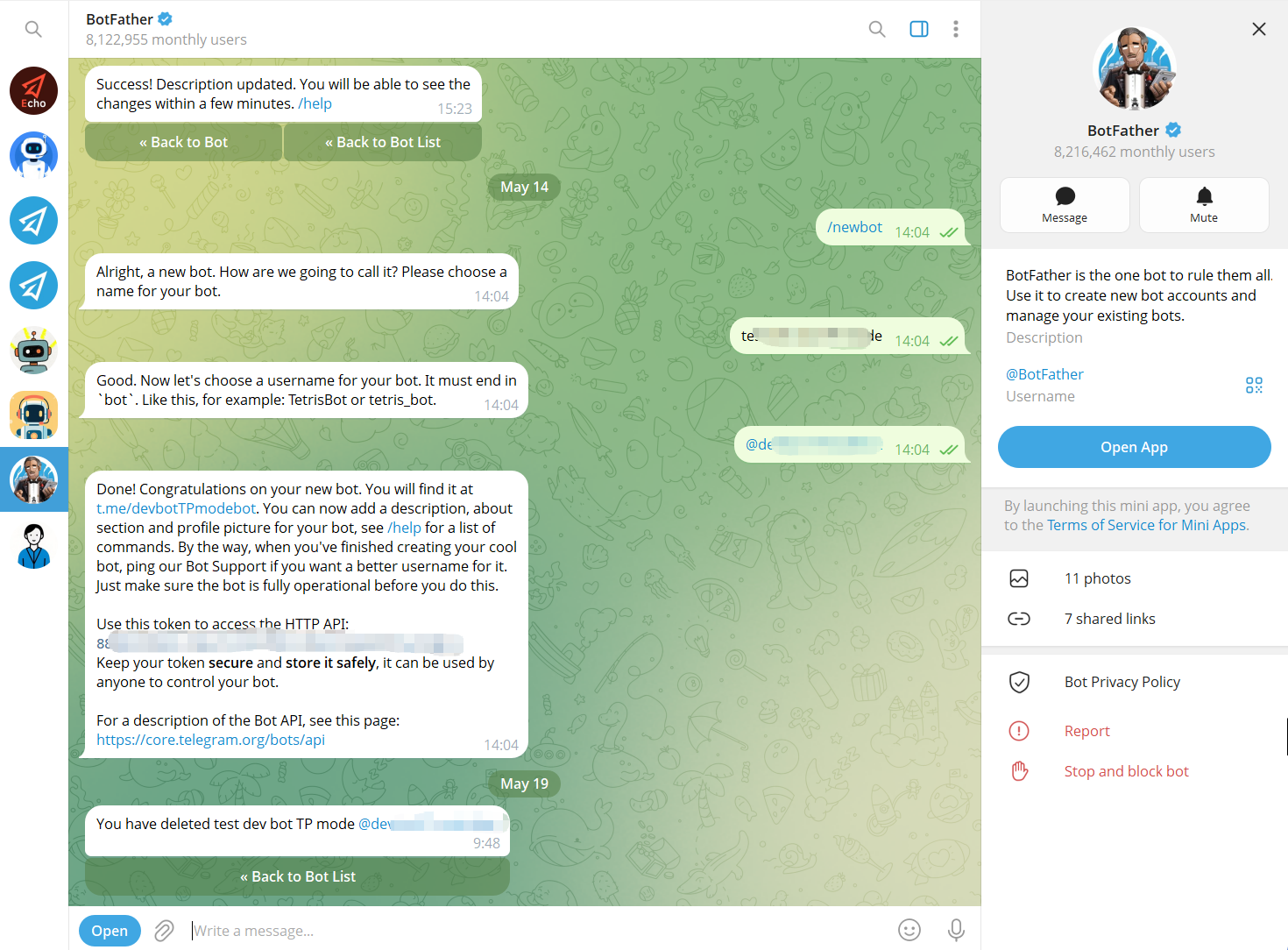
Step 1 — Create a Telegram Bot
Use Telegram’s BotFather to create a bot and obtain its bot token. The bot becomes the communication interface that users interact with.
Step 2 — Connect the Bot to OnlyTG Echo
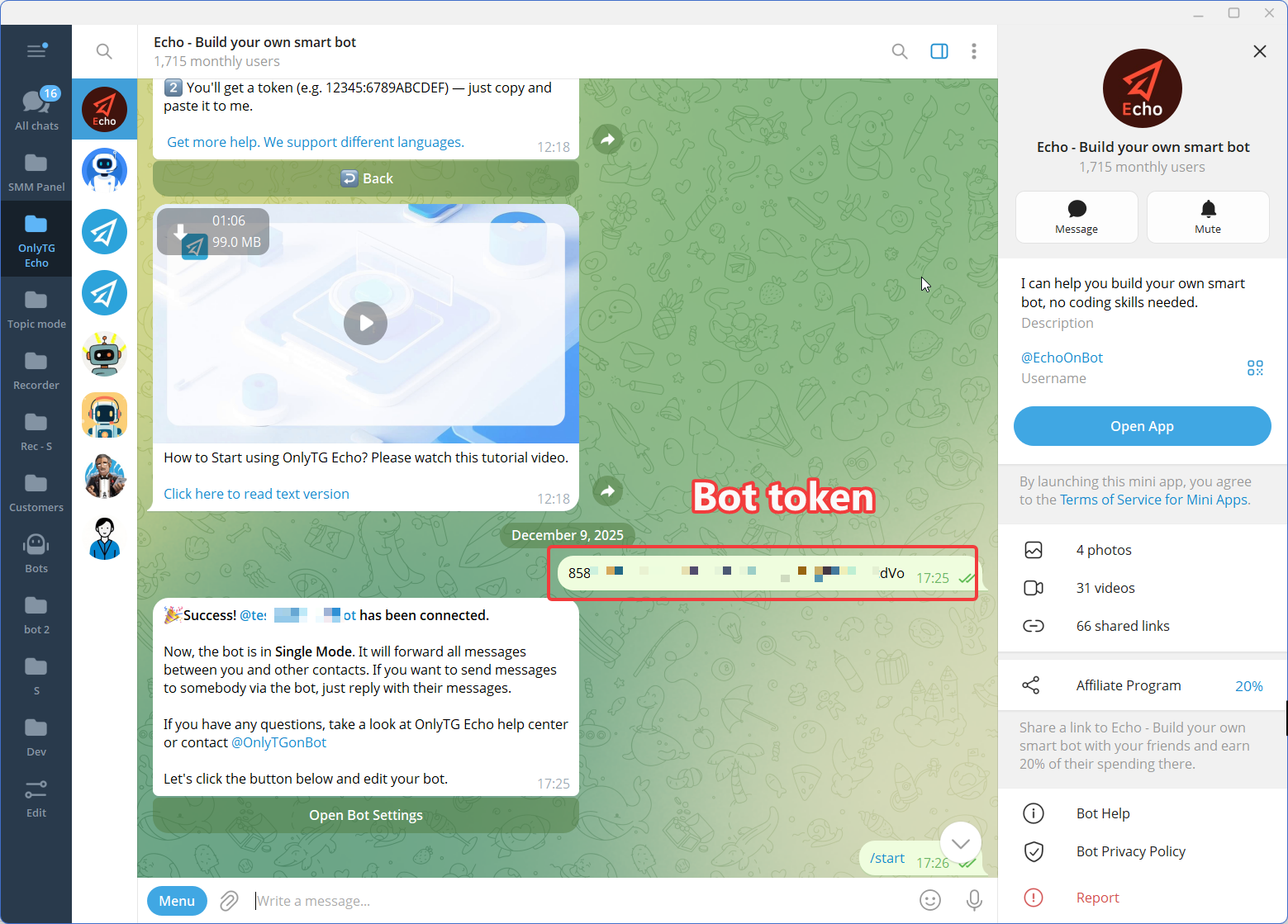
Connect the newly created Telegram bot to OnlyTG Echo using the bot token.
The purpose of this step is to give the business a no-code environment for configuring the bot’s communication behavior rather than requiring a custom automation workflow to be developed from scratch.
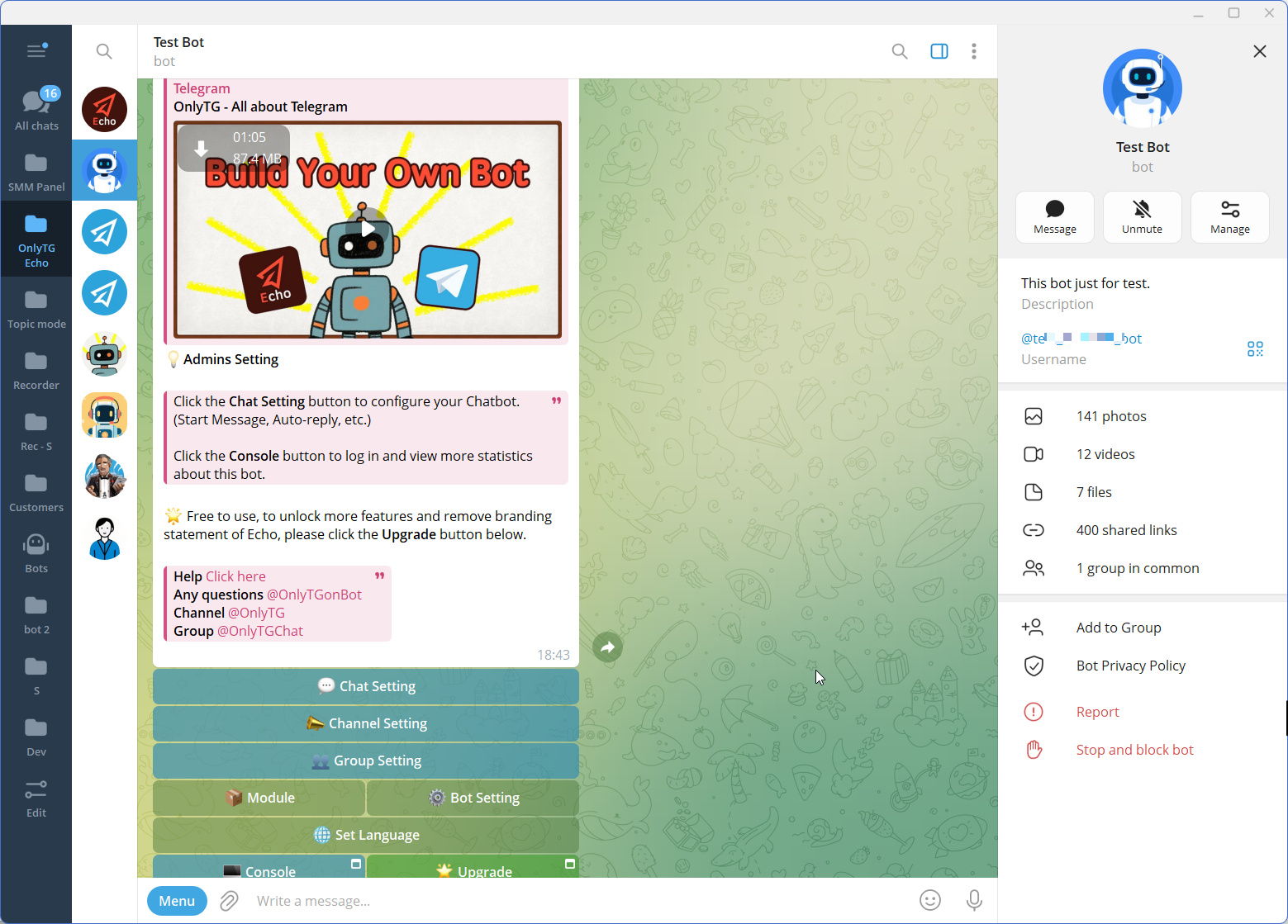
Step 3 — Configure the Features
FAQ
1. How does CAPTCHA for join Telegram group help manage new members?
CAPTCHA adds a verification step intended to help distinguish human users from automated joining activity. It can be one part of a broader group management workflow that also includes greetings, rules, and ongoing moderation. It should not be treated as a guarantee against every spam account or abusive user.
2. Do I need coding knowledge to set up Telegram group automation?
Not necessarily. OnlyTG Echo offers no-code bot setup and supported group management capabilities, including Group CAPTCHA, Group Greeting, and Group Rules. Businesses can configure these capabilities without developing a custom bot, while the exact setup depends on the workflow they need.
3. Is CAPTCHA enough to prevent spam in a Telegram group?
No. CAPTCHA can help address certain automated joining behaviors, but it does not replace clear group rules, ongoing moderation, and administrator oversight. A well-managed community combines appropriate verification with consistent expectations and a process for handling unwanted activity.
Conclusion: Turn Group Entry Into a Managed Workflow
When a Telegram group grows, managing new members through manual checks and repeated explanations becomes increasingly difficult.
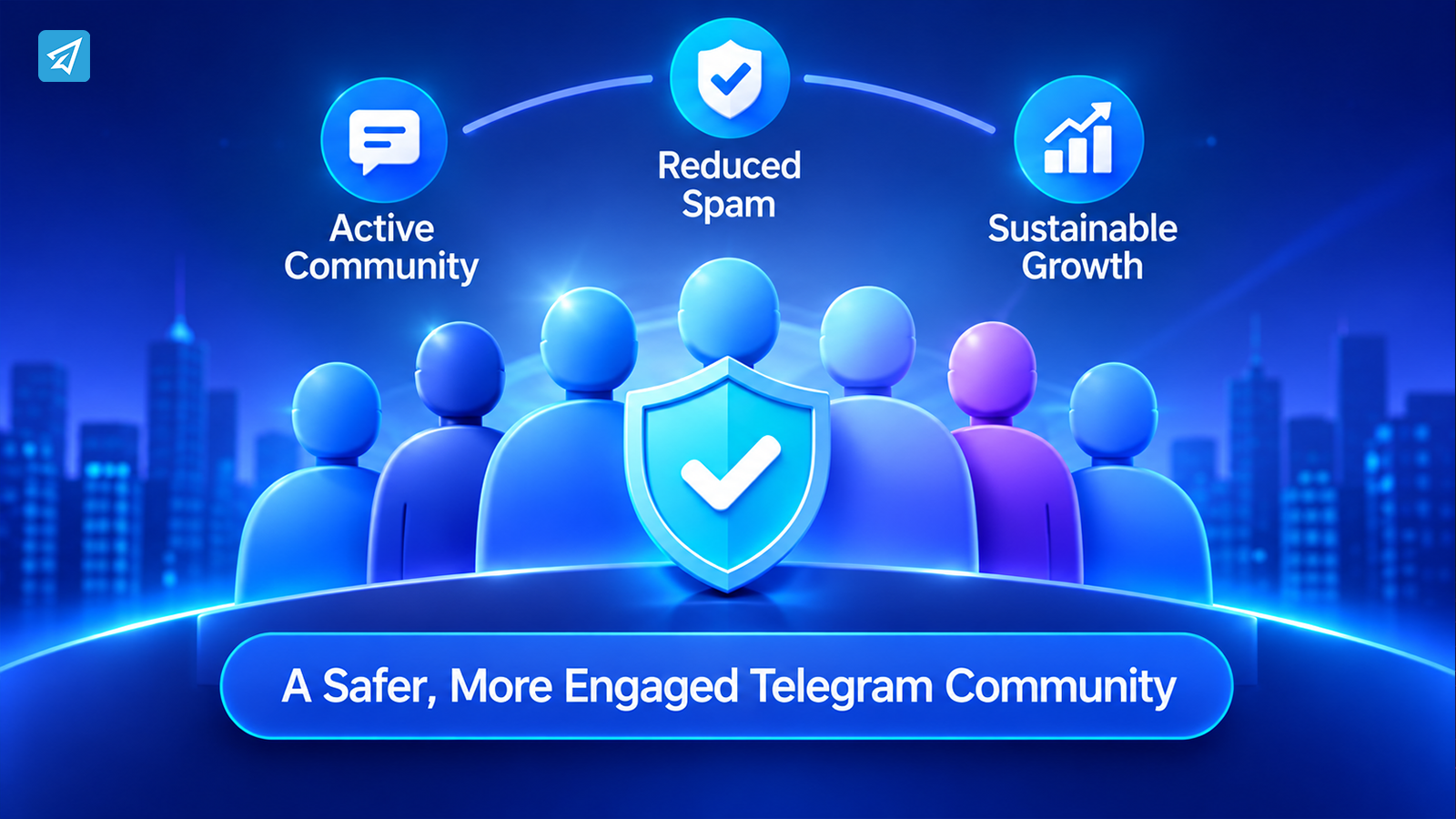
A structured process can make the experience more consistent: verify new joins where appropriate, welcome members with useful information, communicate group rules, and maintain ongoing moderation.
For businesses looking to organize these tasks, OnlyTG Echo provides relevant group management capabilities, including Group CAPTCHA, Group Greeting, and Group Rules.