
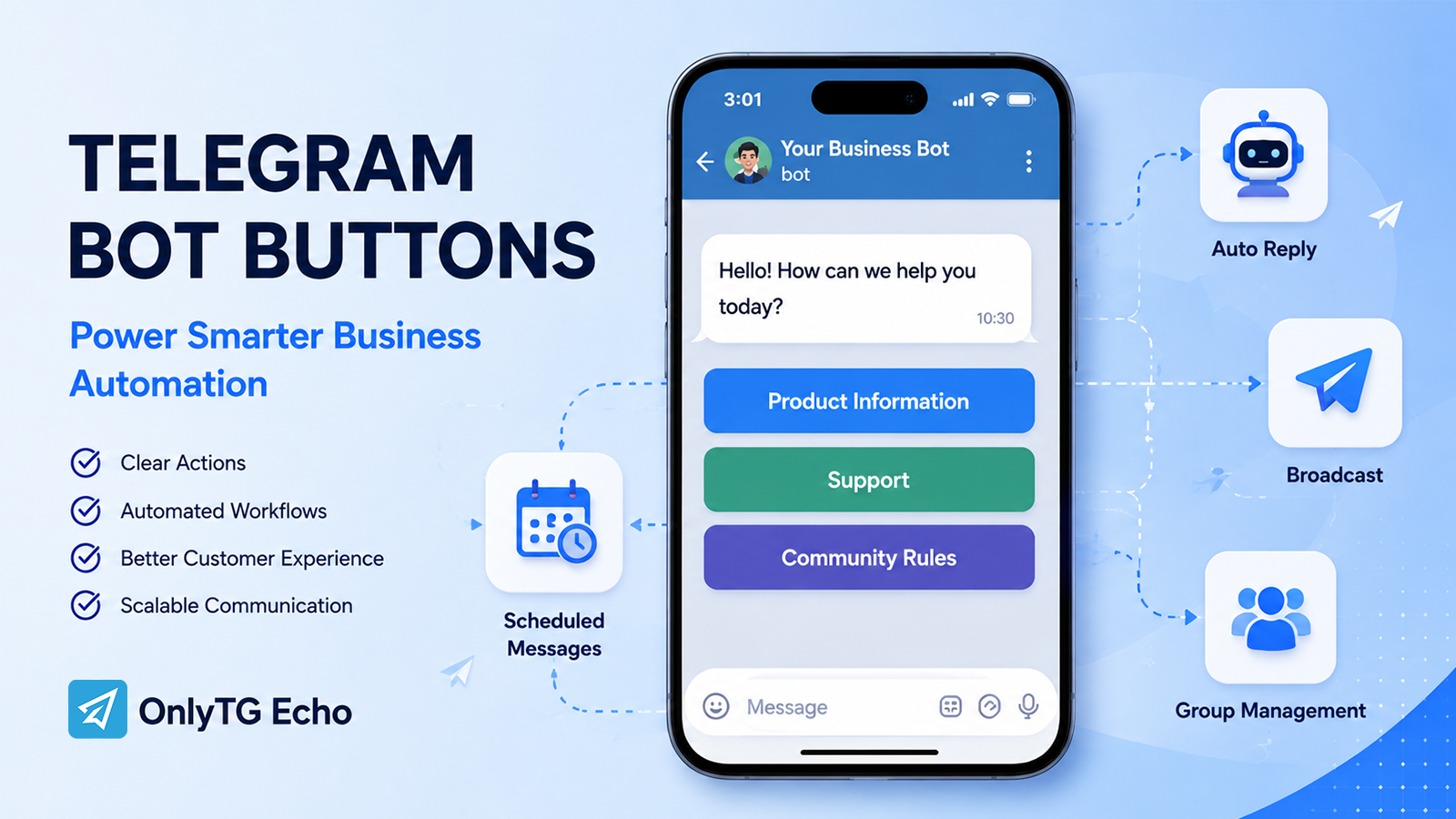
A button in Telegram bot messages can do more than make a message look interactive. For businesses, buttons can give customers a clearer way to find information, start a conversation, visit a resource, or move through a predefined workflow.
Without structured navigation, users may not know what to type or where to go next, while teams spend time answering the same questions manually. Telegram bot buttons become more valuable when they are connected to automation rather than used as isolated links.
This guide explains how businesses can use Telegram bot buttons, where they fit into real workflows, and how tools such as OnlyTG Echo can simplify implementation.
Why Are Businesses Turning to Telegram Bot Automation?
Telegram is often used by businesses for customer communication, communities, content distribution, and marketing. As the number of conversations and users grows, manually handling every interaction becomes increasingly difficult.
A button in Telegram bot workflows can help solve one specific but important problem: reducing the amount of guesswork required from the user.
Instead of asking customers to remember commands or type specific questions, businesses can present clear actions such as:
- View information
- Contact support
- Read group rules
- Visit a website
- Get product details
- Receive an update
- Explore another resource
This creates a more structured communication experience.
For the business, the benefit is not simply that buttons are clickable. The larger opportunity is to combine buttons with automated messages, predefined responses, scheduled content, and other Telegram workflows.
As communication volume increases, this structure can help businesses make their Telegram operations more consistent and easier to manage.
What Happens Without Automation?
Repetitive Work
Many Telegram conversations contain recurring questions.
Customers may repeatedly ask about pricing, product information, access instructions, community rules, or support procedures. If employees answer every question manually, valuable time is spent repeating information that could have been presented through a structured workflow.
A button can provide a direct route to commonly requested information, while automated replies can handle predictable keyword-based questions.
Slow or Inconsistent Communication
Manual responses depend on who is available and how quickly they can respond.
Even when a team provides accurate information, different operators may use different wording or forget important details. A predefined Telegram bot workflow can make frequently used responses more consistent.
Buttons also reduce ambiguity by making the available actions visible instead of requiring users to guess what they should type.
Limited Scalability
A manual workflow may work when message volume is low. It becomes harder to maintain as the number of customers, contacts, or community members increases.
The issue is not necessarily that every conversation requires automation. Instead, businesses can automate predictable interactions and reserve human attention for situations that genuinely require it.
That makes automation a way to organize workload rather than simply replace human communication.
How Does a Button in Telegram Bot Solve These Problems?
The key is to think about a button as part of a workflow.
A basic process might look like this:
User arrives → Button presents an action → User selects an option → Bot provides the relevant response → User continues to the next action
For example, a business could create a welcome message with buttons for Product Information, Support, and Community Rules.
The user does not need to figure out which command to enter. The business has already defined the available paths.
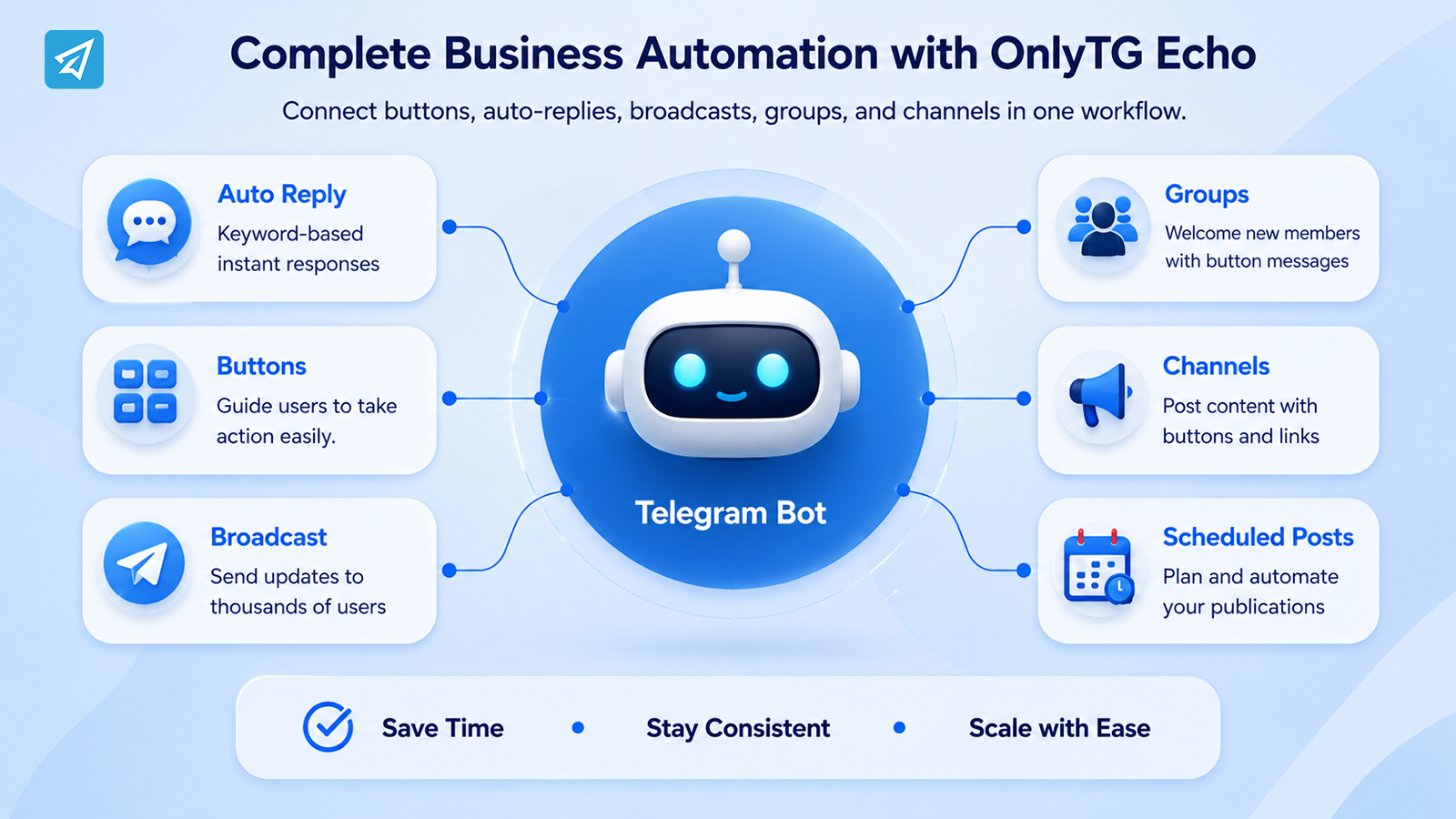
With the right automation system, buttons can be included in messages containing text and media, while automated responses can handle keywords and predefined interactions. OnlyTG Echo supports multi-form messages containing text, media, and buttons, as well as start messages and keyword-based auto-replies.
This approach changes Telegram from a simple messaging channel into a more structured communication workflow.
Key Business Use Cases
1. Customer Support and FAQ Navigation
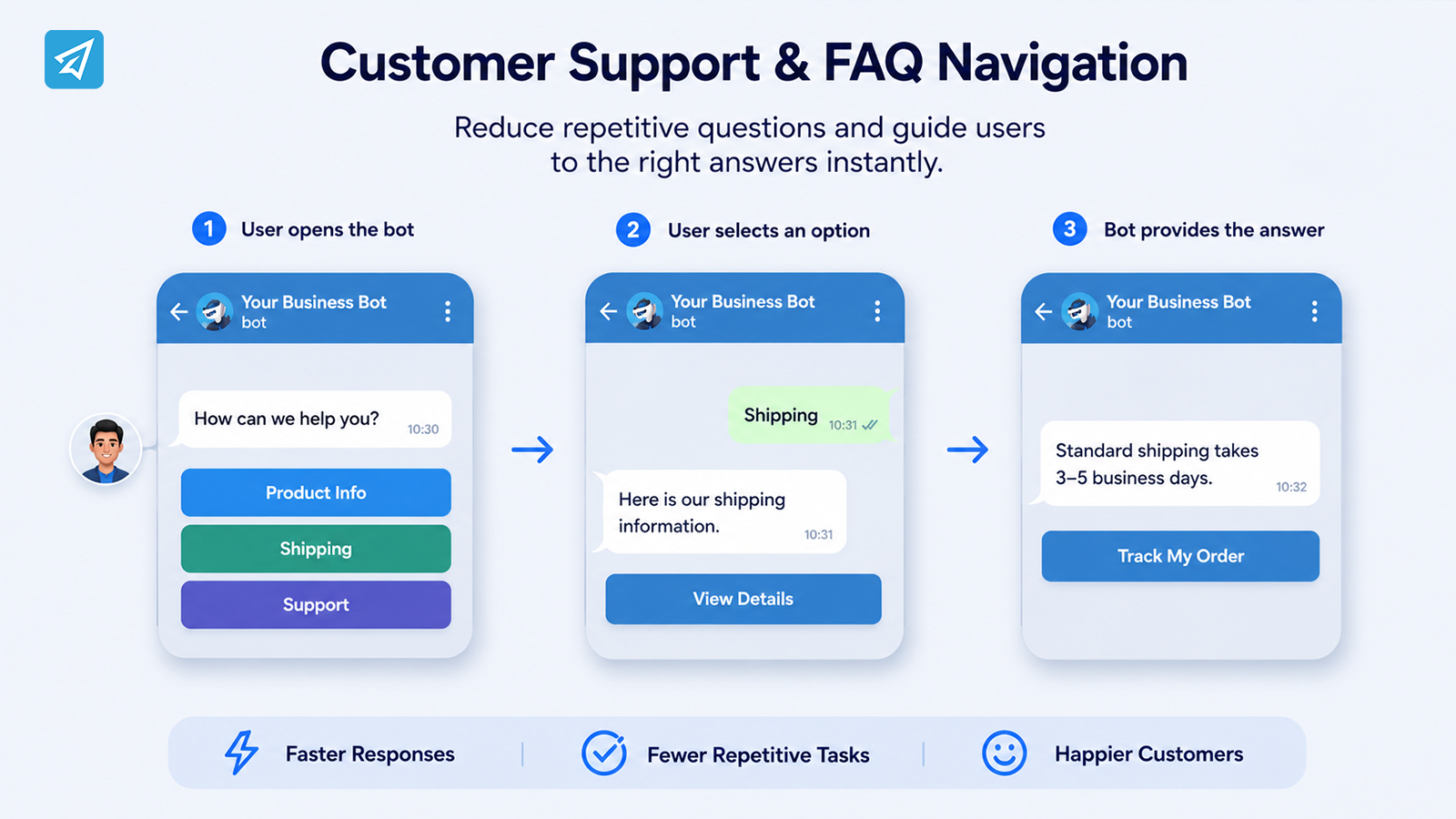
Customer support is one of the clearest applications.
Instead of sending a long FAQ document, a business can organize common topics into clear choices.
For example:
Customer: Opens the bot
Bot: “How can we help?”
Buttons: Product Info | Shipping | Support
Selecting an option can lead to a predefined message or relevant resource.
This is particularly useful for questions that have stable answers and occur frequently.
The result is a simpler customer experience and less repetitive work for support teams.
2. Welcome and Onboarding
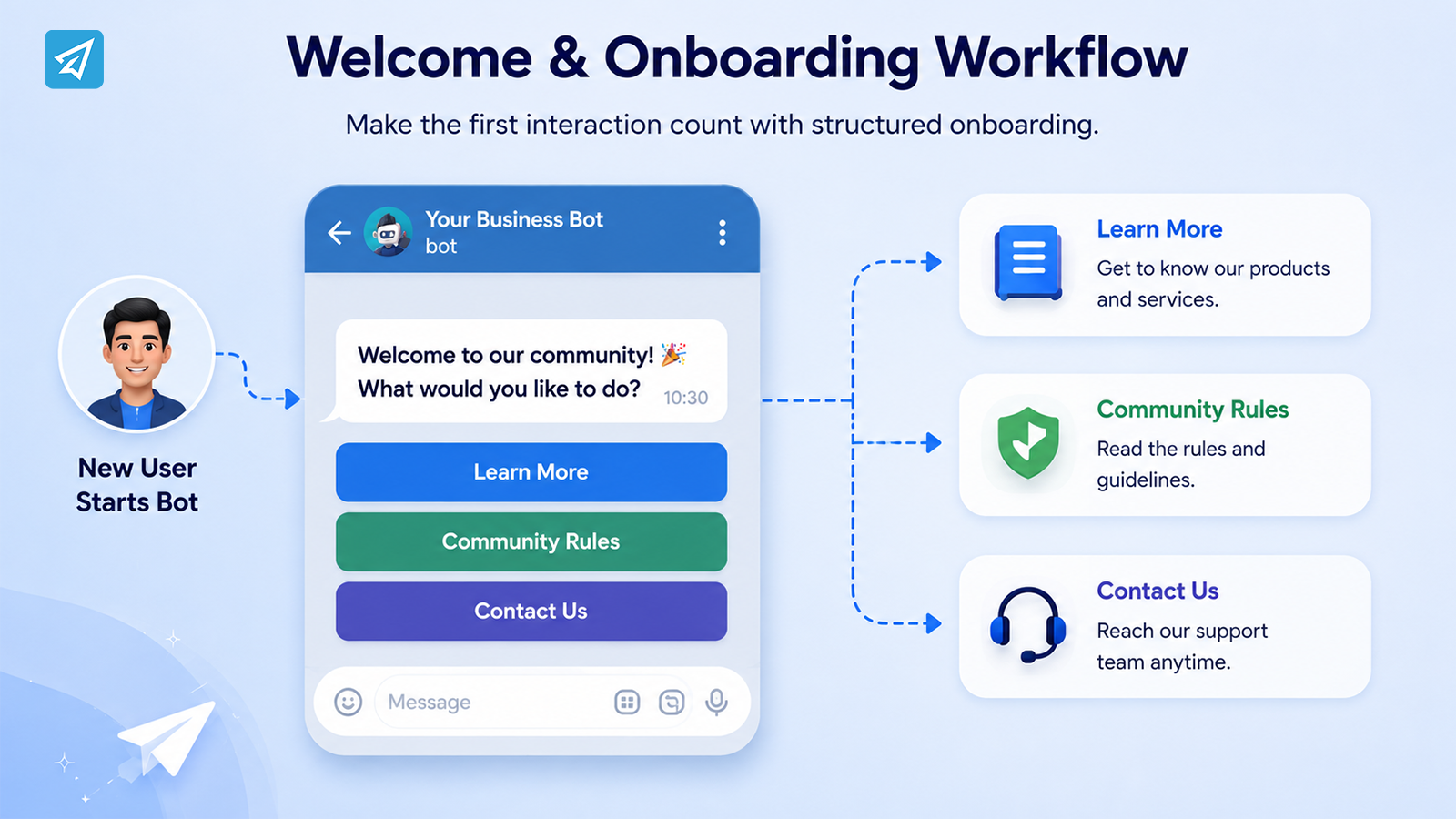
The first interaction can determine whether a new Telegram user understands what to do next.
A business can use a start message to introduce the service and provide several clear next steps.
For example:
Welcome to our community. What would you like to do?
Buttons: Learn More | Community Rules | Contact Us
OnlyTG Echo supports start messages with text, media, and buttons, making this type of structured onboarding possible without requiring a custom coding workflow.
For communities, the same principle can be extended to group greetings. OnlyTG Echo can automatically send a configured greeting to new members, including button content.
3. Marketing and Content Distribution
Buttons can also make promotional messages easier to navigate.
Rather than placing several unrelated URLs inside a paragraph, a business can organize destinations into explicit actions.
For example:
New product update
Learn about the latest release and choose what you want to explore:
Buttons: Product Details | Documentation | Contact Sales
The button becomes a navigation layer between the message and the intended destination.
When combined with broadcast functionality, businesses can distribute prepared content to bot contacts. OnlyTG Echo supports broadcast content modules containing text, media, and buttons.
4. Community Management
Telegram groups can generate a high volume of repetitive interactions.
New members may need access to rules, onboarding information, or frequently requested resources. A structured greeting with buttons can make those resources easier to discover.
Businesses and community operators can also combine buttons with group rules, CAPTCHA, greetings, and keyword replies to create a more organized environment. OnlyTG Echo documents these community-management capabilities as part of its Telegram group workflow.
5. Channel Publishing
Buttons can also be useful after content has been created.
A channel post can contain a clear action such as visiting a product page, reading additional information, or accessing another resource.
OnlyTG Echo supports channel posts containing buttons, as well as scheduled and looping channel posts. This allows businesses to incorporate calls to action directly into recurring content workflows.
What Are the Main Business Benefits?
Save Operational Time
Predefined interactions reduce the need to manually repeat common information.
Make Communication More Consistent
Businesses can prepare standard responses and structured messages instead of relying on individual operators to recreate them.
Make User Actions Clearer
A visible button communicates what users can do next. This is particularly useful when the next step would otherwise require a command or free-form message.
Support Scalable Communication
Automation can handle predictable interactions while human teams focus on cases that require judgment or personal assistance.
Create More Structured Marketing Workflows
Buttons can connect promotional content with specific destinations, while broadcasts and scheduled posts help businesses distribute content more systematically.
How to Implement It
Step 1 — Create a Telegram Bot
Create your own Telegram bot through Telegram’s BotFather and obtain its bot token. Keep the token private because it controls access to your bot.
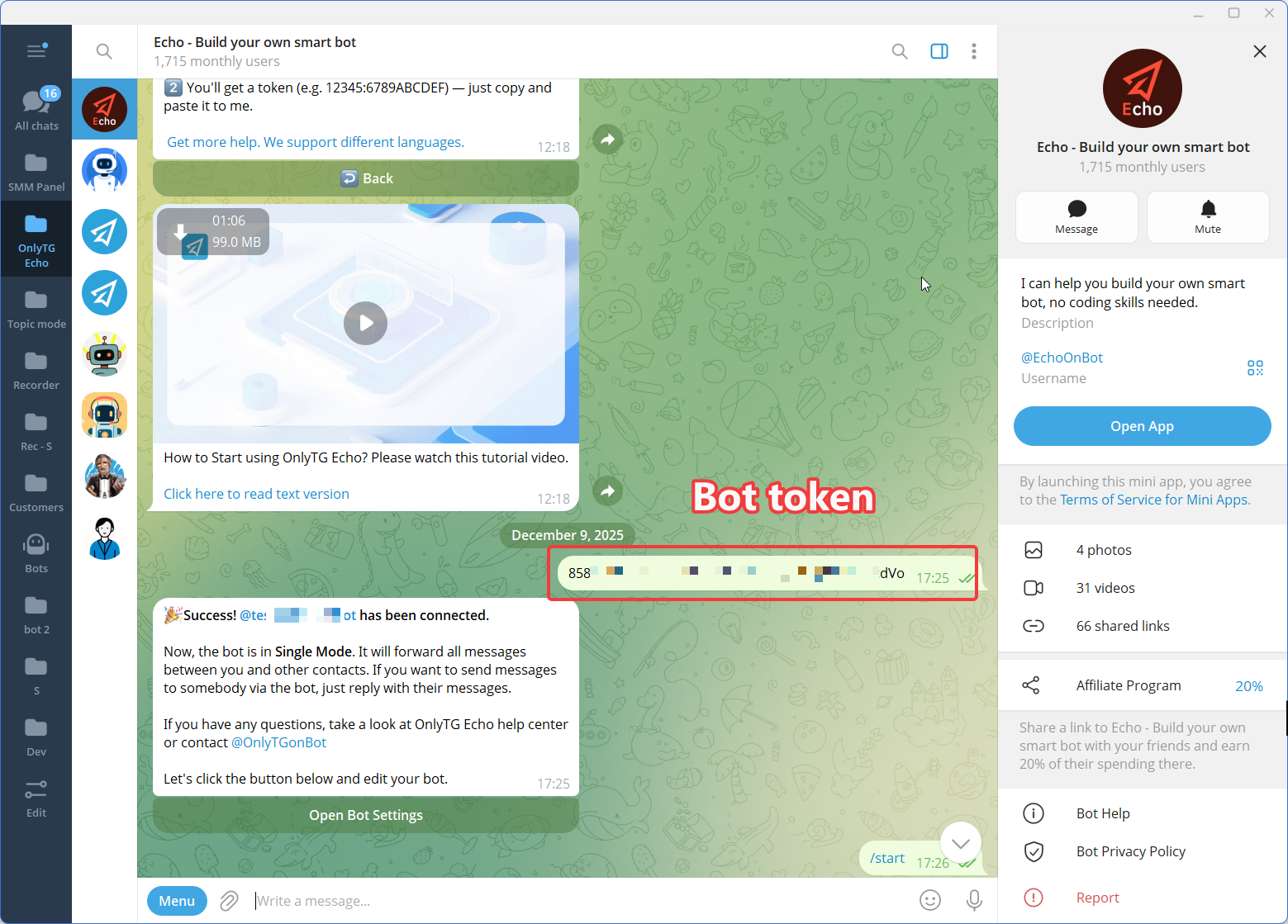
Step 2 — Connect the Bot to OnlyTG Echo
OnlyTG Echo works with a user’s own Telegram bot. After creating the bot, connect it to Echo using the provided bot token.
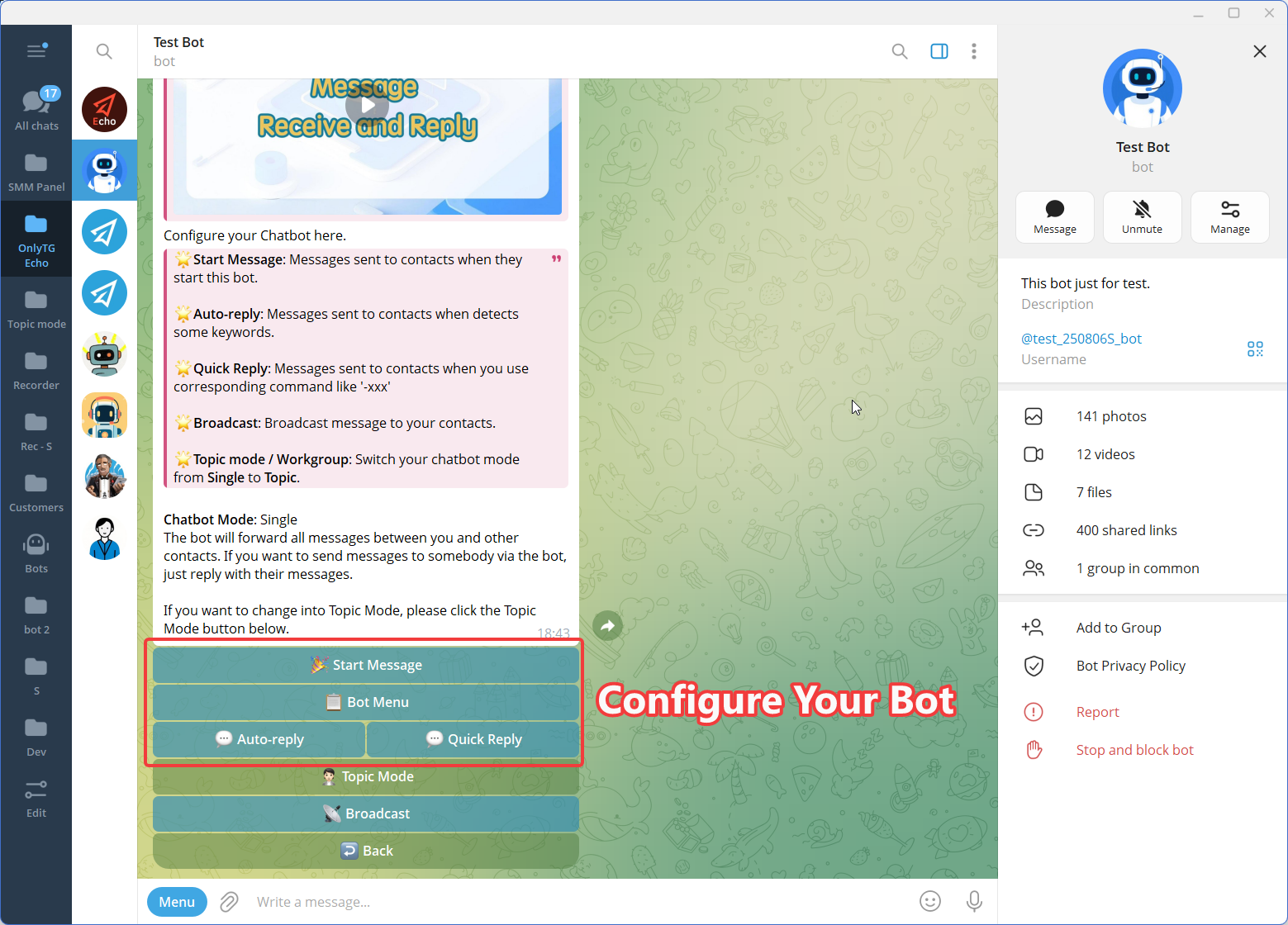
Step 3 — Configure the Workflow
Start with one simple business scenario.
For example:
Start Message → Product Information → Automated Response → Website Button
Then add other relevant workflows, such as keyword replies, quick replies, broadcasts, group greetings, or scheduled posts.
For auto-replies, OnlyTG Echo allows businesses to define keywords and corresponding messages. Messages can contain text, media, buttons, or modules.
Manual Approach vs. Telegram Automation
| Area | Manual Telegram Workflow | Automated Telegram Workflow |
|---|---|---|
| Common questions | Team members answer repeatedly | Predefined responses can handle recurring questions |
| User navigation | Users may need to ask or type commands | Buttons can present clear actions |
| Response consistency | Depends on the operator | Preconfigured messages provide standardized responses |
| Message distribution | Content is sent manually | Broadcast and scheduled workflows can distribute prepared content |
| Community onboarding | Staff may welcome members manually | Automated greetings can be configured |
| Scaling communication | Requires more manual effort as volume grows | Predictable interactions can be automated |
| Optimization | Often relies on manual observation | Available analytics can provide additional operational visibility |
The important distinction is not that automation eliminates manual communication. Instead, it allows businesses to separate repeatable tasks from tasks that require human judgment.
Is This the Right Solution for Your Business?
A Telegram bot with structured buttons is worth considering when your business has repeatable communication patterns.
It may be particularly useful if you:
- Receive the same customer questions repeatedly
- Operate an active Telegram group or channel
- Need a clearer onboarding process
- Regularly publish promotional or informational content
- Want to reduce repetitive support work
- Have multiple predefined destinations or resources
- Need to organize Telegram communication without building everything from scratch
On the other hand, if your Telegram activity is very small and every conversation is highly personalized, extensive automation may add unnecessary complexity.
The best starting point is usually one narrow workflow with an obvious business benefit.
FAQ
1. What is a button in Telegram bot?
A button in Telegram bot messages gives users a predefined action or destination instead of requiring them to type an instruction manually. Depending on the workflow, buttons can direct users to links or structured bot interactions.
2. How can businesses use Telegram bot buttons for marketing?
Businesses can use buttons to organize calls to action inside welcome messages, promotional content, broadcasts, channel posts, and other communications. Common actions include viewing product information, visiting a website, accessing resources, or contacting support.
3. Do I need coding skills to create Telegram bot buttons?
Not necessarily. Telegram itself provides bot-development options for technical teams, while no-code platforms such as OnlyTG Echo provide configuration-based tools for creating bot messages and automation workflows. OnlyTG Echo’s public documentation describes button support across several message and publishing features.
Conclusion
A button in Telegram bot workflows is most valuable when it solves a real communication problem. Instead of asking users to guess what to type, businesses can give them clear actions and connect those actions to predefined workflows.
The result can be less repetitive work, more consistent communication, easier navigation, and a more scalable Telegram operation.
For businesses that want to build these workflows without developing every interaction from scratch, OnlyTG Echo provides no-code tools for bot messages, automated replies, broadcasts, groups, channels, and button-based content.