
Telegram is no longer a side channel for quick updates. With more than 1 billion monthly active users and a fast-growing creator and business ecosystem, it has become a serious publishing surface for marketers, founders, and community operators.
That also means the old manual workflow breaks fast. If you are writing posts at the last minute, missing time zones, or pushing too many updates at once, your channel will feel inconsistent. This guide breaks down Telegram post automation in 2026, the bottlenecks it solves, and the safest way to use it without sounding robotic.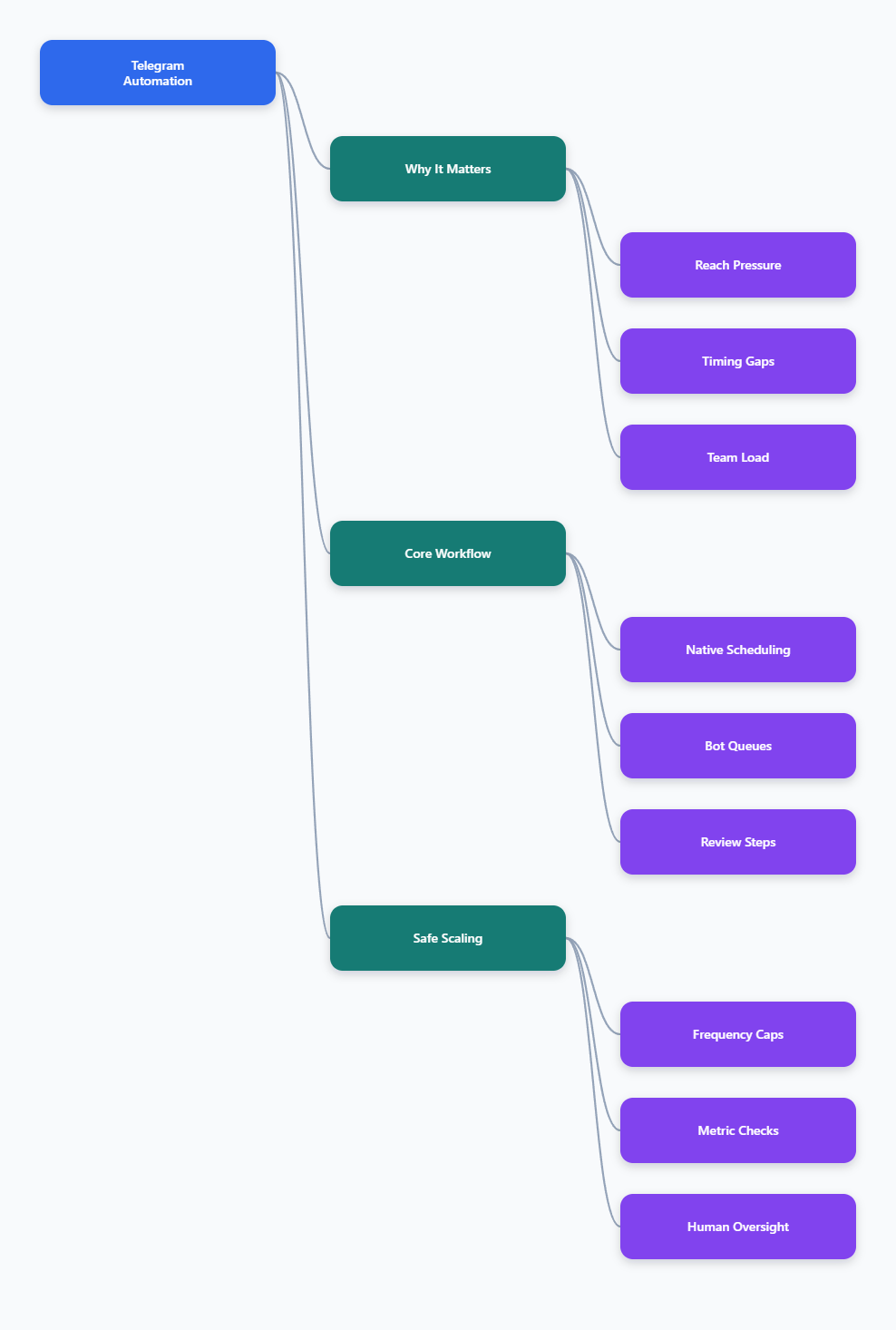
Why Telegram post automation matters in 2026
Telegram users open the app frequently and expect timely messages. For channel operators, that creates both an opportunity and a trap. A well-timed post can drive strong visibility. A rushed burst of low-value messages can train subscribers to ignore you.
- Consistency beats random bursts.
- Time zones matter more than ever.
- Subscribers notice notification fatigue quickly.
- Teams need repeatable publishing habits, not heroics.
For most non-news channels, a stable cadence usually performs better than chaotic posting. A common starting point is one to three high-quality posts per day, with enough spacing to avoid overwhelming subscribers. That is not a universal rule, but it is a practical baseline for many operators.
Telegram also rewards direct attention. Every message competes for a user’s screen time, so automation should protect clarity, not increase noise. In 2026, the best Telegram post automation is not the fastest system. It is the one that helps you publish on time, stay relevant, and keep the channel readable.
What problems does Telegram post automation actually solve?
Most channels do not fail because they lack ideas. They fail because execution becomes messy. The real pain points are operational.
1. Posting windows slip
When a team works across time zones, a post meant for morning traffic often goes out after lunch. By then, the audience is already elsewhere. Automation fixes that by turning publish time into a process instead of a reminder.
2. Content gets stuck in review
Many teams have drafts, approvals, and last-minute edits scattered across chat threads. Without a clear workflow, the final post is late or inconsistent. Scheduled publishing gives the team a clean handoff between writing and delivery.
3. Repetitive updates waste attention
Launch reminders, webinar notices, FAQ nudges, and evergreen links all consume time. These posts are necessary, but they should not require manual copy-and-paste every day. Automation is most useful when the format repeats.
4. Moderation drags the team down
If your channel has comments or a linked discussion group, spam and off-topic replies can eat your time. Automation works best when it is paired with moderation rules, so you are not cleaning up the same issues repeatedly.
| Method | Best for | Key constraint | Practical note |
|---|---|---|---|
| Native Telegram scheduling | One-off posts, reminders, launches | Admin must schedule the post in the channel | Server-side delivery means the post goes out later even if your device is offline |
| Bot or API layer | Recurring updates, team workflows, structured queues | Telegram Bot API has rate limits | Common guidance points to about 30 requests per second overall, 1 message per second in the same chat, and 20 messages per minute to the same group |
| Manual publishing | Sensitive announcements and last-minute edits | Easy to miss time windows and repeat work | Good for final control, weak for scale |
| Hybrid workflow | Most growing channels in 2026 | Needs simple rules and clear ownership | Draft manually, schedule automatically, and review performance weekly |
Native scheduling vs bot-based automation: which one should you use?
Telegram itself already supports scheduled messages. In channels, admins can compose a post, choose Schedule Message, and let Telegram deliver it later through its server-side queue. The official API also supports scheduled sending through the `schedule_date` parameter.
For many channels, that is enough. If you only need to queue announcements, reminders, or a few launch posts, native scheduling is simple and reliable. It keeps the workflow inside Telegram and reduces moving parts.
A bot layer becomes useful when the work is repetitive. That includes recurring reminders, templated campaigns, or a shared publishing flow where one person writes and another approves. In those cases, automation is less about being fancy and more about reducing handoff errors.
When native scheduling wins
- Single channel owner
- Simple launch calendar
- Low volume publishing
- No approval chain
When a bot layer helps
- Recurring content blocks
- Multiple admins
- Template reuse
- Queue-based publishing
A good rule in 2026 is to start with native scheduling, then add automation only where the manual step is clearly wasting time. That keeps the channel human while removing the friction that kills consistency.
How to build a safer Telegram post automation workflow
The strongest channels do not automate everything. They automate the repeatable parts and keep judgment in the loop. That balance protects quality.
Step 1: Define the publishing purpose
Before you automate anything, decide what the channel is for. Is it a product update feed, a content distribution channel, a community hub, or a sales funnel? The answer changes the cadence, tone, and content mix.
Step 2: Set posting windows
Pick two or three time windows when your audience is most likely to be active. For many channels, morning and evening work better than random posting. Then keep the rhythm consistent so subscribers know what to expect.
Step 3: Batch your drafts
Draft posts in batches instead of one by one. A batch session makes it easier to standardize formatting, links, captions, and calls to action. It also reduces the chance of typos that happen when you are rushing.
Step 4: Keep one manual checkpoint
Automation should not remove editorial review. Keep one final check for links, media, and wording before a post is released. That one checkpoint prevents many avoidable mistakes.
Step 5: Review what gets traction
Use Telegram’s views, reactions, forwards, and replies as your feedback loop. Posts that get shared usually teach you more than posts that simply get seen. The goal is not just delivery. It is useful delivery.
Where OnlyTG Echo@EchoOnBot fits into the workflow
Once you move past basic scheduling, a dedicated bot can help reduce the repetitive work around publishing. OnlyTG Echo@EchoOnBot is best positioned as a workflow helper for channels that need a lighter, more repeatable publishing process.
If you use OnlyTG Echo@EchoOnBot, the cleanest approach is to start the bot in Telegram, connect the target channel, grant the required posting permission, and then follow the on-screen flow to place messages into a queue or repeatable publishing process. The point is to separate drafting from delivery.
That matters when multiple people touch the same content. A writer can prepare the post, an operator can confirm timing, and the channel can publish on schedule without someone having to babysit the send button.
- A SaaS team can queue a product-launch reminder sequence instead of sending each post manually.
- A community manager can set recurring event reminders so weekly announcements are not forgotten.
- A content operator can move evergreen updates into a repeatable flow and keep the channel active without constant rewrites.
In short, OnlyTG Echo@EchoOnBot is useful when repetition is the problem. It should not replace strategy, but it can remove enough friction to make a publishing calendar realistic.
Extra conveniences to look for
Depending on the current tutorial and configuration, additional conveniences may include queue handling, reusable message patterns, and easier admin handoff. Those are small features, but they matter when your channel is publishing every week instead of once in a while.
How to avoid making automation look spammy
The biggest mistake with Telegram post automation is confusing volume with momentum. More posts do not automatically create more growth. In many channels, they create fatigue.
- Keep a clear content mix.
- Leave spacing between posts.
- Use silent posting for low-priority updates when a push alert is not necessary.
- Do not turn every reminder into a sales pitch.
- Reserve urgent alerts for genuinely urgent moments.
If your channel is connected to a discussion group, pair automation with moderation. A lively comment layer can increase trust, but it can also attract spam. The more visible your channel becomes, the more important it is to protect the quality of replies.
Telegram also provides native anti-spam tools for large supergroups, which is useful if your channel drives traffic into a community chat. Automation and moderation should work together, not compete.
Practical use cases that work in real channels
1. Product launches
A launch does not need ten different manual reminders. A simple sequence can handle announcement day, reminder day, and last-call day. The best version is short, clear, and timed around audience behavior.
2. Educational channels
If your channel publishes tutorials, newsletters, or daily insights, automation helps you protect consistency. A batch workflow lets you prepare content in advance so the channel stays active during busy weeks.
3. Community operations
For groups and channels tied to events, recurring reminders are a perfect fit. Weekly schedules, registration reminders, recap posts, and follow-up notes are all repetitive enough to automate, but still useful enough to deserve structure.
FAQ: Telegram post automation in 2026
What is Telegram post automation?
It is the process of scheduling or queueing channel posts so they publish at a planned time without manual sending. In practice, it can be native scheduling, bot-based workflows, or a hybrid of both.
Is Telegram native scheduling enough for most channels?
Often, yes. If you only need one-time reminders or a few planned posts, Telegram’s built-in scheduling is simple and reliable. If your workflow is repetitive, a bot layer can save time.
How many Telegram posts per day is too many?
There is no universal number, but overposting usually hurts clarity. For many channels outside of news, one to three high-quality posts per day is a reasonable baseline to test.
Can bots post to Telegram channels?
Yes, if the bot is added with the right permissions. Telegram’s Bot API supports message sending, and scheduled delivery can be handled through the right workflow.
Does scheduled content send if my device is offline?
Yes. Telegram’s scheduled messages are handled server-side, so they can still publish even if the device that created them is not connected later.
How do I keep automation from feeling robotic?
Use automation for timing, not for thought. Keep the copy specific, vary the format, leave room for manual review, and avoid turning every post into a promotional blast.
When should I use a bot instead of manual posting?
Use a bot when the same task repeats often enough to become a burden. That usually includes recurring reminders, scheduled campaign blocks, or team workflows with more than one editor.
Final take
Telegram post automation in 2026 is not about replacing the operator. It is about removing the friction that causes missed windows, inconsistent cadence, and rushed publishing. The winning setup is usually simple: good planning, native scheduling where possible, a bot layer where repetition demands it, and a weekly review of what the audience actually responds to.
If you are ready to make your channel easier to run, start small. Automate one repeatable workflow, prove that it saves time, and then expand. If you need a more structured publishing helper, OnlyTG Echo@EchoOnBot is worth testing as part of that workflow.