
OnlyTG Echo provides the function to send the CAPTCHA test to new members joining the group. Firstly, you need to create a new bot via @botfather and send its token to the OnlyTG Echo. After that, you will get a chatbot that can relay messages between you and your contacts. Here is the link on how to build a new bot: https://onlytg.com/how-to-create-a-new-bot-on-telegram-without-code-skills/
Video Tutorial
step 1
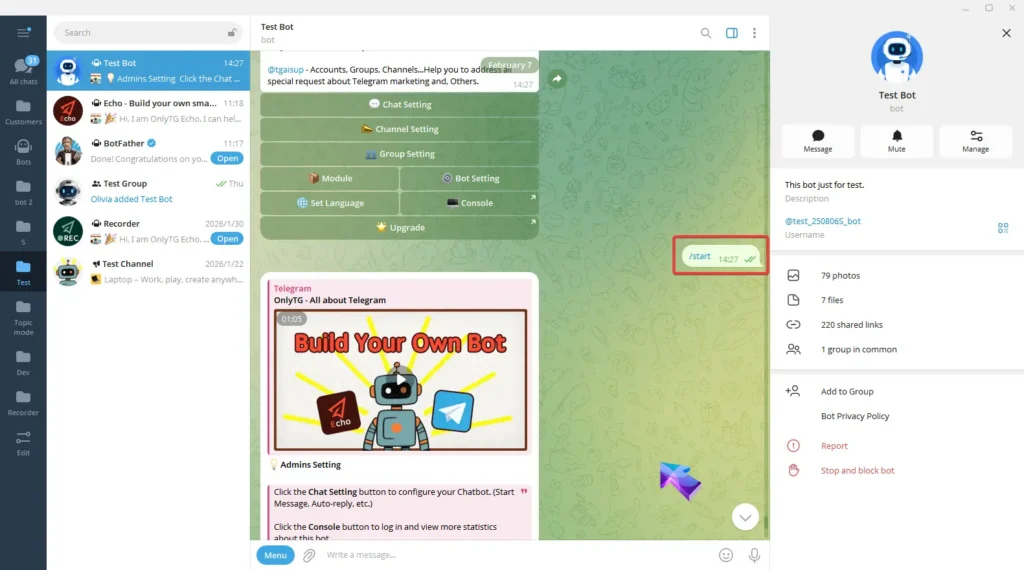
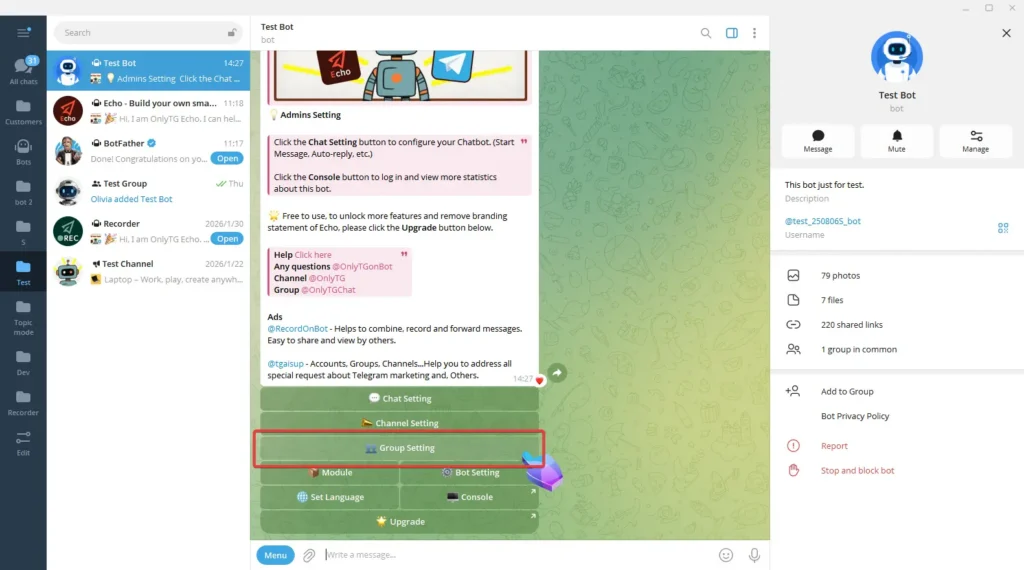
Send /start command to your bot and click Group Setting button.
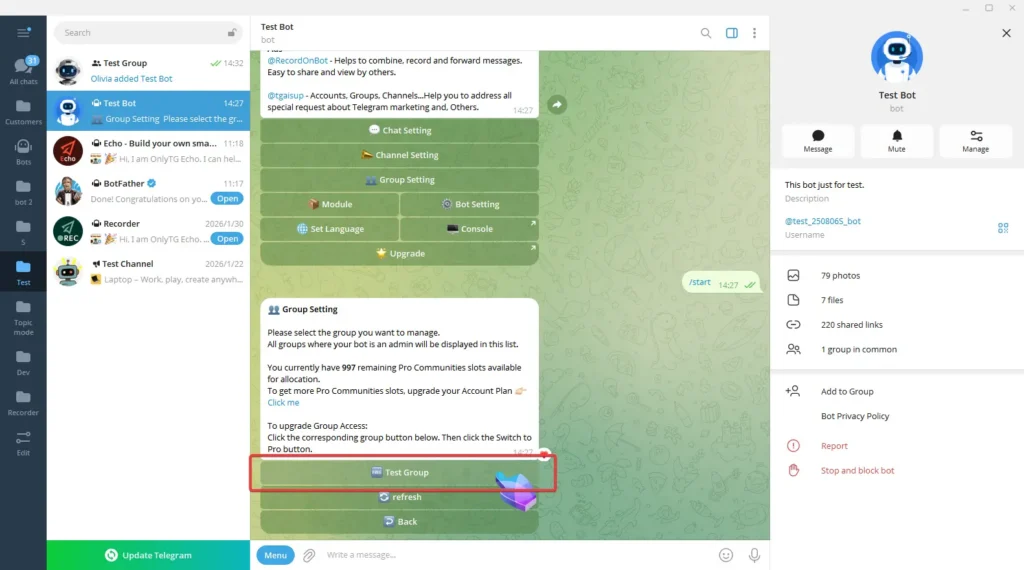
Now select your group and you can view the group’s basic information. (Click here to learn how to add groups?)
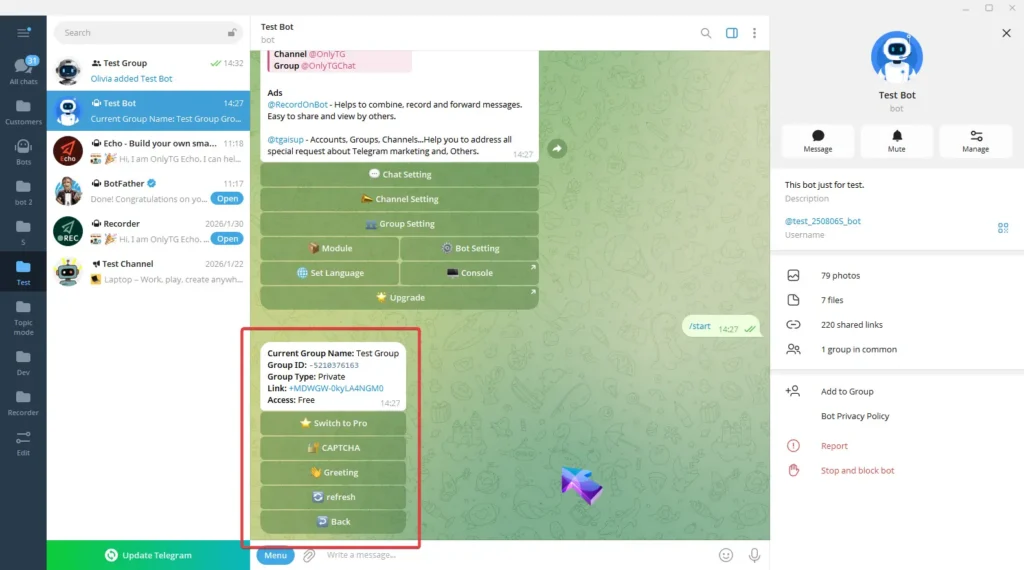
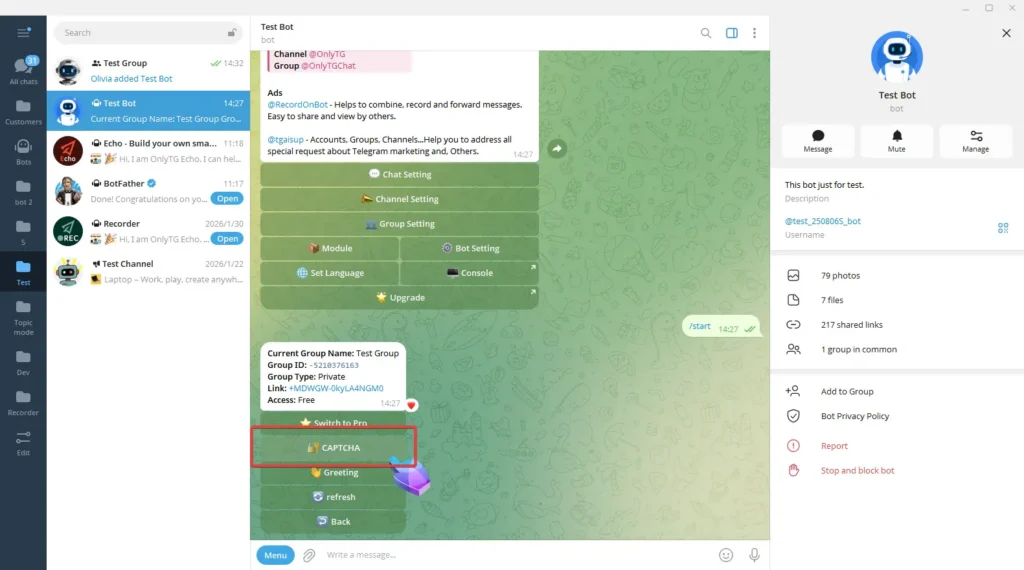
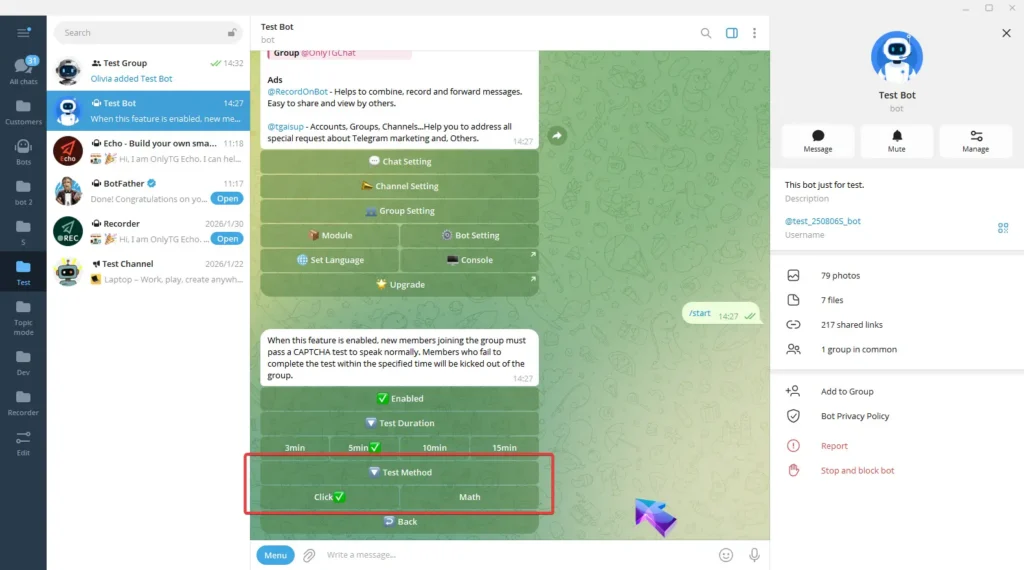
Click CAPTCHA button.
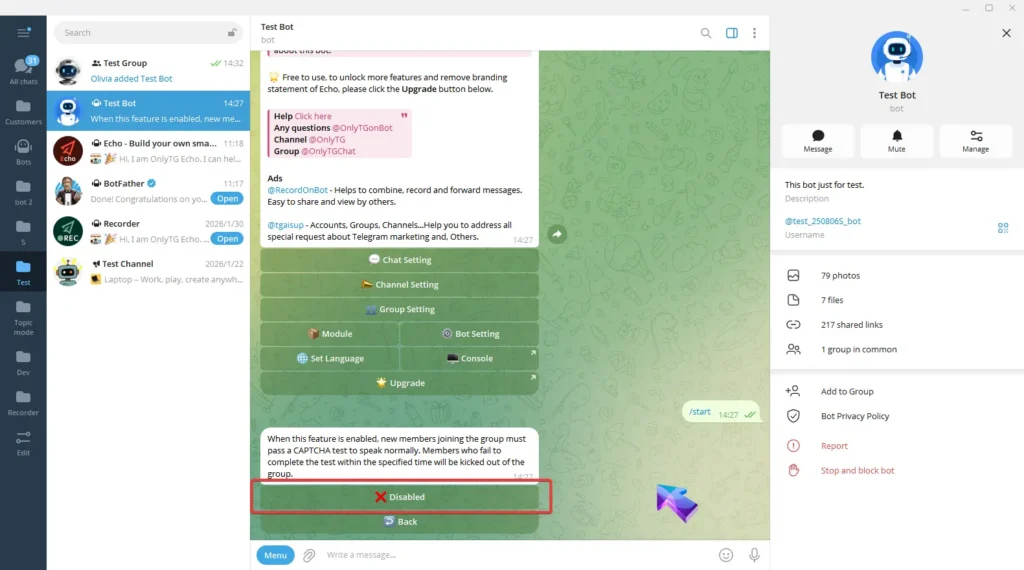
It is currently disabled. Click Disabled button to switch to enabled. To turn off the feature, click Enabled to switch back to disabled.
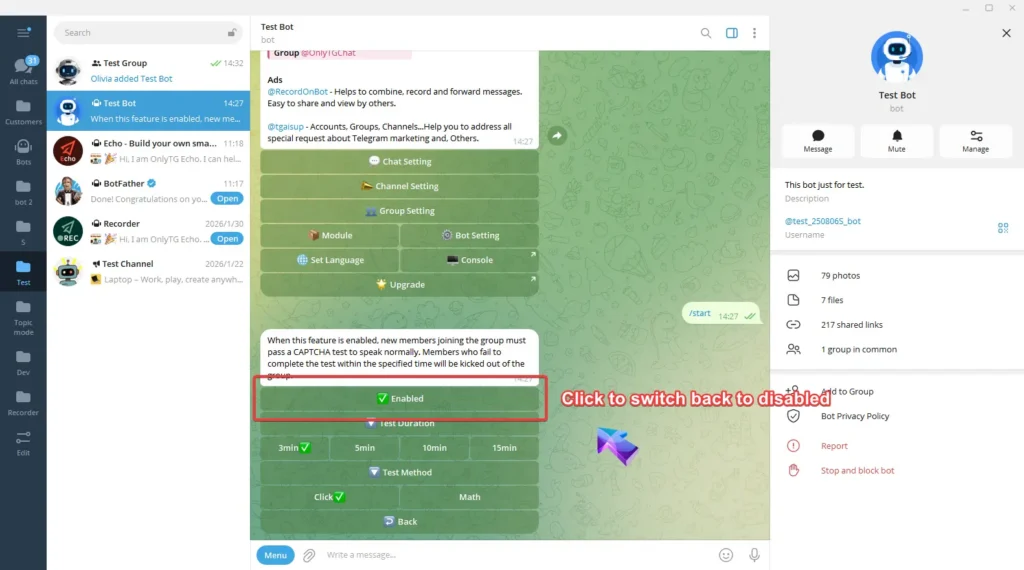
Select the Test Duration
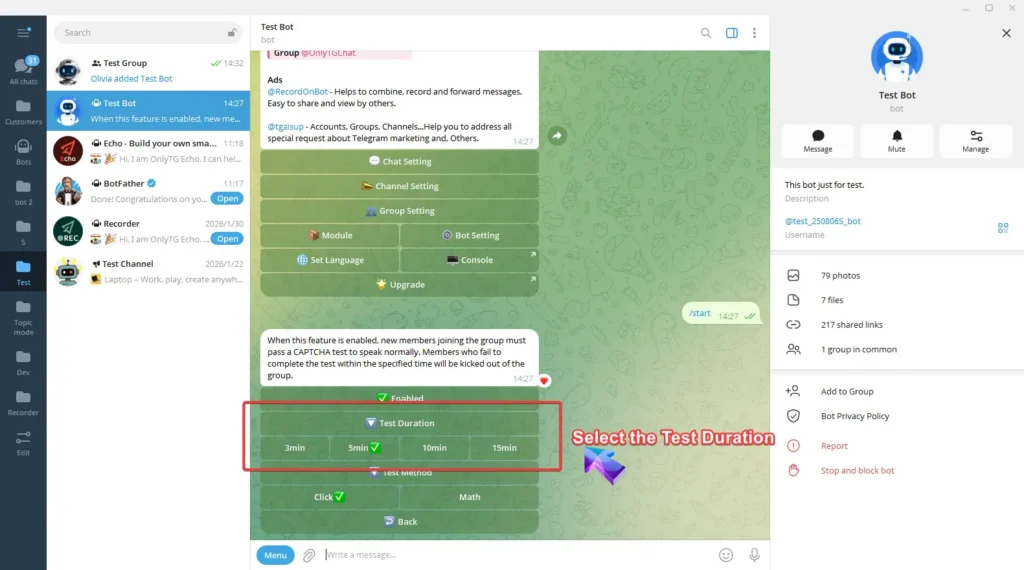
Choose the Test Method—you can select either Click test or Math test.
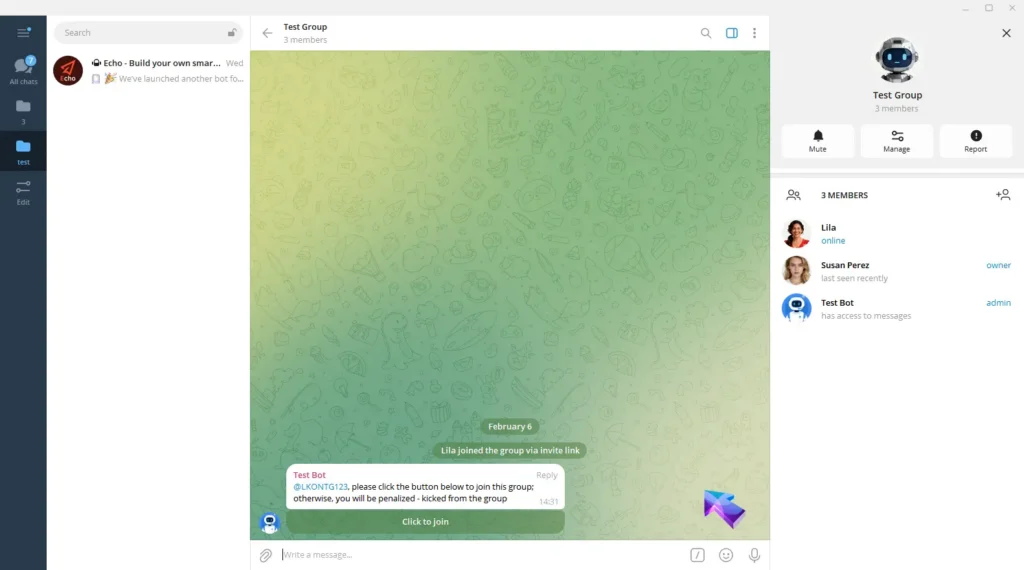
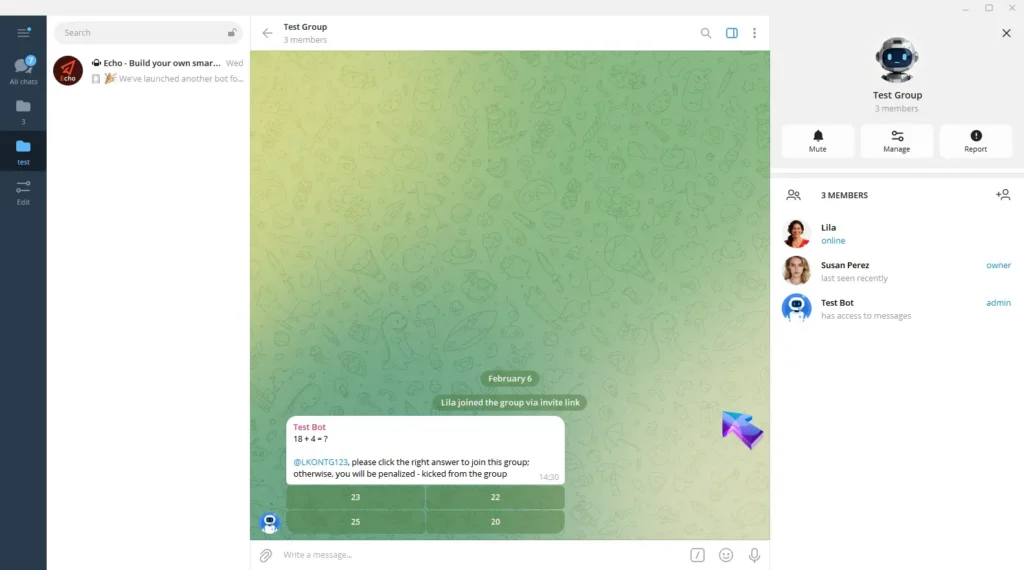
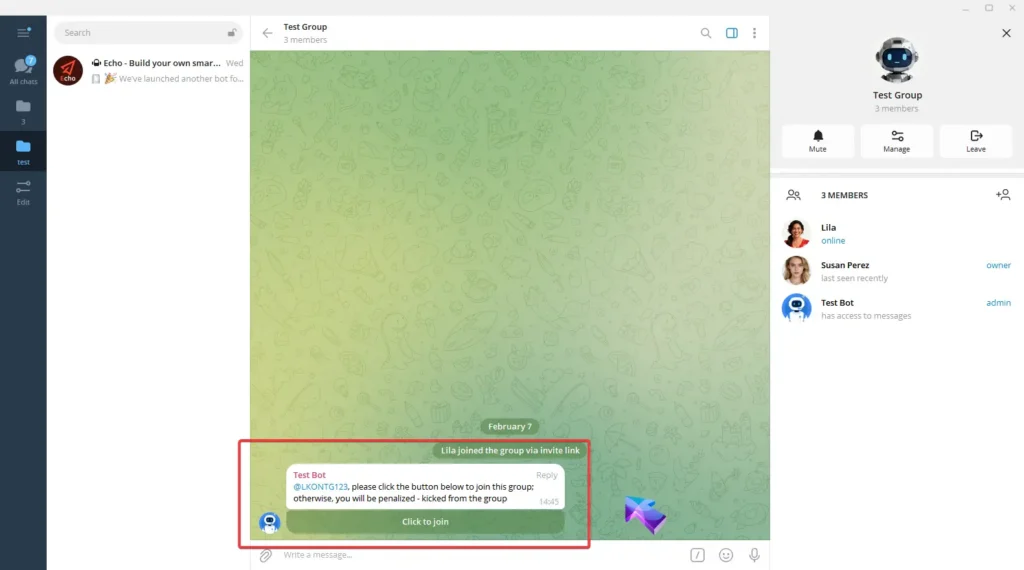
Now all new members joining the group will receive a CAPTCHA test.
They must pass the CAPTCHA test to send messages normally. Members who fail to complete the test within the specified time will be kicked out of the group.
Create Your Own Telegram Bot with OnlyTG Echo!
OnlyTG Echo helps you build your own Telegram bot. Power up your connection on Telegram with strong features!
OnlyTG Echo Bot: https://t.me/echoonbot
Official Telegram Channel: https://t.me/onlytg