
If you manage a Telegram channel or group, you already know the problem: the best moment to publish is often not the moment you are online. Off-hour recurring Telegram scheduled posts can keep your community active, but they also create new risks, like timezone mistakes, inconsistent cadence, and overposting when your audience is asleep.
In 2026, the winning approach is not just “post more.” It is to combine timing discipline, channel-aware planning, and the right scheduling workflow. In this guide, you will learn where Telegram’s native scheduling is enough, where it falls short, and how to build a repeatable system that protects reach while saving time.
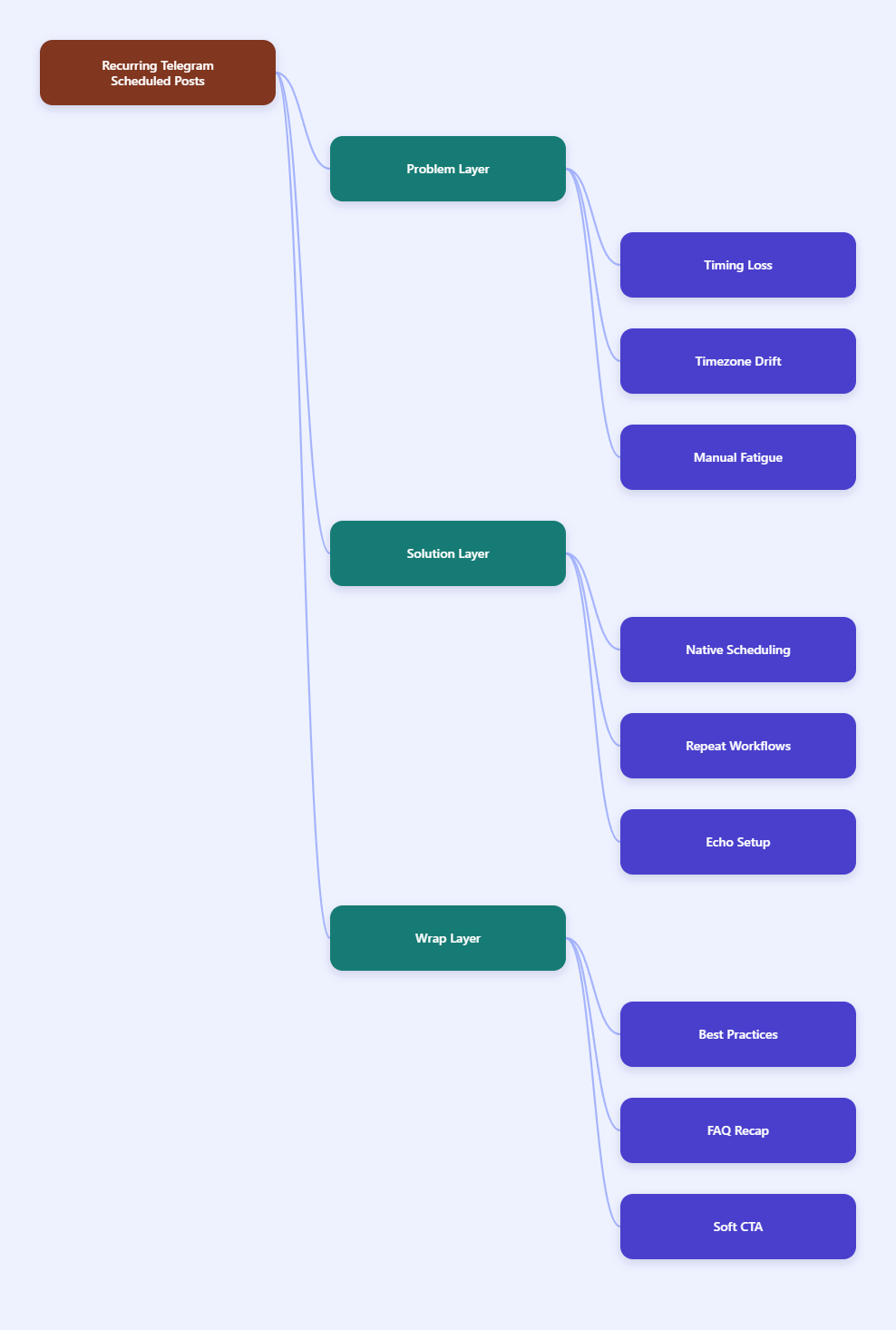
Why off-hour recurring Telegram scheduled posts still matter
Telegram remains a fast-moving environment. Messages land in a stream, and if you post at the wrong local time, your update can miss the first wave of attention. That matters because early engagement often shapes whether a post stays visible long enough to be noticed by the rest of your audience.
This is especially important for channels with subscribers across multiple regions. A post timed for London may arrive during sleep hours in Sydney. A post timed for New York may hit lunch in Europe. The same message can perform very differently depending on who sees it first.
Recurring posts add another layer. A single announcement is easy to schedule. A repeating reminder, weekly recap, or evergreen onboarding post requires consistency. If you manually re-send it, you invite human error, missed days, and uneven spacing.
Common pain points operators run into
- Timezone drift between admins and subscribers.
- Inconsistent frequency when the team is busy.
- Content fatigue when the same message is repeated too often.
- Manual scheduling overhead for weekly or daily reminders.
- Permission problems when multiple people manage a channel.
For B2B audiences, working hours often outperform late-night sends. For consumer communities, evening windows can work better. The exact pattern depends on your audience, but the rule is the same: timing should be intentional, not random.
What Telegram can do natively in 2026?
Telegram’s built-in scheduling is still useful. You can hold the send button, choose Schedule Message, and pick a future time. Scheduled messages also work in Saved Messages, which makes the feature useful as a reminder system for yourself.
Telegram also supports scheduled messages through its API, including repeating scheduled messages for Premium users by using a repeat period in seconds. That means recurring workflows are possible, but they are not always the most convenient option for busy operators.
There is one more practical detail: scheduled posting is tied to chat and permission context. Channels can have unlimited subscribers, while supergroups support larger communities and stronger moderation controls. In real operations, that means your publishing workflow should match the structure of the community you manage.
| Option | Best use | Real behavior | Main limitation |
|---|---|---|---|
| Native schedule | One-off announcements | Hold Send, choose Schedule Message, send later | Not ideal for long recurring workflows |
| Saved Messages | Personal reminders | Acts like a reminder inbox for yourself | Not a team publishing system |
| Premium repeating | Repeating message logic | API supports repeat periods in seconds | Requires a more technical setup |
| Bot workflow | Recurring publishing | Lets you structure repeat sends and channel tasks | Needs setup and admin rights |
The practical takeaway is simple. Native scheduling is excellent for one-time timing. Repeating content is where operators usually need a more managed workflow.
How to plan timing without annoying your audience
Before you automate anything, map the audience. A Telegram channel that serves one country can often follow a narrow window. A global audience needs split timing, especially if you publish educational content, promotions, or community reminders.
Start with your own analytics. Look at which posts get quick views in the first hour. Then compare that with the time of day, day of week, and content type. If the channel is mostly business-focused, weekday mornings and mid-day windows often deserve testing first. If the audience is entertainment-led, evenings may perform better.
Do not trust a single “best time” chart for every channel. Telegram behavior changes by niche, region, and content format. A community channel, a crypto alert channel, and a product onboarding channel will rarely share the same ideal schedule.
A safer weekly planning model
- Choose one primary timezone for each audience cluster.
- Separate evergreen posts from urgency-based posts.
- Set a repeat cadence before you automate.
- Use off-hour sends only when the audience is likely to check later.
- Review performance weekly and move weak posts to a new time window.
That model keeps recurring posts useful instead of noisy. It also prevents the common mistake of scheduling the same message at the same hour for every region.
Where OnlyTG Echo@EchoOnBot fits into the workflow
When a channel or group needs recurring publishing without constant manual work, a bot-based layer can help. OnlyTG Echo@EchoOnBot is positioned as a no-code Telegram bot builder, and its official tutorials show a simple path: create your bot in BotFather, connect the token, and then manage posting inside the workflow.
The core use case here is straightforward. Once your bot is linked, you can publish group posts or channel posts, choose Schedule when you need one-time timing, and use Loop Post when the content should repeat at intervals. That is useful for recurring reminders, evergreen onboarding, and low-touch community maintenance.
For groups, the loop-post function is tied to Pro access in the official documentation. That is worth checking before you design a workflow around repetition. The point is not to force every post into a loop. It is to use repeat publishing only where it solves a real retention or visibility problem.
Simple setup flow from the official tutorials
- Create a Telegram bot in BotFather and copy the token.
- Bind the bot inside OnlyTG Echo@EchoOnBot.
- Add your channel or group to your bot workflow.
- Choose Post Now for immediate sends or Schedule for future sends.
- Use Loop Post for repeating content that should stay visible.
That workflow is useful because it reduces copy-paste work. It also makes recurring off-hour posting easier to manage when different admins handle different timezones.
Three realistic use cases
- SaaS onboarding channel: A team posts a nightly “getting started” tip at 8:30 PM in the audience timezone. The goal is not virality. It is to catch users after work and reduce support questions the next morning.
- E-commerce promo group: A brand runs an offer recap every Friday evening and a reminder before the weekend ends. The posts are scheduled in advance, so the team does not need to log in late at night.
- Evergreen community channel: A creator loops a welcome post that explains rules, links, and the next best action for new subscribers. That keeps the channel useful for late joiners without requiring daily manual reposting.
Those examples work because they solve different problems. One improves onboarding, one supports sales timing, and one reduces repetitive admin tasks.
Other functions worth knowing
- Start Message for first-time bot interactions.
- Auto-reply and keyword-based replies.
- Quick Reply for faster manual responses.
- Bot Menu for guided navigation.
- Tracking Links for basic campaign attribution.
- Ban Contacts and Recall Messages for message control.
You do not need every feature to make scheduling work. But these additions can help if your recurring posts are tied to support, lead capture, or community handling.
Best practices for 2026 Telegram scheduling
Recurring scheduling works best when it is boring in the right way. The goal is consistency without spam. If people start muting the channel, your schedule is too aggressive or too predictable.
- Use recurring posts for evergreen value, not for empty repetition.
- Keep one content objective per scheduled message.
- Match the send time to the audience’s local behavior, not the admin’s schedule.
- Review the first hour of performance after launch.
- Adjust frequency before you increase volume.
- Verify admin rights before you rely on a bot.
Also remember that Telegram’s native reminder and scheduling behavior is helpful for planning, but your channel strategy should still be audience-first. If a message is important, the timing should earn attention, not demand it.
FAQ: off-hour recurring Telegram scheduled posts
What are off-hour recurring Telegram scheduled posts?
They are posts planned in advance to publish outside your normal working hours, and they repeat on a schedule. The purpose is to reach audiences when they are active, even if your team is offline.
Can Telegram repeat messages natively?
Telegram’s API supports repeating scheduled messages for Premium users through a repeat period. For many teams, a bot or automation layer is still easier to manage than a fully manual approach.
Does Telegram scheduling work in Saved Messages?
Yes. Telegram’s scheduled-message feature also works in Saved Messages, which makes it useful as a personal reminder system.
How far ahead can I schedule Telegram messages?
Telegram’s official scheduling supports planning up to one year in advance. That is enough for many campaigns, but it still requires a clean calendar and good timezone planning.
Do bots need admin rights in channels?
Yes, if you want a bot to publish in a channel or manage posting tasks, it needs the right permissions. In practice, the bot should stay an admin with posting access.
When should I use a loop post?
Use a loop post for evergreen content that should keep resurfacing, such as onboarding, rules, FAQs, or repeated reminders. Avoid looping sales language too often, or people will tune it out.
Is OnlyTG Echo@EchoOnBot only for scheduling?
No. In the official tutorials, OnlyTG Echo@EchoOnBot also supports features like start messages, auto-replies, quick replies, bot menus, tracking links, and message control tools.
Final thoughts
Off-hour recurring Telegram scheduled posts are not about posting more often. They are about posting with timing discipline, audience awareness, and a workflow that does not break when your team logs off.
If your channel is growing across timezones, start with Telegram’s native scheduling, then add a bot layer only when you need recurring structure. That keeps your system simple, but still scalable. If you want a lightweight no-code option for that next step, OnlyTG Echo@EchoOnBot is worth testing once your posting windows are clear.