
If you run Telegram channels in 2026, you already know the real problem is not writing posts. The hard part is keeping a steady cadence across different channels, time zones, and content types without turning every update into manual copy-paste work.
That is why the phrase multi-channel recurring telegram post scheduler matters more this year than it did before. Teams want one workflow that can handle repeat publishing, last-minute edits, and simple oversight without forcing someone to live inside the app all day.
This guide breaks down what Telegram can do natively, where the limits start, and how to build a cleaner operating system for recurring posts across multiple channels and groups.
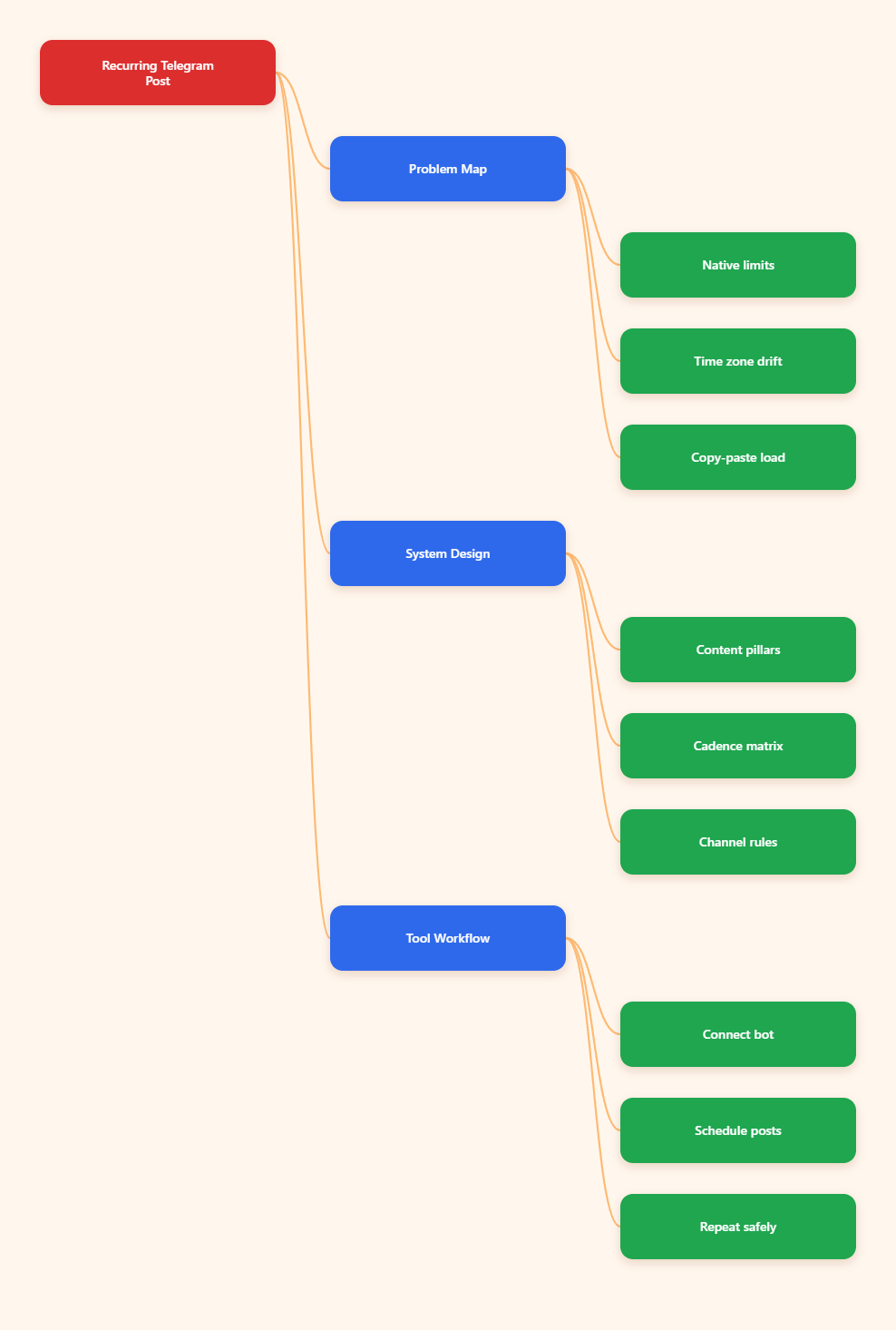
Why Telegram Scheduling Breaks at Scale in 2026
Telegram’s built-in scheduler is useful, but it solves only part of the job. You can queue a message for later delivery, and in Saved Messages the same feature can work like a reminder. That is great for a single post, but it is not the same as a real publishing system.
Once you manage more than one channel, the workflow becomes repetitive fast. You draft the same update several times, pick different send times, and keep checking whether the right version went to the right place. That is where most teams lose time.
The pain is not only volume. It is also consistency. A channel that posts three times a week, a support group that needs daily reminders, and a launch channel that needs timed announcements all require different rhythms. If those rhythms live only in someone’s head, the system breaks when that person is offline.
Another common issue is time zone drift. Telegram sends scheduled messages based on the client’s chosen time, which is fine for a single creator. It is less fine when a distributed team edits posts from different regions and expects a shared publishing window.
Finally, recurring content creates hidden friction. Weekly FAQs, onboarding notes, event reminders, and promo follow-ups are easy to plan once. They are annoying to recreate every time. That is why a multi-channel recurring telegram post scheduler is less about convenience and more about operational control.
What a Multi-Channel Recurring Telegram Post Scheduler Must Do
Before choosing any tool, define the job clearly. A useful scheduler should reduce repetition, protect timing, and let you reuse structured content without rebuilding everything from scratch.
- One content source: Keep the core copy in one place so every channel can reuse it.
- Repeatable cadence: Support daily, weekly, or monthly publishing patterns.
- Channel-specific timing: Let each audience get the same message at its best local time.
- Easy edits: Make it simple to revise a queued post before it goes live.
- Media support: Handle text, links, images, and other common Telegram post formats.
- Clear ownership: Make it obvious who can publish, update, or pause a schedule.
For larger teams, the scheduler also needs to fit into approval workflows. Content often passes through a writer, a channel manager, and a client or founder before it is published. If a tool cannot handle that handoff cleanly, people fall back to chat screenshots and reminders, which defeats the purpose.
A second requirement is predictability. Recurring content should feel like a system, not a gamble. If a post is supposed to appear every Monday morning, the team needs confidence that the queue is stable and visible.
Native Telegram: What It Can and Cannot Do
Telegram’s native scheduler is still worth using. It is fast, built in, and easy to understand. On mobile or desktop, you can compose a post, hold the send button, and choose Schedule Message. In Saved Messages, that same flow can act like a personal reminder system.
For one-off announcements, this is enough. You can draft ahead of time, set a future send time, and keep the message in a server-side queue until delivery. If you need to edit the queued item, Telegram’s schedule queue makes that possible for the chat where it was created.
But native Telegram is not a full recurring content engine. It does not solve the problem of repeating the same message on a weekly loop across several channels. It also does not organize campaigns into a visual calendar or batch publishing workflow.
That is the line teams should remember:
- Use native scheduling for one-time posts.
- Use a broader workflow when posting becomes repetitive.
- Use a recurring system when one calendar must feed multiple channels.
This distinction matters because many teams overbuild too early or underbuild too long. If you only schedule a handful of posts per month, native Telegram is enough. If you are running multiple launches, evergreen reminders, and repeated broadcasts, manual scheduling becomes a bottleneck.
Native Scheduling vs Manual Posting vs Recurring Workflow
| Capability | Native Telegram | Manual Posting | Recurring Workflow |
|---|---|---|---|
| One-time scheduled post | Yes | No | Yes |
| Recurring post cadence | No | No | Yes |
| Multi-channel reuse | Limited | Poor | Strong |
| Edit queued content | Yes | Not applicable | Yes |
| Best for | Single updates | Ad hoc posting | Ongoing campaigns |
The table makes the tradeoff obvious. Native Telegram wins on simplicity. Manual posting loses on consistency. A recurring workflow wins when the goal is to run a calendar, not just send a message.
How to Build a Cleaner Recurring Posting System
Start with content architecture, not software. Most Telegram teams struggle because every post is treated as a one-off. A better system begins with repeatable content pillars.
For example, one pillar can be product updates, another can be educational tips, and a third can be community reminders. Once the pillars are set, each channel gets its own cadence. One channel may post daily. Another may only need two weekly reminders.
Next, separate the recurring content from the time-sensitive content. Evergreen posts are ideal for loops and recurring scheduling. Breaking news, campaign launches, and urgent announcements should stay outside the repeat cycle.
Then define a publishing matrix. Ask four questions for every post:
- Which channel should receive it?
- Which day or hour performs best?
- Does it need media or only text?
- Should it repeat, or publish once?
Once those answers are written down, your schedule becomes operational rather than improvised. That is the difference between a channel that looks active and one that is actually managed.
When a Bot-Based Workflow Makes Sense
When the recurring load becomes too heavy for native Telegram, a bot-based workflow can reduce repetition. One practical example is OnlyTG Echo@EchoOnBot.
According to its official documentation, the basic setup starts by creating a bot in @BotFather, then connecting the token inside the system. From there, you can configure a start message, reply logic, and scheduled or looping posts depending on how your channel is run.
For teams that need repeat publishing, the useful part is straightforward: schedule a post for later delivery, or set a loop for a daily, weekly, monthly, or custom interval. That is especially helpful when the same update must appear across several destinations on a predictable cycle.
Here are three realistic ways this helps:
- Weekly product digest: A SaaS team publishes one recap on Friday, then reuses the same structure for different regional channels at local peak hours.
- Support reminder channel: A community manager schedules recurring FAQ prompts so the same questions do not keep flooding the main group.
- Campaign follow-up loop: An operator repeats a limited-time offer reminder for a short window, then stops the loop once the campaign ends.
OnlyTG Echo@EchoOnBot also includes practical extras like auto-reply, quick reply, message receive and reply, and bot menu setup. Those features matter because scheduling is only half of channel operations. The other half is handling the people who respond to the scheduled content.
Used well, it becomes a simple control layer rather than a complicated platform. That is the right role for a tool in this category.
Real-World Use Cases for Telegram Teams
1. A creator newsletter channel
A creator publishes a daily tip at the same hour, then repeats a weekly roundup every Sunday. The content is prepared in batches, and the cadence stays stable even when the creator is traveling or unavailable.
The biggest win here is not speed. It is consistency. Subscribers learn when to expect content, which improves retention and reduces the temptation to post randomly.
2. A multi-brand agency workflow
An agency manages several client channels with different tones and posting windows. One client needs early-morning local updates, while another wants evening engagement posts. A recurring scheduler keeps those calendars separate without duplicating every step.
Agencies benefit from repeatable patterns because approvals, rewrites, and timing changes become easier to audit. A clean schedule also lowers the risk of sending the wrong version to the wrong audience.
3. A community with onboarding needs
A Telegram group for a product or membership community often needs the same welcome instructions, support links, and weekly reminders. Scheduling those messages prevents moderators from typing the same guidance repeatedly.
This is where recurring messages help the most. They keep the group readable, reduce moderator fatigue, and make the community feel organized without sounding robotic.
Practical Setup Tips for 2026
- Batch by theme: Write similar posts together so formatting stays consistent.
- Use local timing: Schedule by audience location, not just your own timezone.
- Keep a backup draft: Store the next version before the current cycle ends.
- Limit repetition: Reuse structure, but refresh wording so posts do not feel stale.
- Check permissions: Make sure channel admins and bots have the rights they actually need.
- Review after publish: Confirm that links, media, and formatting display correctly.
The most common scheduling mistake is over-automation. A recurring post should save time, not flatten the channel into a loop of identical messages. Keep a human review step for timing-sensitive or promotional content.
FAQ
Can Telegram schedule recurring posts natively?
No. Telegram’s built-in scheduler is useful for one-time posts and reminders, but recurring publishing usually needs a separate workflow.
Is Saved Messages useful for scheduling?
Yes, but mainly as a personal reminder tool. It is helpful for planning, not for managing a full multi-channel calendar.
What is the biggest benefit of a recurring workflow?
Consistency. It reduces manual repetition and makes it easier to publish the same content pattern across several channels.
Do bots need admin rights in channels?
Yes, if they are going to post into a channel. Permissions should be set carefully so the bot can do only what you need.
Should every Telegram post be recurring?
No. Evergreen reminders and repeat updates are good candidates. Timely announcements and campaigns should usually stay one-off.
How do I avoid duplicate posts across channels?
Use a content matrix with clear destination rules, timestamps, and ownership. One source of truth prevents accidental duplication.
What should I check before scheduling?
Review the copy, media, links, timezone, and channel destination. A quick preflight check prevents most publishing mistakes.
Final Takeaway
A multi-channel recurring telegram post scheduler is really a workflow decision. Native Telegram handles simple one-time scheduling well. Once your content becomes repetitive, distributed, or team-based, you need a system that keeps cadence stable without adding friction.
That is why smart teams separate planning, scheduling, and community response. If your posting calendar is starting to feel like a manual chore, a lightweight bot-based layer such as OnlyTG Echo@EchoOnBot can help you keep the process clean without making the operation overly complex.