
Telegram channels are still one of the cleanest ways to broadcast updates, but consistency is where most teams struggle. Time zones shift, launch weeks get messy, and daily posting turns into a manual chore. In 2026, the real advantage is not posting more. It is posting on a dependable rhythm.
That is why scheduled recurring Telegram channel posts matter. They help creators, marketers, and community operators keep a channel active without scrambling for the next update. This guide breaks down the strategy, the workflow, the common failure points, and a practical way to automate recurring publishing without losing control.
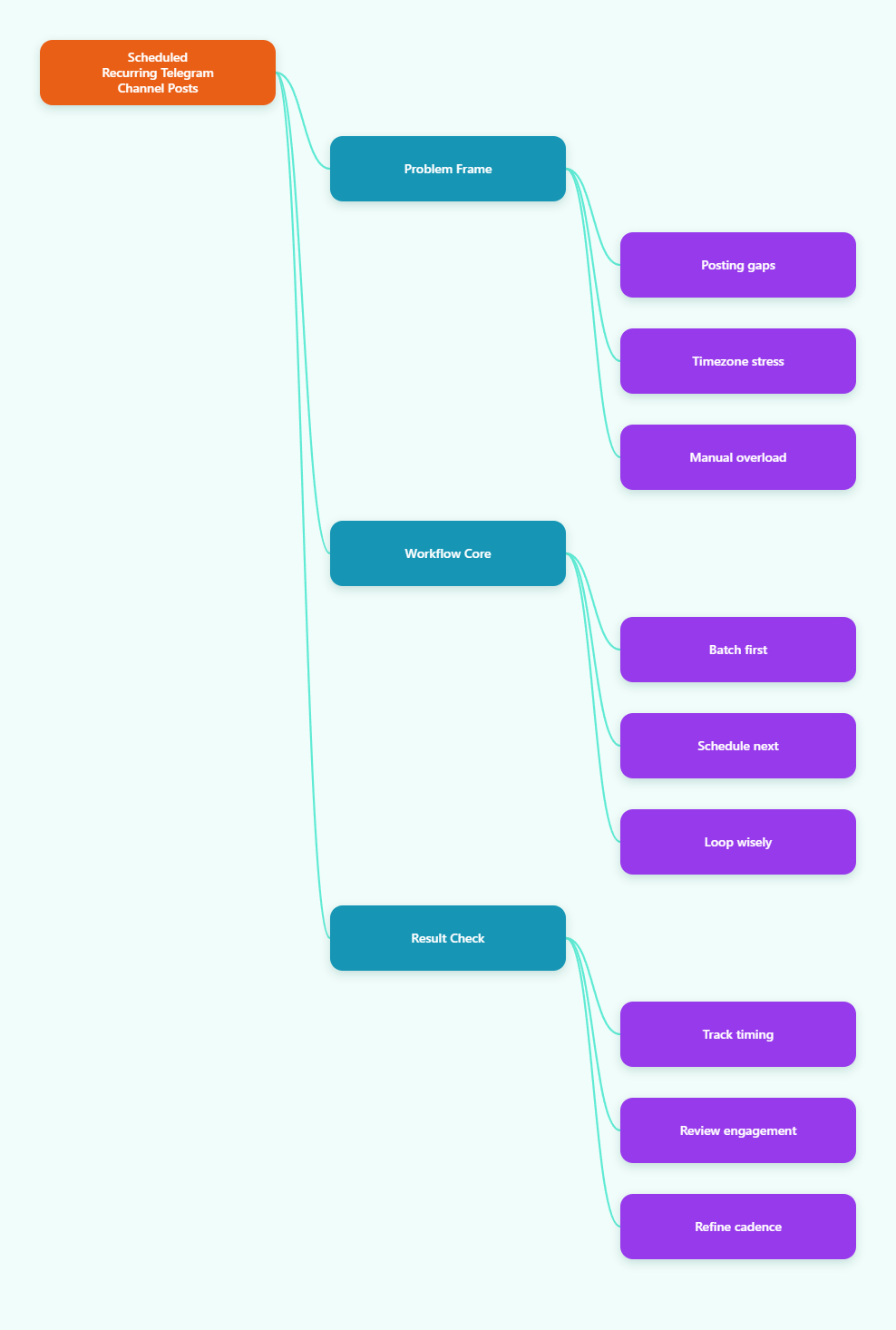
Why Scheduled Recurring Telegram Channel Posts Matter in 2026
Telegram crossed 1 billion monthly active users in 2025, which means your channel is competing in a very crowded attention market. In that environment, the channels that win are rarely the loudest. They are the most reliable. When subscribers know when to expect a post, open rates and repeat visits become easier to build.
Channel history also helps. New subscribers can see older posts, so recurring content is not just for the moment it is published. A weekly roundup, a repeat FAQ reminder, or a scheduled promo post can keep working long after the first hour of traffic. That makes cadence a growth asset, not just an operations task.
Telegram has also improved its scheduling experience over time. Native scheduled messages are easy to queue, and newer platform updates added repeating scheduled messages in supported contexts. Even so, many teams still need a more structured workflow when they manage channels, topics, media, buttons, and recurring loops together.
What Goes Wrong When Channels Rely on Manual Posting?
Most posting problems do not come from bad ideas. They come from broken execution. A good content calendar can still fail if the team forgets a time slot, posts too late for a target timezone, or publishes the same update twice because two people are working from different drafts.
- Inconsistent cadence: gaps make the channel feel inactive, even when the content is strong.
- Timezone drift: a post that works in London may miss the morning window in New York or Singapore.
- Launch overload: during campaigns, scheduled content is often the first thing to get delayed.
- Editing friction: if a post needs a small fix, teams waste time hunting through drafts and reminders.
- Weak reuse: evergreen posts are often written once and never reused, even when they still matter.
Recurring posting solves more than consistency. It protects your team from operational fatigue. When the system knows what should publish next, the human team can focus on content quality, engagement, and analysis instead of daily clock-watching.
Native Telegram Scheduling vs Recurring Workflows
Telegram’s native scheduler is excellent for one-time posts. You can long-press or right-click the Send button, choose Schedule Message, pick a time, and manage queued items from the clock icon. That is enough for many simple use cases, especially reminders and one-off announcements.
But recurring channel operations are different. If you want daily tips, weekly roundups, or repeated promotional slots, the workflow needs more than a single scheduled message. You need a repeatable publishing layer that can handle templates, intervals, and channel management with fewer manual steps.
| Method | Best for | Strength | Limitation |
|---|---|---|---|
| Manual posting | Ad hoc updates | Fast for urgent messages | Easy to miss timing and create inconsistency |
| Native Telegram scheduling | One-time planned posts | Simple queue, edit, reschedule, send now, delete | Not built for complex recurring channel workflows |
| Bot-based recurring workflow | Regular channel publishing | Can support repeat intervals, media, buttons, and channel automation | Requires setup and admin permissions |
The key point is not that one method is better in all cases. It is that each method solves a different problem. If you are managing a serious content calendar, recurring posts usually need a workflow beyond the basic Send button.
How to Build a Repeatable Telegram Posting Workflow
1) Start with a posting map
Do not begin with tools. Begin with a calendar. Decide what repeats, how often it repeats, and what each slot is supposed to do. A channel can have a Monday tip, a Wednesday case note, a Friday offer, and a Sunday recap. That is a system, not a guess.
Once the map is set, assign content types to each slot. Educational posts should stay educational. Promo slots should stay promotional. If the structure is clear, batching becomes easier and recurring posts stop feeling random.
2) Batch before you schedule
Batch writing is the easiest way to reduce channel fatigue. Draft multiple posts in one sitting, then review them together for tone, length, and link placement. This prevents the common problem of publishing one polished post and three rushed ones.
Batching also makes recurring content more flexible. If a post is evergreen, create a version that can be reused. If it is seasonal, write the body in a way that only needs a small date or offer update before the next run.
3) Separate evergreen from event-driven content
Recurring Telegram channel posts work best when evergreen content and event-driven content are not mixed together. Evergreen posts can loop safely. Event-driven posts should be scheduled once, then retired when the campaign ends.
This separation keeps your channel from feeling stale. Subscribers should see useful repetition, not copy-paste spam. The best recurring calendars recycle value, not noise.
4) Monitor engagement windows
Look at when people actually respond, not only when they subscribe. Telegram channels often perform differently across regions because users check them in short bursts. A strong recurring schedule should be based on reply timing, views, forwards, and link clicks where available.
Do not assume one global time works forever. If your audience spans Europe, North America, and Asia, test two or three publishing windows before locking in a routine.
When a no-code bot layer makes sense
If the channel calendar is clear but the publishing workflow is still too manual, a no-code layer can help. That is where OnlyTG Echo@EchoOnBot becomes practical. According to the official docs, the setup starts by creating a bot in BotFather, linking the token, and then using the bot’s channel tools to manage posts.
For recurring publishing, the useful part is simple: create your bot, add it to the channel as an admin, and use the channel post tools to schedule or loop content. The official instructions show that the channel post flow supports text, media, and buttons, while loop settings can repeat content daily, weekly, monthly, or at a custom interval within 24 hours.
That makes it a fit for teams that want recurring Telegram channel posts without writing code. You are still responsible for the content strategy, but the publishing mechanics become much easier to maintain.
Practical setup flow
- Create a Telegram bot with BotFather and save the token.
- Connect that token inside OnlyTG Echo@EchoOnBot.
- Add the bot to your channel and grant the needed admin rights.
- Open the channel tools and choose the post you want to publish.
- Set a future publish time, or configure a loop interval for repeat posting.
In the official docs, the channel post flow also supports preview, pinning, and scheduled publishing. That matters because recurring posts are rarely just text. Most teams want media, a button, or a pinned announcement attached to the same workflow.
Real-world recurring post scenarios that actually make sense
Scenario 1: SaaS product channel
A SaaS team can use scheduled recurring Telegram channel posts to run a stable weekly rhythm: Monday feature note, Wednesday help article, Friday product reminder. The content is light, but the pattern builds trust. Users learn when to expect a new update and support questions begin to drop.
If a campaign launches, the team can keep the evergreen slots alive while replacing only the promotional slot. That avoids the common problem where a launch week wipes out the rest of the content calendar.
Scenario 2: Creator or affiliate channel
A creator channel often needs high-frequency posting, but not every post should be written from scratch. A recurring workflow can rotate daily tips, curated links, and short reminders. For example, a channel might post a Monday checklist, a Thursday tool roundup, and a Sunday recap with one reused template.
This works especially well when the audience expects a predictable format. Consistency helps the channel feel organized, while the recurring structure reduces writing load.
Scenario 3: Community or support channel
Support-heavy channels can use recurring posts for onboarding, office-hour reminders, or maintenance updates. A team might schedule a welcome note for new members, then loop a weekly reminder about support hours or common questions.
In this setup, the channel becomes more self-service. Repeated reminders do not replace human support, but they reduce repetitive questions and keep the audience aligned.
Other useful features worth knowing
OnlyTG Echo@EchoOnBot is not only about looping posts. The official documentation also covers start messages, auto-reply, quick reply, broadcast, message receive and reply, and channel management. Those functions are useful when your channel is connected to a broader support or sales workflow.
For example, a start message can give new users a clear path the moment they open the bot. Auto-reply helps you answer repetitive keyword questions. Quick reply is useful when your team wants fast, standardized responses. Broadcast can help with wider contact communication when you need it.
These extras should stay secondary to your content strategy. They are best used as support layers, not as the core of the channel. The goal is still the same: better timing, better consistency, and less manual work.
Practical checklist for scheduled recurring Telegram channel posts
- Define one recurring purpose for each post slot.
- Keep evergreen content separate from campaign content.
- Write in batches so quality stays consistent.
- Test time zones before locking a schedule.
- Use pinned posts only when they add clarity.
- Review views and replies after every cycle.
- Refresh recurring posts when the message gets stale.
- Keep the format recognizable so subscribers know what to expect.
A good recurring system should feel boring in the best way. It should run quietly, publish on time, and leave your team with more energy for strategy and engagement.
FAQ: Scheduled Recurring Telegram Channel Posts in 2026
Can Telegram schedule recurring channel posts by itself?
Telegram’s native scheduler is strong for one-time posts, and Telegram introduced repeating scheduled messages in a later update for supported use cases. For more structured channel workflows, many teams still use a bot-based layer.
What is the best posting frequency for a channel?
There is no universal number. Most channels do better with a stable cadence than with a high volume of random posts. Start with one to three recurring slots per week, then adjust based on engagement and unsubscribes.
Do scheduled recurring Telegram channel posts improve retention?
They can. Predictable timing helps subscribers know when to return. That is especially useful for educational channels, product update feeds, and support communities where regularity matters more than volume.
Do I need coding to automate recurring posts?
No. A no-code tool can handle the workflow if you do not want to build a custom bot stack. You still need to create a Telegram bot and grant the correct permissions, but the publishing process itself can stay simple.
Can I edit a scheduled post before it goes live?
Yes. Telegram’s native scheduled messages can be viewed, edited, rescheduled, sent immediately, or deleted from the queue. That makes last-minute changes much easier than manual reposting.
What content works best for recurring loops?
Evergreen content works best. Think tutorials, reminders, common FAQs, weekly roundups, or stable promotional slots. Time-sensitive announcements should usually be scheduled once rather than looped.
How do I keep recurring posts from feeling repetitive?
Rotate angles, not just dates. Keep the format familiar, but vary the example, the headline, or the call to action. That keeps the channel useful without sounding copy-pasted.
Final take
In 2026, scheduled recurring Telegram channel posts are less about automation for its own sake and more about protecting consistency. A channel with a clear cadence is easier to trust, easier to grow, and easier to manage across time zones and campaigns.
If you want to keep the strategy simple while removing the repetitive publishing work, a setup built around OnlyTG Echo@EchoOnBot can help. Start with a clear content map, connect the bot correctly, and let the workflow handle the repetition while you focus on the message.