
Learning how to broadcast Telegram business messages in 2026 is no longer just about reaching more people. The harder problem is sending useful updates at scale without looking like spam, exhausting subscribers, or breaking Telegram’s platform rules.
Telegram has grown into a serious marketing and community channel. Pavel Durov said in March 2025 that Telegram had passed 1 billion monthly active users, with users opening the app 21 times per day on average and spending 41 minutes daily.
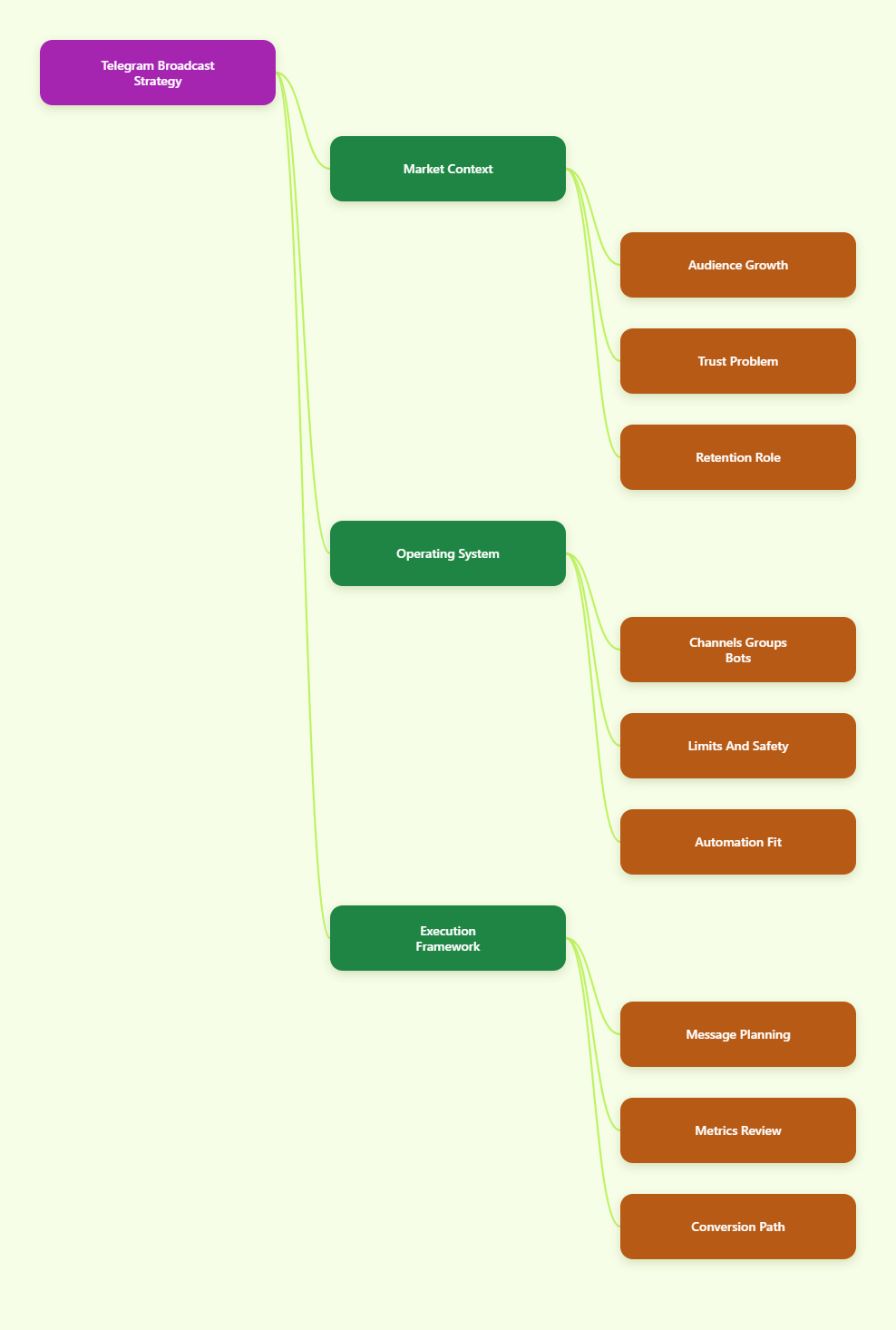
This guide explains the operating system behind Telegram broadcasting: channel structure, message planning, compliance limits, analytics, automation, and practical workflows for business operators in 2026.
Why Do Broadcast Telegram Business Messages Matter in 2026?
Telegram is different from social feeds because channel posts are not filtered by a ranking algorithm in the same way. Subscribers join intentionally, and posts appear inside a private messaging environment where attention feels more personal.
That makes Telegram useful for retention, launches, product updates, community education, and time-sensitive campaigns. It is usually weaker as a cold acquisition channel unless you support it with ads, partnerships, search, affiliates, or outside traffic.
The best teams treat Telegram as owned audience infrastructure. They bring people in from websites, email, paid traffic, YouTube, X, Discord, and affiliate funnels, then use Telegram to keep those people informed and activated.
Broadcast Telegram business messages work best when they serve a clear purpose:
- Announce product releases, drops, webinars, or limited offers.
- Deliver market alerts, research notes, or operational updates.
- Move warm leads from interest to action through education.
- Support customers with status updates and recurring answers.
- Coordinate community events, AMAs, beta tests, or partner campaigns.
The mistake is assuming a broadcast channel is a megaphone. In practice, it behaves more like a high-trust newsletter. People tolerate frequency only when the content saves time, reduces uncertainty, or creates a clear benefit.
What Telegram Format Should a Business Use?
Telegram gives businesses several building blocks. The right choice depends on whether you need controlled broadcasting, conversation, automation, or a mix of all three.
A channel is the cleanest format for one-to-many communication. Admins publish, subscribers read, and the audience can scale without a fixed subscriber ceiling. New subscribers can also see the channel’s message history after joining.
A group is better for conversation, support, and community proof. Telegram’s official FAQ says groups can support up to 200,000 members. Groups need moderation, topic discipline, and rules because member-generated messages can quickly overwhelm useful discussion.
Bots are useful when a business needs programmatic workflows. Telegram’s Bot API allows bots to answer questions, collect inputs, route users, deliver files, and broadcast to users who have started the bot first.
| Telegram Asset | Primary Use | Published Scale | Best Business Fit | Main Risk |
|---|---|---|---|---|
| Channel | One-to-many updates | Unlimited subscribers | Newsletters, launches, alerts | Low engagement if posts are repetitive |
| Group | Many-to-many discussion | Up to 200,000 members | Support, community, feedback | Spam, off-topic threads, moderation load |
| Bot | Automated workflows | API-dependent, user initiated | FAQ, onboarding, segmentation | Rate limits and poor flow design |
| Telegram Business | Business profile and chat tools | Account-level features | Service teams, local businesses, creators | Manual work if no automation is connected |
Most serious operators use a simple stack: a channel for official broadcasts, a group for replies and social proof, and a bot for structured actions that should not require an admin.
How Should You Plan Broadcast Telegram Business Messages?
Start with the user’s reason for subscribing. A crypto research channel, SaaS changelog, paid trading community, ecommerce drop channel, and creator fan club should not share the same broadcast rhythm.
A useful Telegram broadcast plan answers four questions before any message is written:
- What decision should this message help the reader make?
- What is the minimum context they need?
- What action is realistic inside Telegram?
- How will we know if the message worked?
For most businesses, one message should have one job. Mixing a product update, discount, survey, webinar reminder, and partner link in one post reduces clarity. Telegram users scan fast, especially on mobile.
Build a Practical Message Calendar
A healthy broadcast calendar separates recurring content from campaign content. Recurring posts train the audience. Campaign posts drive specific actions.
A simple weekly pattern might look like this:
- Monday: concise market insight or product education.
- Wednesday: customer story, use case, or community answer.
- Friday: offer, event reminder, release note, or curated resource.
High-frequency channels can post daily, but only when the audience expects that pace. A news or alerts channel can sustain more volume than a B2B software channel. Frequency should follow subscriber expectation, not internal pressure.
Write for Telegram’s Reading Behavior
Telegram posts should be compact, front-loaded, and easy to forward. Put the outcome first. Then add context, proof, and action.
A strong business broadcast usually includes:
- A first line that states the update clearly.
- One short explanation of why it matters.
- Specific details such as date, price, version, stock, or eligibility.
- One call to action, link, button, or reply instruction.
Avoid vague urgency. “Ends at 23:59 UTC” is better than “last chance.” “Version 2.4 fixes delayed exports for Shopify stores” is better than “big update is live.” Specificity builds trust.
What Limits Affect Telegram Broadcasting?
Telegram gives marketers generous distribution tools, but limits still matter. Some limits are official and visible. Others, especially anti-spam enforcement, depend on user reports and platform review.
For channels and groups, the key published limits are straightforward. Channels can have unlimited subscribers. Groups can host up to 200,000 members. Basic groups hold up to 200 members before supergroup behavior becomes relevant.
For bots, Telegram’s Bot API documentation states that bots can broadcast up to 30 messages per second by default. Paid Broadcasts can increase this to 1,000 messages per second through @BotFather, with messages above the free amount costing 0.1 Telegram Stars each.
Those limits do not mean every business should push volume. Deliverability on Telegram is also shaped by user experience. If people mute, leave, ignore, or report your messages, the campaign has already failed.
Spam risk is especially important for direct messages. Telegram’s spam FAQ explains that when users press “Report spam,” messages are sent for moderator review, and accounts may become limited if the reports are justified.
How Can Businesses Broadcast Without Triggering Spam Signals?
The safest Telegram growth strategy is permission-based. Users should understand why they are receiving messages, what kind of content they will get, and how often it will arrive.
Use these rules before scaling:
- Do not cold-message strangers with promotional links.
- Do not scrape users from groups and send unsolicited DMs.
- Do not repeat the same promotional copy across many chats.
- Do not hide the commercial purpose of a broadcast.
- Do not force users through confusing bot flows.
Instead, collect opt-ins through clear paths. Link the channel from your website, checkout page, onboarding email, webinar page, community bio, or product dashboard. Tell users what they will receive before they join.
For bots, remember one important rule: bots cannot start conversations with users who have not initiated interaction first. This is a built-in guardrail and should shape your funnel design.
Segment by Intent, Not Vanity Labels
Segmentation improves relevance. Many Telegram teams overcomplicate it with broad tags like “VIP,” “lead,” or “active.” Better segments describe intent.
Examples include:
- Trial users waiting for onboarding help.
- Customers subscribed to incident updates.
- Investors who requested weekly research summaries.
- Buyers interested in product restock alerts.
- Community members registered for a live AMA.
When intent is clear, broadcast copy becomes easier. You can send fewer messages and get better action because the content matches the user’s current context.
Where Does Automation Fit in a Telegram Broadcast System?
Automation should remove repetitive work, not replace judgment. A bot can welcome users, collect preferences, answer common questions, and deliver files. Admins still need to decide what deserves a broadcast.
Telegram Business, introduced in 2024, also gives accounts business hours, location, quick replies, automated messages, custom start pages, and chatbot support. These features are useful for service teams that handle many repetitive conversations.
A practical automation map looks like this:
- Channel: official announcements and content distribution.
- Group: discussion, objections, testimonials, and support signals.
- Bot: preference capture, FAQ answers, lead magnets, reminders, and routing.
- Admin dashboard or spreadsheet: campaign notes, metrics, and decisions.
Do not automate every reply. In high-value B2B, finance, education, and consulting funnels, a human answer at the right moment can outperform a polished sequence.
How Can OnlyTG Echo@EchoOnBot Support Broadcast Telegram Business Messages?
When the pain point is repetitive Telegram handling, a lightweight bot workflow can help. OnlyTG Echo@EchoOnBot can be introduced at this stage as an operational assistant for teams that need structured Telegram interactions instead of purely manual replies.
A conservative setup is simple: open OnlyTG Echo@EchoOnBot inside Telegram, start the bot, follow the in-chat prompts, choose the workflow that matches your campaign goal, and test the response path with a small internal group before sending traffic to it.
For broadcast telegram business messages, the practical use is not to blast strangers. It is to support users who already came from a channel, campaign link, group discussion, or business chat and need a clear next step.
Example Use Cases
First, a SaaS team can publish a channel post about a new integration, then direct readers to OnlyTG Echo@EchoOnBot for structured follow-up. The bot path can collect which platform they use and point them toward the relevant onboarding material.
Second, a paid community operator can use OnlyTG Echo@EchoOnBot after a webinar announcement. Interested members tap through, receive the session details, and avoid repetitive admin questions about time zone, replay access, or entry instructions.
Third, an ecommerce brand can send a restock broadcast in its channel, then use OnlyTG Echo@EchoOnBot to guide interested users toward availability information and support routing. This keeps the group from becoming a stream of identical stock questions.
OnlyTG Echo@EchoOnBot may also help with adjacent Telegram operations such as guided replies, campaign handoff, and basic workflow organization. Keep the automation narrow, test it before public use, and avoid claiming it can replace moderation or strategy.
Which Metrics Should You Track After Each Broadcast?
Telegram analytics should connect message performance to business outcomes. Views alone are useful, but they do not prove quality. A high-view post with no clicks, replies, forwards, or conversions may only show that the audience saw it.
Track these metrics consistently:
- View rate: post views divided by channel subscribers.
- Forward rate: forwards divided by views.
- Reaction rate: reactions divided by views.
- Click-through rate: tracked link clicks divided by views.
- Join source: where new subscribers came from.
- Conversion rate: purchases, signups, bookings, or form completions.
- Unsubscribes or member loss after promotional sends.
Telegram offers channel statistics for eligible channels and supergroups. Third-party analytics tools can also help monitor mentions, subscriber growth, forwards, and campaign effects, but the source of truth should be your campaign objective.
If your goal is sales, tag links with UTMs and compare Telegram traffic in your analytics platform. If your goal is community activation, measure replies, poll participation, event attendance, and repeat engagement.
How Do Telegram Ads Change the Broadcast Strategy?
Telegram Ads can promote bots and channels through sponsored messages in public one-to-many channels with at least 1,000 subscribers. Telegram positions the ad platform as privacy-conscious and context-based.
This matters because Telegram advertising is not the same as Meta-style behavioral targeting. Marketers usually work with channel topics, languages, specific public channels, and placement context rather than detailed personal profiles.
Paid ads can help fill the top of the funnel, but the channel still needs a strong retention system. Sending paid traffic into a weak channel wastes budget. Before buying traffic, make sure the first ten visible posts explain value clearly.
A clean acquisition-to-broadcast flow looks like this:
- Run ads, partner posts, SEO content, or creator promotions.
- Send users to a channel, bot, or landing page with a clear promise.
- Use a welcome post or bot flow to set expectations.
- Broadcast useful content before asking for conversion.
- Measure retention, clicks, and downstream revenue.
Practical Checklist for Better Telegram Broadcasts
Use this checklist before sending a business broadcast to a meaningful audience:
- Define one goal for the message.
- Write the first line as the main takeaway.
- Keep paragraphs short and mobile-readable.
- Use one clear call to action.
- Segment by user intent where possible.
- Test bot links and tracking links before publishing.
- Avoid unsolicited DMs and scraped audiences.
- Check timing against your audience’s main time zones.
- Review view rate, clicks, forwards, and subscriber loss afterward.
- Save winning posts as templates, but refresh the copy each time.
The strongest operators build a repeatable review habit. After each campaign, they ask what the audience did, not just what the team sent.
FAQ: Broadcast Telegram Business Messages
What is the best way to broadcast Telegram business messages?
Use a channel for official one-to-many updates, support it with a group for discussion, and use a bot for structured actions. This keeps broadcasts clean while giving users a place to ask questions.
Can Telegram channels have unlimited subscribers?
Yes. Telegram’s channel FAQ states that channels can have unlimited subscribers. This is why channels are the default format for large business broadcasts and media-style publishing.
How many members can a Telegram group have?
Telegram’s FAQ says groups can support up to 200,000 members. Groups are useful for community and support, but they need moderation because every member can contribute to the conversation.
Can bots broadcast messages to users?
Yes, but only to users who have started or interacted with the bot. Telegram’s Bot API allows default broadcasts up to 30 messages per second, with Paid Broadcasts available up to 1,000 messages per second.
Are cold Telegram DMs safe for business marketing?
No. Cold direct messages create report risk and can lead to account limitations. A safer approach is to use opt-in channels, bots, groups, ads, landing pages, and clear subscription promises.
How often should a business post on Telegram?
There is no universal frequency. Alerts, news, and trading communities may post often. B2B, SaaS, and ecommerce channels usually perform better with fewer, clearer messages tied to real updates.
Can OnlyTG Echo@EchoOnBot replace a Telegram channel?
No. OnlyTG Echo@EchoOnBot is better viewed as workflow support around Telegram interactions. A channel is still the main surface for official broadcasts, while automation helps users take the next step.
Conclusion
To broadcast Telegram business messages well in 2026, think less about volume and more about permission, timing, usefulness, and measurement. Telegram gives businesses strong reach, but subscribers decide whether that reach remains valuable.
Build around a channel, support it with a group, automate narrow workflows with tools such as OnlyTG Echo@EchoOnBot, and keep every broadcast tied to a real user need. That is the difference between a Telegram audience that grows and one that quietly tunes out.