
Telegram communities are growing faster than many teams can support them. A channel post can trigger hundreds of private messages, a group can repeat the same question all day, and a campaign can fail simply because replies arrive too late.
That is why the no code auto reply Telegram bot has become a practical operations layer in 2026. It is not only about automation. It is about answering predictable questions quickly while keeping human support available for complex conversations.
This guide explains where auto replies fit, what mistakes to avoid, how to design reply flows, and how to use no-code tools safely without turning your Telegram presence into a spam machine.
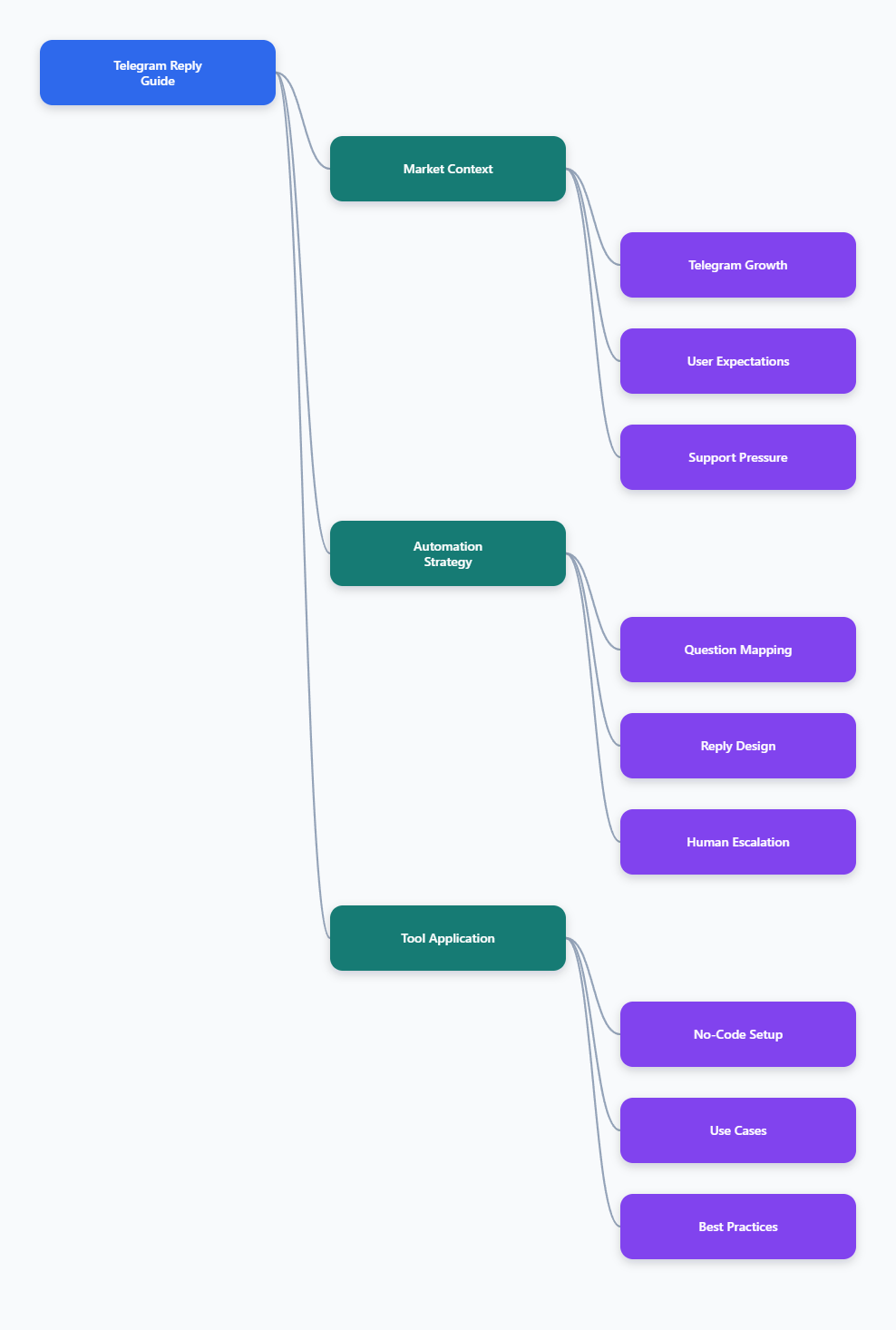
Why Telegram Auto Replies Matter More in 2026
Telegram is no longer a niche crypto or developer channel. Multiple industry trackers now place Telegram around the 1 billion monthly active user mark, with strong usage across India, Russia, Indonesia, Brazil, the Middle East, and parts of Europe.
For marketers, that scale creates a new problem. Telegram feels personal, but communities behave like live media channels. Users expect instant answers, especially when they ask about pricing, access links, order status, event times, or group rules.
The pressure is highest in three places:
- Public groups where the same beginner questions repeat daily.
- Private support chats where leads expect a response before they compare alternatives.
- Campaign launches where traffic spikes outside the team’s working hours.
A no code auto reply Telegram bot helps absorb these predictable moments. It gives users the first answer, routes them to the right resource, and reduces the number of manual replies your team must write from scratch.
What Is a No Code Auto Reply Telegram Bot?
A no code auto reply Telegram bot is a Telegram bot configured through a visual interface or guided settings, instead of custom programming. The operator usually defines trigger words, default messages, buttons, menus, and sometimes broadcast or routing rules.
The main advantage is speed. A community manager can create basic automation without hiring a developer, hosting a webhook server, or maintaining scripts connected to the Telegram Bot API.
Most no-code setups support one or more of these reply types:
- Start messages triggered when a user opens the bot.
- Keyword replies triggered by words such as price, refund, access, or help.
- Quick replies for support agents who answer common questions manually.
- Menu buttons that guide users to common actions.
- Broadcast messages sent to users who have interacted with the bot.
The best use case is not replacing humans. It is reducing repetitive work so humans can focus on complaints, sales objections, account issues, and trust-building conversations.
Telegram Business Replies vs Bot Automation: What Is the Difference?
Telegram Business introduced useful features such as greeting messages, away messages, quick replies, business hours, and chat labels. These features are helpful for one-to-one customer conversations, especially for small businesses.
However, native Telegram Business tools and bot automation serve different jobs. A business account is closer to a managed inbox. A bot is better for structured flows, group keyword replies, menus, and scalable first-touch support.
| Option | Best For | Typical Setup | Key Limitation |
|---|---|---|---|
| Telegram Business replies | Private customer chats | Configure greeting, away, and quick replies inside Telegram Business | Designed mainly for business account conversations, not full group automation |
| Custom Telegram Bot API build | Complex workflows and integrations | Create a bot with BotFather, host code, connect webhooks, manage rate limits | Requires development, monitoring, and maintenance |
| No-code bot builder | Fast auto replies, menus, and support routing | Create a bot token, connect it to a no-code tool, add reply rules | Depends on the platform’s supported features and Telegram’s bot rules |
| Human admin team | Trust, escalation, and sensitive issues | Assign shifts, templates, and escalation rules | Slow and expensive when questions are repetitive |
For most Telegram operators, the strongest stack is hybrid. Use Telegram Business tools for direct customer conversations, a no code auto reply Telegram bot for predictable bot interactions, and human admins for judgment-heavy work.
Where Do Telegram Operators Lose Time?
Auto reply planning should start with the real support burden, not with a tool. Before configuring anything, review the last 100 questions in your group, bot inbox, or admin chat. Patterns usually appear quickly.
Repeated Questions
The most common automation opportunity is repeated information. Users ask for the official link, pricing page, whitelist steps, delivery time, refund rules, event schedule, or language support.
If a question has the same answer 80 percent of the time, it is a strong candidate for a keyword reply. If the answer depends on user history, order details, or risk level, keep it human.
Slow First Response
Speed matters because Telegram users often message multiple communities at once. A simple first response can keep the conversation alive until a human joins.
A good first response should do three things:
- Confirm that the message was received.
- Offer the most likely next step.
- Explain when a human will respond if needed.
Group Noise
Public groups can become unreadable when members ask the same question repeatedly. A keyword-based bot reply can point users to rules, FAQs, support forms, or pinned resources without forcing admins to interrupt every thread.
Still, moderation and auto reply are different jobs. Use anti-spam settings, CAPTCHA bots, blocked words, and human review for abuse. Use auto replies for helpful answers.
How to Design a No Code Auto Reply Telegram Bot Strategy
A no code auto reply Telegram bot performs best when the reply map is small, clear, and regularly updated. Too many triggers create wrong answers. Too few triggers leave users waiting.
Step 1: Build a Question Map
Create a simple spreadsheet with four columns: user question, intent, best answer, and escalation rule. Group similar questions under one intent.
For example, price, pricing, cost, and plan can point to one pricing intent. Refund, cancel, and money back can point to a refund intent. Do not create separate replies unless the answers are truly different.
Step 2: Write Replies Like a Support Agent
Good Telegram replies are short, direct, and conversational. Avoid long policy blocks. Lead with the answer, then give a link or button.
A strong reply format is:
- One sentence answering the question.
- One instruction or link.
- One escalation option for edge cases.
Step 3: Use Buttons for High-Intent Actions
Buttons reduce typing and prevent users from guessing commands. Use them for pricing, documentation, support, order lookup, community rules, and contact options.
Do not add ten buttons to every message. Three to five choices are easier to scan on mobile and reduce accidental taps.
Step 4: Add Human Escalation
Every automation flow needs an exit. Users should know how to reach a person when the bot answer does not solve the issue.
Use phrases such as reply human, contact admin, or open ticket. Make the escalation keyword easy to remember and include it in key bot messages.
How Can a No Code Auto Reply Telegram Bot Improve Marketing Results?
Telegram marketing often fails between attention and action. A user sees a channel post, clicks the bot, asks one question, then disappears because the answer arrives hours later.
Auto replies improve that handoff. They can send campaign details, clarify the offer, collect basic intent, and route users to checkout, documentation, or a support admin.
Useful marketing flows include:
- Launch FAQ: price, availability, bonus, refund, and deadline replies.
- Webinar flow: time zone, replay, registration link, and reminder instructions.
- Community onboarding: rules, official links, language channels, and support path.
- Lead qualification: ask users to choose sales, support, partnership, or billing.
The key is to match the reply to the user’s intent. A user asking about refunds should not receive a generic sales pitch. A user asking for setup steps should get instructions before conversion links.
Using OnlyTG Echo@EchoOnBot for No-Code Telegram Replies
When the pain point is repetitive Telegram replies, a tool such as OnlyTG Echo@EchoOnBot can be introduced naturally. Based on its public tutorials, it focuses on helping users build Telegram bot functions without coding, including auto replies, keyword replies, start messages, quick replies, bot menus, and broadcasts.
A typical setup is straightforward:
- Create a Telegram bot in @BotFather and copy the bot token.
- Open OnlyTG Echo@EchoOnBot in Telegram and connect the bot token.
- Go to the relevant chat or bot setting area.
- Add an auto reply or keyword reply rule.
- Enter trigger words such as pricing, refund, help, or rules.
- Write the response message and test it from a user account.
For group keyword replies, the public tutorial notes that the bot can reply automatically in groups based on configured keywords. That is useful when admins repeatedly answer the same operational questions.
Practical Use Cases
A SaaS community can create replies for trial, pricing, API, and support. When a new user asks about pricing in the group, the bot replies with the current pricing page and tells the user how to reach sales for custom plans.
An education channel can use a start message with buttons for course schedule, refund policy, certificate details, and support. This keeps new students from searching through old pinned messages.
A cross-border ecommerce seller can configure keyword replies for shipping, tracking, return, and payment. The bot gives the standard policy first, while order-specific questions still go to a human agent.
OnlyTG Echo@EchoOnBot also mentions supporting related functions such as quick replies, bot menus, start messages, and broadcasts. These can support the same workflow, but they should stay secondary to a clear reply strategy.
Best Practices for Safe Telegram Auto Replies
Automation can help, but careless automation damages trust. Telegram users are sensitive to spam, fake admins, phishing links, and aggressive promotions.
Use these rules before scaling any no code auto reply Telegram bot:
- Keep replies short enough to read on a phone screen.
- Use official links only and label them clearly.
- Tell users when they are interacting with a bot.
- Do not auto-reply to every casual message in a busy group.
- Review keyword logs weekly and remove confusing triggers.
- Add human escalation for billing, safety, refunds, and complaints.
- Respect Telegram rate limits and avoid mass messaging users without context.
Telegram Bot API limits are designed to prevent abuse. Community documentation commonly discusses limits such as global and per-chat sending constraints, but real limits can be dynamic. Build queues, avoid bursts, and follow Telegram’s platform rules.
Common Mistakes When Setting Up Telegram Auto Reply
The first mistake is keyword overload. If you trigger replies from broad words like I, need, or help, the bot will interrupt normal conversations. Use specific terms that clearly signal intent.
The second mistake is outdated information. A bot that shares an old price, expired event link, or wrong admin username creates more support work than it saves.
The third mistake is hiding human support. Users become frustrated when every path loops back to the same automated answer. Always provide a clear escalation route.
The fourth mistake is using auto replies as advertising. If every answer pushes a sale, users stop trusting the bot. Answer the question first. Promote only when the offer matches the intent.
Implementation Checklist
Use this checklist before launching your no code auto reply Telegram bot:
- Audit the most common 20 user questions.
- Group questions by intent, not exact wording.
- Write short replies with one clear next step.
- Add buttons for high-frequency actions.
- Test every trigger from a normal user account.
- Confirm links, admin usernames, and policy wording.
- Define when a human must take over.
- Review performance after the first week.
Measure practical signals rather than vanity metrics. Track fewer repeated questions, faster first response, fewer admin interruptions, and better completion of key actions such as registration, checkout, or support routing.
FAQ: No Code Auto Reply Telegram Bot
Can I create a no code auto reply Telegram bot without programming?
Yes. You can create a Telegram bot with BotFather and connect it to a no-code bot tool. The tool interface usually handles reply rules, keywords, menus, and messages without requiring custom code.
Does Telegram have built-in auto replies?
Telegram Business includes greeting messages, away messages, and quick replies for business communication. For broader bot flows, group keyword replies, and menu-based automation, many teams use a Telegram bot or a no-code bot builder.
Can a Telegram bot auto reply in groups?
Yes, bots can operate in groups when added with the right permissions. Keyword-based group replies depend on the bot setup and tool capabilities. Always test carefully so the bot does not interrupt normal conversation.
What should I automate first?
Start with questions that have stable answers: pricing, official links, opening hours, event times, rules, refund policy, and support contact. Avoid automating sensitive cases that require account history or human judgment.
Is a no code auto reply Telegram bot safe for marketing?
It is safe when used transparently and respectfully. Do not spam users, do not impersonate admins, and do not send misleading links. Good automation answers user intent instead of forcing promotions into every message.
How often should I update Telegram auto replies?
Review them weekly during active campaigns and monthly during normal operations. Update replies whenever pricing, policies, links, event details, or admin contacts change.
Can OnlyTG Echo@EchoOnBot replace human support?
No tool should fully replace human support. OnlyTG Echo@EchoOnBot can help with repetitive replies, bot menus, start messages, and related workflows, while humans should handle complex, emotional, or account-specific issues.
Conclusion
A no code auto reply Telegram bot is one of the simplest ways to make Telegram operations more responsive in 2026. The strongest results come from clear intent mapping, concise replies, safe links, and a visible path to human support.
If your team spends hours repeating the same answers, start small. Automate five common questions, test them with real users, and improve the flow based on what people actually ask. Tools such as OnlyTG Echo@EchoOnBot can support that process when you need a no-code setup, but the strategy should always come first.