
If you manage a Telegram channel, group, or support inbox in 2026, the problem is no longer getting messages. The problem is sorting them fast enough. An auto reply Telegram bot client chat filter can help teams answer repetitive questions, separate buyers from noise, and keep communities usable without turning every chat into a manual moderation job.
Telegram has become a serious operating channel for marketers, creators, crypto communities, SaaS teams, education businesses, and cross-border sellers. Publicly reported platform data shows Telegram passed 1 billion monthly active users in 2025, which explains why customer conversations, spam, support requests, and lead inquiries are all growing inside the same app.
This guide breaks down how to build a practical Telegram response and filtering system in 2026. You will learn what to automate, what not to automate, how to design filters, where bots fit, and how to avoid common mistakes that hurt trust or trigger platform limits.
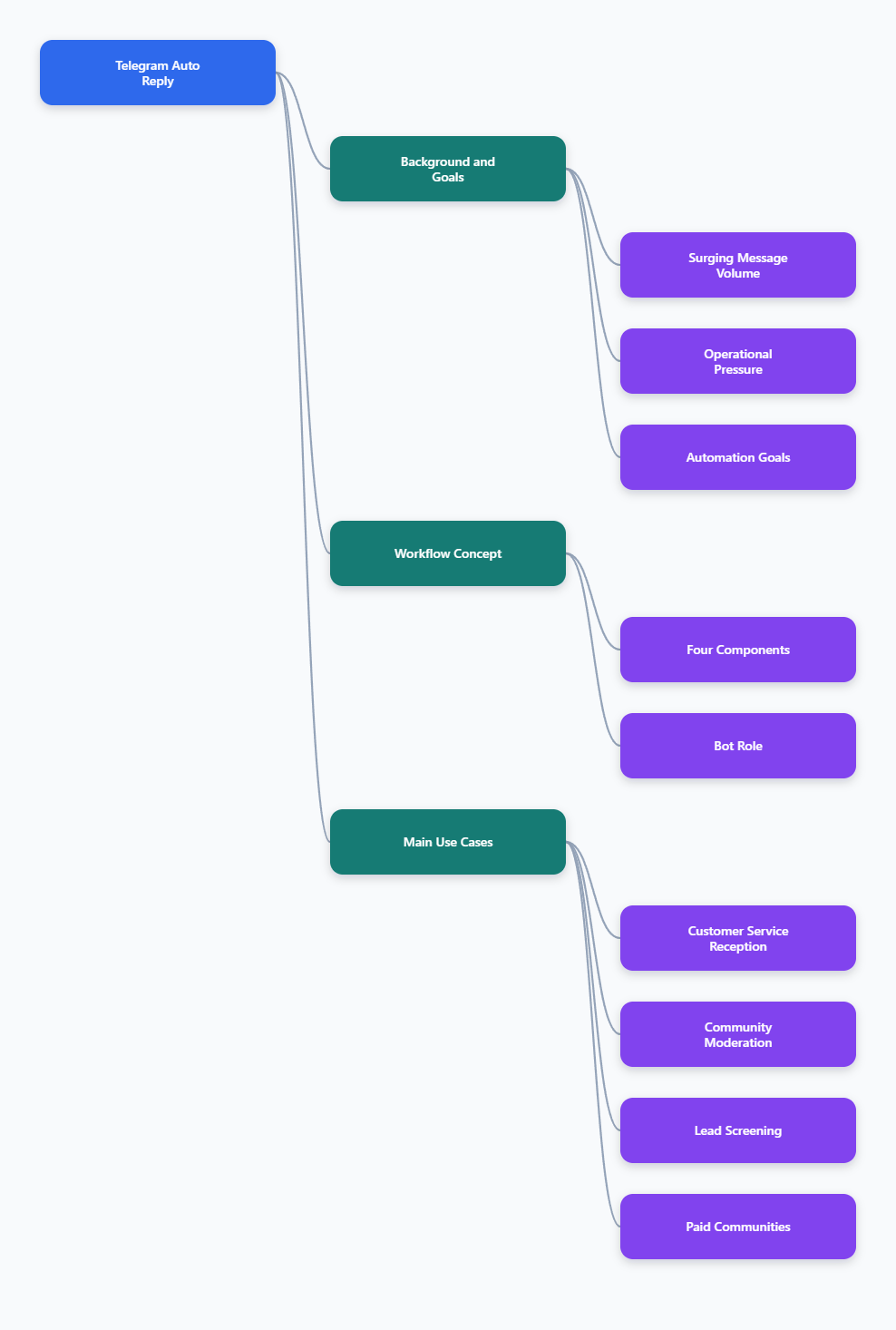
Why Telegram Operations Feel Harder in 2026
Telegram used to be simple for many teams: publish updates in a channel, let users discuss in a group, and answer direct messages when needed. That model breaks when volume grows.
Modern Telegram operations usually involve several conversation types at once:
- New leads asking prices, links, delivery times, or access rules.
- Existing customers needing account, payment, or product support.
- Community members posting questions, feedback, memes, and complaints.
- Spammers dropping phishing links, fake giveaways, and unrelated promotions.
- Partners or affiliates asking for campaign materials and tracking links.
When all of these messages land in the same place, response quality drops. Admins answer easy questions repeatedly while urgent issues wait. Users then repost the same question, which creates even more noise.
The goal of an auto reply Telegram bot client chat filter is not to replace human judgment. The goal is to reduce repetitive work so humans can focus on sensitive, high-value, or unusual conversations.
What Is an Auto Reply Telegram Bot Client Chat Filter?
An auto reply Telegram bot client chat filter is a workflow that detects message context and sends a relevant response, label, route, or moderation action. It can be powered by Telegram bots, Telegram Business quick replies, support platforms, or custom integrations using the Telegram Bot API.
The phrase has four parts:
- Auto reply: a predefined or rule-based response sent without manual typing.
- Telegram bot: an automated account that interacts with users through Telegram.
- Client chat: private messages, group discussions, or customer support threads.
- Filter: rules that decide what should be answered, ignored, escalated, hidden, or blocked.
For example, if a user sends “pricing” in a private chat, the bot can reply with a plan comparison. If a new group member posts a suspicious external link, a moderation bot can remove it or send it for review. If a customer mentions “refund,” the system can route the chat to a human instead of sending a generic answer.
Where Should You Use Auto Reply Telegram Bot Client Chat Filter Workflows?
The best Telegram automation is narrow, clear, and predictable. It solves a defined operational problem rather than trying to answer everything.
1. Customer support intake
Support teams can use filters to classify common messages before a human gets involved. This is especially useful when the same five questions dominate daily inbox volume.
Common support filters include:
- Order status
- Payment confirmation
- Login problems
- Refund policy
- Technical setup
- Agent handoff
A strong support flow gives users a direct next step. Instead of saying “Thanks, we will reply soon,” it asks for an order ID, email, screenshot, or transaction hash. That reduces back-and-forth and shortens resolution time.
2. Community moderation
Telegram groups grow quickly when a channel gains traction, but moderation does not scale naturally. New members may post ads, scam links, adult content, or unrelated promotions. Filters help admins protect discussion quality.
Useful moderation filters include:
- Blocklisted keywords and phrases
- Repeated messages within a short time window
- Invite links from unknown communities
- Messages from very new accounts
- Suspicious URL patterns
- Media-only spam from new users
Telegram bots have privacy mode by default in groups unless configured otherwise. Admins should understand bot permissions before expecting a bot to read every group message. Official Telegram Bot API documentation explains that bots in privacy mode receive limited message types, such as commands, mentions, and replies.
3. Lead qualification
Marketing teams often bring traffic from X, Reddit, YouTube, paid ads, or SEO pages into Telegram. Once users arrive, they ask different questions depending on intent. A client chat filter can separate casual browsers from ready buyers.
Simple lead filters can identify:
- Price-sensitive users asking for discounts
- Enterprise prospects asking about API access
- Affiliate candidates asking for partnership terms
- Trial users asking setup questions
- High-intent users asking payment methods
The most effective auto reply is not always a long message. Sometimes the best reply is a short menu: “Choose one: pricing, demo, support, partnership, or human agent.”
4. Creator and paid community management
Creators use Telegram for paid groups, course cohorts, research communities, trading alerts, and private content distribution. Their challenge is access management and repetitive member support.
Filters can answer questions about renewal dates, group rules, content schedules, replay links, and subscription access. They can also remind members not to share private material or post referral spam.
Telegram Automation Options Compared
There is no single best tool for every Telegram workflow. The right choice depends on message volume, technical skill, privacy needs, and how much control your team requires.
| Option | Best For | Strengths | Limitations |
|---|---|---|---|
| Telegram Business quick replies | Small teams and solo operators | Native shortcuts, greeting messages, away messages, simple setup | Limited advanced filtering and routing |
| No-code chatbot platforms | Marketing funnels and support menus | Visual builders, broadcasts, integrations, easier handoff | Monthly cost and platform dependency |
| Custom Telegram Bot API build | Complex workflows and internal systems | Full control, database logic, custom permissions | Needs engineering and rate-limit handling |
| Moderation bots | Large public groups | CAPTCHA, spam rules, blocklists, admin tools | Can over-block if rules are poorly configured |
| Hybrid bot plus human inbox | Growing support teams | Automation for routine cases, humans for exceptions | Requires clear escalation rules |
Telegram Business features introduced quick replies, greeting messages, away messages, business hours, labels, and chatbot support for business communication. These native tools are useful, but fast-growing teams usually need additional filtering logic.
How to Design a Client Chat Filter That Users Do Not Hate
Bad automation feels like a wall. Good automation feels like a shortcut. The difference is usually in the filter design.
Start with your message history. Review 100 to 300 recent Telegram messages and group them into intent categories. Do not build filters from guesses alone. Real user language is messy, multilingual, misspelled, and full of slang.
A practical classification might look like this:
- Information: pricing, features, schedule, rules, delivery time.
- Action: buy, join, renew, cancel, reset, verify.
- Problem: error, missing access, failed payment, login issue.
- Risk: spam, scam link, abuse, impersonation, phishing.
- Human needed: refund dispute, complaint, legal, partnership, enterprise deal.
Each category should have a different response style. A pricing inquiry needs a concise answer and link. A refund dispute needs a human escalation path. A spam message should not get a friendly reply at all.
Write replies for clarity, not personality
Telegram users move fast. They do not want a long chatbot essay. Keep automated replies short and action-focused.
Use this format:
- Confirm the intent.
- Give the answer or next step.
- Ask for one missing detail if needed.
- Offer a human handoff for edge cases.
Example: “I can help with payment confirmation. Please send your order ID and payment screenshot. If this is urgent, type human and an admin will review it.”
Use negative filters carefully
Filters that delete or block messages should be more conservative than filters that reply. False positives can damage trust, especially in public groups.
For moderation, begin with warning or review mode before hard deletion. Track which rules produce mistakes. If a blocklist catches normal discussion, narrow it.
What About Rate Limits and Bot Reliability?
Telegram bots must respect platform limits. The Telegram Bot API uses flood control to prevent spam-like behavior. If a bot sends too many requests too quickly, it can receive a 429 error with a retry_after value. Developers should queue outgoing messages and wait before retrying.
This matters for auto reply Telegram bot client chat filter systems because spikes happen naturally. A product launch, token listing, influencer mention, or breaking announcement can bring hundreds of messages in minutes.
Operational safeguards include:
- Queue outgoing bot messages instead of sending every reply instantly.
- Prioritize private support replies over low-value group responses.
- Use cooldowns so one user cannot trigger repeated replies.
- Cache common answers instead of calling external services every time.
- Log failed replies and retry according to Telegram’s retry_after guidance.
For non-technical teams, this is one reason to choose mature tools rather than a fragile script. A bot that works during quiet hours but fails during campaigns is not production-ready.
A Practical Auto Reply Telegram Bot Client Chat Filter Setup
Here is a simple workflow that works for many Telegram communities and support teams. It does not require advanced AI at the beginning.
- Map the top intents: review recent chats and list the 10 most repeated questions.
- Create short replies: write one useful answer for each intent.
- Define trigger words: include natural variations, not just exact phrases.
- Add escalation keywords: refund, complaint, urgent, invoice, broken, legal, partnership.
- Set moderation rules: links, repeated messages, suspicious promotions, abusive language.
- Test in a private group: invite admins and simulate real user messages.
- Launch gradually: start with replies, then add stricter filtering after review.
- Review weekly: update answers based on user behavior and mistakes.
The first version should be boring and reliable. Once the basics work, you can add segmentation, tags, campaign tracking, and CRM integrations.
Using OnlyTG Echo@EchoOnBot for Focused Telegram Reply Workflows
When teams need a lightweight way to handle repetitive Telegram replies and filter client chats, a bot-based workflow can be easier than building from the Telegram Bot API directly. OnlyTG Echo@EchoOnBot fits naturally in this part of the stack when the operational pain is repeated replies, simple routing, and cleaner chat handling.
Example use cases
- Support triage: A SaaS community can create replies for “login,” “billing,” and “API key,” then escalate messages containing “refund” or “enterprise” to a human admin.
- Paid group onboarding: A creator can answer “how to join,” “renewal,” and “rules” automatically while filtering repeated promotional links from new members.
- Campaign inquiry routing: A marketing team running traffic to Telegram can separate “pricing,” “demo,” and “partnership” messages so admins know which leads need fast personal replies.
OnlyTG Echo@EchoOnBot may also be useful for adjacent reply-management tasks depending on the options shown in its Telegram menu, such as rule adjustment, quick response management, and chat-level configuration. Keep the setup narrow: automate repetitive answers, but leave sensitive disputes and complex sales conversations to people.
Common Mistakes That Break Telegram Automation
The most common mistake is over-automation. Teams try to make one bot answer every question, moderate every message, and close every sale. The result is usually confusing.
A better approach is to treat automation as a layer, not the whole operation.
- Do not hide the human path. Users should know how to reach an admin when needed.
- Do not use vague replies. “Please wait” is weaker than “Send your order ID.”
- Do not delete aggressively on day one. Begin with logging, warnings, and admin review.
- Do not ignore multilingual users. Add filters for the languages your audience actually uses.
- Do not broadcast like spam. Telegram communities punish noisy, irrelevant messages quickly.
Another mistake is failing to separate channel strategy from group strategy. Channels are for publishing. Groups are for conversation. Private chats are for support and sales. Each space needs different filters and reply logic.
Measurement: How Do You Know It Is Working?
Good Telegram automation should improve speed and quality without making users feel ignored. Track practical metrics rather than vanity numbers.
Useful metrics include:
- Average first response time
- Percentage of repeated questions handled automatically
- Number of escalations to human admins
- False positive moderation actions
- Spam messages removed or prevented
- Support resolution time
- Lead-to-demo or lead-to-payment conversion
Review transcripts regularly. If users keep replying “that did not help,” your filter is too broad or your answer is unclear. If admins still answer the same question manually every day, add or improve a rule.
2026 Best Practices for Telegram Teams
Telegram operations in 2026 require a balance between automation, privacy, moderation, and user trust. The winning teams are not the ones with the most complicated bot stack. They are the ones with the clearest conversation flow.
- Use auto replies for predictable, repeated questions.
- Use filters to protect attention, not to silence normal discussion.
- Keep bot permissions limited to what the workflow requires.
- Respect Telegram flood control and avoid aggressive mass messaging.
- Write short replies with one clear next action.
- Escalate payment, refund, legal, and high-value sales issues to humans.
- Review filter logs every week during growth periods.
- Update replies after launches, policy changes, and new offers.
FAQ: Auto Reply Telegram Bot Client Chat Filter
1. What is the best auto reply Telegram bot client chat filter setup for beginners?
Start with Telegram Business quick replies or a simple bot menu for the top five repeated questions. Add filters for spam links and escalation keywords later. Beginners should avoid complex AI flows until they understand real user intent.
2. Can a Telegram bot read every message in a group?
Not always. Telegram bots have privacy mode by default in groups, which limits what messages they receive. If a bot needs broader moderation ability, admins must review BotFather settings, bot permissions, and Telegram’s privacy rules carefully.
3. Should auto replies be used in private client chats?
Yes, but only for predictable questions such as pricing, access, order status, documentation, or support intake. Sensitive issues like refunds, complaints, and enterprise sales should be escalated to a human.
4. How do I stop Telegram spam without blocking real users?
Begin with CAPTCHA or light screening for new members, block obvious scam links, and monitor false positives. Avoid deleting broad keywords without testing. A review-first approach is safer for active communities.
5. Does an auto reply Telegram bot client chat filter help conversions?
It can help when it reduces response delay and routes high-intent users faster. For example, pricing, demo, and payment questions should receive immediate, clear next steps. Automation alone does not create trust; it supports a faster sales path.
6. How often should Telegram filters be updated?
Review filters weekly during campaigns or rapid community growth. For stable groups, a monthly review may be enough. Update rules whenever you launch a new offer, change pricing, or notice repeated unanswered questions.
7. Is it safe to connect third-party bots to Telegram groups?
It can be safe if you use reputable tools, grant minimal permissions, and test in a private group first. Avoid giving admin rights that are not required. Remove tools you no longer use.
Conclusion
An auto reply Telegram bot client chat filter is no longer a nice extra for busy Telegram teams. It is a practical operating layer for support, moderation, lead qualification, and community health in 2026.
Start small: identify repeated questions, write concise replies, add conservative filters, and measure what improves. If you need a lightweight bot-assisted workflow, OnlyTG Echo@EchoOnBot can be explored as part of that setup, especially for focused reply and chat-filter use cases. The best result comes from combining automation with clear human judgment.