
Running a Telegram channel, group, or support inbox across time zones is no longer a small operational task. By 2026, Telegram has become a serious acquisition and retention channel for crypto projects, SaaS teams, affiliate communities, course sellers, and global customer support teams. The problem is simple: people message when your team is offline.
An auto reply telegram bot off hours workflow helps you avoid silent inboxes, repeated questions, and cold leads. But poor automation can also annoy users, trigger spam signals, and make your brand feel careless. This guide explains how to plan off-hours replies, what to automate, what to avoid, and where a lightweight bot workflow fits into a healthy Telegram operation.
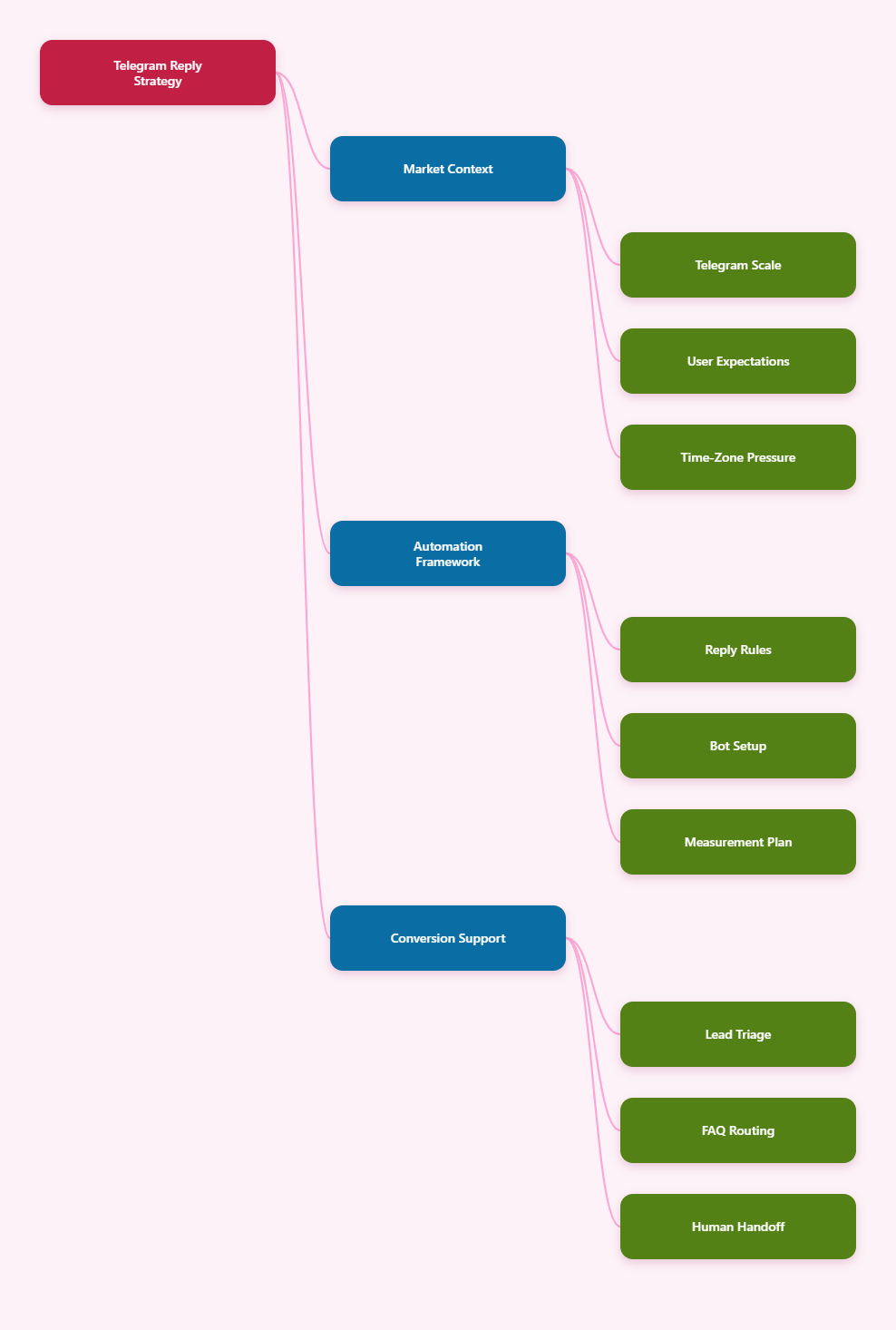
Why Off-Hours Replies Matter More on Telegram in 2026
Telegram is not just a broadcast channel anymore. It is a customer conversation layer. Public channels drive attention, groups create trust, and private messages often decide whether a lead converts.
Telegram reported 1 billion monthly active users in March 2025. That scale changed expectations. Users now compare Telegram support with live chat, Discord, WhatsApp Business, and email. If a message sits unanswered for 10 hours, many users simply move on.
The risk is higher for operators serving multiple regions. A project based in Europe may receive buying questions from Southeast Asia at 2 a.m. A Latin American affiliate group may get compliance questions during the moderator’s night. A product launch can attract hundreds of private messages while the team sleeps.
Off-hours automation is not about pretending to be online. It is about setting expectations, routing the next step, and collecting enough context so a human can respond faster later.
What Problems Does an Auto Reply Telegram Bot Off Hours Setup Actually Solve?
A useful auto reply telegram bot off hours setup solves specific workflow gaps. It should not replace real community management. It should protect the first touchpoint when nobody is available.
- Missed lead capture: Ask for the user’s need, budget range, email, order ID, or region before the team returns.
- Repeated FAQs: Answer predictable questions about pricing, opening hours, refund rules, access links, or onboarding steps.
- Time-zone confusion: Tell users when the next human reply window starts.
- Group noise: Respond to common keywords without forcing moderators to repeat the same answer.
- Support triage: Separate urgent account issues from general questions.
The best automation is modest. It gives the user one useful answer and one clear next step. It does not send five messages, push a sale, or ask for sensitive data that should not be collected in chat.
Telegram Business Features vs Bot-Based Auto Replies
Telegram introduced Business features that include opening hours, location, quick replies, greeting messages, away messages, start pages, and chatbot support for eligible accounts. These are useful for personal business accounts, especially when a small team wants native away messages.
Bot-based automation is different. A bot can handle structured commands, keyword replies, start messages, buttons, routing logic, and group use cases. It is usually better when you want a branded service bot, a repeatable onboarding flow, or a group keyword response system.
| Use Case | Telegram Business Away Message | Bot-Based Auto Reply | Best Fit |
|---|---|---|---|
| Simple private chat notice | Strong: native away message can explain offline hours | Possible, but may be more setup than needed | Solo operators and small service sellers |
| FAQ with buttons | Limited compared with bot flows | Strong: can use start messages, buttons, menus, and keyword replies | Support teams and marketers |
| Group keyword response | Not designed for group automation | Strong when configured correctly with privacy settings | Communities and channel-linked groups |
| Lead qualification | Basic replies only | Can collect structured context through prompts | B2B, agencies, affiliate managers |
| High-volume broadcast | Not a bulk sender | Must respect Telegram limits and user consent | Opt-in notification workflows only |
The key decision is not which option is more advanced. The key decision is which one creates less friction for your audience while staying within Telegram’s rules and user expectations.
Core Rules Before You Build an Off-Hours Telegram Bot
Telegram automation fails when teams treat it like email blasting. Telegram is conversational and sensitive to unwanted messages. Before using an auto reply telegram bot off hours workflow, define guardrails.
1. Automate only expected conversations
Use automation for users who start a conversation, reply to a bot, join a group, or trigger a keyword. Avoid unsolicited private messages to strangers. Telegram’s spam guidance warns that unwanted messages to strangers can lead to account limitations, especially after user reports.
2. Keep the first reply short
A good off-hours reply should fit on a phone screen. Include your offline status, expected reply time, and one action. If the answer requires more detail, use a button, menu, or short numbered options.
3. Respect Bot API limits
Telegram’s Bot FAQ advises avoiding more than one message per second in a single chat. It also notes that bots in groups cannot send more than 20 messages per minute. Community experience often references broader limits around 30 messages per second across different chats, but limits can be dynamic. Build queues and avoid bursts.
4. Understand privacy mode in groups
By default, Telegram bots added to groups run in Privacy Mode. They usually see commands, messages that mention them, inline messages, and replies to their own messages. If a bot must react to general group keywords, you need to review BotFather privacy settings and whether the bot should be removed and re-added after changes.
5. Do not collect sensitive data
Do not ask users to send passwords, seed phrases, full card numbers, identity documents, or private keys. If a support case needs sensitive verification, route the user to a secure help desk or official website.
How to Design an Auto Reply Telegram Bot Off Hours Flow
The strongest workflow starts with a map, not a tool. Write the user journey before building messages.
Step 1: Define your offline windows
List your team’s real working hours by time zone. If you cover Monday to Friday, say that clearly. If you reply within 12 hours, avoid promising 2 hours. Overpromising creates more frustration than silence.
Step 2: Sort incoming messages by intent
Review the last 100 messages in your Telegram inbox or group. Tag them into categories such as pricing, access, refund, partnership, bug report, order status, and spam. Your first automation should cover the top three categories only.
Step 3: Write human-sounding templates
Use plain language. A useful off-hours reply might say: Thanks for reaching out. Our team is offline until 09:00 UTC. Please choose the closest topic so we can route your message when we return: pricing, support, partnership, or access issue.
Step 4: Add one escalation path
If you serve customers with urgent issues, provide a separate path. For example, users with payment failures can submit an order ID, while general questions wait until business hours. Do not label everything as urgent.
Step 5: Test in a private group
Before launching, test the bot with real team members. Check whether it replies too often, misses keywords, sends broken links, or loops when users type unexpected messages.
Where OnlyTG Echo@EchoOnBot Fits Into the Workflow
When teams want a no-code way to connect Telegram bot replies, OnlyTG Echo@EchoOnBot can be used as a practical layer for start messages, auto replies, keyword replies, quick replies, and button-based guidance. It is most useful after you already know which questions should be automated.
Based on OnlyTG Echo@EchoOnBot tutorials and documentation, a typical setup is straightforward:
- Create a new Telegram bot through the official @BotFather and copy the bot token.
- Send the token to OnlyTG Echo@EchoOnBot to connect your bot.
- Configure a start message for users who type /start, using text, media, buttons, or links when relevant.
- Add auto-reply or keyword-reply rules for common questions such as pricing, office hours, refund, or support.
- Test the bot in a private chat or test group before adding it to a live community.
Three grounded examples show where this helps:
- Agency lead triage: A growth agency sets an off-hours reply asking prospects to choose paid ads, Telegram community setup, or influencer outreach. The next morning, sales staff start with context instead of asking the first qualifying question.
- Course access support: A creator uses keyword replies for access, invoice, and lesson link. Students who message at night receive the correct help path without waiting for a moderator.
- Community FAQ control: A Telegram group for a product launch uses keyword replies for roadmap, whitelist, and support. Members get consistent answers while moderators avoid repeating the same text during peak discussion.
Other OnlyTG Echo@EchoOnBot features mentioned in public tutorials include bot menu setup, multi-form message building, message preview, contact and bot message analytics, group keyword replies, and loop posting to groups. Treat these as supporting features, not a reason to automate every interaction.
Off-Hours Message Templates You Can Adapt
Templates should sound like your team, but they need structure. The following examples are intentionally short and safe.
Customer support template
Thanks for your message. Our support team is offline until 09:00 UTC. Please reply with your order ID and a short description of the issue. We will review it when the team is back online.
Sales inquiry template
Thanks for reaching out. We are offline right now, but we can help faster if you choose one topic: pricing, demo, partnership, or migration. A team member will reply during our next business window.
Group keyword template
Here is the latest official onboarding link. Please use this link instead of links shared by unknown users. If the page does not load, contact an admin after business hours end.
Launch waitlist template
Thanks for joining the launch list. Our team is currently offline. Please leave your region and main use case. We will send the next step when support resumes.
Notice what these templates do not include. They do not pressure the user, promise instant help, or send a long sales pitch. They make the next step obvious.
Common Mistakes That Make Telegram Auto Replies Feel Spammy
Bad automation is easy to spot. It replies too fast, too often, and with too little context. Users then mute the group, report the bot, or stop trusting the channel.
- Repeating the same reply: Add cooldowns where possible so a keyword does not trigger every time it appears.
- Using generic AI-sounding copy: Replace vague phrases with real office hours, exact links, and specific next steps.
- Sending multiple messages per trigger: One message with buttons is usually better than a chain of separate replies.
- Ignoring group privacy mode: If keyword replies fail in groups, check whether the bot can actually see the message.
- Automating sensitive cases: Billing disputes, fraud reports, and account recovery usually need human review.
If your bot receives 429 errors from the Telegram Bot API, slow down. Telegram may return a retry_after value, which tells the bot how long to wait. A responsible setup queues replies instead of hammering the API.
How to Measure Whether Off-Hours Automation Works
Do not judge automation by the number of replies sent. Judge it by whether users reach the correct next step with less friction.
Track a small set of metrics weekly:
- First response coverage: Percentage of off-hours messages that receive a useful reply.
- Human handoff quality: Percentage of cases where the team has enough context to respond immediately.
- Repeat question reduction: Change in common FAQ messages after keyword replies go live.
- Complaint signals: Reports, negative replies, mutes, or users saying the bot is annoying.
- Conversion movement: Demo bookings, paid upgrades, or resolved support tickets from off-hours conversations.
A small bot that reduces repetitive questions by 20 percent may be more valuable than a complex bot that tries to answer everything and creates new confusion.
Practical Checklist for 2026 Telegram Operators
Use this checklist before adding an auto reply telegram bot off hours flow to a live channel, group, or support inbox.
- Write your real business hours and support time zone before creating messages.
- Automate the top three message intents first, not every possible question.
- Keep each reply under 60 words unless the user asks for a detailed guide.
- Use buttons or menus for routing when users have several choices.
- Check Telegram bot privacy mode before expecting group keyword replies.
- Respect known Bot API sending limits and add delays for busy groups.
- Test all links, buttons, and trigger words in a private environment.
- Review logs weekly and remove replies that create confusion.
FAQ: Auto Reply Telegram Bot Off Hours
What is an auto reply telegram bot off hours workflow?
It is a Telegram bot setup that responds when your team is unavailable. It usually confirms offline hours, answers common questions, routes the user to the right topic, or collects basic context for a later human reply.
Can Telegram Business handle off-hours replies without a bot?
Yes, Telegram Business includes away messages and greeting messages for eligible business accounts. This is a good fit for simple private chat notices. A bot is better when you need structured menus, keyword replies, group automation, or custom onboarding flows.
Will a Telegram bot reply to every group message?
Not by default. Telegram bots usually run in Privacy Mode in groups, so they see limited message types. If your bot needs to react to general keywords, review privacy settings in @BotFather and test carefully.
What should an off-hours Telegram auto reply include?
Include your offline status, the next expected reply window, and one clear action. For support, ask for an order ID or short issue summary. For sales, ask the user to choose a topic such as pricing, demo, or partnership.
Can auto replies get a Telegram account limited?
Automation itself is not the issue. Risk increases when accounts send unwanted messages to strangers, repeat the same promotional text, or trigger user reports. Keep replies consent-based, relevant, and rate-limited.
How fast can a Telegram bot send messages?
Telegram’s official Bot FAQ advises avoiding more than one message per second in a single chat and notes a group limit of 20 messages per minute. Broader limits can vary, so production bots should queue messages and handle 429 retry instructions.
Is OnlyTG Echo@EchoOnBot suitable for non-technical teams?
OnlyTG Echo@EchoOnBot is positioned around no-code bot setup through @BotFather token connection, start messages, auto replies, keyword replies, and related bot management features. Non-technical teams should still test flows before using them with real customers.
Conclusion
An auto reply telegram bot off hours system is not a shortcut for community care. It is a safety net for the hours when your team cannot respond. In 2026, the winning Telegram operators will be the ones who combine fast expectation-setting, respectful automation, and human follow-up.
Start small. Map your common messages, write short replies, respect Telegram limits, and test in a private environment. If you want a no-code way to turn those rules into bot replies, OnlyTG Echo@EchoOnBot is one option to explore after your workflow is clear.